Indexing guide
Blocked by robots.txt: how to fix it
A rule in your robots.txt file stops Googlebot from crawling these URLs. Sometimes that is on purpose, sometimes it is a costly mistake.
ReadThis status usually means your canonical tags are working. Here is how to spot the few cases where they are not.
If Google Search Console shows alternate page with proper canonical tag for some of your pages, this guide explains what it means and how to fix it, step by step.
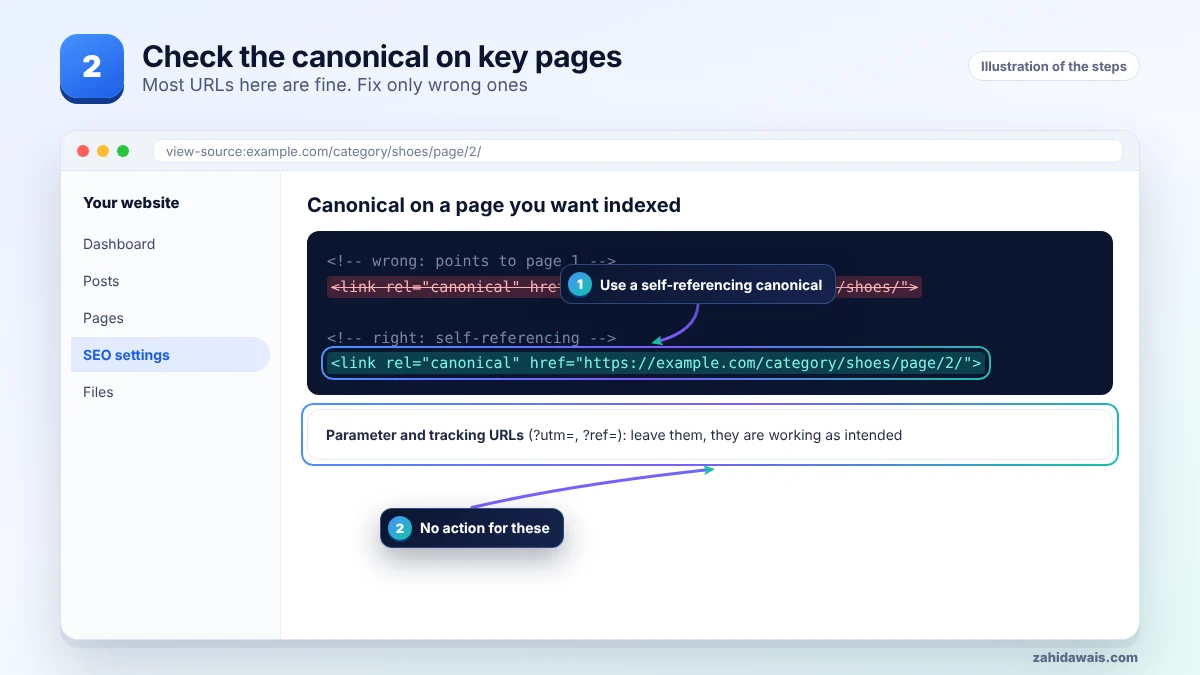
Alternate page with proper canonical tag means the page points to another URL with a rel="canonical" tag, and Google agreed and indexed that other URL. Google says there is nothing you need to do. Check it only if a page you want ranking appears here, which means its canonical tag points to the wrong URL.
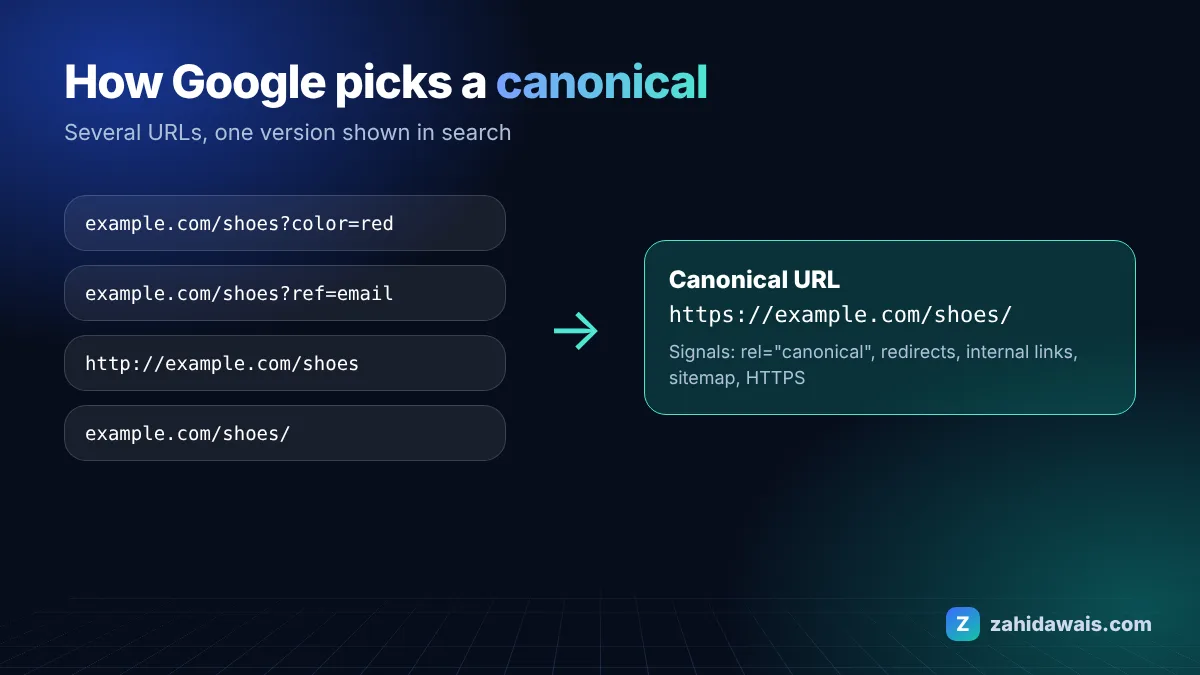
The Search Console Page indexing report help says this page is an alternate of another page that Google recognises as canonical, the page correctly points to it, and there is nothing to do. It is the healthy partner of duplicate without user-selected canonical, where no canonical was set.
These are the most common causes I see when auditing client sites:
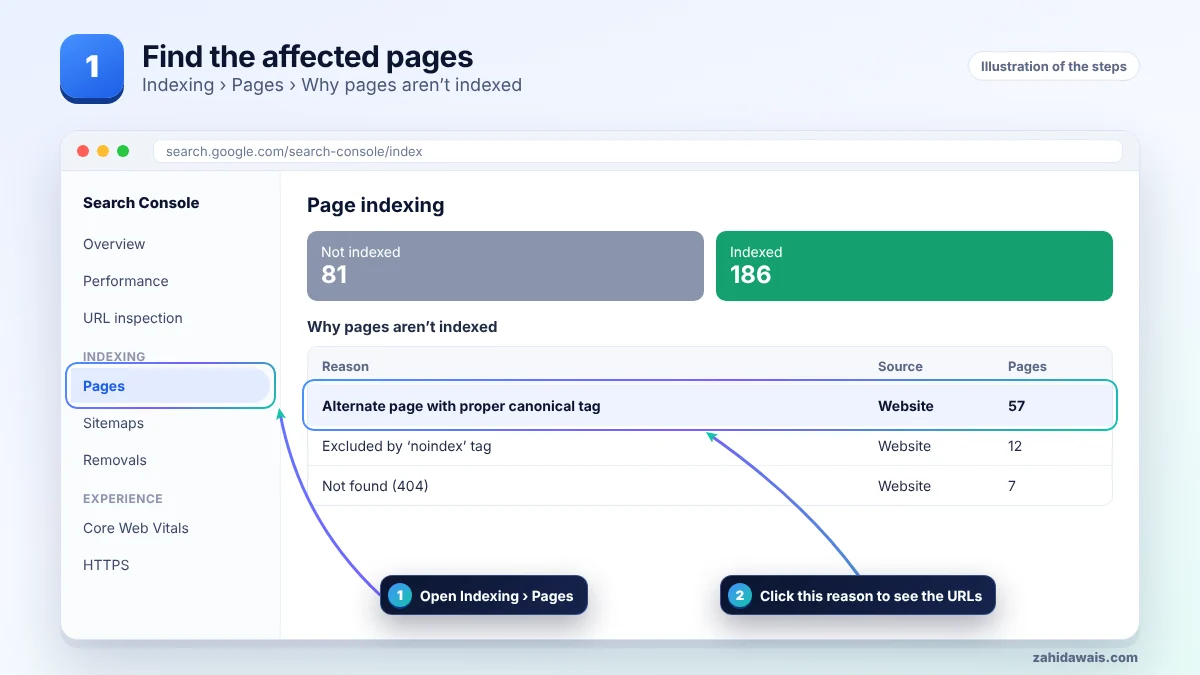
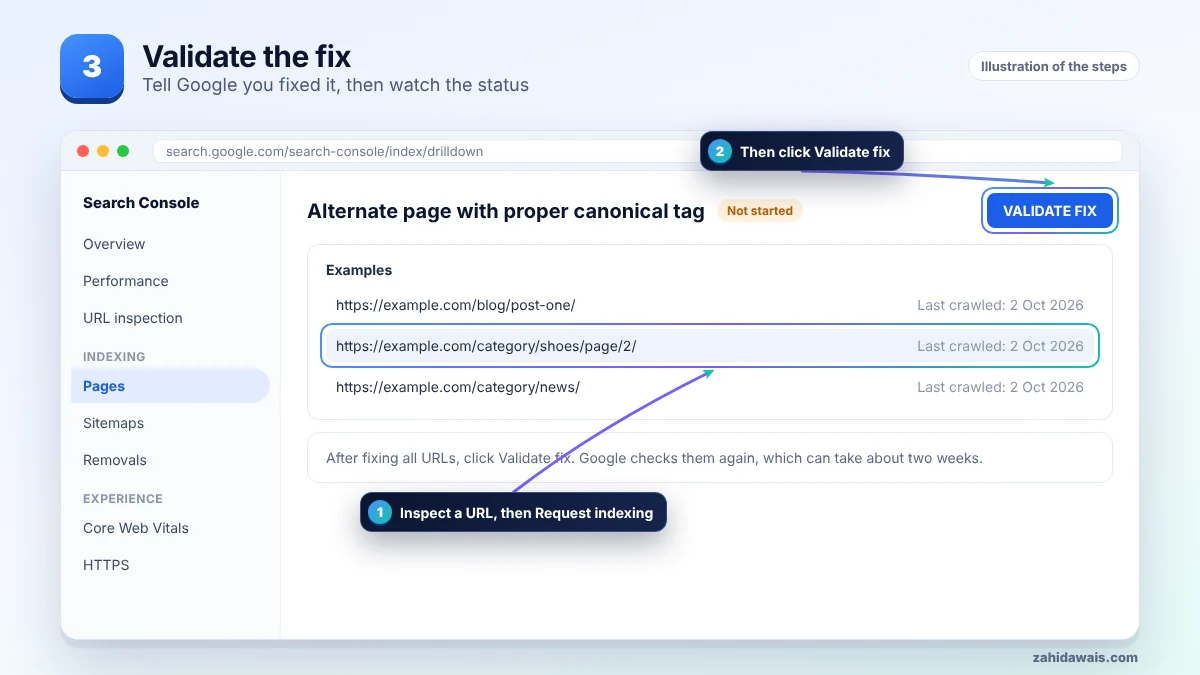
First find the affected URLs in Search Console, then work through the steps in order and stop when the issue is solved. The pictures show each stage.
| Search Console status | What it means | What to do |
|---|---|---|
| Alternate page with proper canonical tag | You set a canonical and Google agreed | Nothing, unless a key page is listed |
| Duplicate without user-selected canonical | No canonical set and Google picked one | Add a canonical tag |
| Duplicate, Google chose different canonical than user | You set one and Google disagreed | Align redirects, links and sitemap |
| Page with redirect | The URL redirects elsewhere | Usually nothing |
A shop had 40 blog archive pages listed under this status. That was fine. But 12 product categories were listed too, because a theme setting made page 2, 3 and 4 canonicalise to page 1, so products deeper in the list were found slowly. Switching those pages to self-referencing canonicals fixed it without touching the 40 archive URLs.
It is a real problem only when pages you want in search are listed. That usually means a template, SEO plugin or migration set the same canonical on many pages. Fix the template once and the whole group recovers. My on-page SEO service includes a canonical check on every template.
Not sure which pages are affected or why? My technical SEO service starts with a free audit, and the free SEO checklist covers the basics.
No. Google says there is nothing you need to do. It shows that your canonical tags are being respected.
Parameter, tracking, variant and pagination URLs add up quickly. A large number is normal on shops and blogs.
No. A canonical tag already handles them. Adding noindex sends mixed signals.
Usually not. Google shows the canonical version instead, which is the goal.
Use URL Inspection in Search Console. It shows the user-declared canonical and the Google-selected canonical.
Only a little on most sites. Very large sites can reduce it by cleaning up parameter URLs and internal links.
Facts checked on 8 October 2026 against these official pages. Read how I check facts in my editorial policy and disclaimer.
A rule in your robots.txt file stops Googlebot from crawling these URLs. Sometimes that is on purpose, sometimes it is a costly mistake.
Read
Google visited your page but chose not to add it to the index yet. Here is why, and what to do.
Read
Google knows the page exists but has not crawled it yet. Here is how to change that.
ReadSend your website and I will reply with a free audit.