Indexing guide
Soft 404 error: what it is and how to fix it
The page says “OK” to Google but looks empty or like an error. Here is how to fix that.
ReadGoogle found duplicate versions of a page and picked one itself, because you did not tell it which one.
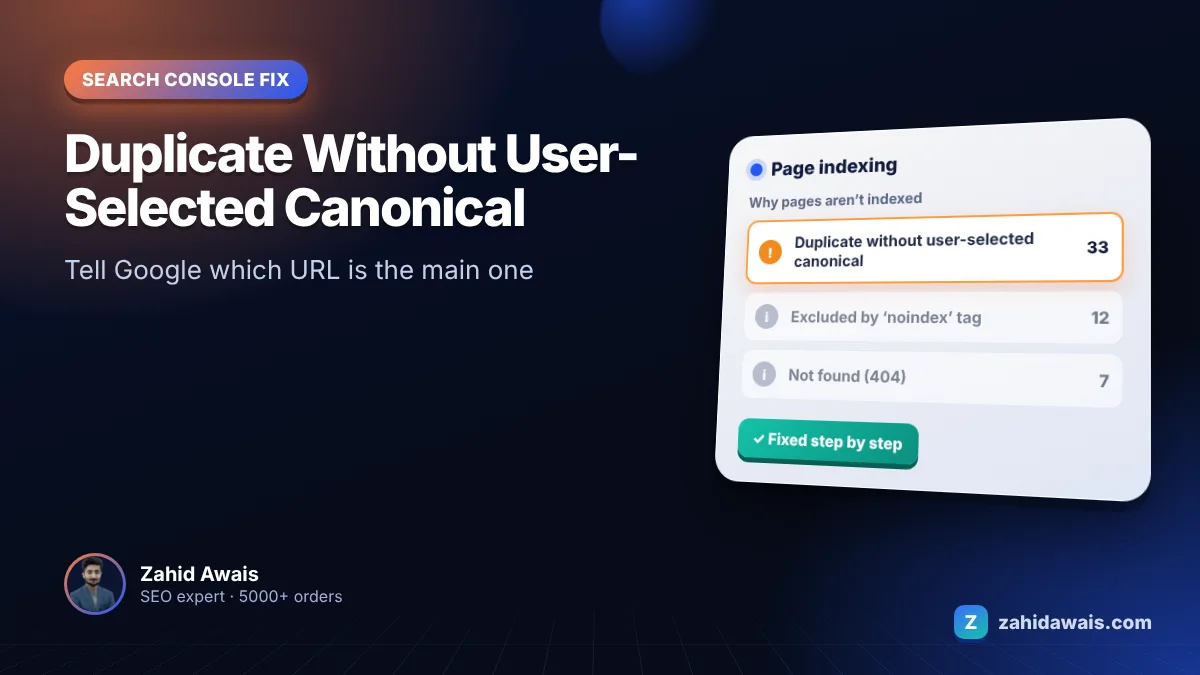
If Google Search Console shows duplicate without user-selected canonical for some of your pages, this guide explains what it means and how to fix it, step by step.
Duplicate without user-selected canonical means Google sees the page as a duplicate of another URL and chose a different page as the canonical, because no canonical was set. Fix it by adding a rel="canonical" tag that points to your preferred URL, redirecting true duplicates and linking only to the main version.
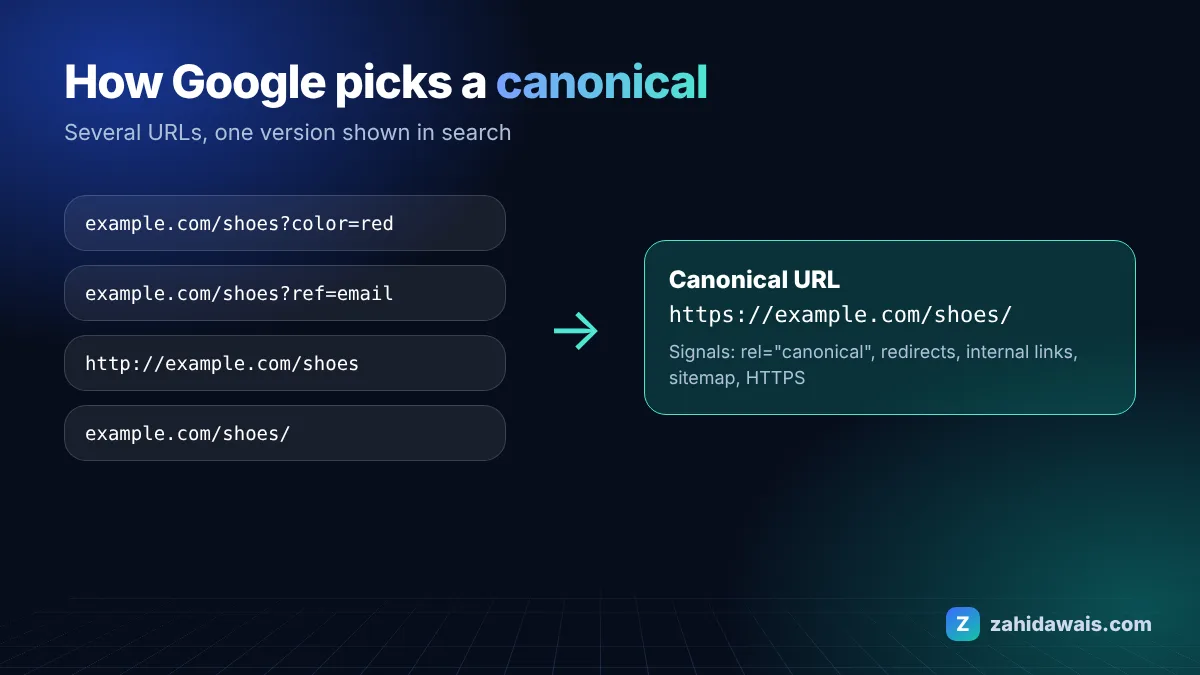
In the Search Console Page indexing report help Google says the page is a duplicate of another page, has no user-selected canonical, and that you can explicitly mark the canonical for this page.
These are the most common causes I see when auditing client sites:
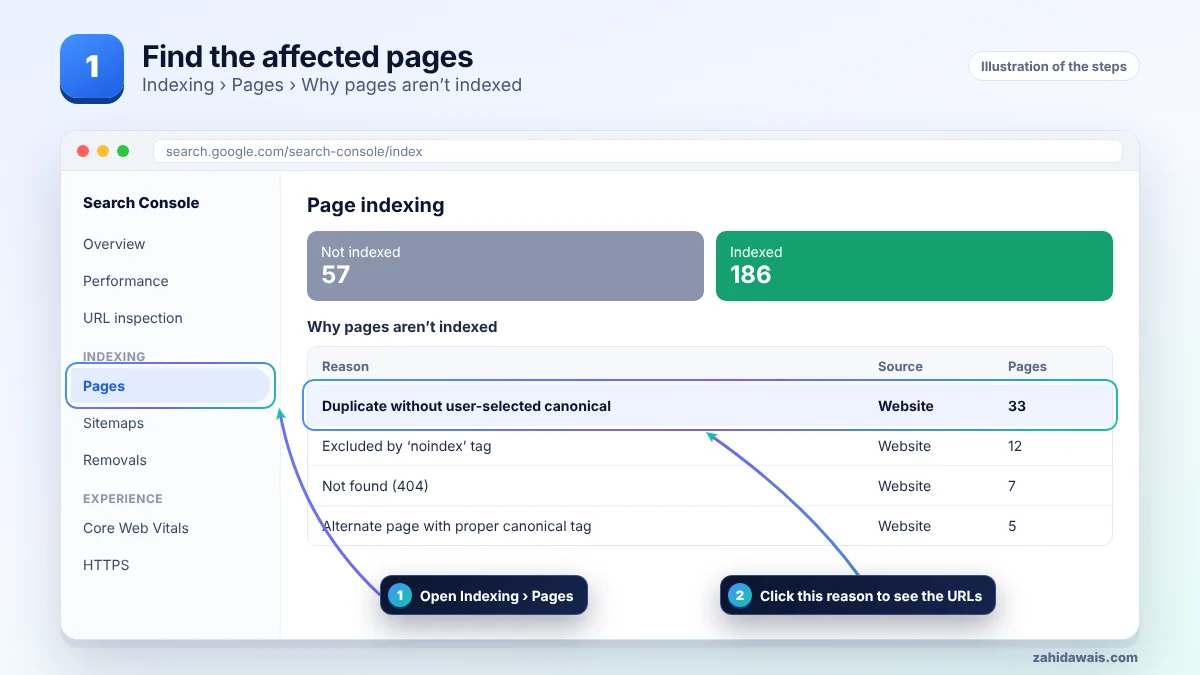
First find the affected URLs in Search Console, then work through the steps in order and stop when the issue is solved. The pictures show each stage.
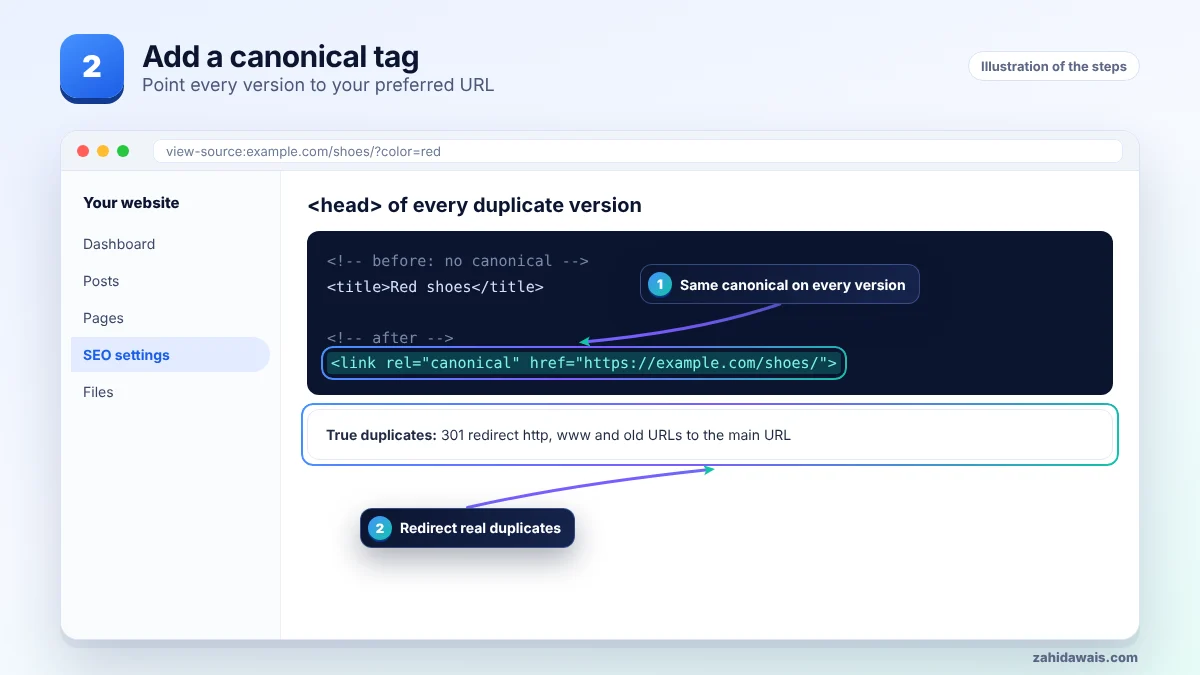
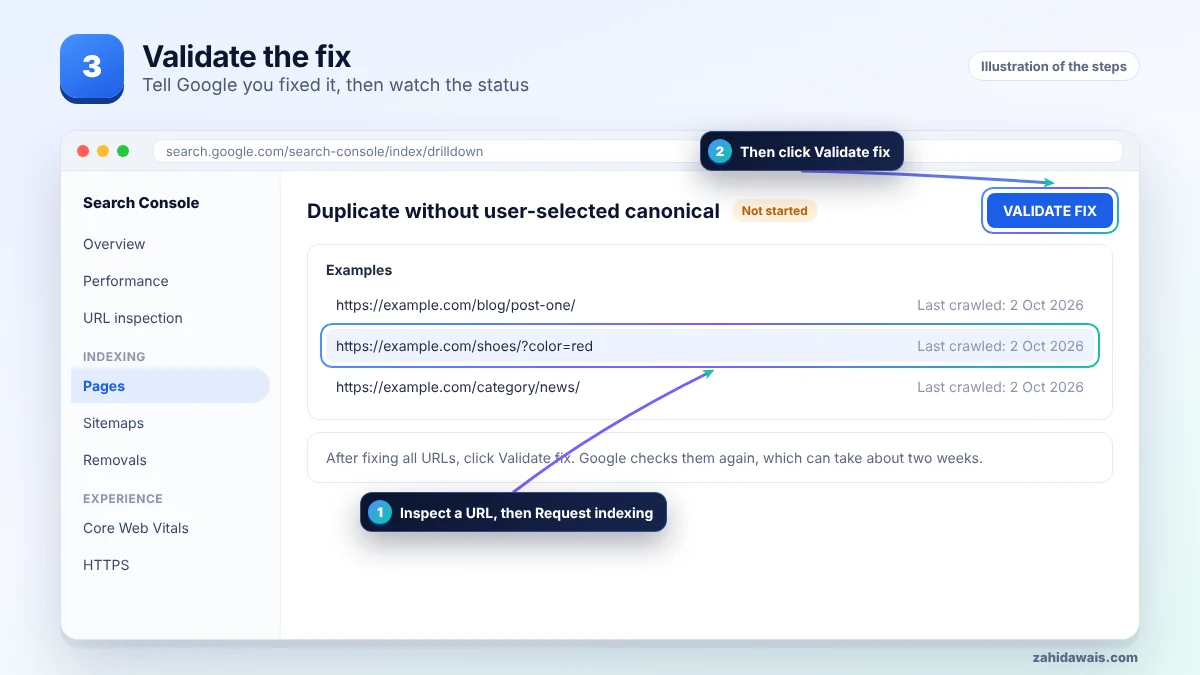
| Duplicate source | Example URL | Best fix |
|---|---|---|
| Tracking parameters | /shoes/?utm_source=mail | Canonical to /shoes/ |
| http or www versions | http://www.example.com/shoes/ | 301 redirect to the https main URL |
| Trailing slash | /shoes and /shoes/ | 301 redirect to one version |
| Variant pages | /shoes/red/ and /shoes/blue/ | Canonical to the main product, or make them unique |
A shop product was reachable at five URLs because of colour and tracking parameters. Search Console listed four of them as duplicate without user-selected canonical, and Google had picked the colour URL as canonical. Adding a canonical to /shoes/ on every version and linking only to that URL moved the four into alternate page with proper canonical tag.
If the duplicate is harmless, for example a tracking parameter, this status needs no urgent action once the main URL is indexed. Once you add canonical tags, these URLs usually move to alternate page with proper canonical tag, which is the healthy status.
Not sure which pages are affected or why? My technical SEO service starts with a free audit, and the free SEO checklist covers the basics.
Not always. If the right version is indexed, it is fine. Fix it when Google picks the wrong version or splits signals.
Google says a permanent redirect is the strongest signal, followed by rel="canonical". Sitemap inclusion is a weak signal.
No. It is a strong hint, not a rule. Consistent signals across redirects, links and sitemaps make it more likely.
It is a good practice because it removes doubt about parameter and tracking versions.
Alternate page means you set a canonical and Google agreed. Duplicate without user-selected canonical means you set none.
Duplicate content is not a penalty by itself. It mostly wastes crawl and can split ranking signals.
Facts checked on 8 October 2026 against these official pages. Read how I check facts in my editorial policy and disclaimer.
The page says “OK” to Google but looks empty or like an error. Here is how to fix that.
Read
Google found a URL that sends visitors somewhere else. Most of the time that is fine. Here is how to tell.
Read
This status usually means your canonical tags are working. Here is how to spot the few cases where they are not.
ReadSend your website and I will reply with a free audit.