Indexing guide
Page with redirect: what it means and when to fix it
Google found a URL that sends visitors somewhere else. Most of the time that is fine. Here is how to tell.
ReadThe page says “OK” to Google but looks empty or like an error. Here is how to fix that.
If Google Search Console shows soft 404 for some of your pages, this guide explains what it means and how to fix it, step by step.
A soft 404 happens when a page returns a 200 OK status but looks like an error or empty page to Google. Fix it by returning a real 404 or 410 for pages that do not exist, redirecting moved pages to the closest match, or adding real content to thin pages.
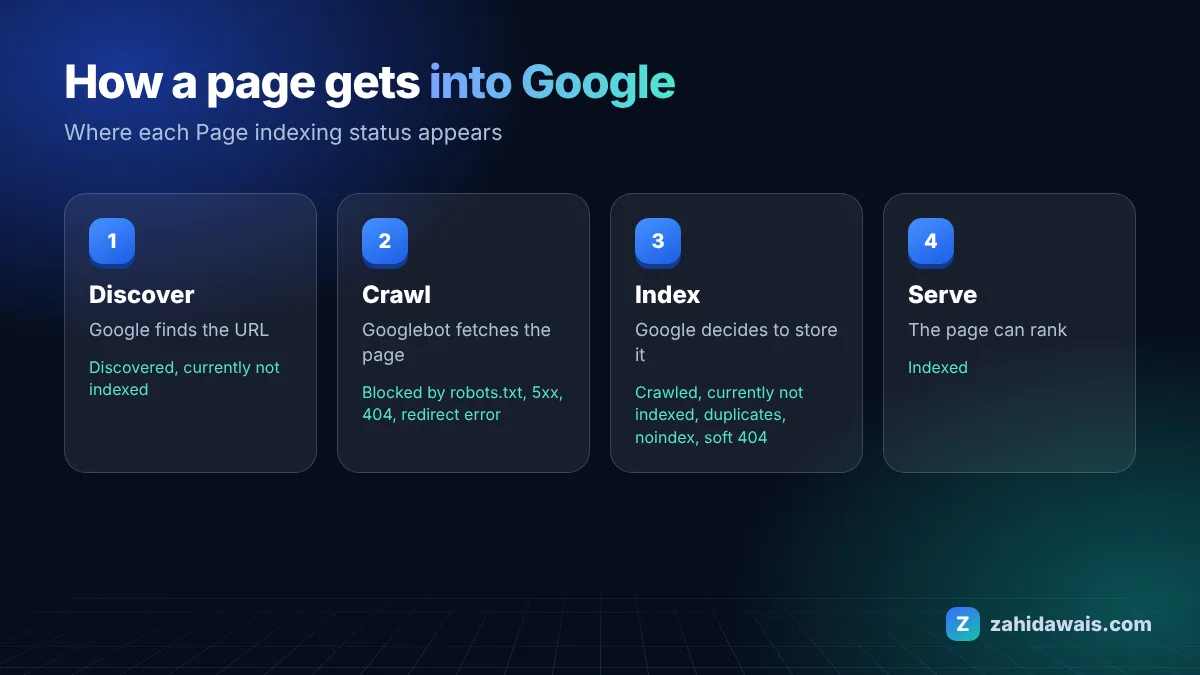
Google’s Google guide to HTTP status codes and soft 404s explains that when the content suggests an error, an empty page or an error message, Search Console flags it as a soft 404. The Search Console Page indexing report help recommends returning a 404 response code for truly not found pages.
These are the most common causes I see when auditing client sites:
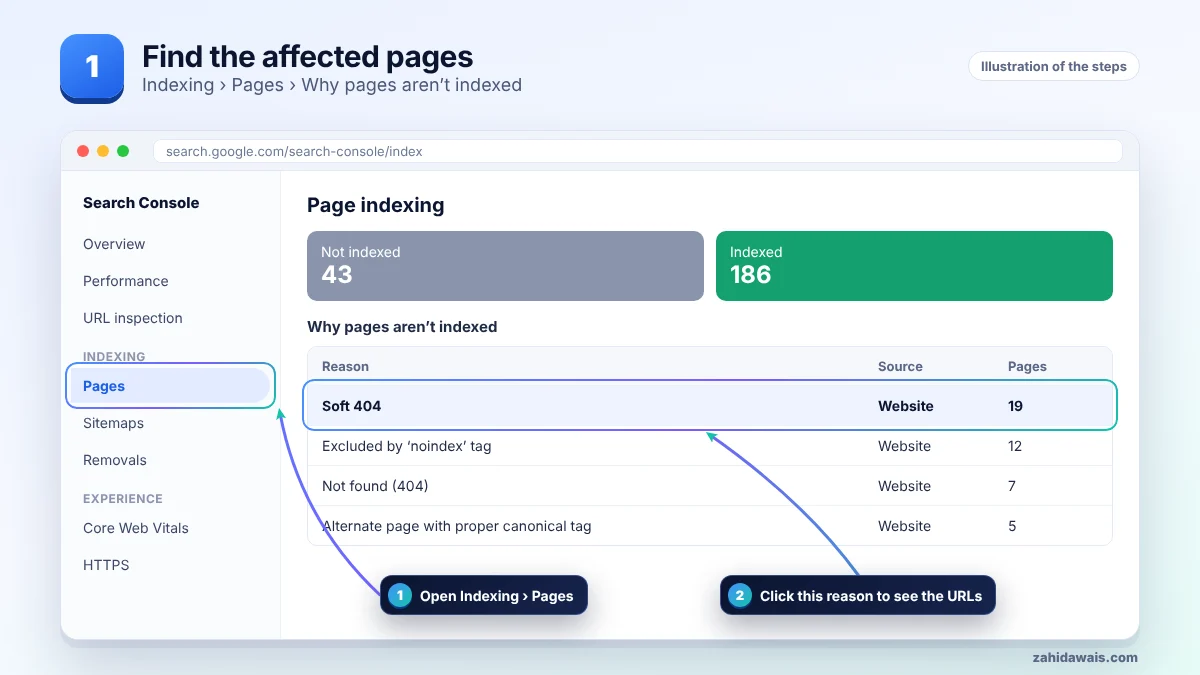
First find the affected URLs in Search Console, then work through the steps in order and stop when the issue is solved. The pictures show each stage.
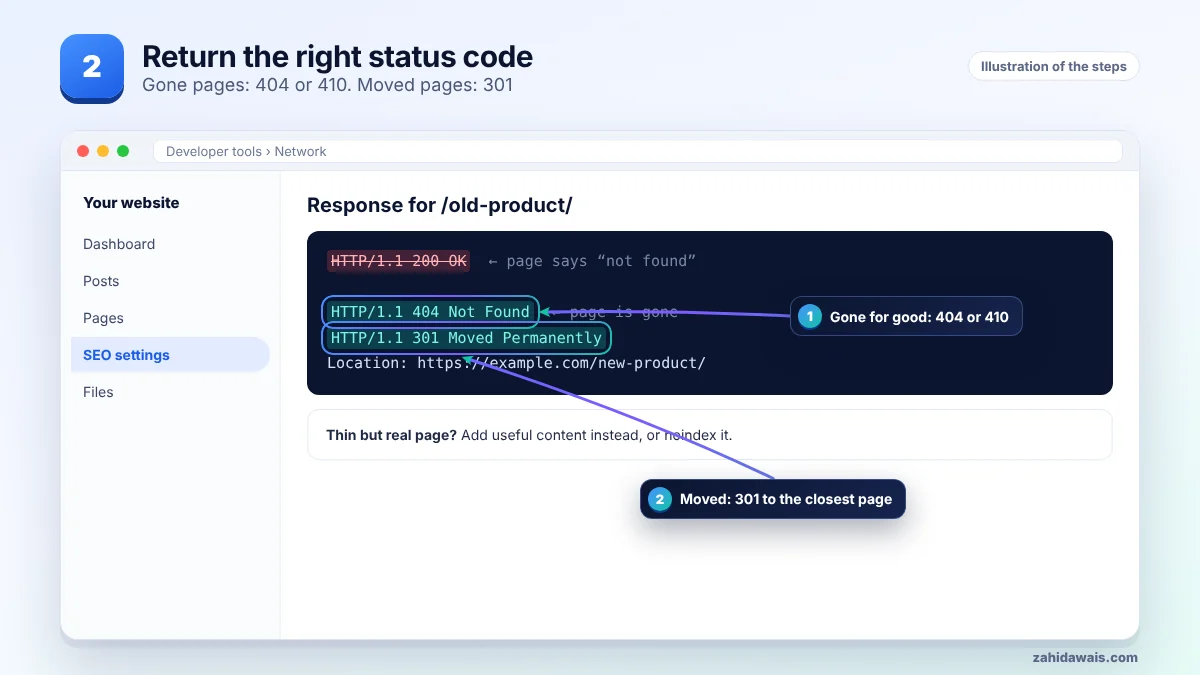
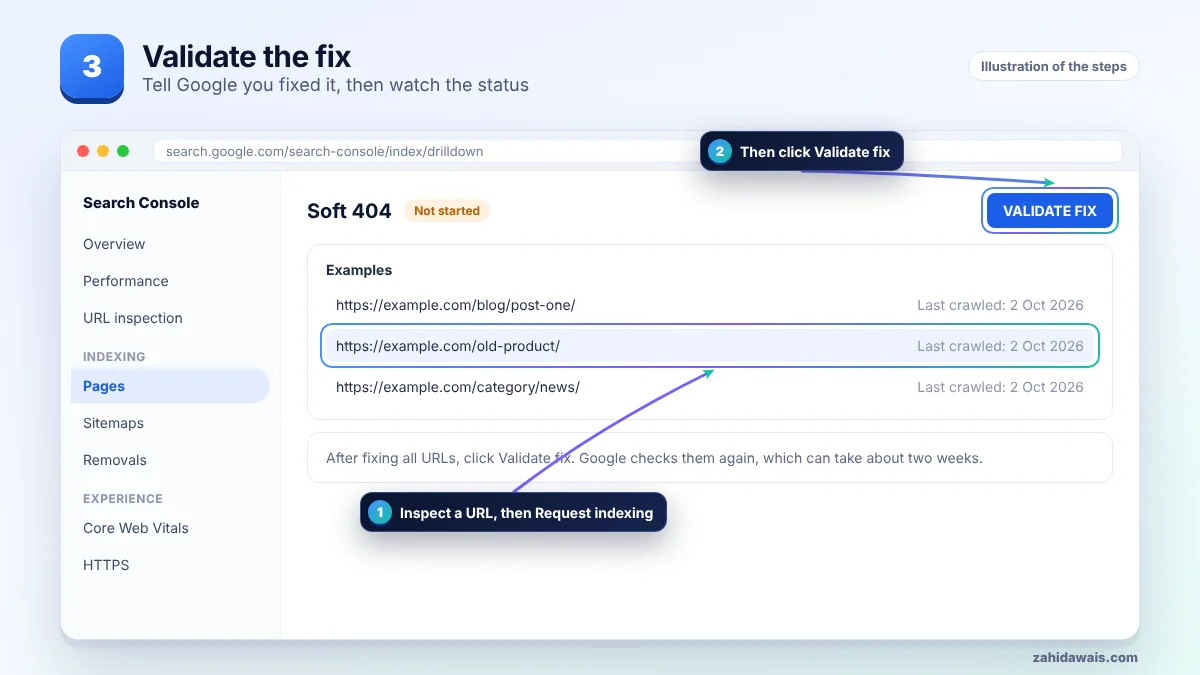
| Page situation | Right response | Why |
|---|---|---|
| Deleted, no replacement | 404 or 410 | Tells Google the page is gone |
| Moved to a new URL | 301 to the new URL | Passes visitors and signals |
| Empty category or search page | Add content, or noindex | Avoids thin pages in the index |
| Out of stock product | 200 with useful content and alternatives | Keeps the page helpful |
A store deleted 19 old products and redirected all of them to the home page. Search Console reported them as soft 404, because the home page did not match the old product. Each URL was redirected to its closest category instead, and the ones with no match returned 410. The soft 404 list cleared after validation.
If many valid pages are flagged, check that your server returns the full content to Googlebot and that nothing in the template looks like an error message.
Not sure which pages are affected or why? My technical SEO service starts with a free audit, and the free SEO checklist covers the basics.
A real 404 is clear and normal. A soft 404 sends mixed signals and can waste crawl, so it is better to fix it.
No. Google often treats that as a soft 404. Redirect only to a closely related page.
Yes, if the page becomes almost empty. Keep useful content and alternatives on the page.
They do not penalise the whole site, but affected pages will not be indexed.
Return 404 or 410 when content is gone for good, or 301 if there is a direct replacement.
Use URL Inspection in Search Console, your browser developer tools, or an online HTTP header checker.
Facts checked on 8 October 2026 against these official pages. Read how I check facts in my editorial policy and disclaimer.
Google found a URL that sends visitors somewhere else. Most of the time that is fine. Here is how to tell.
Read
This status usually means your canonical tags are working. Here is how to spot the few cases where they are not.
Read
A rule in your robots.txt file stops Googlebot from crawling these URLs. Sometimes that is on purpose, sometimes it is a costly mistake.
ReadSend your website and I will reply with a free audit.