Indexing guide
Alternate page with proper canonical tag: is it a problem?
This status usually means your canonical tags are working. Here is how to spot the few cases where they are not.
ReadGoogle found a URL that sends visitors somewhere else. Most of the time that is fine. Here is how to tell.
If Google Search Console shows page with redirect for some of your pages, this guide explains what it means and how to fix it, step by step.
Page with redirect means the URL redirects to another page, so Google indexes the target instead. Google says redirect URLs are not indexed and this usually needs no fix. Act only if the target is not indexed, the redirect is wrong, or your internal links and sitemap still point to the old URL.
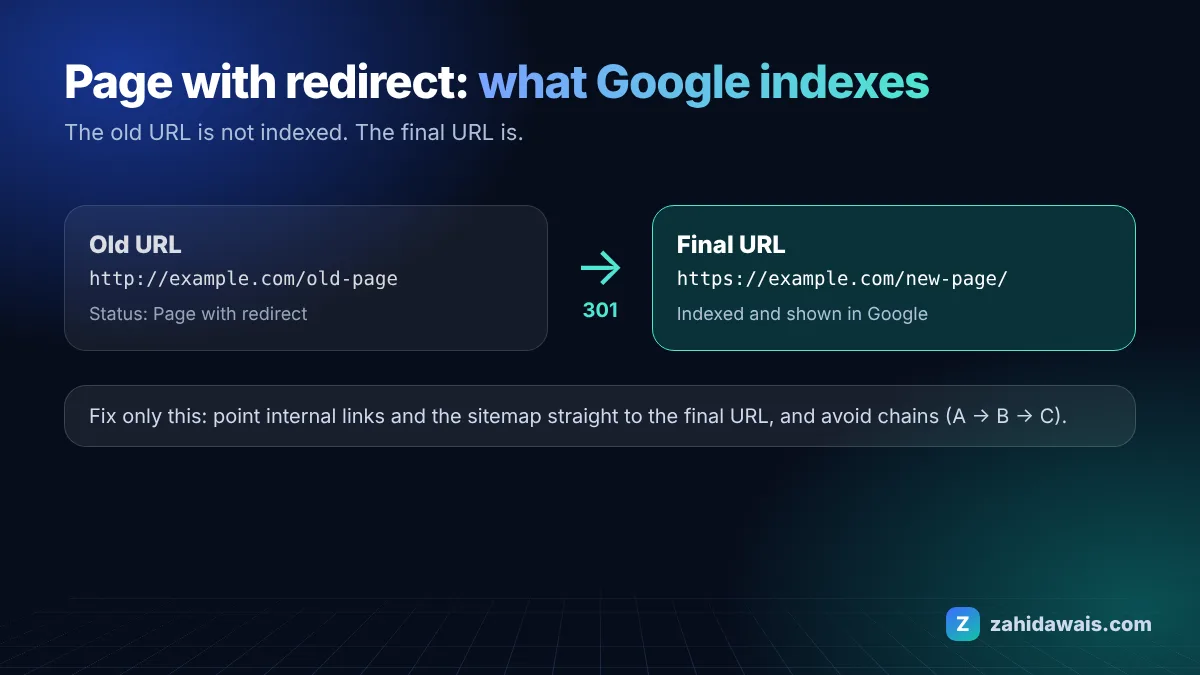
The Search Console Page indexing report help describes this status as a non-canonical URL that redirects to another page. The redirecting URL is not indexed, but the page it points to can be. Google’s Google guide to redirects and Google Search explains that a permanent redirect such as a 301 or 308 tells Google the target should be shown in results.
These are the most common causes I see when auditing client sites:
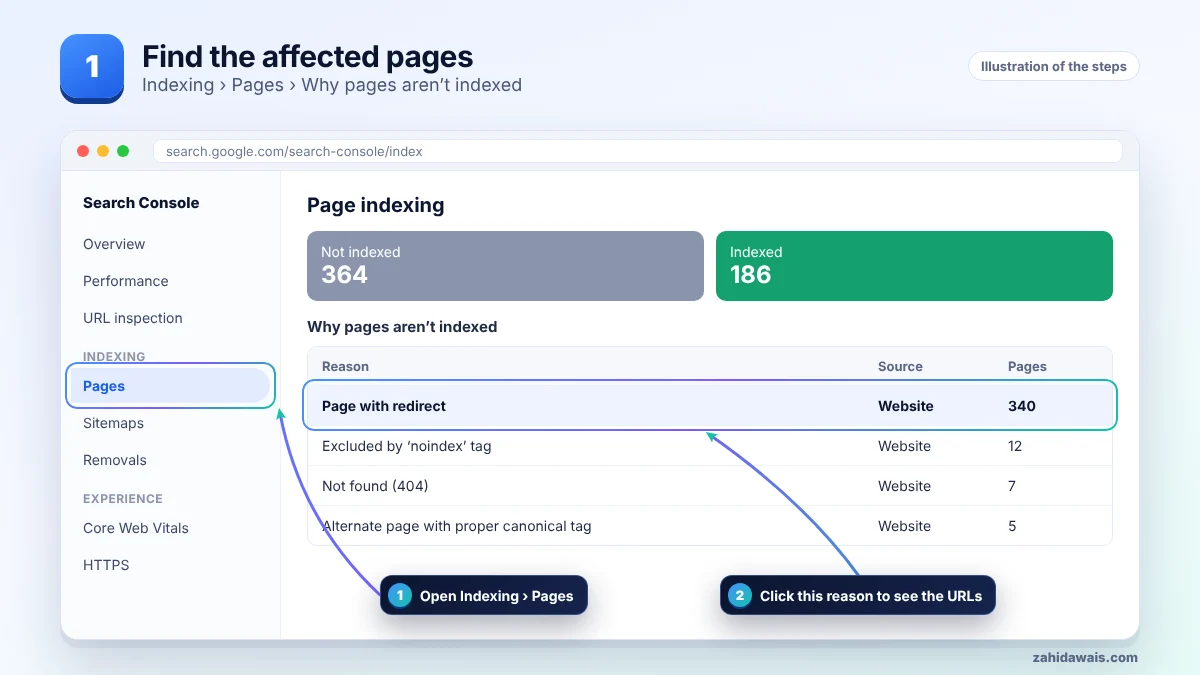
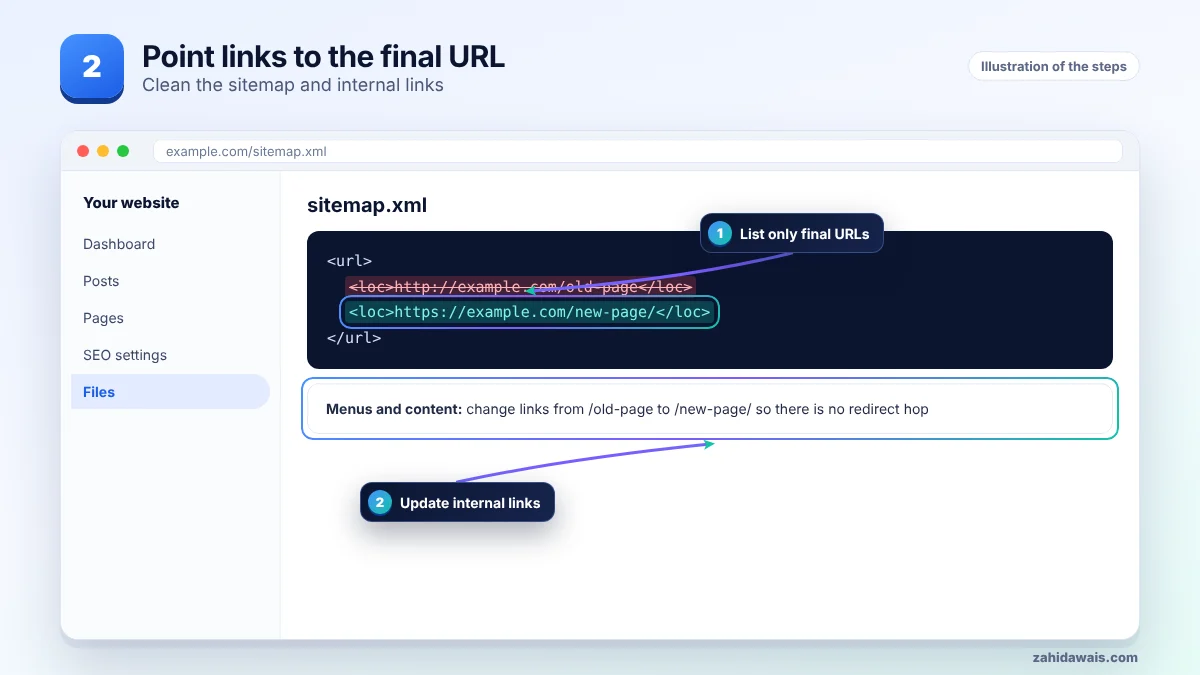
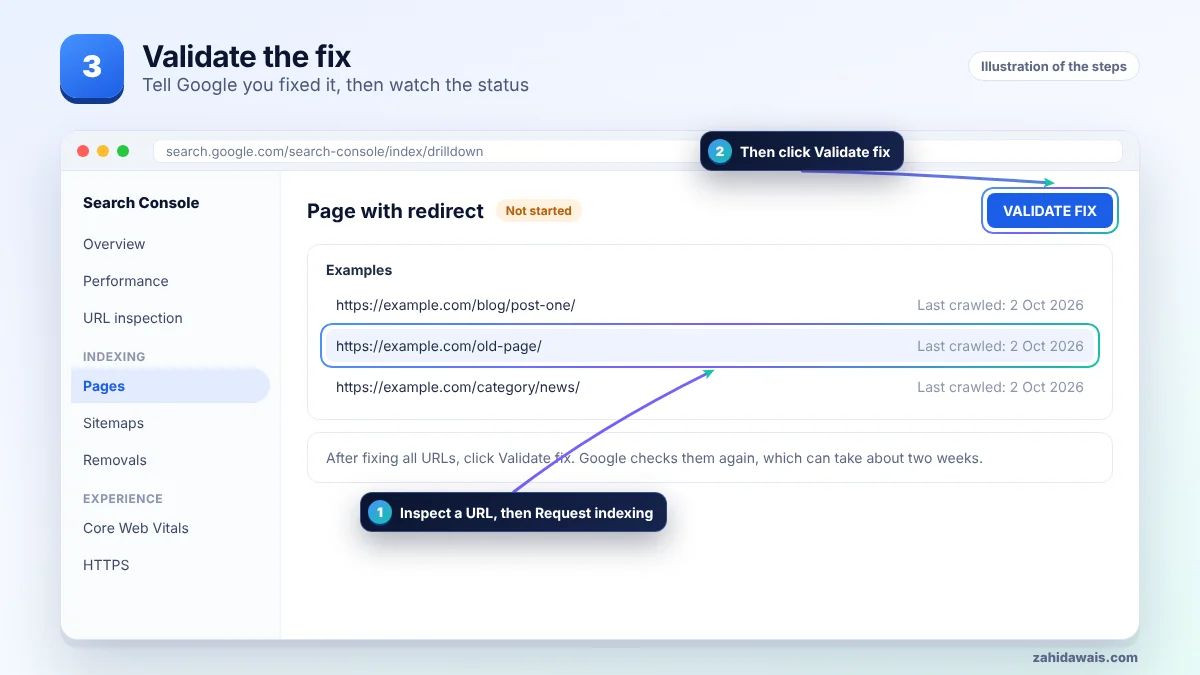
First find the affected URLs in Search Console, then work through the steps in order and stop when the issue is solved. The pictures show each stage.
| Redirect type | How Google treats it | Use it when |
|---|---|---|
| 301 or 308 (server) | Permanent: target becomes canonical | A page moved for good |
| 302 or 307 (server) | Temporary: old URL usually stays in results | A short campaign or maintenance |
| Instant meta refresh | Treated as permanent | You cannot set server redirects |
| JavaScript redirect | Only seen if rendering works | Last resort only |
A WordPress site moved to https and Search Console listed 340 pages as page with redirect. The https versions were indexed, so nothing was broken. The real fix was small: the old http URLs were still in the sitemap and in 60 menu and footer links. After updating them, Google crawled the final URLs directly and the redirect list stopped growing.
It becomes a problem when the target page is missing from Google, when redirects loop, or when thousands of internal links point at redirects. Each extra hop slows crawling. If the target shows a different status, follow that guide, for example crawled, currently not indexed or soft 404.
Not sure which pages are affected or why? My technical SEO service starts with a free audit, and the free SEO checklist covers the basics.
No. Google lists it as a reason a URL is not indexed, but redirect URLs are not meant to be indexed. Only the target page matters.
No. Request indexing for the final URL only, and only if it is not indexed after a real update.
Google treats a permanent redirect as a strong canonical signal, so the target page gets the credit. Avoid long chains anyway, because they slow crawling.
Use a 301 or 308 when the move is permanent. Use a 302 or 307 only when you will switch back.
Inspect the target URL. It may have its own issue, such as thin content, a noindex tag or a canonical pointing elsewhere.
Keep them for as long as people or links still use the old URLs. For most sites that means at least a year, and often for good.
Facts checked on 8 October 2026 against these official pages. Read how I check facts in my editorial policy and disclaimer.
This status usually means your canonical tags are working. Here is how to spot the few cases where they are not.
Read
A rule in your robots.txt file stops Googlebot from crawling these URLs. Sometimes that is on purpose, sometimes it is a costly mistake.
Read
Google visited your page but chose not to add it to the index yet. Here is why, and what to do.
ReadSend your website and I will reply with a free audit.