
On-page SEO
How to Work Out the Value of an SEO Lead (With Formula)
How to work out the value of an SEO lead: close rate x deal value x margin, then compare it with SEO…
Read article
This guide is for site owners, editors and SEOs who found the same title or meta description on many pages and want to clean it up properly. You will learn how to find duplicate title tags and descriptions across a whole site, what usually causes them, and when the fix is a rewrite, a canonical URL or a merged page.
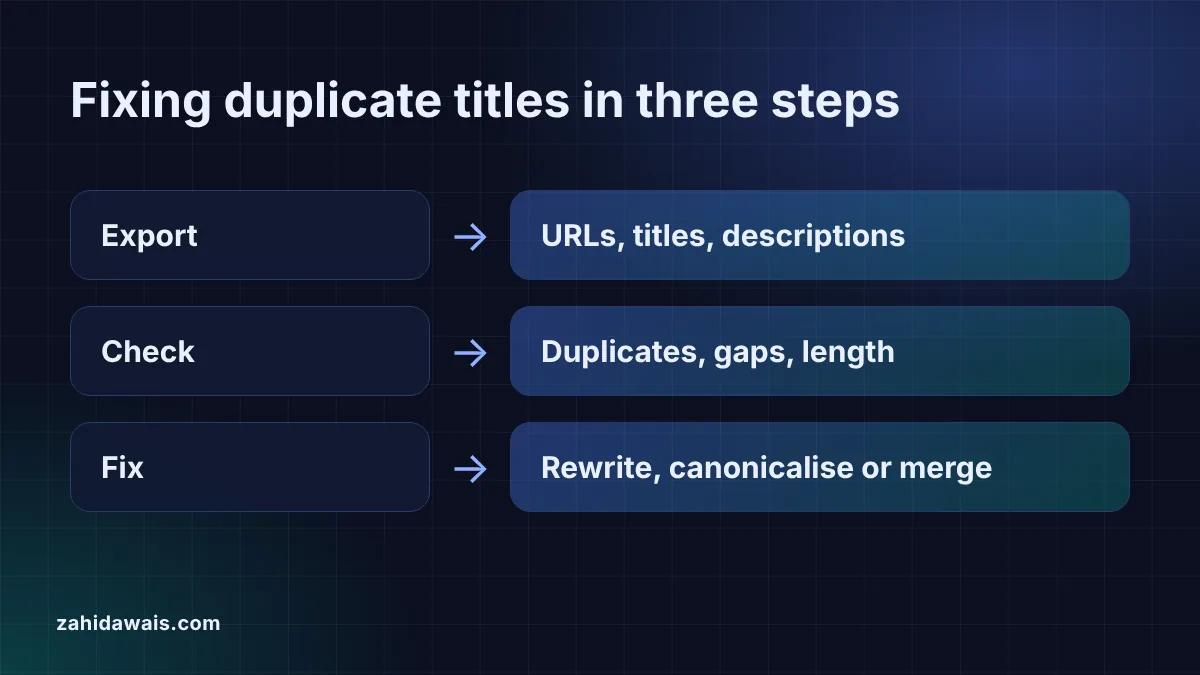
Duplicate title tags and meta descriptions are the same text used on more than one page. Google asks for distinct titles and page specific descriptions. Find them with a crawl export, then fix the cause: write unique text for pages that differ, and canonicalise, redirect or merge URLs that are really the same page.
Duplicate titles and descriptions are a problem because they make different pages look identical in search results and give Google less reason to use your text. Google’s title link documentation says “it’s important to have distinct text that describes the content of the page” and tells site owners to “Avoid repeated or boilerplate text in <title> elements.” When a title is missing, repeated or stuffed, Google can build the title link from other sources, such as the main heading or anchor text, which is one of the reasons Google rewrites title tags.
Descriptions follow the same logic. Google’s snippet documentation says “Identical or similar descriptions on every page of a site aren’t helpful when individual pages appear in search results.” Google also notes that “Snippets are primarily created from the page content itself”, so a repeated description is often ignored anyway, which is a common answer to why Google is not showing your meta description.
Find them by exporting every indexable URL with its title and meta description, then checking the list for repeats. Any site crawler can produce this export, and many CMS and SEO plugins can list titles too. Checking pages one by one does not work past a few dozen URLs, because duplicates only show up when you compare pages with each other.
Paste the export into the bulk title and meta checker. It flags exact duplicates, near-duplicates that only differ in case or punctuation, missing tags, lengths outside your limits and words repeated three or more times, and it lists the matching row numbers so you can see which pages collide. Filter to duplicates first, then export the CSV as your fix list.
Most duplicates come from templates and URL variants, not from someone writing the same title twice. A CMS that falls back to the site name when a page has no title, a theme that uses one description for every post, and paginated or filtered URLs that inherit the parent title are the usual causes. Each cause needs a different fix, so diagnose before you rewrite.
| Cause | How it shows up | Fix |
|---|---|---|
| No custom title, CMS falls back to site name | Many rows with only the brand as the title | Write a title for each page, or fix the template to use the page name |
| One description in the theme or plugin settings | Hundreds of rows with the same description | Remove the sitewide default, write or generate per page |
| Paginated archives | Blog, Blog page 2, Blog page 3 with one title | Add the page number, or keep it and accept it for archive pages |
| Parameters for sorting, filters or tracking | Same title on URLs with ?sort= or ?utm_ | Canonical to the clean URL, link internally to the clean URL |
| http, https, www and trailing slash variants | Same page listed at two addresses | 301 redirect to one version |
| Location or product pages from one template | Titles that differ by one word, near identical text | Add real local or product detail, or merge pages |
Fix duplicate title tags by giving every page that deserves to rank a title that names its own topic, and by removing the duplicate URLs that do not. Start with pages you want indexed and that get impressions, then work down the list. Put the specific part first, such as the service, product or question, and keep the brand short at the end; Google’s advice is to “Brand your titles concisely.”
The guide to writing SEO title tags covers the wording in more depth.
Fix duplicate meta descriptions by writing a short, specific summary for each important page and generating the rest from real page data. Google says that on large sites “programmatic generation of the descriptions can be appropriate and are encouraged”, so a template that fills in each product’s material, size and price is fine when every result reads differently.
If you cannot write them all, prioritise the home page, top landing pages and pages with high impressions and low clicks in Search Console. A missing description is better than one copied onto hundreds of pages, because Google will build a snippet from the page instead. The meta description guide has formulas and examples.
Duplicate pages are the real problem when two URLs with the same title also carry the same or very similar content. Rewriting the title of a sorted, paginated or tracking URL fixes nothing; the fix is a redirect or a rel="canonical" link to the main URL. Google’s canonicalization documentation says “Some duplicate content on a site is normal and it’s not a violation of Google’s spam policies”, but Google will still choose one URL to show, and a canonical preference “is a hint, not a rule.”
To check whether two pages really are near-duplicates, paste their main text into the content similarity checker. High Jaccard and cosine scores with long shared phrases mean the pages repeat each other, so merge them or make one clearly different. If Search Console already reports duplicate without user-selected canonical, start there. Two different pages chasing one keyword is a separate issue, keyword cannibalization.
Example: a made-up plumbing site, example.com, exports 9 URLs into the bulk title and meta checker. It reports issues on 8 rows. The home page and about page share the title “Emergency Plumbers in Leeds | Example Plumbing”, so the about page gets “About Example Plumbing, Family Plumbers in Leeds”. The boiler repair and boiler servicing pages share a description, so each gets its own. “Blog | Example Plumbing” and “blog – Example Plumbing” are the blog and its page 2, so the page 2 title gets “Page 2” added rather than a rewrite. The 92 character drain unblocking title that repeats “leeds” 4 times becomes “Drain Unblocking in Leeds | Example Plumbing”. A second check of the Leeds and Bradford service blurbs in the content similarity checker gives 37% Jaccard with a 16 word shared sentence, so that sentence is rewritten too.
No penalty is described in Google’s documentation for duplicate titles. The cost is practical: pages look the same in results, Google may rewrite the titles, and duplicate URLs can split signals. Fix them because they confuse searchers, not out of fear of a penalty.
It is common and low risk, because page 2 and later rarely rank on their own. Adding “Page 2” to the title and description is a quick improvement. Google advises against using page 1 as the canonical for the whole series.
Important pages should have a specific one. For thousands of similar pages, generated descriptions from real data are fine. A missing description is better than one copied everywhere, because Google can build a snippet from the page content.
There is no number from Google. Any duplicate on a page you want to rank is worth fixing, and a pattern across many pages points to a template problem. Fix the template first, because that clears hundreds of rows at once.
For readers, yes. “Red Shoes | Shop” and “red shoes – shop” look identical in results. Titles that only swap one word, such as a city, are what Google calls boilerplate when the rest of the page is the same as well.
Check after every template change, site migration or bulk upload, and at least once a month on sites that publish often. A crawl export and the bulk checker take a few minutes, and catching a template bug early saves a large clean-up later.
This guide is part of my on-page SEO checklist.
Checked 23 Oct 2026. Facts checked against these official pages. Read how I check facts in my editorial policy.
Want your titles, descriptions and duplicate pages fixed across the whole site? See my on-page SEO service.
How to work out the value of an SEO lead: close rate x deal value x margin, then compare it with SEO…
Read article
Does a table of contents help SEO? What Google's docs say and do not say about jump links, sitelinks and #fragments, and…
Read article
When removing words like a, the and of makes a slug better, when it does not, and how to change old URLs safely.
Read articleSend your website and I will reply with a free audit.