Title Tag Pixel Width Checker
A title pixel width checker is a tool that measures how wide a title tag renders in pixels rather than…
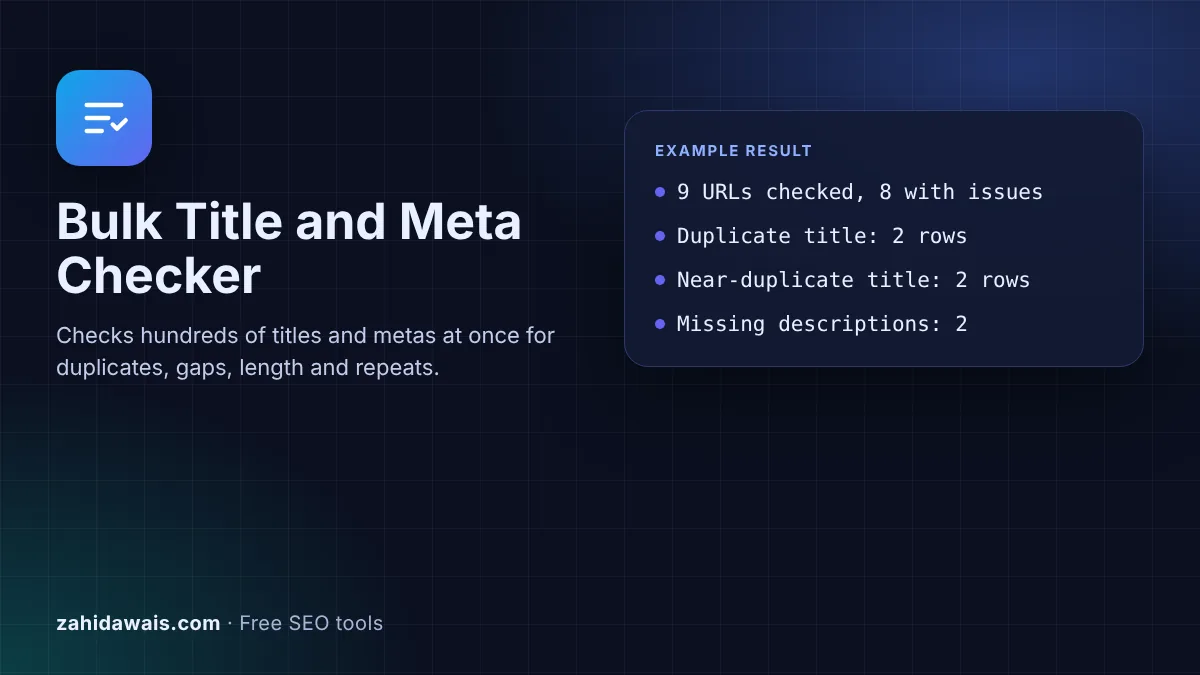
Paste URLs with their titles and meta descriptions to find duplicates, missing tags, lengths outside your limits and repeated words, then export the list.
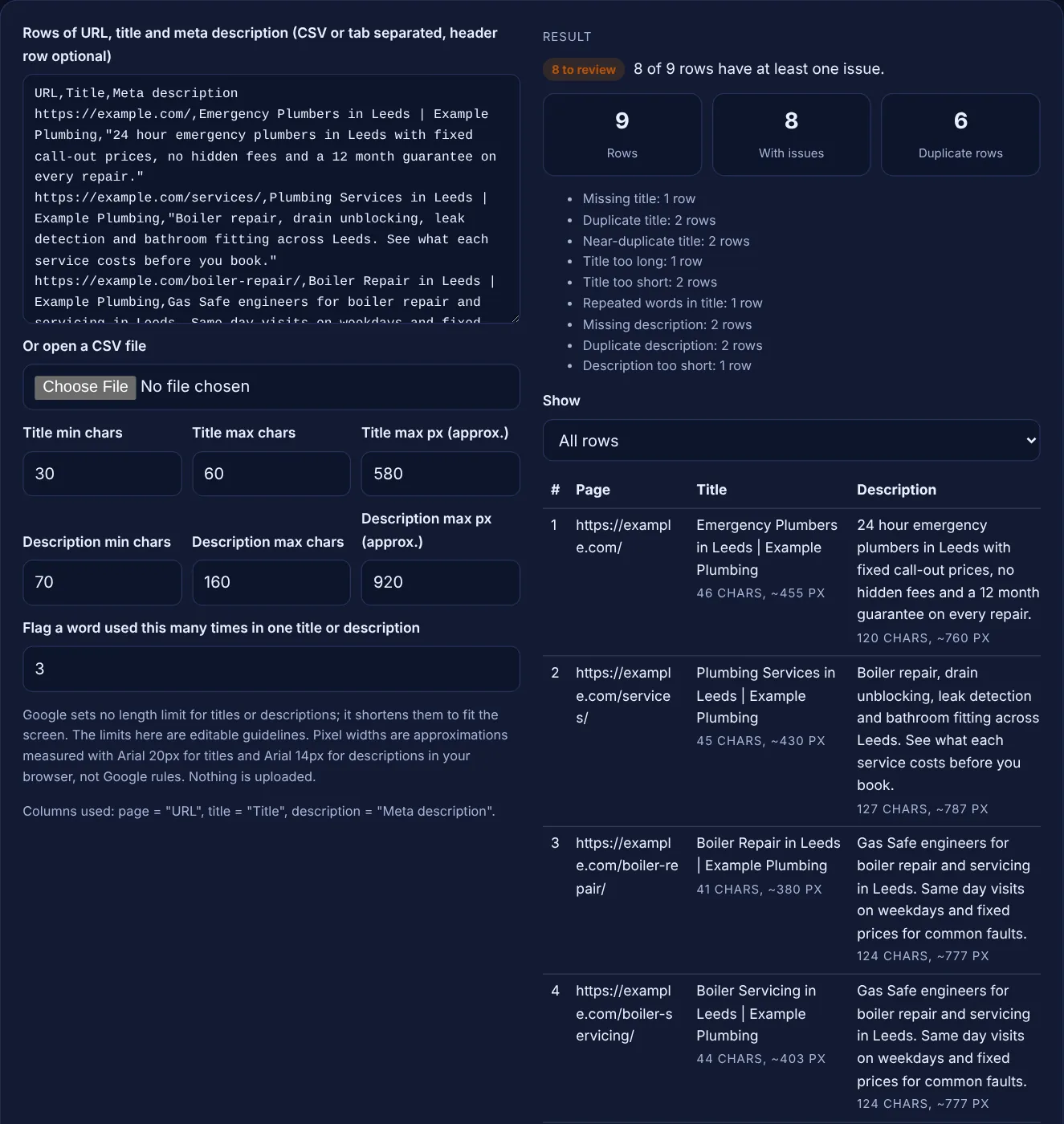
Google sets no length limit for titles or descriptions; it shortens them to fit the screen. The limits here are editable guidelines. Pixel widths are approximations measured with Arial 20px for titles and Arial 14px for descriptions in your browser, not Google rules. Nothing is uploaded.
| # | Page | Title | Description | Issues |
|---|
The free bulk title tag checker reads a list of pages with their titles and meta descriptions, such as a crawler export, and flags exact and near duplicates, missing tags, lengths outside your limits and words repeated too often. You can filter the table and export the results as a CSV.
A bulk title and meta checker reviews many pages at once and flags duplicate, missing, too long or too short titles and meta descriptions, plus repeated words. Google sets no length limit and shortens title links and snippets to fit the device, so the character and pixel limits here are editable guidelines.
A bulk title and meta checker is a tool that audits the title tags and meta descriptions of many pages in one pass, instead of one URL at a time. Paste rows of URL, title and description from a site crawler or a spreadsheet, and it lists every page with its character count, an approximate pixel width and the problems found. Header names containing url or address, title and description are detected, and extra columns such as lengths or status codes are ignored.
The checks follow Google's own advice. The title link documentation says: "Make sure every page on your site has a title specified in the <title> element", "Avoid repeated or boilerplate text in <title> elements" and "Avoid keyword stuffing." The snippet documentation adds that "Identical or similar descriptions on every page of a site aren't helpful when individual pages appear in search results."
No. Google's title link documentation says "there's no limit on how long a <title> element can be", and the title link is "truncated in Google Search results as needed, typically to fit the device width". The snippet documentation says the same about descriptions: "There's no limit on how long a meta description can be, but the snippet is truncated in Google Search results as needed".
The default limits in this tool, 60 characters and about 580 px for titles and 160 characters and about 920 px for descriptions, are common SEO guidelines for keeping the important words visible. Pixel widths are measured in your browser with Arial at 20 px and 14 px, so they are approximations. Google publishes no pixel limit, and the space shown changes by device. For a single title, the title pixel width checker gives a closer look.
Duplicate titles and descriptions make different pages look the same in search results, so people cannot tell which one answers their question. Google asks for "distinct text that describes the content of the page" in titles and calls identical or similar descriptions on every page unhelpful. When titles are repeated or boilerplate, Google may create its own title link from other text on the page.
Duplicates are also a symptom. Two URLs with the same title are often the same page reached by different URLs, such as a sorted or paginated version. That is a canonical question first and a writing question second. This tool flags exact duplicates and near-duplicates, which only differ in letter case, spacing or punctuation, such as "Blog | Example" and "blog - example".
Fix them in order of impact. First add missing titles, then resolve exact duplicates on pages you want indexed: give each page its own topic in the title, or point true duplicates to one canonical URL. Next shorten titles where the main words fall past the limit, and rewrite descriptions that are missing, too short or stuffed with repeated words.
For large sites, Google says that "programmatic generation of the descriptions can be appropriate and are encouraged", so a template that pulls real page details, such as product size and price, is fine as long as each result is different and readable. The meta description generator and the SEO title generator help with rewrites.
| Flag | Rule used | Typical fix |
|---|---|---|
| Missing title or description | The cell is empty | Write one for the page |
| Duplicate | Exactly the same text as another row | Make it page specific, or canonicalise duplicate URLs |
| Near-duplicate | Same text after ignoring case, spaces and punctuation | Same as duplicate |
| Too long | Over the character limit or the approximate pixel limit | Move key words to the front, cut filler |
| Too short | Under the minimum characters | Add what the page offers and who it is for |
| Repeated words | A word (not a stop word) used 3 or more times | Say it once, add useful detail instead |
Example: the default rows are 9 pages from a made-up plumbing site, example.com. The checker finds issues on 8 of the 9 rows, and 6 rows are part of a duplicate or near-duplicate pair. The home page and the about page share the exact title "Emergency Plumbers in Leeds | Example Plumbing". The boiler repair and boiler servicing pages share one description. "Blog | Example Plumbing" and "blog - Example Plumbing" are near-duplicates, both too short at 23 characters, and both have no description. The contact page has no title and an 11 character description. The drain unblocking title is too long at 92 characters and uses "drain" 3 times and "leeds" 4 times. Only the services page passes every check.
Comma separated, semicolon separated or tab separated rows, with or without quotes. Exports from most site crawlers and spreadsheets work. If there is a header row, the checker finds the URL, title and description columns by name and ignores the rest.
They are estimates. The tool measures text with Arial in your browser at 20 px for titles and 14 px for descriptions. Google's fonts, sizes and layout differ by device and change over time, so treat the pixel flag as a guide, not a rule.
Two values that become identical after converting to lower case and removing punctuation and extra spaces. For example, "Red Shoes - Example Shop" and "red shoes | example shop". Exact duplicates are reported separately, so each row gets one duplicate flag.
Google builds title links from several sources, including the title element, the main heading and anchor text. Titles that are missing, repeated, boilerplate or stuffed with keywords are more likely to be replaced. Unique, descriptive titles give Google less reason to change them.
No. Parsing, measuring and the CSV export all happen in your browser with JavaScript. Nothing is sent to a server, so you can check client sites and staging exports safely. Very large files may take a moment on older phones.
Yes. All six limits and the repeated word count are editable, and the table updates as you type. Use the numbers from your own style guide; the defaults are common SEO guidelines, not limits published by Google.
Checked 23 Oct 2026. Facts checked against these official pages. Read how I check facts in my editorial policy.
A title pixel width checker is a tool that measures how wide a title tag renders in pixels rather than…
A meta description length checker is a tool that measures a description in characters and in rendered pixels.…
Preview your title and meta description as a Google
Scores how much two or three texts overlap and highlights the phrases they share.
Send your website and I will check it for you, free.
One short email when something new goes live: articles, free SEO tools, package updates, discounts and price alerts. No spam, unsubscribe in one click.