Word counter and keyword density checker
Free word counter and keyword density checker
Free, private and instant. Nothing you type leaves your browser.
The SERP snippet preview tool is free, runs in your browser and needs no sign-up.
This free SERP snippet preview tool shows how your page title and meta description could look in Google search results. It measures title width in pixels, counts description characters and warns when text may be cut off, so you can fix it before publishing.
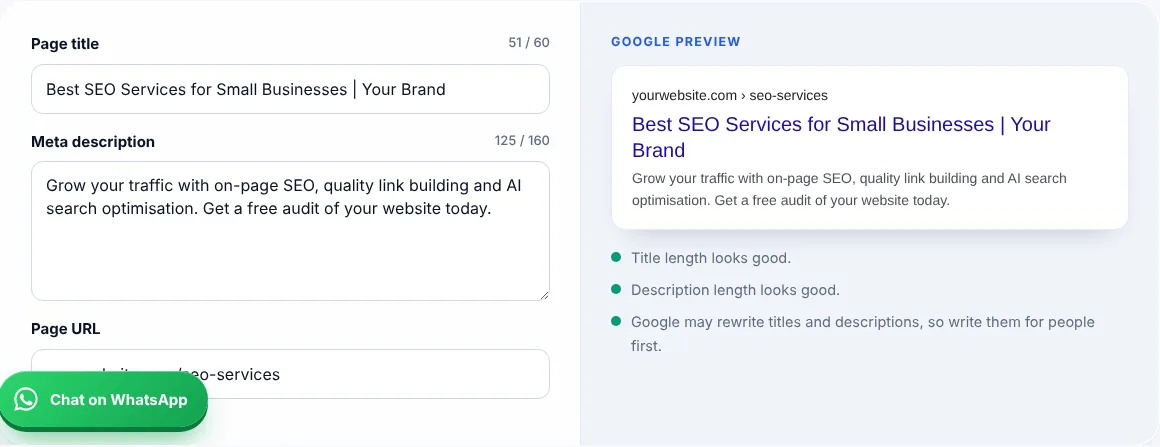
A SERP snippet preview tool simulates a Google result for your page using the title, URL and meta description you enter.
Google sets no fixed limit, but titles are cut to fit the device width, which on desktop is roughly 600 pixels or about 50 to 60 characters. Google’s Google guide to title links says it may also rewrite titles that do not describe the page.
Aim for about 120 to 158 characters so the main message shows on most devices. Google may show a different snippet if another part of the page answers the search better.
Google rewrites titles and snippets when it thinks other text on the page matches the search better, or when the original is too long, vague or stuffed with keywords.
| Element | Good length | Tip |
|---|---|---|
| Title tag | About 50 to 60 characters, under 600px | Put the main keyword near the start |
| Meta description | About 120 to 158 characters | Include a clear benefit |
| URL slug | 3 to 5 words | Use the keyword, no dates |
Example: the title “Best SEO Services for Small Businesses | Your Brand” is 51 characters and fits on desktop. Adding “in London, Manchester and Birmingham 2026” pushes it past 600px, so Google would likely cut it.
Yes. It runs in your browser and nothing you type is sent anywhere.
It is a close estimate. Google uses its own fonts and may rewrite titles and snippets.
No. It affects how attractive your result looks, which can change clicks.
Yes. Unique, descriptive titles help Google and users tell your pages apart.
You can, but Google may not show them. Plain, clear wording is safer.
Short titles waste space. Add a benefit or brand name if it fits naturally.
Facts checked on 8 October 2026 against these official pages. Read how I check facts in my editorial policy and disclaimer.
Free word counter and keyword density checker
Free FAQ schema generator
27 checks to audit your own site.
Send your website and I will check it for you, free.