SERP snippet preview tool
Free SERP snippet preview tool
Free, private and instant. Nothing you type leaves your browser.
Only use questions and answers that are visible on your page.
The FAQ schema generator is free, runs in your browser and needs no sign-up.
This free FAQ schema generator turns your questions and answers into valid FAQPage JSON-LD code you can paste into any page. Note that Google stopped showing FAQ rich results in 2026, so use the markup to describe real on-page FAQs clearly, not to win stars or dropdowns in search.
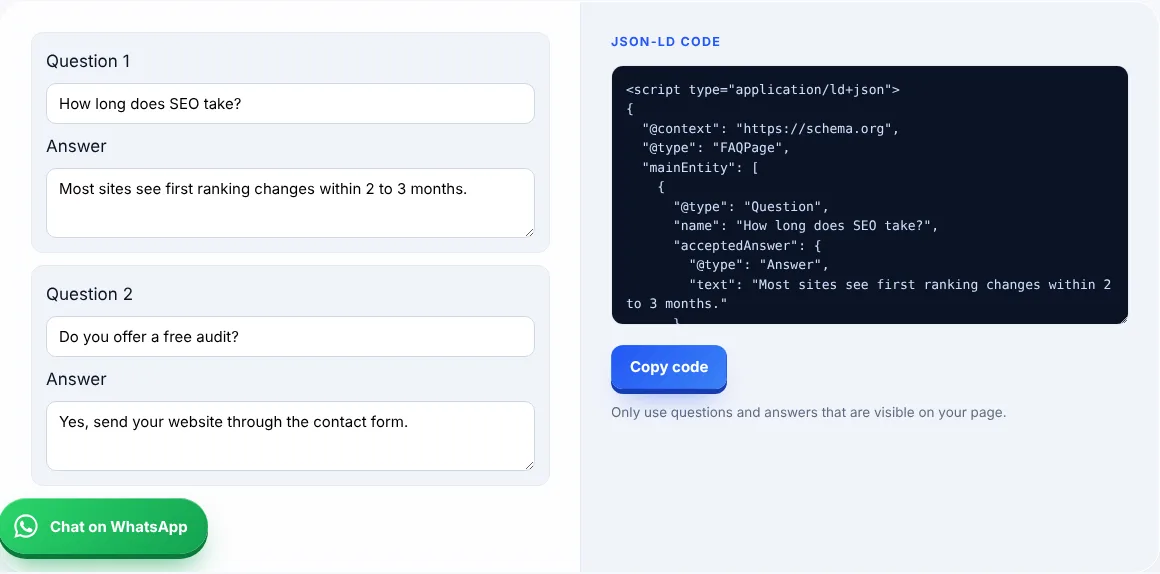
An FAQ schema generator creates structured data in the schema.org FAQPage format, which describes questions and answers that appear on a page.
No. Google’s Google FAQ structured data page added a deprecation notice in May 2026 and states that the FAQ rich result is no longer shown in Google Search results.
It no longer creates rich results in Google, but it is still valid schema.org markup that describes your content clearly. Only add it where the questions and answers are visible on the page.
Paste it into the page’s head or body. Most WordPress SEO plugins also let you add schema without editing code.
| Property | What it holds | Required |
|---|---|---|
| @type: FAQPage | Marks the page as an FAQ | Yes |
| mainEntity | The list of questions | Yes |
| Question name | The question text | Yes |
| acceptedAnswer text | The answer text | Yes |
Example: a plumber adds three questions such as “How much does a call-out cost?” to the page, enters the same text here and pastes the code into the page.
Yes. It follows the schema.org FAQPage format. Test it in the Schema Markup Validator.
Plain text is safest. Keep answers short and clear.
Add the real questions that appear on your page, usually 3 to 10.
Clear visible answers help most. Google says no special schema is needed for AI features.
No. Everything runs in your browser.
Only add it where a real FAQ section is visible to visitors.
Facts checked on 8 October 2026 against these official pages. Read how I check facts in my editorial policy and disclaimer.
Free SERP snippet preview tool
Free word counter and keyword density checker
27 checks to audit your own site.
Send your website and I will check it for you, free.