Meta Tag Generator
A meta tag generator is a tool that converts plain text fields into correctly escaped HTML tags such as…
Measure your title tag in pixels and preview how it may look in Google results.
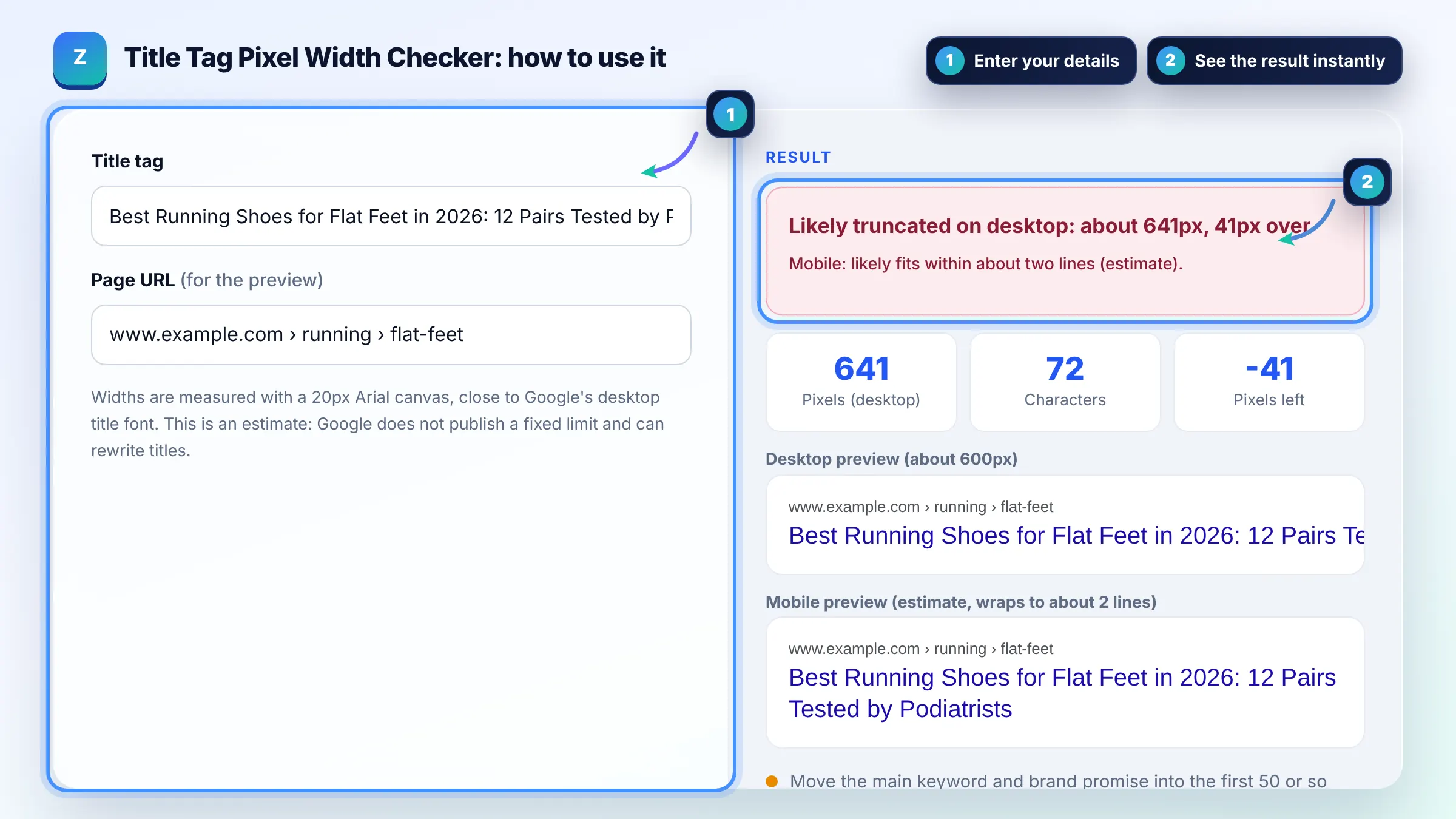
Widths are measured with a 20px Arial canvas, close to Google's desktop title font. This is an estimate: Google does not publish a fixed limit and can rewrite titles.
Desktop preview (about 600px)
Mobile preview (estimate, wraps to about 2 lines)
The free title pixel width checker runs in your browser, needs no sign-up and never sends what you type anywhere.
This title pixel width checker measures your title in 20px Arial, close to Google's desktop font, and compares it with the roughly 600px that usually fits on desktop. Titles over that are cut with an ellipsis. Keep the key words in the first 50 or so characters and treat the result as an estimate.
A title pixel width checker is a tool that measures how wide a title tag renders in pixels rather than counting characters. It draws the text on a hidden canvas in 20px Arial, sums the width of each glyph, and compares the total with a desktop budget of about 600px.
Because Google truncates titles by display width, not by character count. A title full of wide letters such as W and M can be cut at 50 characters while a narrow one with i, l and t fits 70. Pixels give a far better estimate.
On desktop, about 600 pixels is the commonly observed limit, which is roughly 50 to 60 characters. Google does not publish a fixed number and says title links are truncated to fit the device width. See Google's title link guide.
No, a long title is not a ranking penalty in itself. Google still reads the full title element. The risk is lower click through, because the visible part may lose your benefit or brand, so put the most important words first.
| Title length | Approx. pixels (desktop) | Likely result |
|---|---|---|
| Under 30 chars | Under 300px | Fits, but may waste space |
| 30 to 50 chars | 300 to 500px | Fits comfortably |
| 50 to 60 chars | 500 to 600px | Usually fits, check wide letters |
| 60 to 70 chars | 600 to 700px | Often truncated on desktop |
| Over 70 chars | Over 700px | Truncated with an ellipsis |
Example: "Best Running Shoes for Flat Feet in 2026: 12 Pairs Tested by Podiatrists" is 72 characters and measures about 641px in 20px Arial. That is roughly 41px over the 600px desktop budget, so the preview cuts it after "Tested by" and hides "Podiatrists". Shortening to "Best Running Shoes for Flat Feet (2026): 12 Pairs Tested" brings it to about 508px.
It is a close estimate, not an exact copy of Google. Google can change fonts, sizes and layouts, and it rewrites some titles. Measuring in 20px Arial predicts desktop truncation well for most Latin script titles, so use it to catch titles that are clearly too long.
Yes. Google generates the title link from several sources, mainly the title element, but also headings and other prominent text. Titles that are very long, stuffed with keywords, boilerplate or not matching the page are more likely to be replaced.
Typically 50 to 60 characters fit on desktop, depending on letter widths. Capital letters, W and M take more room while i, l and t take less. That is why measuring pixel width is more reliable than a simple character limit.
Usually yes, at the end and separated by a pipe or colon, for example "Emergency Plumber Leeds | Brand". If space is tight, the brand is the first thing to drop, because Google often shows the site name separately above the title link.
Mobile results often let titles wrap onto a second line, so more text can be visible than on desktop. The mobile preview here is a rough estimate. Write for the desktop limit and you will usually be safe on both.
No. Everything runs in your browser using a canvas measurement. Nothing is sent to a server, saved or tracked, so you can check titles for client sites or unpublished pages privately.
Facts checked against these official pages. Read how I check facts in my editorial policy.
A meta tag generator is a tool that converts plain text fields into correctly escaped HTML tags such as…
A meta description length checker is a tool that measures a description in characters and in rendered pixels.…
Coming 9 OctA Google mobile SERP preview is a mockup of how a page may appear in Google Search on a phone. This tool…
Coming 10 OctSend your website and I will check it for you, free.