Title Tag Pixel Width Checker
A title pixel width checker is a tool that measures how wide a title tag renders in pixels rather than…
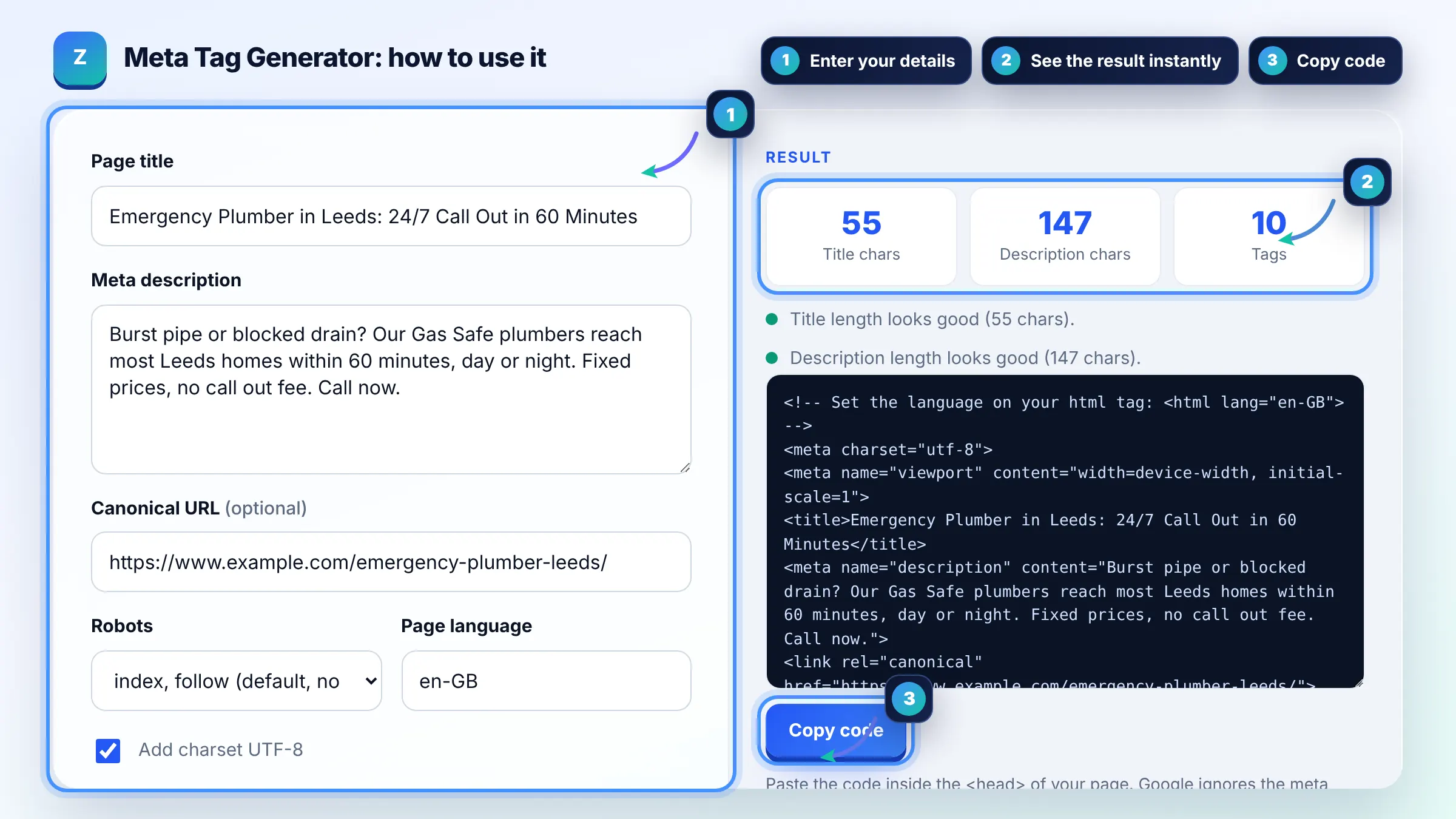
Fill in a few fields and copy a clean, ready to paste block of HTML meta tags.
Paste the code inside the <head> of your page. Google ignores the meta keywords tag, so this tool does not add it.
The free meta tag generator runs in your browser, needs no sign-up and never sends what you type anywhere.
This meta tag generator turns your page title, description, canonical URL and robots choice into valid HTML for the head of your page. Keep titles around 50 to 60 characters, descriptions around 120 to 158, write both uniquely for each page, and skip the keywords tag because Google ignores it.
A meta tag generator is a tool that converts plain text fields into correctly escaped HTML tags such as title, meta description, meta robots, viewport and link rel canonical. It escapes quotes and angle brackets, leaves out empty fields and only adds tags Google and browsers actually read.
No, Google does not use the meta keywords tag at all for ranking. Google listed it as unsupported back in 2009, and its current list of supported meta tags does not include it. Spend that time on the title and description instead. See Google's list of supported meta tags.
The title element, meta description, meta robots and the canonical link matter most. The title strongly influences the title link Google shows, the description often becomes the snippet, robots controls indexing, and the canonical tells Google which URL you prefer when duplicates exist.
No, you only need it when you want something other than the default of index, follow. Google treats a page without a robots tag as indexable and its links as followable. Add noindex for thank you pages, internal search results or staging copies.
| Tag | What it does | Typical value |
|---|---|---|
| title | Main input for the title link in results and the browser tab | 50 to 60 characters, unique per page |
| meta description | Often used as the search snippet | 120 to 158 characters |
| meta robots | Controls indexing and snippets | noindex, nofollow, max-snippet:-1 |
| meta viewport | Makes the page render properly on phones | width=device-width, initial-scale=1 |
| link rel canonical | Signals the preferred URL among duplicates | Full absolute https URL |
| og:title / og:description | Text for link previews on social apps | Same or shorter than title and description |
Example: a Leeds plumbing page with the title "Emergency Plumber in Leeds: 24/7 Call Out in 60 Minutes" (55 characters) and a 147 character description produces 10 tags: charset, viewport, title, description, canonical and five Open Graph tags. The page stays index, follow, so no robots tag is added.
Aim for roughly 50 to 60 characters, which usually fits in about 600 pixels on desktop. Google has no fixed character limit and truncates by pixel width, so put the main keyword and the key benefit near the start where they will always be visible.
Around 120 to 158 characters is a safe target for most snippets. Google does not set a hard limit and may rewrite the snippet from page text, but a focused description of that length is shown more often and is less likely to be cut mid sentence.
Paste them inside the head element of your HTML, before the closing head tag. On WordPress, use the title and description fields of an SEO plugin instead, and only add tags your theme or plugin does not already output, to avoid duplicates.
You should not. Duplicate description or title tags confuse crawlers and make it unclear which version is used. Check your page source after installing plugins, since a theme and an SEO plugin can both print a description and create a duplicate.
No. The tool runs fully in your browser with plain JavaScript. Nothing you type is uploaded, stored or tracked, so you can safely draft tags for unreleased pages, client projects or staging sites.
It can, and matching them is a simple default. You may shorten the og:title for social feeds, because platforms like Facebook and LinkedIn show less text than Google, but keep the meaning consistent so the link preview matches the page.
Facts checked against these official pages. Read how I check facts in my editorial policy.
A title pixel width checker is a tool that measures how wide a title tag renders in pixels rather than…
A meta description length checker is a tool that measures a description in characters and in rendered pixels.…
Coming 9 OctA canonical tag generator is a tool that builds the link rel="canonical" element telling search engines which…
Coming 10 OctSend your website and I will check it for you, free.