Website design and WordPress SEO
Responsive CSS Without Media Queries: clamp() and Grid
Responsive CSS without media queries: fluid type and spacing with clamp(), grids that wrap with auto-fit and minmax(), and the zoom check…
Read articleThirty practical checks I run on every new WordPress site, grouped so you can fix the biggest risks first.
This page gives you a WordPress SEO checklist of 30 steps I run on every new WordPress site before and after launch, grouped by settings, structure, content, speed and Search Console, so nothing gets missed.
A good WordPress SEO checklist covers five areas: core settings (indexing, permalinks, HTTPS), site structure (categories, menus, internal links), on-page basics (titles, descriptions, headings, alt text), speed (hosting, caching, images) and Search Console setup with a sitemap. Fix the settings first, because one wrong checkbox can hide the whole site.
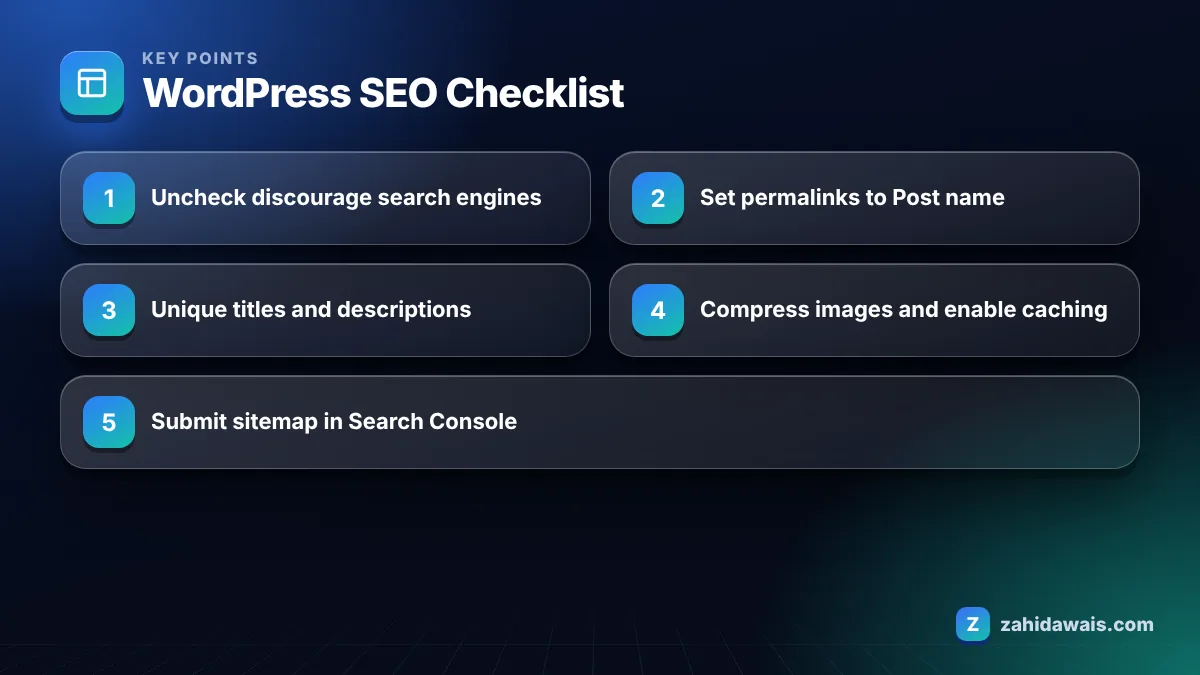
You make a WordPress site SEO friendly by getting the core settings right, building a clear structure, writing helpful pages with unique titles, keeping the site fast, and connecting it to Google Search Console. None of this needs coding, and most of it takes one afternoon on a new site.
Google’s own SEO Starter Guide says the same basics apply to every site: help Google find your pages, make titles and snippets clear, and write content people find useful. WordPress just gives you the switches to do it.
Below is the checklist I use. I split it into groups so you can hand each group to the right person, whether that is a developer, a writer or you.
If you prefer a printable version with extra technical checks, my free SEO audit checklist covers the same ground with a PDF.
WordPress is a solid base for SEO by default, but it is not fully optimised out of the box. It produces clean HTML, lets you edit titles and slugs, and generates a basic XML sitemap, yet the default permalink option and some archive pages need attention.
The WordPress permalink documentation lists Plain as the default structure, which produces URLs like ?p=123. These work, but they tell users nothing about the page. Switching to Post name on day one avoids having to redirect old URLs later, since the same guide warns that permalinks should not be changed once set.
The other common gaps are thin archive pages (tags, dates, attachments) and themes that load heavy scripts. Neither is a WordPress flaw as such; they come from defaults that suit blogs more than business sites.
The best SEO plugin for WordPress is the one you will configure properly and keep updated; Yoast SEO, Rank Math and All in One SEO all handle titles, descriptions, sitemaps, canonical tags and noindex controls well. The plugin matters far less than the settings you choose inside it.
Here is how I decide for clients, based on what the site owner actually needs rather than feature lists.
| Situation | What to look for | My usual pick |
|---|---|---|
| Small business site, owner edits pages | Simple interface, clear traffic light hints | Yoast SEO or AIOSEO |
| Blog with many posts and schema needs | Flexible schema, bulk editing, redirects | Rank Math |
| Agency managing many sites | Import and export of settings, role controls | Whichever the team already knows |
| Very lean site, developer maintained | Minimal output, no extra features | A lightweight plugin or theme functions |
Only run one SEO plugin at a time. Two plugins writing titles and sitemaps cause duplicate tags, and I see this mistake often when a site changes hands.
The most common WordPress SEO mistake I see is a live site still set to “Discourage search engines”, usually left on after a developer finished the build. It quietly adds a noindex tag to every page.
Across thousands of link building orders I check the target pages before placing links, and these issues come up again and again:
If you suspect a robots.txt problem, run the URL through my free robots.txt tester before changing anything.
A local cleaning company launches a 12 page WordPress site: homepage, 6 service pages, about, contact and 3 blog posts. Running the 30 steps takes about 4 hours. The audit finds 3 problems: the discourage box is checked, permalinks are Plain, and all 6 service pages share one title. Fixing them takes 20 minutes. The owner then submits the sitemap, inspects the homepage, and checks the Page indexing report weekly. Rankings are never guaranteed, but the site is now crawlable, clearly labelled and ready for content and links.
Notice that the expensive part was not the fixes. It was finding them. That is why I run the full list even on small sites.
After the checklist, your focus shifts to publishing useful content and earning links, because settings only remove barriers; they do not create demand. Plan one or two pages a month that answer real customer questions.
Keep each new page tied into your structure with internal links, and preview titles and descriptions in a SERP snippet preview before publishing. Once the foundations are stable, links from relevant sites help Google discover and trust your pages.
If you would rather have the setup done for you, my WordPress website design service ships every site with this checklist already completed.
Check Settings, Reading and confirm the box “Discourage search engines from indexing this site” is unchecked on the live site. When it is ticked, WordPress adds a noindex robots meta tag to every page, which asks Google to keep the whole site out of search results.
You do not strictly need one, but an SEO plugin makes it much easier to set unique titles, meta descriptions, canonical tags, noindex rules and a better sitemap. Without one you rely on your theme, and many themes give little control over these basics.
Post name is the best choice for most sites because it creates short, readable URLs built from the page slug. Set it before you publish, because changing permalinks later means redirecting every old URL to keep links and bookmarks working.
There is no fixed timeline. Many new sites see their homepage indexed within days to a few weeks after submitting a sitemap and inspecting key URLs in Search Console, but ranking for competitive terms usually takes much longer and depends on content and links.
Yes, submitting your sitemap in Search Console is a quick step that helps Google discover your pages, especially on a new site with few links. It does not guarantee that every URL will be crawled or indexed, so still check the Page indexing report.
Run the full checklist at launch and after any redesign, theme change or migration. For normal months, a quick review of the Page indexing report, new page titles and internal links is usually enough to catch problems early.
Facts checked against these official pages. Read how I check facts in my editorial policy.
Responsive CSS without media queries: fluid type and spacing with clamp(), grids that wrap with auto-fit and minmax(), and the zoom check…
Read article
Password protection, noindex headers and the Discourage setting compared, plus how to clean up a staging site that already leaked.
Read article
Every check I run before, during and after a site move, including the monitoring weeks most guides ignore.
Read articleSend your website and I will reply with a free audit.