URL Length Checker
Measures URL length in characters and bytes, path depth, parameters and slug words.
Paste a messy list of URLs and get one clean, deduplicated list, with a log of every change the tool made.
Hosts are always lowercased and default ports (:80, :443) dropped, because they never change the page. Paths keep their case, because paths are case sensitive. Lines without a scheme get https://. Everything runs in your browser.
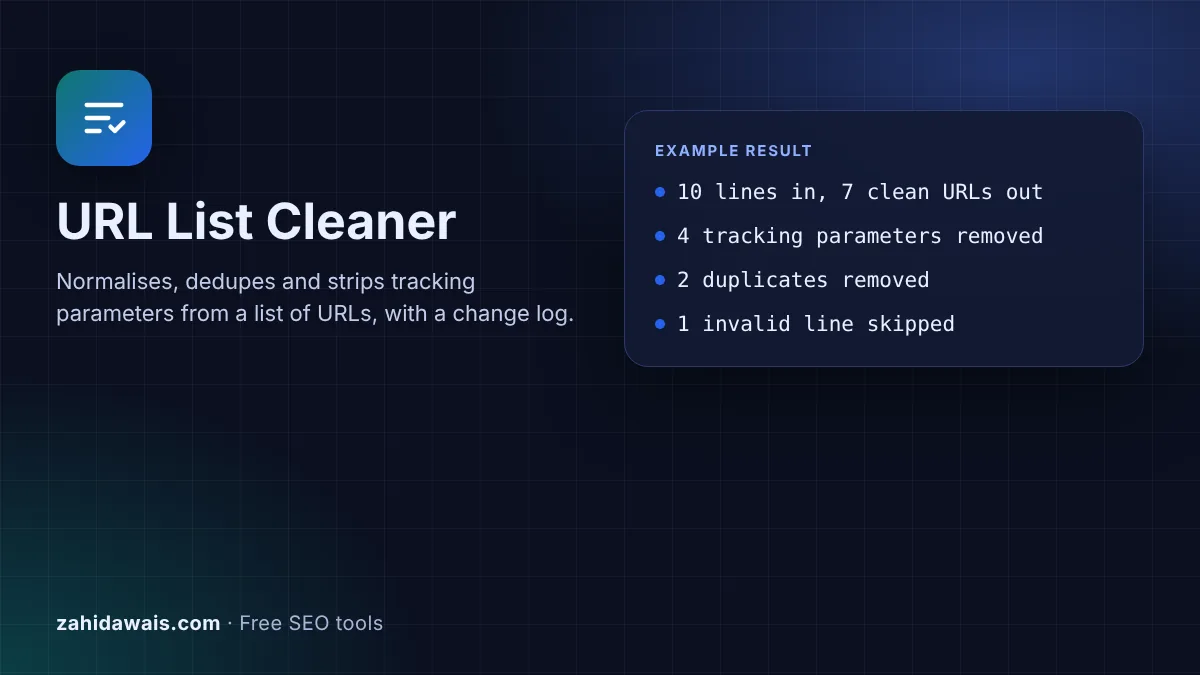
The free URL list cleaner turns a messy list of links into one tidy, deduplicated list. It lowercases hosts, drops default ports, fragments and tracking parameters such as utm_source and gclid, applies your https, www and trailing slash rules, and shows exactly what it changed.
A URL list cleaner normalises every URL to one consistent form and removes duplicates. It lowercases the host, drops :80 or :443, strips #fragments and tracking parameters such as utm_source, gclid and fbclid, and applies one https, www and trailing slash rule. Paths keep their case, because Google treats paths as case sensitive.
A URL list cleaner is a tool that rewrites each URL in a list into one standard form, then removes the copies. Lists from crawlers, analytics exports, backlink tools and spreadsheets mix http and https, www and bare hosts, tracking tags and #anchors, so the same page appears several times. Cleaning first makes counts, redirect maps and sitemaps accurate.
Google gives the same advice for live sites. Its URL structure guidelines say "Whenever possible, shorten URLs by trimming unnecessary parameters (meaning, parameters that don't change the content)." Its page on consolidating duplicate URLs uses a gclid link as an example of a duplicate and asks you to "link to the canonical URL rather than a duplicate URL."
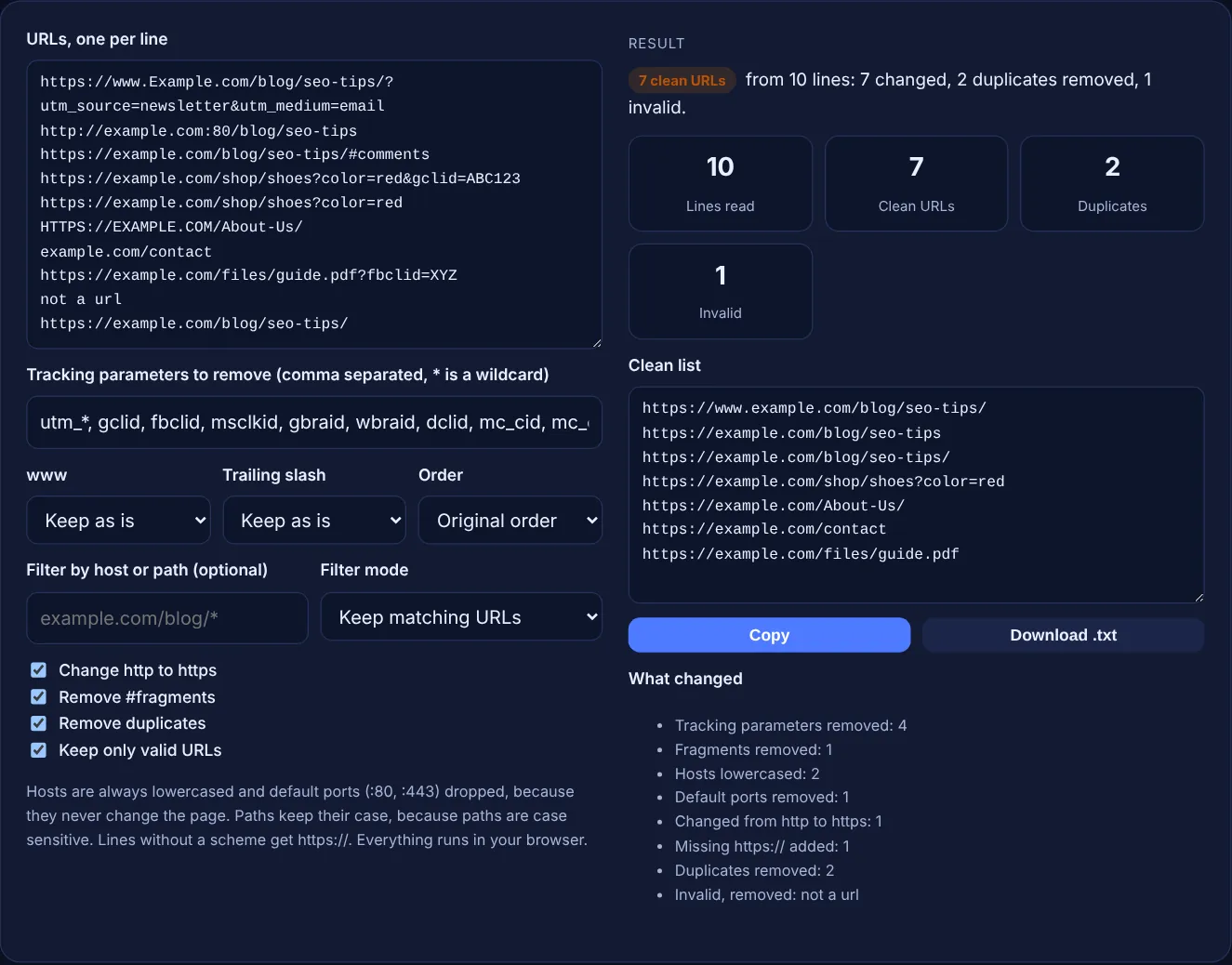
The scheme and host are safe to lowercase and default ports are safe to drop, because they never change the page that loads. Paths and query values are different. Google says "Google Search's URL handling is case sensitive", so /About-Us/ and /about-us/ can be two pages. This tool never changes path case. Fragments after # are not sent to the server, so removing them only merges anchor links to the same page.
Remove parameters that only record where a click came from, because they do not change the content. The default list covers utm_* campaign tags and common ad and email click IDs such as gclid, fbclid and msclkid. Keep parameters that change the page, such as color=red or page=2. Google lists session IDs and referral parameters among "irrelevant parameters" that can create many URLs for the same content.
Match whatever your live site already uses, then apply it to the whole list. Google says its systems "prefer HTTPS pages over HTTP pages by default", so switching to https is usually right. For www and trailing slashes there is no preferred form: pick the version your canonical tags and redirects point to. Adding a slash to a URL that has no slash version can produce links that return 404, so check a few results before you use them. My guide to trailing slashes and SEO explains the choice.
| Input | Rule | Output |
|---|---|---|
| https://www.Example.com/a/ | Lowercase host (always) | https://www.example.com/a/ |
| http://example.com:80/a | Drop default port (always) | http://example.com/a |
| https://example.com/a?utm_source=x&id=7 | Remove tracking parameters | https://example.com/a?id=7 |
| https://example.com/a#reviews | Remove fragments | https://example.com/a |
| http://example.com/a | Change http to https | https://example.com/a |
| https://www.example.com/a | Remove www | https://example.com/a |
| https://example.com/a | Add trailing slash | https://example.com/a/ |
| https://example.com/guide.pdf | Add trailing slash | Unchanged, files keep no slash |
Example: the default list has 10 lines. One line, "not a url", is invalid and removed. Of the other 9, 7 are changed: 4 tracking parameters are removed (utm_source, utm_medium, gclid and fbclid), 2 hosts are lowercased, 1 :80 port is dropped, 1 http URL becomes https, 1 #comments fragment is removed and https:// is added to example.com/contact. After that, 2 lines are exact duplicates, so the clean list has 7 URLs. Three of them are still the same blog post in different forms. Set www to Remove and Trailing slash to Add and they merge into https://example.com/blog/seo-tips/, leaving 5 URLs.
No. It only rewrites text in your browser and sends no requests, so it cannot see status codes or redirects. Check important results in a crawler or by opening them, especially after adding or removing trailing slashes or www.
Paths are case sensitive. On many servers /About-Us/ and /about-us/ are different URLs, and one of them may return a 404. Only the host is lowercased, because host names are not case sensitive.
Yes. Type them into the tracking parameter box, separated by commas. Use * as a wildcard, so ref_* removes ref_source and ref_id. Matching ignores letter case, and parameters you leave out are always kept.
A line is invalid when it is not an http or https web address, contains spaces, or has no domain. Mailto links, plain words and relative paths such as /blog/ are skipped. Untick the valid only option to keep them as they are.
No. The tool removes the tracking parameters you list and keeps the others in their original order and encoding. Reordering would create URLs your site may not actually link to.
No. The cleaner runs entirely in your browser with JavaScript, and the download is created on your device. Nothing is sent or stored, so client URL lists stay private.
Checked 23 Oct 2026. Facts checked against these official pages. Read how I check facts in my editorial policy.
Measures URL length in characters and bytes, path depth, parameters and slug words.
A URL parser is a tool that reads a URL according to the URL standard and separates it into components. This…
A redirect map generator is a tool that builds the old URL to new URL table you need before a site migration.…
Turns a list of URLs into unique root domains with counts, as a list or domain: lines.
Send your website and I will check it for you, free.
One short email when something new goes live: articles, free SEO tools, package updates, discounts and price alerts. No spam, unsubscribe in one click.