
Technical SEO
How to Find AI Bots in Your Server Logs (and Verify Them)
Find AI bots in your server logs: the user agents for GPTBot, ClaudeBot and PerplexityBot, how to verify their IPs and how…
Read articlePick one URL format, redirect the other and keep links consistent so Google never sees two versions of a page.

This guide explains how Google treats URLs with and without a trailing slash, when it creates duplicate content, and exactly how to pick one format and enforce it. The good news about trailing slash SEO is that Google has no preference; the only thing that matters is consistency.
For trailing slash SEO, neither format ranks better. Google treats /page and /page/ as two different URLs, so pick one format, 301 redirect the other version to it, and use the chosen format in internal links, canonical tags and sitemaps. The bare domain is the one exception: example.com and example.com/ are the same.
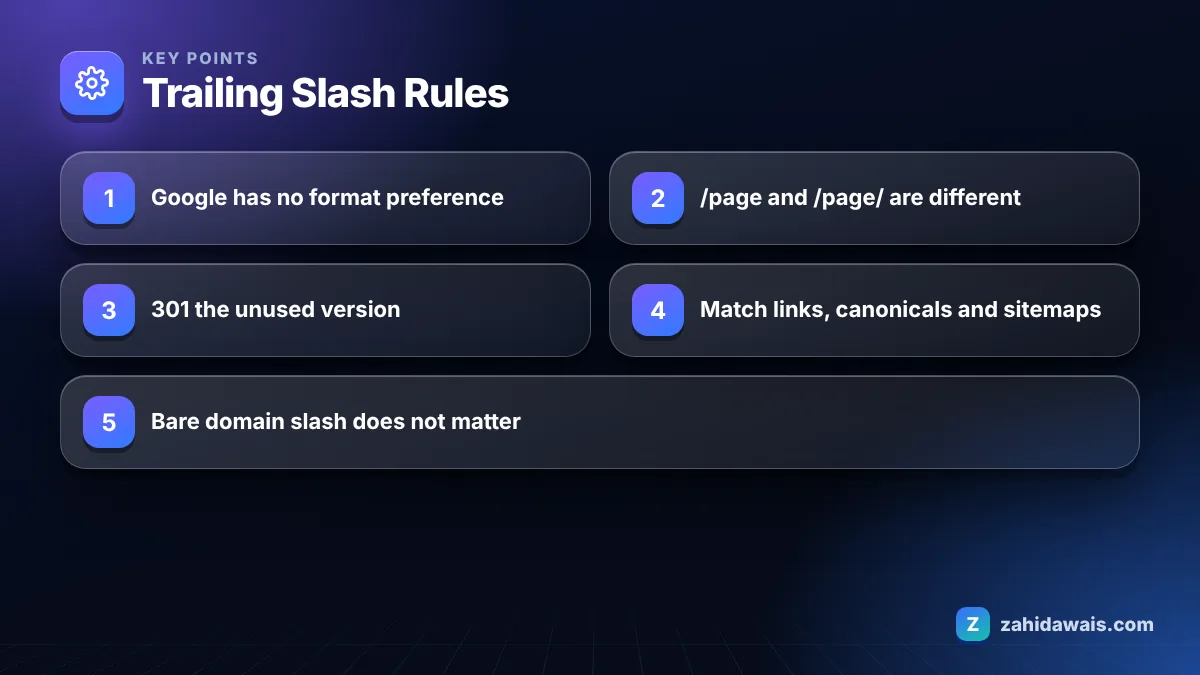
No, a trailing slash is not better or worse for SEO; Google does not favour either format. What hurts is serving the same page at both versions without a clear signal of which one you prefer.
Google covered this in its Search Central post To slash or not to slash. The traditional convention is that a trailing slash marks a directory and no slash marks a file, but Google treats each URL on its own merits and does not care which convention you follow. Choose based on your platform. WordPress uses trailing slashes by default with most permalink settings, while many static site generators and JavaScript frameworks default to no slash.
Yes, if both /page and /page/ return the same content with a 200 status, you have two URLs for one page, which Google treats as duplicates. This is not a penalty. Google’s page on URL canonicalization says some duplicate content on a site is normal and not a violation of its spam policies.
The cost is practical. Google groups the two URLs and chooses one as canonical, and it may not choose the one you wanted. Links, both internal and from other sites, get split between two addresses. Your analytics show the same page twice. And Search Console fills up with statuses like “Duplicate without user-selected canonical”, which my guide to duplicate without user-selected canonical explains.
| What happens when you request | /page | /page/ | Verdict |
|---|---|---|---|
| Setup A | 200 | 200 | Duplicate URLs; fix with a 301 or canonical |
| Setup B | 301 to /page/ | 200 | Correct for slash format |
| Setup C | 200 | 301 to /page | Correct for no slash format |
| Setup D | 200 | 404 | Works, but wastes links pointing at the 404 version |
| Setup E | 302 to /page/ | 200 | Use 301; a temporary redirect keeps the wrong URL as canonical |
| Setup F | 301 to /page/ | 301 to /page | Redirect loop; page is broken |
Yes, you should 301 redirect whichever version you do not use to the version you do, because a permanent redirect is the strongest way to tell Google which URL is canonical. Google’s guide to specifying a canonical URL lists redirects and rel=”canonical” as strong signals and sitemap inclusion as a weak one, and says combining them increases the chance your preferred URL is chosen.
A rel=”canonical” tag on both versions is an acceptable fallback if you cannot set redirects, but a redirect is better because it also fixes the experience for visitors and consolidates links. Most platforms handle this for you:
You choose a format by checking what your platform already does and what most of your backlinks use, then enforce it in redirects, internal links, canonicals and sitemaps at the same time. Switching formats on an established site is rarely worth it unless you are migrating anyway, because the redirects and reprocessing add risk with no ranking benefit in return.
You can check your current setup in under a minute. Open a terminal and run curl -I on one page URL with the slash and once without it. One should return 200 and the other a 301 whose Location header points to the first. If both return 200, you have duplicates. If the redirect is a 302 or 307, change it to a permanent redirect. If the Location points to an http or non-www address that redirects again, you have a chain to fix at the same time. Browser extensions that show redirect paths do the same job if you prefer not to use the command line.
No, the trailing slash does not matter for the bare domain, because example.com and example.com/ are the same request; the browser always asks the server for “/”. It only matters for paths after the domain, so example.com/blog and example.com/blog/ are different URLs.
For files, keep the natural format. A URL like /images/logo.png or /sitemap.xml should not have a slash added, and blanket redirect rules must exclude real files or they will break images, scripts and your sitemap. Query strings come after the slash, as in /shop/?page=2, so they follow the same choice.
Imagine a news site moving from a custom CMS to WordPress. The old CMS serves articles without a slash and WordPress serves them with one, but a leftover server rule also strips slashes. The result: /news/article redirects to /news/article/ which redirects back, a loop on every article. Old backlinks point at the no slash version, new internal links at the slash version. The fix is to delete the old strip rule, keep WordPress’s slash format, add one rule that sent http, non-www and no slash variants to https://www and the slash version in a single hop, and update 1,900 internal links in the database with a search and replace. A re-crawl then shows every article answering 200 at one URL, and the no slash versions answering a single 301.
Trailing slash problems usually show up during migrations, so if you are planning one, my website redesign service includes URL format decisions and a full redirect map. For an audit of your current URL setup, my technical SEO service checks slashes, redirects, canonicals and sitemaps together.
No. Google treats both formats equally. What matters is that each page lives at one URL. Choose the format your platform uses by default and redirect the other version to it with a permanent redirect.
Yes. For the bare domain, the browser always requests the root path, so both forms are the same URL. The slash only creates a separate URL for paths after the domain, such as /blog versus /blog/.
You can, and Google treats rel=canonical as a strong signal. A 301 redirect is still better because it fixes the experience for visitors, consolidates links and stops both versions from being crawled and reported separately.
A clean change with single hop 301 redirects, updated internal links and updated sitemaps usually settles down, but every large URL change carries some risk and takes time to process. On an established site, only switch if you have a strong reason.
Files such as images, PDFs, CSS, JavaScript and sitemaps should keep their natural format without a slash. Make sure any blanket slash redirect rule excludes real files, or it can break images, scripts and the sitemap.
Because the version you do not use now redirects to the one you do. That status is expected for the redirected version. It only needs action if the URL you actually want indexed is the one listed as redirecting.
Facts checked against these official pages. Read how I check facts in my editorial policy.
Find AI bots in your server logs: the user agents for GPTBot, ClaudeBot and PerplexityBot, how to verify their IPs and how…
Read article
How to add schema to a service business website: which types to use on each page, what Google supports, and copy ready…
Read article
Measure your slowest interactions, find the scripts behind them and bring INP under 200 milliseconds.
Read articleSend your website and I will reply with a free audit.