Product Schema Generator
A product schema generator is a tool that writes schema.org Product structured data. It combines product…
Paste one row per variant and get ProductGroup JSON-LD with variesBy, productGroupID and a full Product and Offer for every size and colour.
Columns you can use: sku, gtin, color (or colour), size, material, pattern, price, availability (in, out, preorder, backorder, limited), image, url. Every color, size, material or pattern column becomes a variesBy value. Nothing you type leaves your browser.
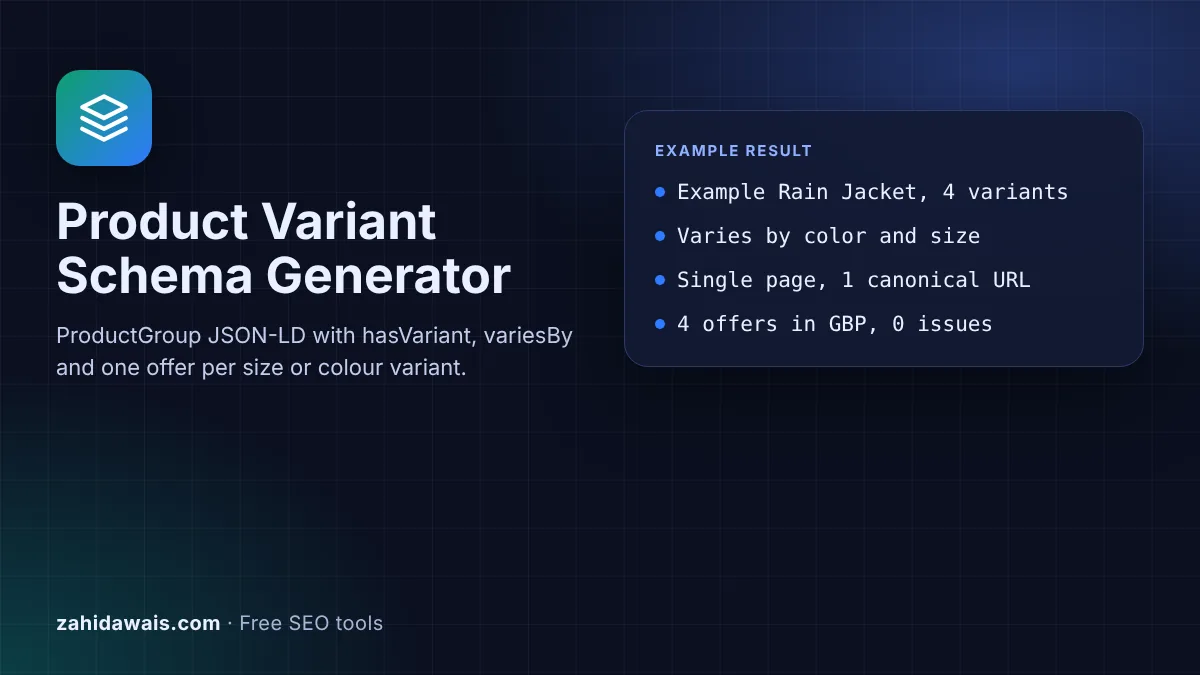
The free product variant schema generator turns a simple table of sizes, colours and prices into ProductGroup JSON-LD, with hasVariant, variesBy, productGroupID and a Product with its own Offer for every variant. It follows Google's product variant documentation and runs in your browser, so nothing you type is sent anywhere.
Product variant schema is ProductGroup structured data that groups versions of one product, such as sizes or colours. The ProductGroup holds the shared name, brand, productGroupID and variesBy, and hasVariant lists each variant as a Product with its own sku or gtin and Offer. Google can then show variant information in merchant listing experiences.
Product variant schema is structured data that describes a family of products which differ only by attributes such as size or colour. It uses the schema.org ProductGroup type as the parent and one Product per variant. Google's product variants documentation says this markup makes products "eligible for display with variant information in merchant listing experiences".
The parent carries what all variants share: name, description, brand, productGroupID and variesBy, the list of attributes that change. Each child in hasVariant carries what is unique: its ID, its colour or size and its price. For a single product without variants, the Product Schema Generator is the simpler choice.
On the ProductGroup, Google lists only name as required, but it also says the group identifier "must be provided" through productGroupID or, on each variant, inProductGroupWithID. Recommended properties include brand, description, hasVariant, url and variesBy. For each variant, Google points you to the required properties for merchant listings or product snippets, and says "each variant must have a unique ID", for example a sku or gtin.
Google lists six values, written as full schema.org URLs: https://schema.org/color, size, suggestedAge, suggestedGender, material and pattern. This tool supports color, size, material and pattern, which cover most shops. Every attribute in variesBy should have a value on every variant, so the tool flags any row that is missing one, and any two rows with the same combination.
Either works if every variant can be reached on its own. Google says the site "must have the ability to preselect each variant directly with a distinct URL (using URL query parameters)". With all variants on one page, there must be one canonical URL for the whole group, and the ProductGroup url is that address. With one page per variant, Google says not to use url on the ProductGroup, and each page repeats the group with full markup for its own variants and url only entries for the others.
| Property | Where | Status in Google's docs |
|---|---|---|
| name | ProductGroup and each variant | Required on ProductGroup |
| productGroupID | ProductGroup | Must be provided, or inProductGroupWithID on variants |
| variesBy | ProductGroup | Recommended: color, size, suggestedAge, suggestedGender, material, pattern |
| hasVariant | ProductGroup | Recommended, or isVariantOf on each variant |
| url | ProductGroup | Single page sites only |
| sku or gtin | Each variant | Each variant needs a unique ID |
| image | Each variant | Required for merchant listings |
| offers (price, priceCurrency) | Each variant | Required for merchant listings |
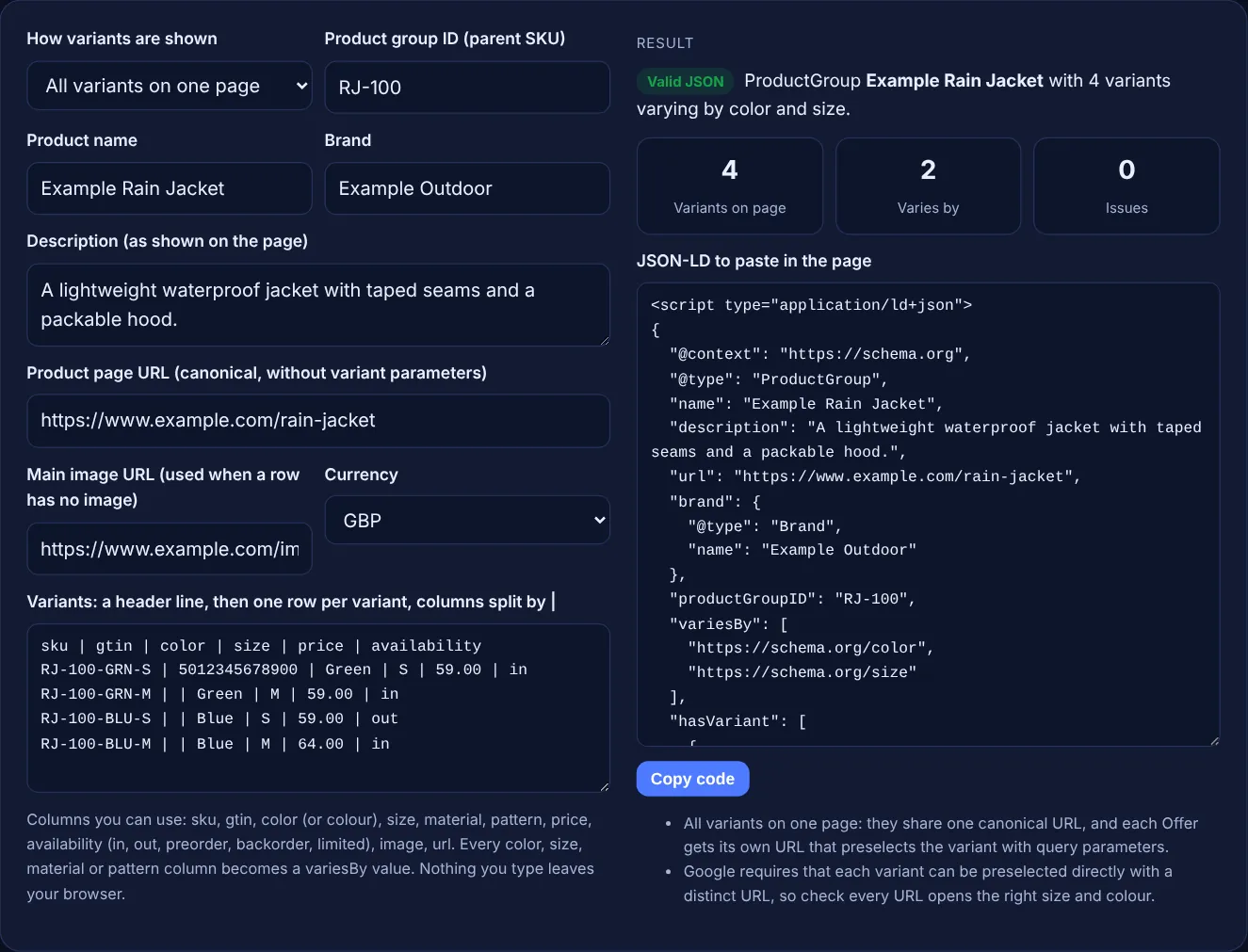
Example: a shop sells a rain jacket in green and blue, sizes S and M, on one page at https://www.example.com/rain-jacket. With the default values above, the tool outputs one ProductGroup named "Example Rain Jacket" with productGroupID RJ-100, variesBy color and size, and 4 variants. The first variant has SKU RJ-100-GRN-S, GTIN 5012345678900 and an Offer of 59 GBP at https://www.example.com/rain-jacket?color=green&size=s. The blue size S is OutOfStock and the blue size M costs 64 GBP. The result reads "Valid JSON" with 0 issues. If two rows share SKU A1, a GTIN is 123 and a price is "free", the tool reports each problem by line.
No. ProductGroup is the parent that holds what all variants share, such as name, brand and variesBy. Each size or colour is a separate Product inside hasVariant, with its own ID, attributes and Offer.
No. Google needs a unique ID for each variant, and a SKU is enough. If your products have GTINs, add them too. The tool checks the length and check digit and leaves out any GTIN that fails.
Yes. Each variant has its own Offer, so a larger size can cost more or be out of stock while the others are in stock. Keep each price the same as the price shown when that variant is selected.
Paste it into the HTML of the product page, in the head or the body. With one page per variant, generate the code for each page, because each page needs its own full markup for the variants it shows.
No. The generator runs entirely in your browser with JavaScript. Nothing you type is uploaded or stored, so you can use it for client shops and products that are not live yet.
Google's product variants documentation says to validate the code with the Rich Results Test and fix any critical errors, then use the URL Inspection tool in Search Console to see how Google reads the live page.
Checked 23 Oct 2026. Facts checked against these official pages. Read how I check facts in my editorial policy.
A product schema generator is a tool that writes schema.org Product structured data. It combines product…
MerchantReturnPolicy JSON-LD for your store or one product, with required fields checked.
ShippingService or OfferShippingDetails JSON-LD with rates, free shipping and delivery times.
ItemList JSON-LD for carousels, on a summary page or an all in one list page.
A JSON-LD validator is a tool that checks structured data written in JSON for Linked Data. It first parses…
Send your website and I will check it for you, free.
One short email when something new goes live: articles, free SEO tools, package updates, discounts and price alerts. No spam, unsubscribe in one click.