Canonical Tag Checker
Finds missing, duplicate, relative and conflicting rel=canonical tags in pasted HTML and headers.
Paste a page's HTML head, response headers and robots.txt to see whether Googlebot may crawl it and whether any rule tells it not to index the page.
Nothing is fetched or uploaded. Paste what your server sends; the check runs in your browser.
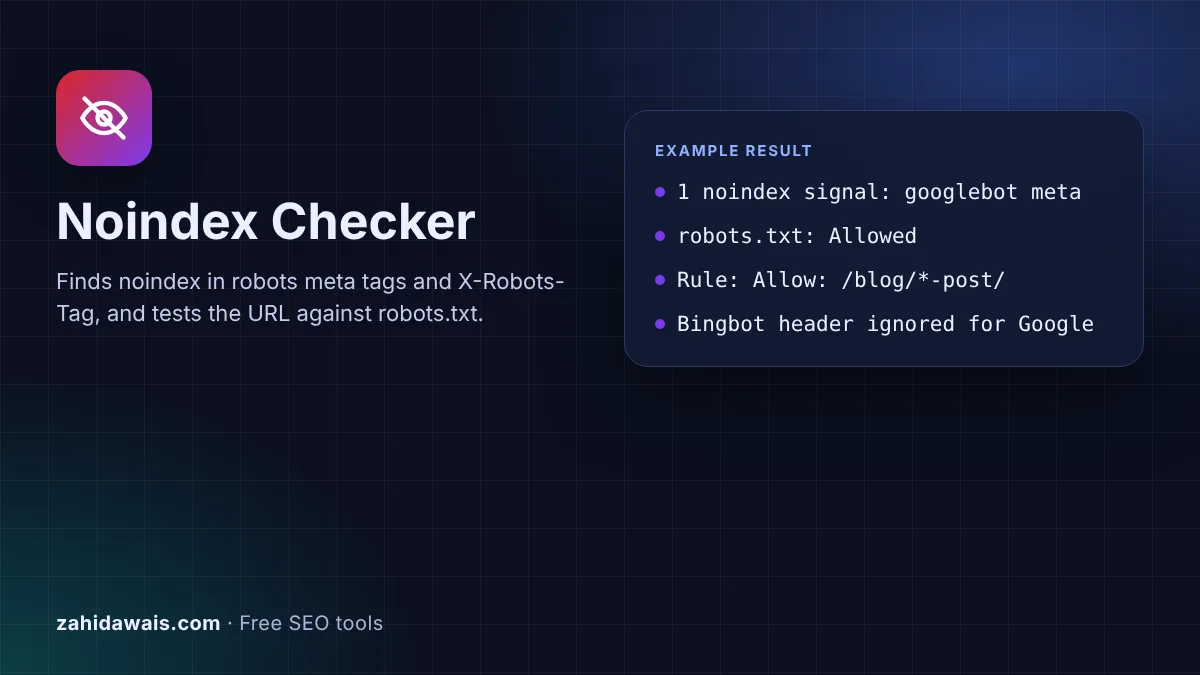
The free noindex checker reads the HTML head, HTTP headers and robots.txt you paste for a page and tells you whether a crawler such as Googlebot is told not to index it. It finds noindex in robots and googlebot meta tags and in X-Robots-Tag headers, and tests the URL against robots.txt with Google's matching rules.
A noindex checker looks for noindex in the robots meta tag and the X-Robots-Tag HTTP header, including rules aimed at one crawler such as googlebot. It also tests robots.txt, because Google can only obey a noindex it can crawl: if robots.txt blocks the URL, Google never sees the noindex and may still index the bare URL.
A noindex checker tests the three places that decide whether Google may index a URL: the robots meta tag in the HTML, the X-Robots-Tag HTTP header and robots.txt. Google's guide to blocking indexing with noindex explains that the meta tag and the header "have the same effect", and that the page "must not be blocked by a robots.txt file" or the crawler "will never see the noindex rule".
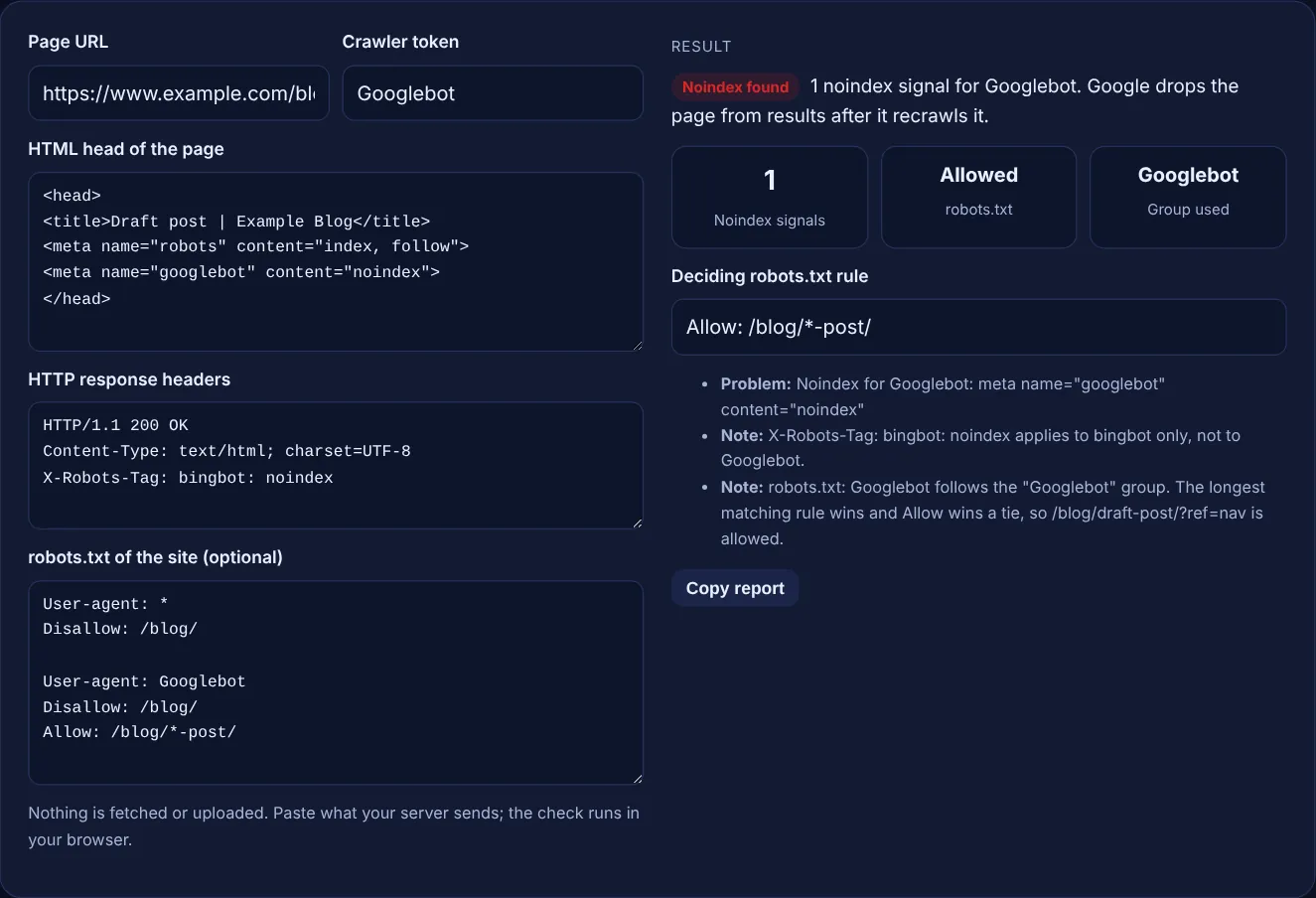
The tool only counts rules that apply to the crawler you name. A googlebot meta tag or an X-Robots-Tag: googlebot: noindex header counts for Googlebot, while a bingbot rule is listed as a note. For robots.txt it picks the group for your crawler, or the * group, and applies the longest matching rule, as the robots.txt tester does. To write the tags, use the meta robots tag generator or the X-Robots-Tag generator.
Because Google reads noindex only when it crawls the page, and robots.txt stops the crawl. Google's robots meta tag documentation says that if a page is disallowed in robots.txt, "any information about indexing or serving rules will not be found and will therefore be ignored". The URL can then still be indexed from links on other sites, usually with a very limited snippet. To remove a page, allow crawling and keep the noindex.
Google uses the most specific rule, measured by the length of the rule path, and on a conflict the least restrictive rule, so Allow wins a tie. A crawler follows only the group with its own user agent, or the * group if none names it; groups are not mixed. In paths, * matches any characters and $ marks the end of the URL. All of this is set out in Google's robots.txt specification.
Only if it names Google or all crawlers. A meta tag with name="robots" and an X-Robots-Tag without a user agent apply to every crawler. Google says it supports two user agent tokens in the robots meta tag, googlebot and googlebot-news, and "other values are ignored". So a bingbot noindex removes the page from Bing only, and a googlebot-news noindex affects Google News, not normal web results.
| Place | Example | Google reads it when |
|---|---|---|
| Robots meta tag | <meta name="robots" content="noindex"> | It crawls the HTML page |
| Googlebot meta tag | <meta name="googlebot" content="noindex"> | It crawls the HTML page |
| X-Robots-Tag header | X-Robots-Tag: noindex | It crawls any file, including PDFs |
| Bot specific header | X-Robots-Tag: googlebot: noindex | It crawls the URL |
| robots.txt Noindex line | Noindex: /page/ | Never, Google does not support it |
| robots.txt Disallow | Disallow: /page/ | Blocks crawling, so any noindex on the page is not seen |
Example: the default sample checks https://www.example.com/blog/draft-post/?ref=nav. The head has a robots meta tag with "index, follow" and a googlebot meta tag with noindex, and the headers carry X-Robots-Tag: bingbot: noindex. robots.txt has a * group that disallows /blog/ and a Googlebot group with Disallow: /blog/ and Allow: /blog/*-post/. Googlebot follows its own group, the 13 character Allow rule beats the 6 character Disallow, so crawling is allowed. The tool shows 1 noindex signal for Googlebot and lists the bingbot header as a note. Delete the Googlebot group and the verdict becomes blocked, because the * group then applies.
Disallow stops crawling, noindex stops indexing. A disallowed URL can still appear in results if other pages link to it, because Google never reads the page. A noindex page must stay crawlable so Google can see the rule and drop it.
No. Google says both the name and the content attributes of the robots meta tag are case insensitive, and the X-Robots-Tag header, user agent and values are not case sensitive either. Paths in robots.txt, however, are case sensitive.
No. Google says specifying noindex in robots.txt is not supported, so a Noindex line does nothing. Use a robots meta tag on HTML pages or an X-Robots-Tag header for PDFs, images and other files.
The page is not indexed. Google says that with conflicting robots rules, the more restrictive rule applies. The index value is the default anyway, so it never cancels a noindex found elsewhere on the page or in the headers.
Google drops it after it next crawls the page and sees the rule, and that can take time depending on how often the page is crawled. You can ask for a recrawl with Request indexing in the URL Inspection tool.
A tool that runs only in the browser cannot read another site's HTML and headers, because browsers block cross site requests. Pasting the source keeps your data private and works for staging sites and pages behind a login too.
Checked 23 Oct 2026. Facts checked against these official pages. Read how I check facts in my editorial policy.
Finds missing, duplicate, relative and conflicting rel=canonical tags in pasted HTML and headers.
Check if a URL path is allowed or blocked for a
A meta robots tag generator is a tool that writes the meta name="robots" element and the equivalent…
An X-Robots-Tag generator is a tool that writes the server configuration that adds the X-Robots-Tag header to…
Send your website and I will check it for you, free.
One short email when something new goes live: articles, free SEO tools, package updates, discounts and price alerts. No spam, unsubscribe in one click.