Meta Robots Tag Generator
A meta robots tag generator is a tool that writes the meta name="robots" element and the equivalent…
Pick your snippet rules and get the robots meta tag, the X-Robots-Tag header and a data-nosnippet wrapper, with what each does in Google Search and its AI features.
Rules follow Google's robots meta tag documentation. Nothing you type leaves your browser.
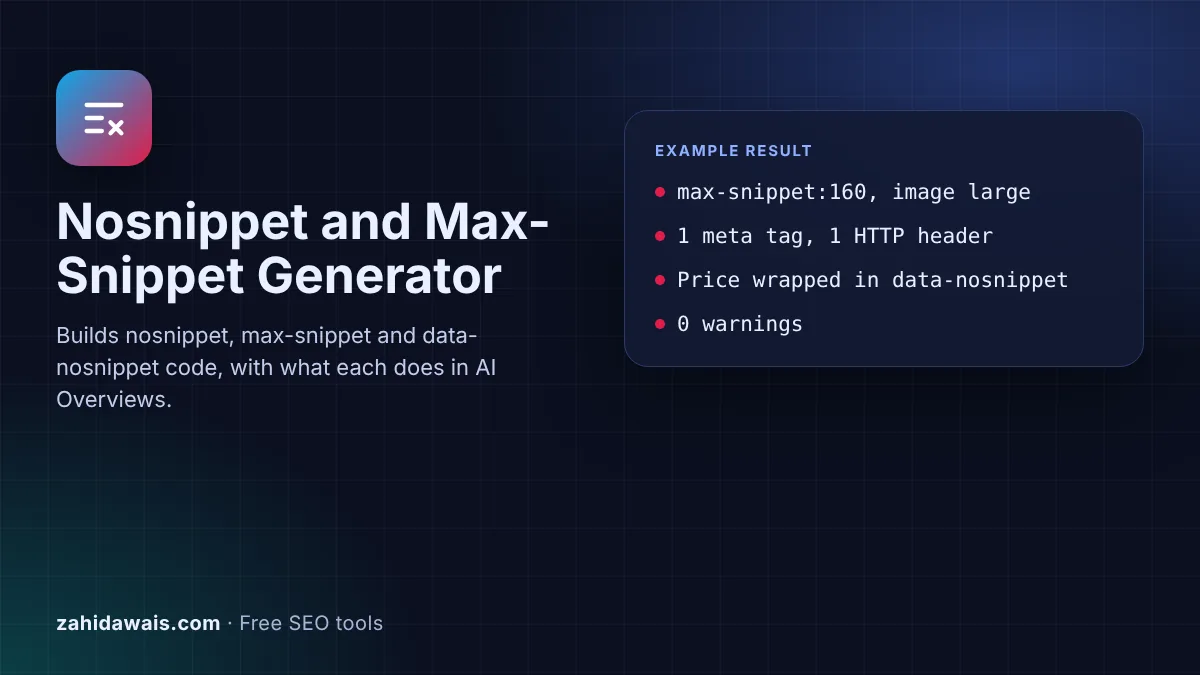
The free data-nosnippet generator writes the snippet controls Google documents: nosnippet, max-snippet, max-image-preview, max-video-preview and noindex as a robots meta tag or X-Robots-Tag header, plus data-nosnippet wrappers for single passages. It also explains what each rule does in AI Overviews and AI Mode.
data-nosnippet is an HTML attribute on span, div or section elements that tells Google not to use that text in a snippet. Page-wide, nosnippet blocks snippets and stops the content being a direct input for AI Overviews and AI Mode, while max-snippet limits it. Google-Extended does not control Google Search.
data-nosnippet is an HTML attribute that marks part of a page as off limits for search snippets. Google's robots meta tag documentation says: "You can designate textual parts of an HTML page not to be used as a snippet", using the attribute on "span, div, and section elements". It is a boolean attribute, so any value is ignored, and an unclosed div hides everything after it.
The page level rules work on the whole URL. Google says nosnippet "applies to all forms of search results (at Google: web search, Google Images, Discover, AI Overviews, AI Mode) and will also prevent the content from being used as a direct input for AI Overviews and AI Mode". max-snippet sets a character limit and "will also limit how much of the content may be used as a direct input for AI Overviews and AI Mode". These rules, not Google-Extended, are how you limit what Google Search shows from a page.
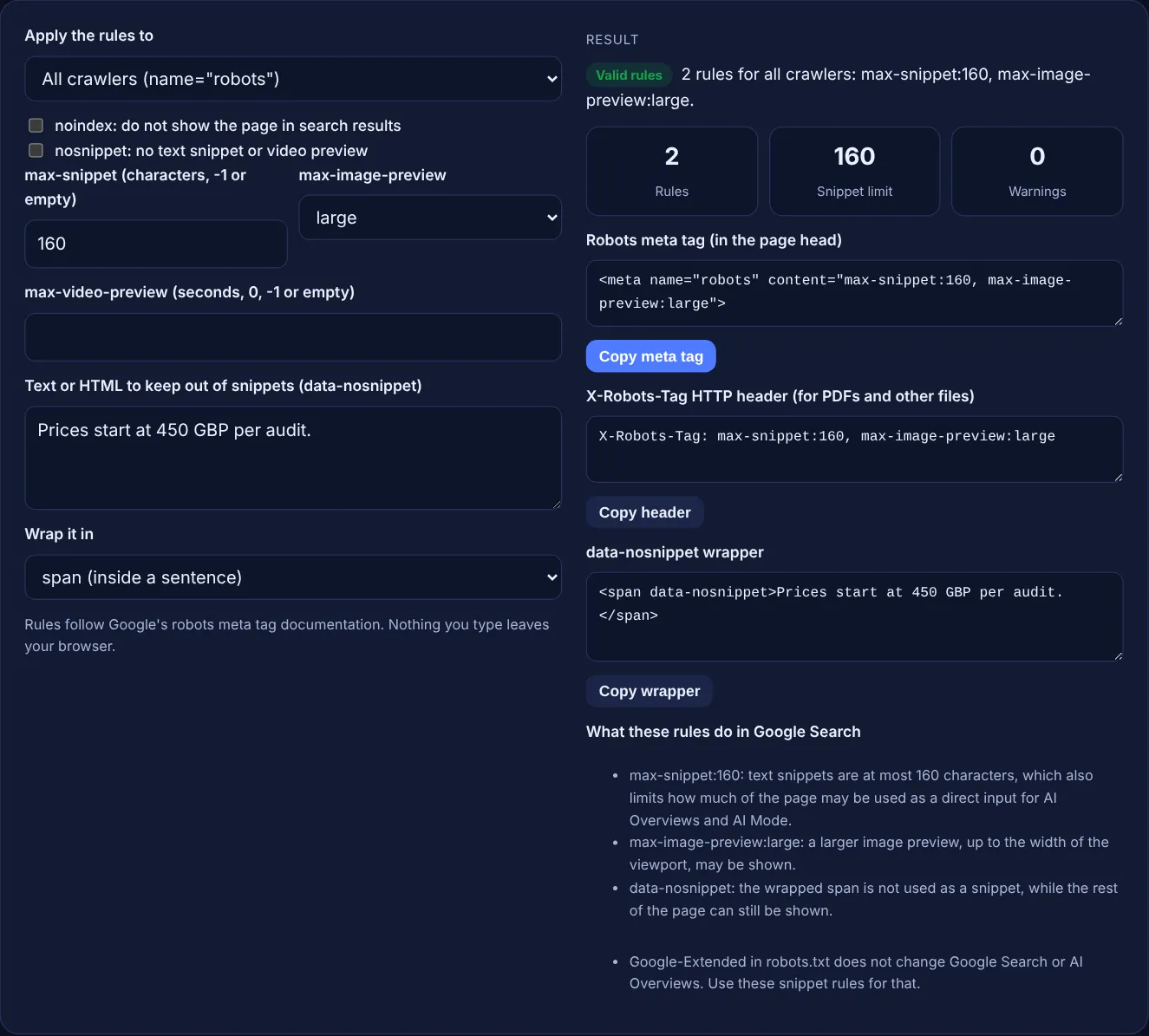
They are the controls Google names for its AI features. Google's guide to AI features and your website says: "To limit the information shown from your pages in Search, use nosnippet, data-nosnippet, max-snippet, or noindex controls." nosnippet stops the page being a direct input for AI Overviews and AI Mode, and max-snippet limits how much of it may be used. A strict limit also shortens your normal snippets, so test the trade off on a few pages first.
Use data-nosnippet when only part of a page should stay out of snippets, such as a price that changes often, a quote you licensed or a spoiler. Use nosnippet when no part of the page should appear as a snippet. data-nosnippet leaves the rest of the page eligible, so it costs less visibility. Google warns not to add or remove the attribute with JavaScript on existing elements, because rendering is not guaranteed, so put it in the HTML your server sends.
No. Google's common crawlers page says Google-Extended manages whether crawled content may be used to train future Gemini models and for grounding, and that it "does not impact a site's inclusion in Google Search nor is it used as a ranking signal in Google Search". It is a robots.txt token with no user agent of its own. AI Overviews and AI Mode are part of Search, so the snippet rules on this page are the controls for them.
| Rule | What Google does | Effect on AI Overviews and AI Mode |
|---|---|---|
| noindex | Does not show the page in search results | Page not shown in Search |
| nosnippet | No text snippet or video preview | Content not used as a direct input |
| max-snippet:[number] | Snippet of at most that many characters; 0 equals nosnippet, -1 means Google decides | Limits how much content may be used as a direct input |
| max-image-preview:none, standard or large | Sets the largest image preview | Image preview size |
| max-video-preview:[number] | Video preview of at most that many seconds; 0 static image, -1 no limit | Video preview length |
| data-nosnippet on span, div or section | That text is not used as a snippet | Google lists it among the controls for AI features |
Example: a made-up agency wants short snippets, large image previews and its changing price kept out of results. With the default settings the tool outputs <meta name="robots" content="max-snippet:160, max-image-preview:large">, the matching header X-Robots-Tag: max-snippet:160, max-image-preview:large and the wrapper <span data-nosnippet>Prices start at 450 GBP per audit.</span>. The counters show 2 rules, a snippet limit of 160 and 0 warnings. Ticking nosnippet as well drops max-snippet and shows 1 warning, because the more restrictive rule applies.
Google does not describe it as a ranking factor. It only controls which text can appear in a snippet. Hiding too much can make your result less useful, so wrap only the passages that must stay out, such as prices or licensed quotes.
No. Google supports it only on span, div and section elements, and its documentation marks other elements as not valid. Wrap the paragraph or list in a div, or the words in a span, and put the attribute there.
They accept the same rules. The meta tag goes in the head of an HTML page. The X-Robots-Tag is an HTTP header your server sends, so it also works for PDFs, images and other files that have no HTML head.
Google says that when robots rules conflict, the more restrictive rule applies, so nosnippet wins. The tool leaves max-snippet out in that case and shows a warning, which keeps the tag short and clear.
Google has to recrawl the page first. Its AI features guide says crawling can take several days to several months, and you can request a recrawl. Use the URL Inspection tool to check that Googlebot sees the rule.
No. Google can only read meta tags and headers on pages it is allowed to crawl. If robots.txt blocks a URL, Google says its indexing and serving rules will not be found and are ignored.
Checked 23 Oct 2026. Facts checked against these official pages. Read how I check facts in my editorial policy.
A meta robots tag generator is a tool that writes the meta name="robots" element and the equivalent…
An X-Robots-Tag generator is a tool that writes the server configuration that adds the X-Robots-Tag header to…
Builds one Markdown llms-full.txt from page titles, URLs and content, with counts.
Preview your title and meta description as a Google
Send your website and I will check it for you, free.
One short email when something new goes live: articles, free SEO tools, package updates, discounts and price alerts. No spam, unsubscribe in one click.