llms.txt Generator
An llms.txt generator is a tool that writes the /llms.txt file proposed on llmstxt.org. The logic is simple:…
Paste your page titles, URLs and content and get a single Markdown llms-full.txt file, with counts, copy and download.
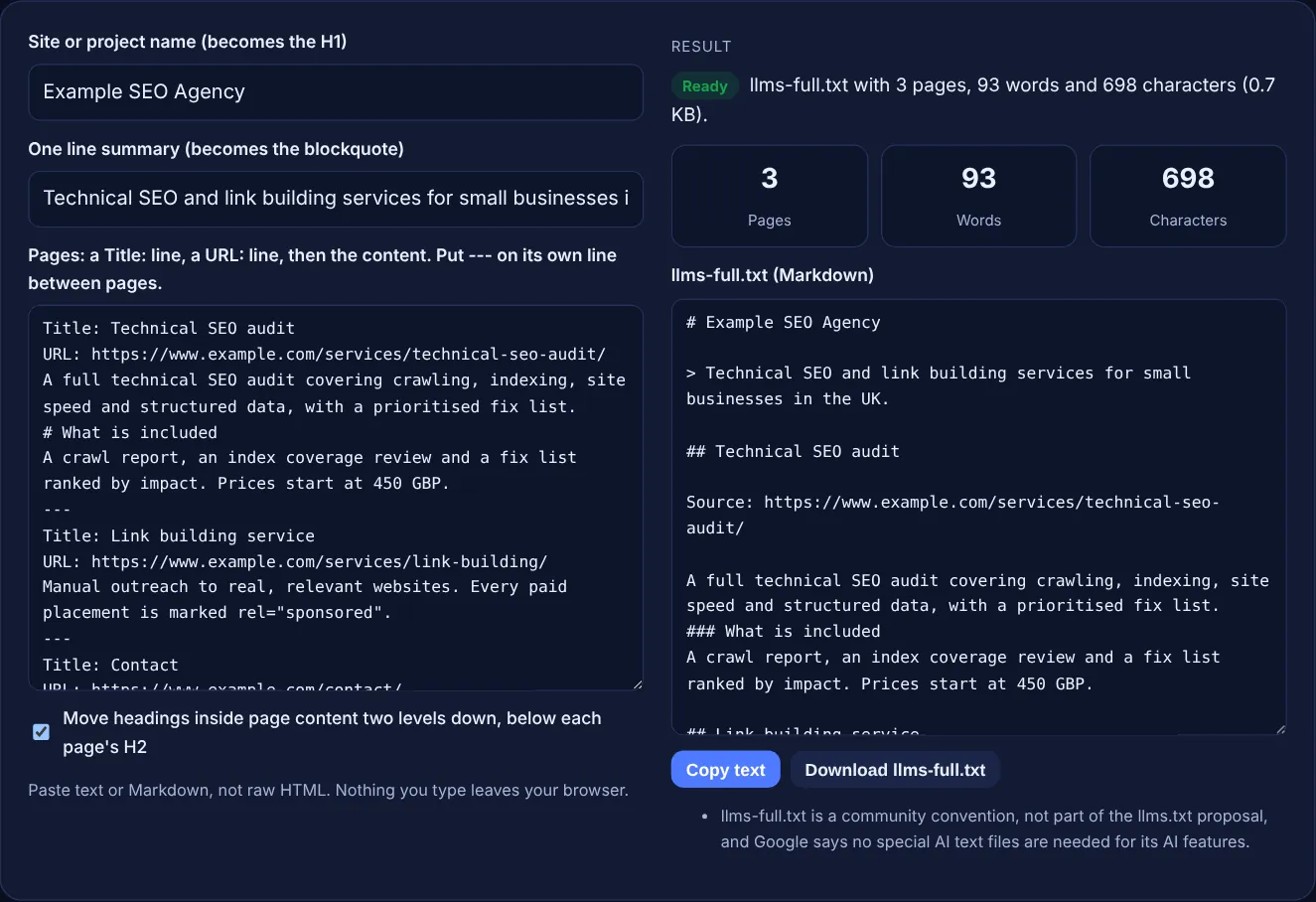
Paste text or Markdown, not raw HTML. Nothing you type leaves your browser.
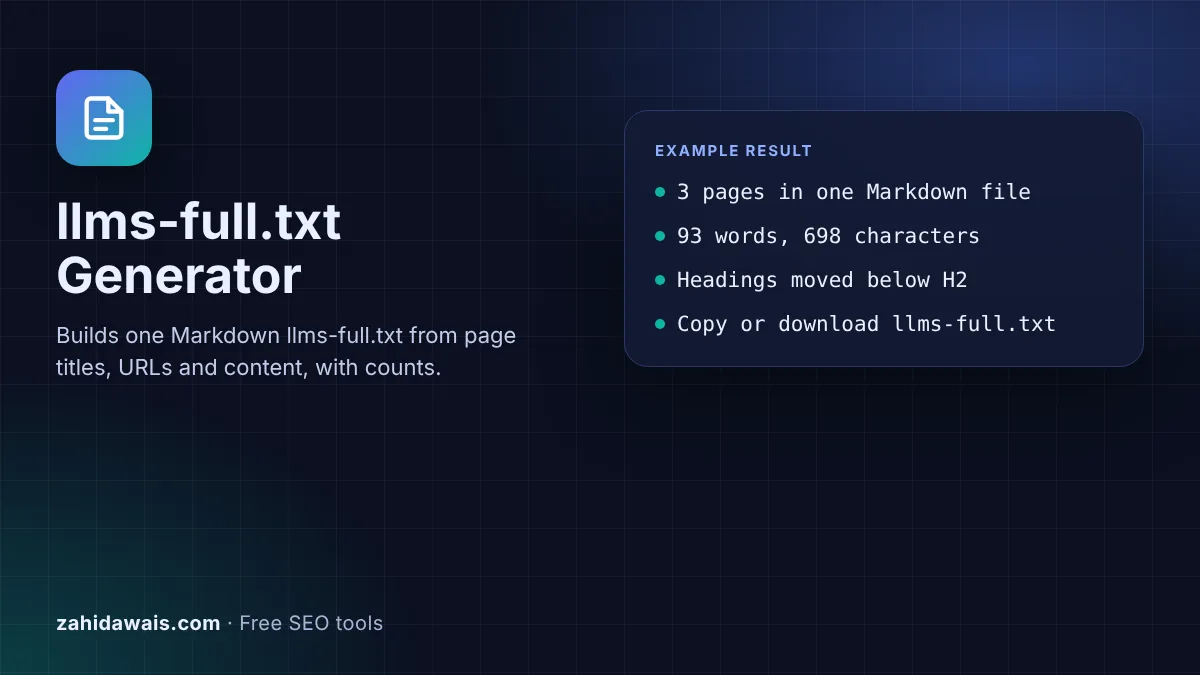
The free llms-full.txt generator turns a list of page titles, URLs and page content into one Markdown file that you can host at /llms-full.txt or hand straight to an AI assistant. It counts words and characters, flags missing URLs and runs in your browser.
An llms-full.txt file is a single Markdown file that holds the full text of your key pages, each with its title and source URL, so an AI tool can read everything in one request. It is a community convention built on the llms.txt proposal, not a standard, and Google says AI Overviews need no special files.
An llms-full.txt file is a plain text file, written in Markdown, that combines the content of many pages into one document for large language models. Each page appears with its title, its source URL and its text. Where an llms.txt file is a short index of links, llms-full.txt carries the content itself, so a tool does not need to fetch every page.
Be clear about its status. The llms.txt proposal by Jeremy Howard describes itself as "a proposal to standardise on using an /llms.txt file" and, as checked today, defines llms.txt and Markdown copies of pages, but does not define llms-full.txt. The full file is a convention that documentation platforms adopted. Mintlify, for example, documents that its llms-full.txt "combines your entire documentation site into a single file" and that "each page appears as its title, source URL, description, and full Markdown content". This tool follows that shape, starting with the H1 and blockquote that the llms.txt proposal uses.
No. As checked today, the llms.txt proposal at llmstxt.org defines one file, /llms.txt, with a required H1, an optional blockquote summary, optional notes and H2 sections of links, plus Markdown copies of pages at the same URL with .md added. It does not mention llms-full.txt. The full file grew out of documentation tools, so there is no official format to validate against. Treat it as an optional extra and keep it consistent with your live pages.
Google does not ask for either. Its guide to AI features and your website says: "You don't need to create new machine readable files, AI text files, or markup to appear in these features." AI Overviews and AI Mode use pages Googlebot crawls and indexes. Google's Lighthouse tool does have an llms.txt audit, but its documentation calls the file optional. An llms-full.txt file can still help coding assistants and chat tools that read it.
Put in the pages you would want an AI tool to read first: services, pricing, documentation, policies and your best guides. Use clean text or Markdown, not HTML with menus and footers. Keep each page's real URL so tools can cite it, and leave out private, outdated or thin pages. If a page is long, a careful summary is better than a broken copy. Update the file whenever those pages change, or it will contradict your site.
| Point | llms.txt | llms-full.txt |
|---|---|---|
| Defined by | The llms.txt proposal at llmstxt.org | No formal spec; a convention used by documentation tools |
| Contains | H1, summary and lists of links | Full text or summaries of each page |
| Typical size | Small, fits easily in a prompt | Large, grows with your content |
| Location | /llms.txt at the site root (or a subpath) | /llms-full.txt by convention |
| Needed for Google AI features? | No | No |
| Build it with | llms.txt Generator | This tool |
Example: the default input describes three pages of a made-up agency, Example SEO Agency: a technical SEO audit, a link building service and a contact page. The tool builds a file that starts with "# Example SEO Agency" and the one line summary, then gives each page an H2, a Source line with its URL and its text. The heading "# What is included" inside the audit content becomes "### What is included", so it sits below the page's H2. The result shows 3 pages, 93 words and 698 characters, with no warnings.
Upload it to the root of your domain so it opens at example.com/llms-full.txt, next to robots.txt and llms.txt. On WordPress you can use your host's file manager or an SFTP client. Then open the URL in a browser to confirm it loads as plain text.
You can. Adding it as one link in an H2 section of your llms.txt, or in the Optional section, helps tools find it. The llms.txt proposal says the Optional section is for secondary information that an agent can skip.
No standard sets a limit. Very large files may not fit in an AI tool's context window, so the tool shows the character count and size. If the file grows too large, include only your most important pages or use summaries.
No. Google says no special AI text files are needed for AI Overviews and AI Mode, and the file is not a ranking signal. Crawlable pages with clear, helpful content matter far more for Google Search.
It is better not to. The file should be clean Markdown or plain text that a model reads easily. Copy the visible text of each page, or use your CMS's Markdown export, and leave out menus, footers and scripts.
No. The generator runs entirely in your browser with JavaScript. The text you paste is never sent or stored, and the download is created on your device.
Checked 23 Oct 2026. Facts checked against these official pages. Read how I check facts in my editorial policy.
An llms.txt generator is a tool that writes the /llms.txt file proposed on llmstxt.org. The logic is simple:…
Builds nosnippet, max-snippet and data-nosnippet code, with what each does in AI Overviews.
An AI crawler robots.txt generator is a tool that turns your allow or block choice for each AI user agent…
Checks a pasted robots.txt against 14 search and AI bots and shows the deciding rule.
Send your website and I will check it for you, free.
One short email when something new goes live: articles, free SEO tools, package updates, discounts and price alerts. No spam, unsubscribe in one click.