Google Search Console errors
Redirect error in Google Search Console: causes and step by step fix
The four redirect problems Google reports, how to trace each one in minutes, and how to confirm the fix in Search Console.
Read articleWhy Google ignores the canonical you set, how to read its choice in URL Inspection, and how to line up every signal so it agrees.
This guide shows you why Search Console reports duplicate google chose different canonical than user, how to tell whether Google’s choice is actually wrong, and how to align your signals so your preferred URL wins. I see this status most on stores, multi-location sites and blogs that changed URL structure without cleaning up old links.
Duplicate Google chose different canonical than user means you marked a page as canonical, but Google thinks another URL is a better canonical and indexed that one instead. Fix it by making redirects, rel canonical, internal links and your sitemap all point to one URL, or accept Google’s choice if it is right.
Google ignores a canonical tag when other signals on your site point more strongly to a different URL, because rel canonical is one input Google weighs, not a command it must obey. Google’s Page indexing report help describes this status as a page marked canonical for a set of pages where Google thinks another URL makes a better canonical, and has indexed that one.
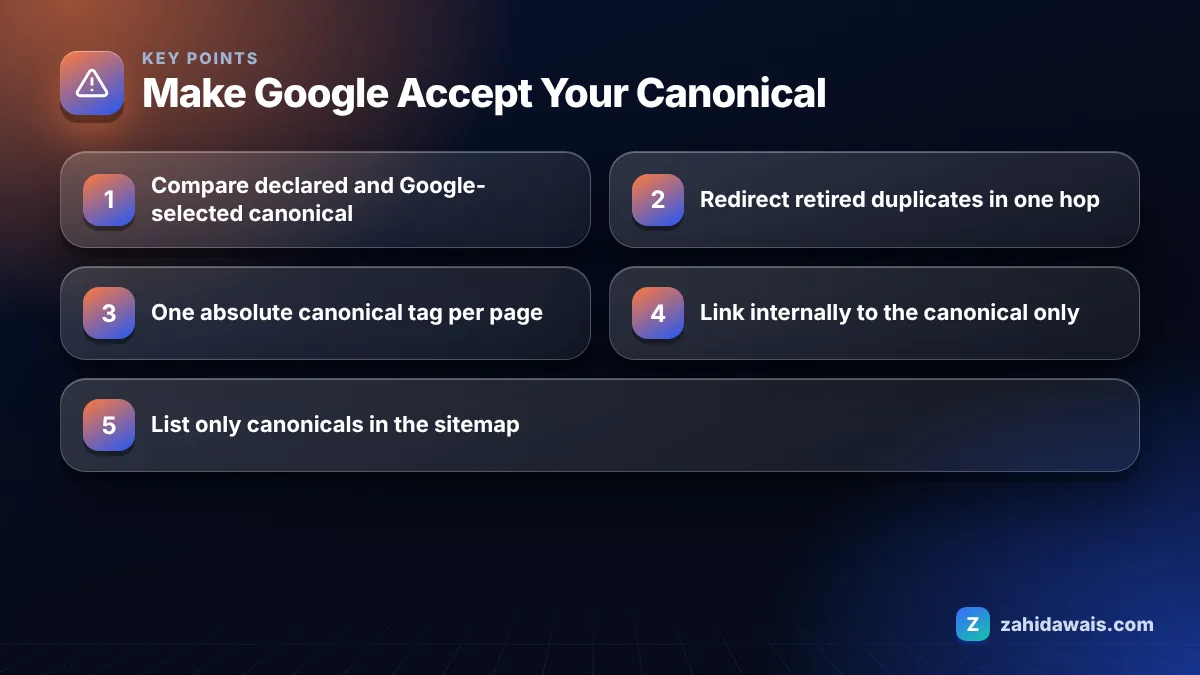
Google’s guide to consolidating duplicate URLs lists redirects and rel canonical as strong signals and sitemap inclusion as a weak signal. It also says Google prefers HTTPS over HTTP and recommends linking internally to the canonical URL. When these disagree, Google picks the URL most of them support.
The conflicts I find most often in audits:
Notice that most of these are not problems with the tag itself. In my orders the tag is usually correct, and the real issue is that the rest of the site quietly votes for another URL. That is why editing the canonical tag again rarely changes anything on its own. You have to find which signal Google is following and remove the disagreement at its source.
It does not mean a penalty; it means Google is showing a different URL from the same duplicate group than the one you wanted. Google’s documentation explains that canonicalization consolidates signals such as links onto the chosen URL, so the group can still appear in search, just under the address Google picked.
It becomes a real problem in three cases: when Google picks a URL you do not want people to land on (an old URL, a parameter URL, the HTTP version), when it folds two pages you consider different into one, so one of them can never rank on its own, or when it picks a page in the wrong language or region. In those cases, act. Otherwise it is housekeeping, not an emergency.
You tell Google which URL to use by making every canonical signal point to the same address, with the strongest available signal used where possible. This reference table shows each signal and what to check:
| Signal | Strength per Google | What to check |
|---|---|---|
| 301 or 308 redirect | Strong | Retired duplicates redirect in one hop to the canonical |
| rel=”canonical” (HTML or HTTP header) | Strong | One tag only, absolute URL, points to a 200 page that is indexable |
| Sitemap inclusion | Weak | Only canonical URLs listed, no parameters, HTTPS only |
| HTTPS | Preferred by Google | Valid certificate, no redirect from HTTPS back to HTTP |
| Internal links | Recommended by Google | Menus, breadcrumbs and body links use the canonical URL |
| hreflang | Preferred in clusters | Each language version canonicals to itself, not to another language |
Google also lists mistakes to avoid: do not use robots.txt for canonicalization, do not use the URL removal tool for it, and do not specify different canonicals for the same page through different methods.
You fix it by comparing your declared canonical with Google’s choice for each URL and then removing every signal that disagrees with the one you want. Work through these steps.
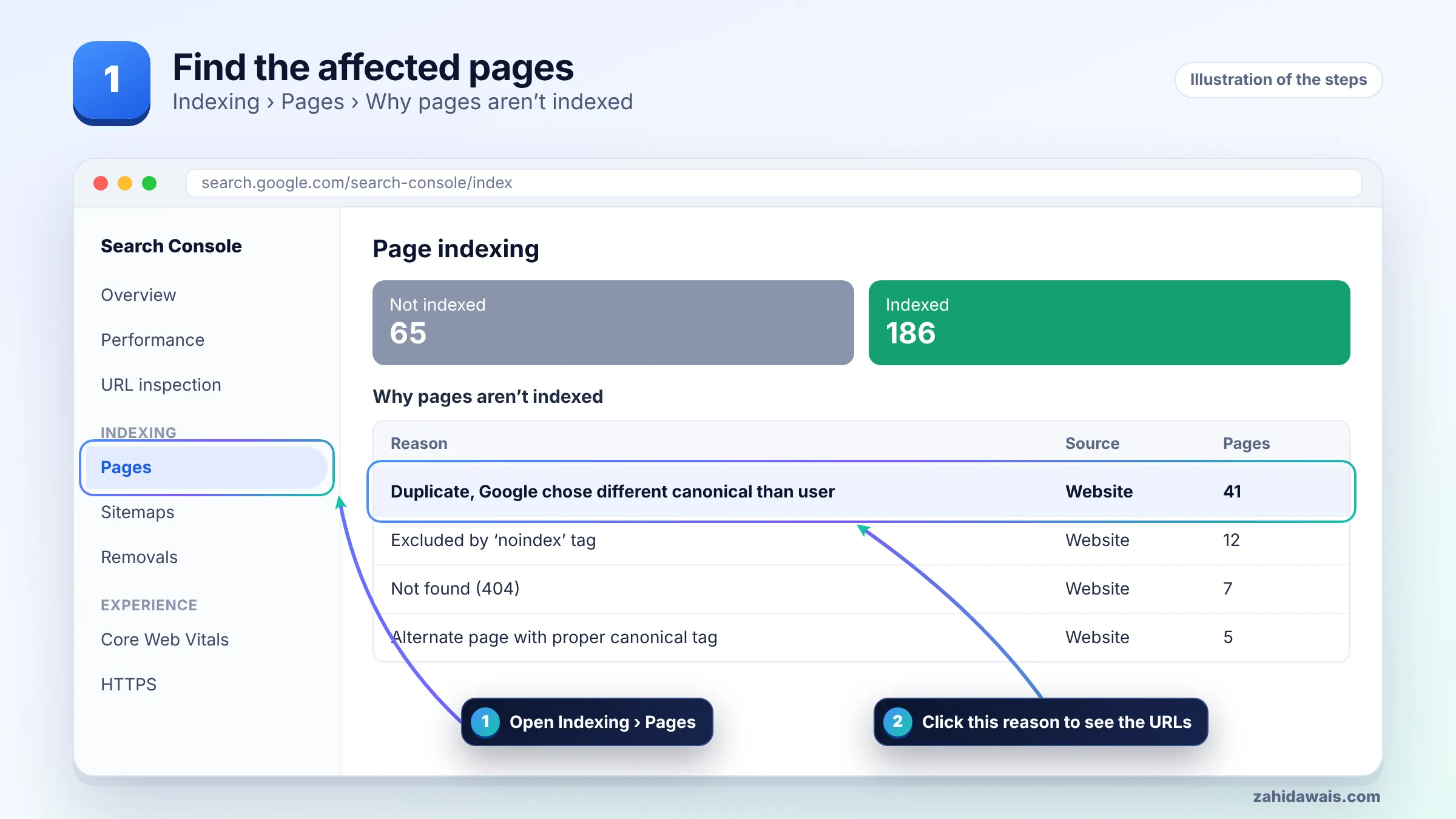
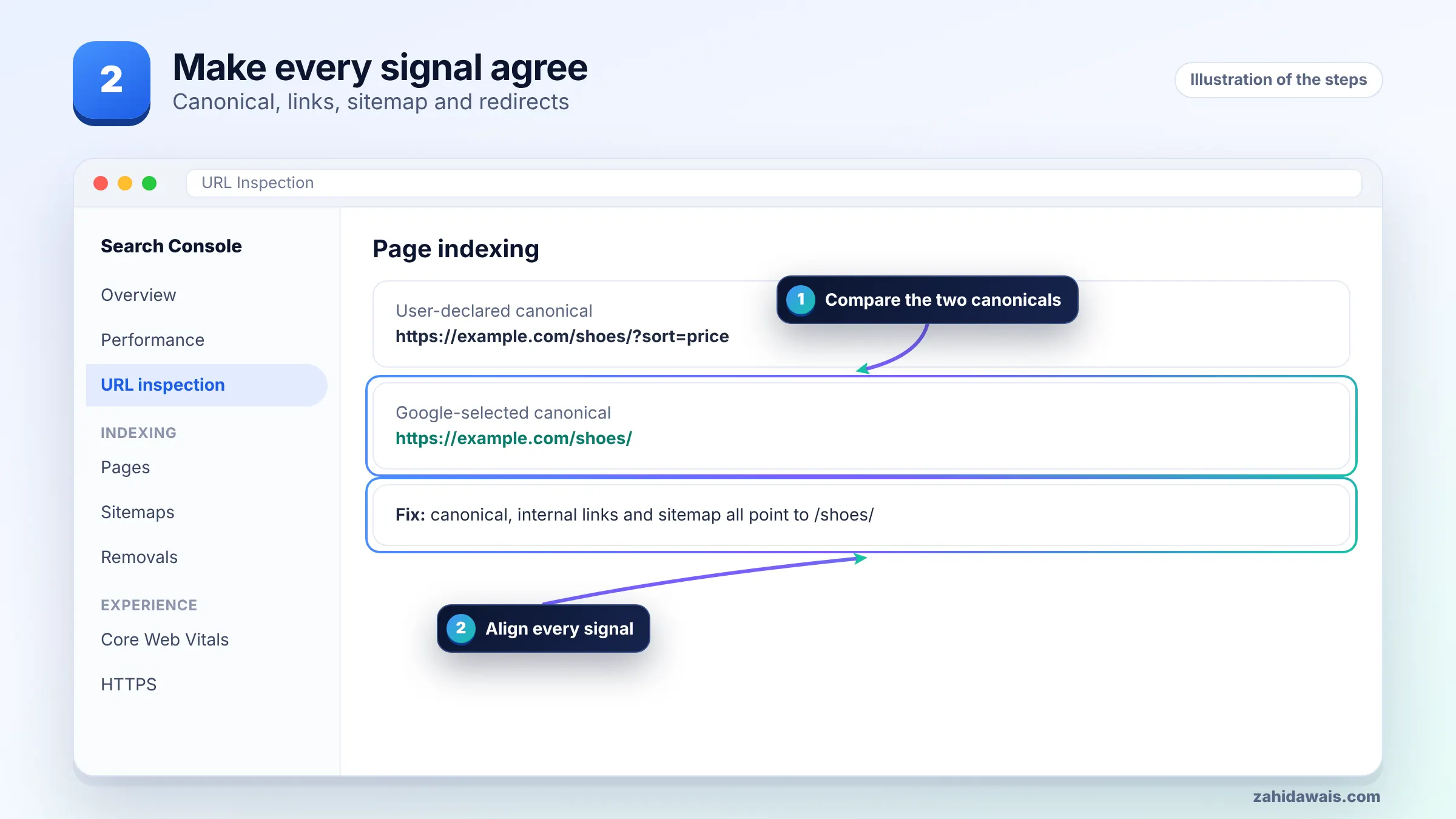
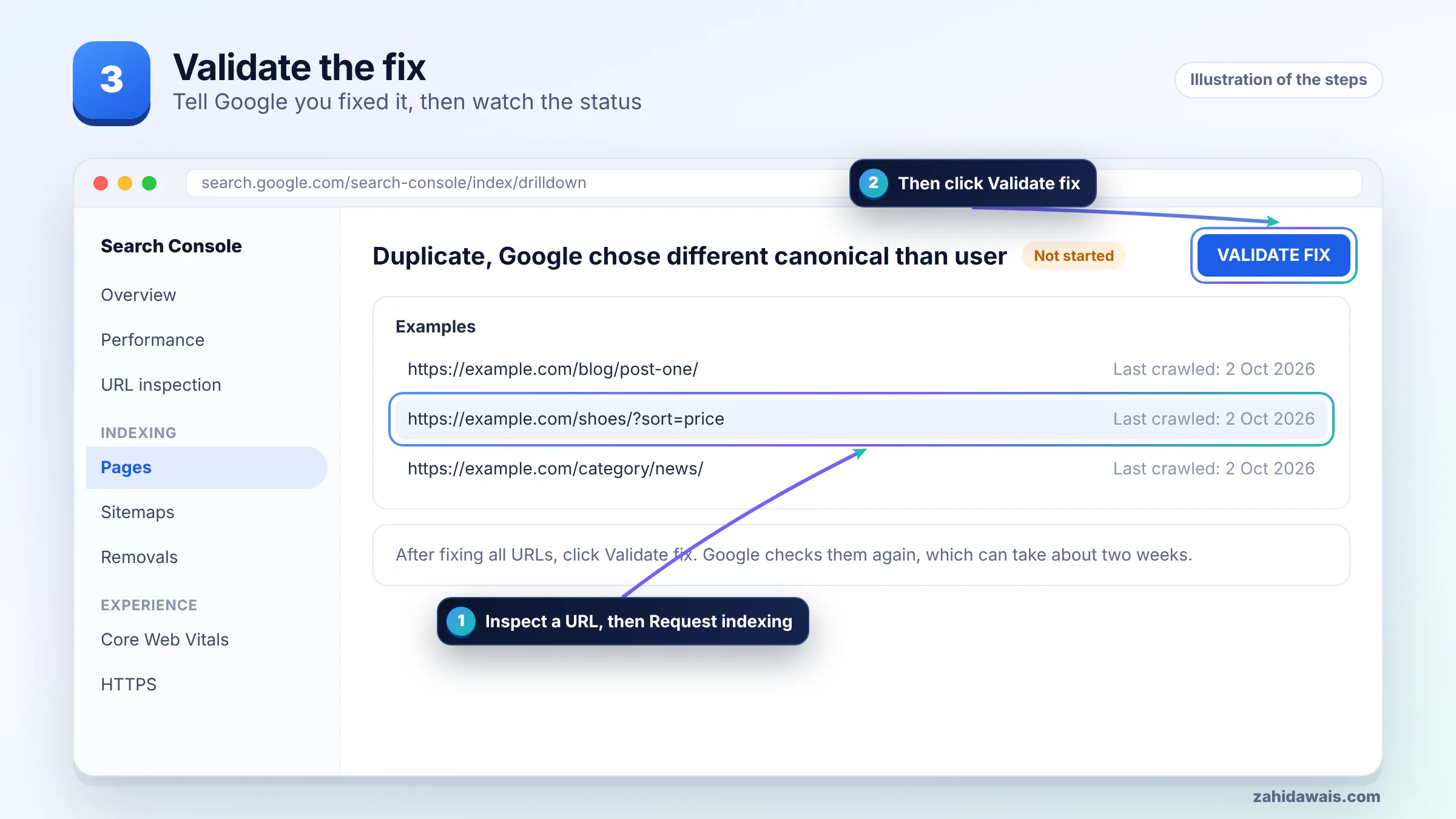
Two related statuses can look similar. If the page has no canonical at all, read my guide to duplicate without user-selected canonical. If Google accepted your canonical, the page shows as alternate page with proper canonical tag, which is normally fine.
You validate by confirming the corrected signals on the live page, clicking Validate fix on the issue, and then watching the Google-selected canonical in URL Inspection change over the following weeks. The live test alone cannot confirm it, because Google’s help notes that a live test cannot predict which URL will be chosen as canonical.
If validation fails, open See details and look at the failed URLs. A common reason is that the pages are still near duplicates, so Google keeps its choice no matter how the tags read.
A typical case on a store, with numbers for illustration: a product sits at /product/blue-mug/ and also at /shop/mugs/blue-mug/. The canonical tag says /product/blue-mug/. But the category grid, breadcrumbs and related products link to the /shop/mugs/ version, around 40 internal links in total, while only 2 links point to the canonical. The sitemap lists the /shop/ version. Google chooses /shop/mugs/blue-mug/.
Score the signals: canonical tag points to A, but internal links (40 to 2) and the sitemap favour B. After switching the permalink structure so only one URL exists, redirecting the other with a 301, and regenerating the sitemap, every signal points to one URL and the conflict has nothing left to override.
If many templates are involved, a full technical SEO audit is faster than fixing URLs one at a time.
It means you declared a canonical URL for a page, but Google decided another URL in the same duplicate group is a better canonical and indexed that one instead. The URL you declared is treated as a duplicate and not shown in results.
No. Google treats rel canonical as a strong signal alongside redirects, sitemaps, HTTPS and internal links. When other signals disagree, Google can choose a different URL. Aligning all signals is the reliable way to get your preferred URL chosen.
Inspect the URL in Search Console’s URL Inspection tool. The page indexing section shows the User-declared canonical and the Google-selected canonical. The Google-selected canonical is only shown for indexed results, not in a live test.
Sometimes. If Google picked the URL you would want users to land on anyway, updating your tag is the quickest fix. If Google picked an old, HTTP or parameter URL, fix your redirects, links and sitemap instead.
It usually means Google sees the pages as duplicates or near duplicates. If two pages should rank separately, make each one clearly different with unique content and purpose. Pages that differ only by a city name or a colour often get folded together.
There is no fixed timeline. Google must recrawl the pages and the URLs linking to them. Validation in Search Console typically takes up to about two weeks, but the canonical choice can take longer to change on large sites.
Facts checked against these official pages. Read how I check facts in my editorial policy.
The four redirect problems Google reports, how to trace each one in minutes, and how to confirm the fix in Search Console.
Read article
How to read a failed validation, find the URLs that caused it, fix the real cause and start a new validation without wasting weeks.
Read article
Why Google skipped pages carrying a noindex rule, how to decide which ones matter, and the exact steps to remove it and validate.
Read articleSend your website and I will reply with a free audit.