Google Search Console errors
Validation failed in Search Console: why it happens and what to do
How to read a failed validation, find the URLs that caused it, fix the real cause and start a new validation without wasting weeks.
Read articleThe four redirect problems Google reports, how to trace each one in minutes, and how to confirm the fix in Search Console.
This guide walks you through every cause of a redirect error google search console report, how to trace the exact hop that breaks, and how to fix loops and chains on WordPress and other sites. Redirect errors are one of the few Page indexing reasons that almost always need fixing, because the URL cannot be indexed at all.
A redirect error Google Search Console reports means Googlebot could not reach a final page when following redirects. Google lists four causes: a chain that is too long, a loop, a URL that grows past the maximum length, or a bad or empty URL in the chain. Trace the hops, then redirect once to a working page.
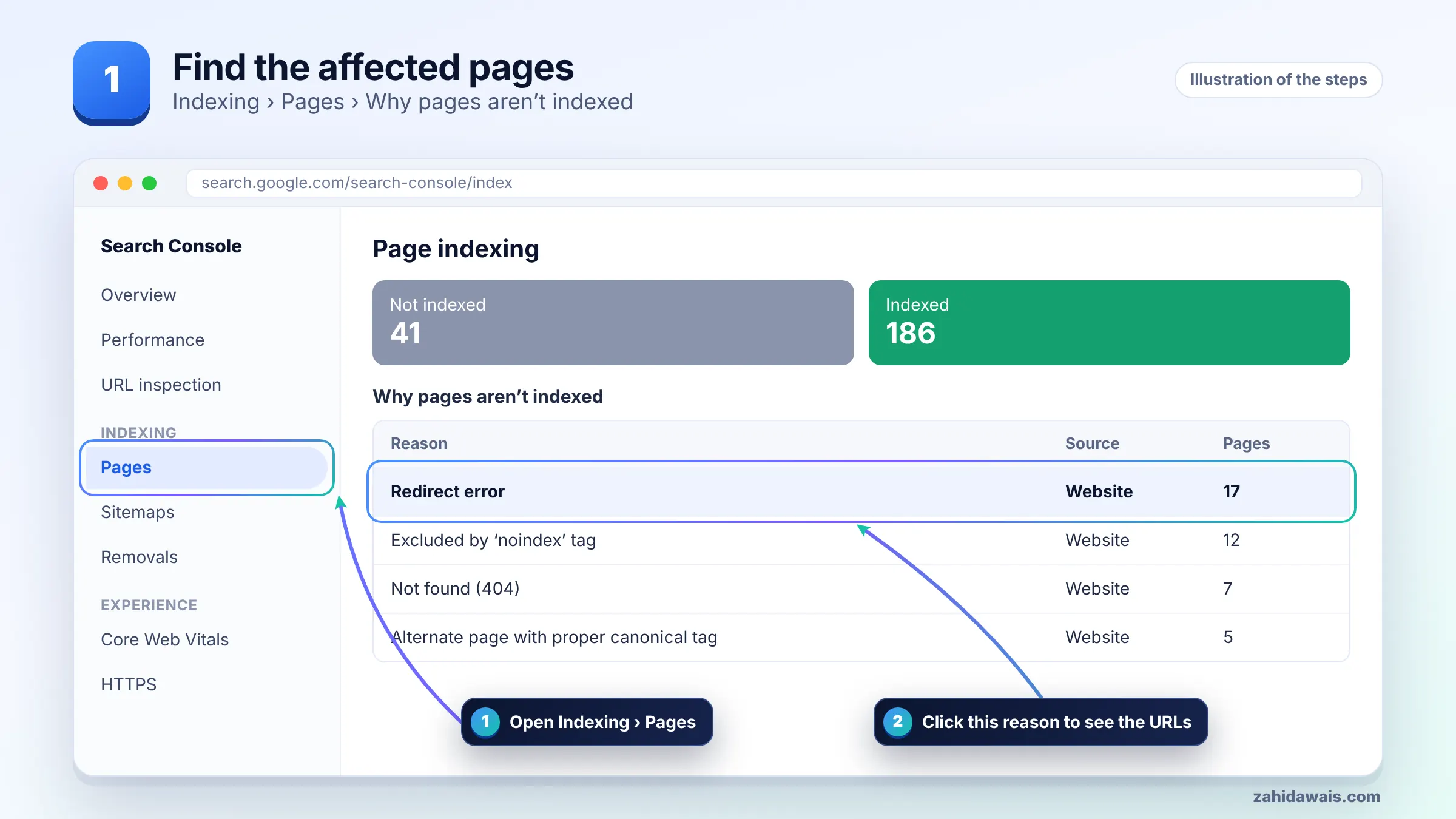
A redirect error is caused by one of four problems that Google names on its Page indexing report help page: a redirect chain that was too long, a redirect loop, a redirect URL that eventually exceeded the maximum URL length, or a bad or empty URL in the redirect chain.
Google’s crawlers follow up to 10 redirect hops by default, according to its documentation on HTTP status codes. Past that point the chain counts as too long. In practice, any chain longer than one or two hops is worth flattening, because each extra hop is another place for something to break.
This reference table maps each error type to the causes I meet most often in client work:
| Error type | Common real cause | Fix |
|---|---|---|
| Redirect loop | HTTP to HTTPS rule fighting a CDN or SSL setting, or two redirect rules pointing at each other | Remove one of the two rules so traffic ends on one URL |
| Chain too long | Several migrations stacked: old domain, then HTTPS, then new slug, then trailing slash | Point every old URL straight to the final URL |
| URL exceeds max length | A rule that appends a path or parameter on every hop, such as /en/en/en/ | Fix the regex so it matches once |
| Bad or empty URL | Redirect target typed wrong, relative path broken, or an empty Location header | Use a full absolute target URL that returns 200 |
You find the broken redirect by following the URL hop by hop and recording the status code and Location header at each step. Do not rely on the browser address bar, because browsers cache redirects and hide the middle steps.
curl -I -L https://example.com/page/ in a terminal to print every hop and status code.Write the chain down: URL, status, next URL. The broken hop is usually obvious once it is on paper.
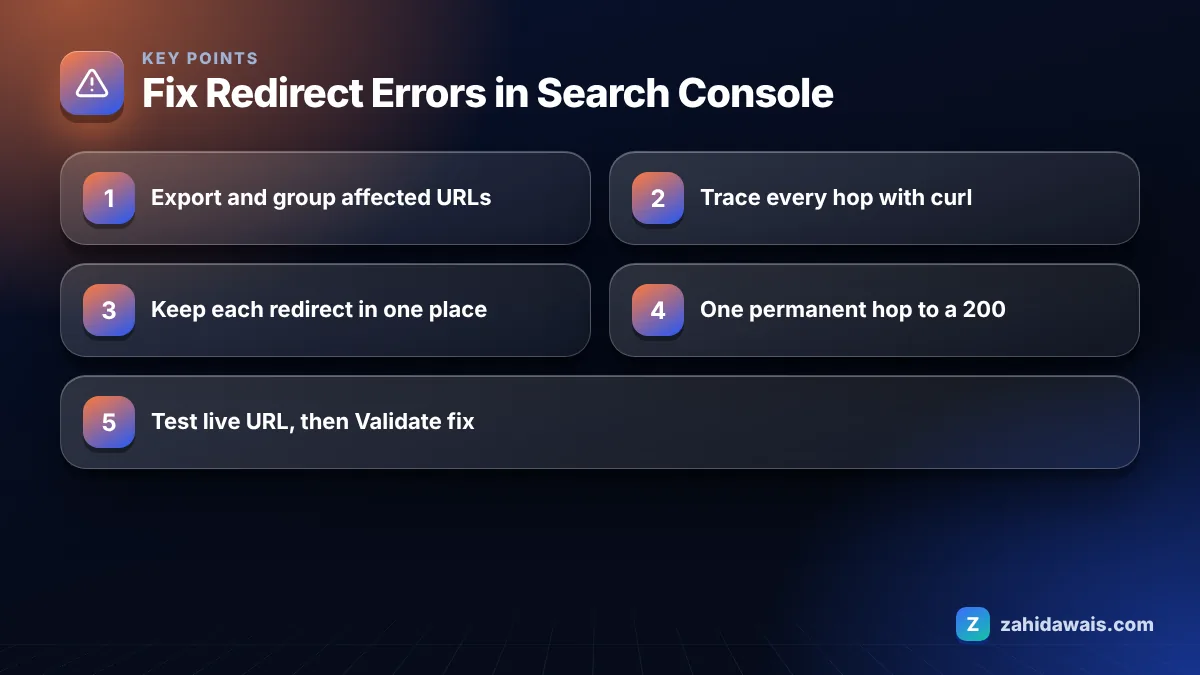
You fix a redirect error by making every affected URL go to its final destination in a single permanent redirect that ends on a page returning 200. Follow these steps in order.
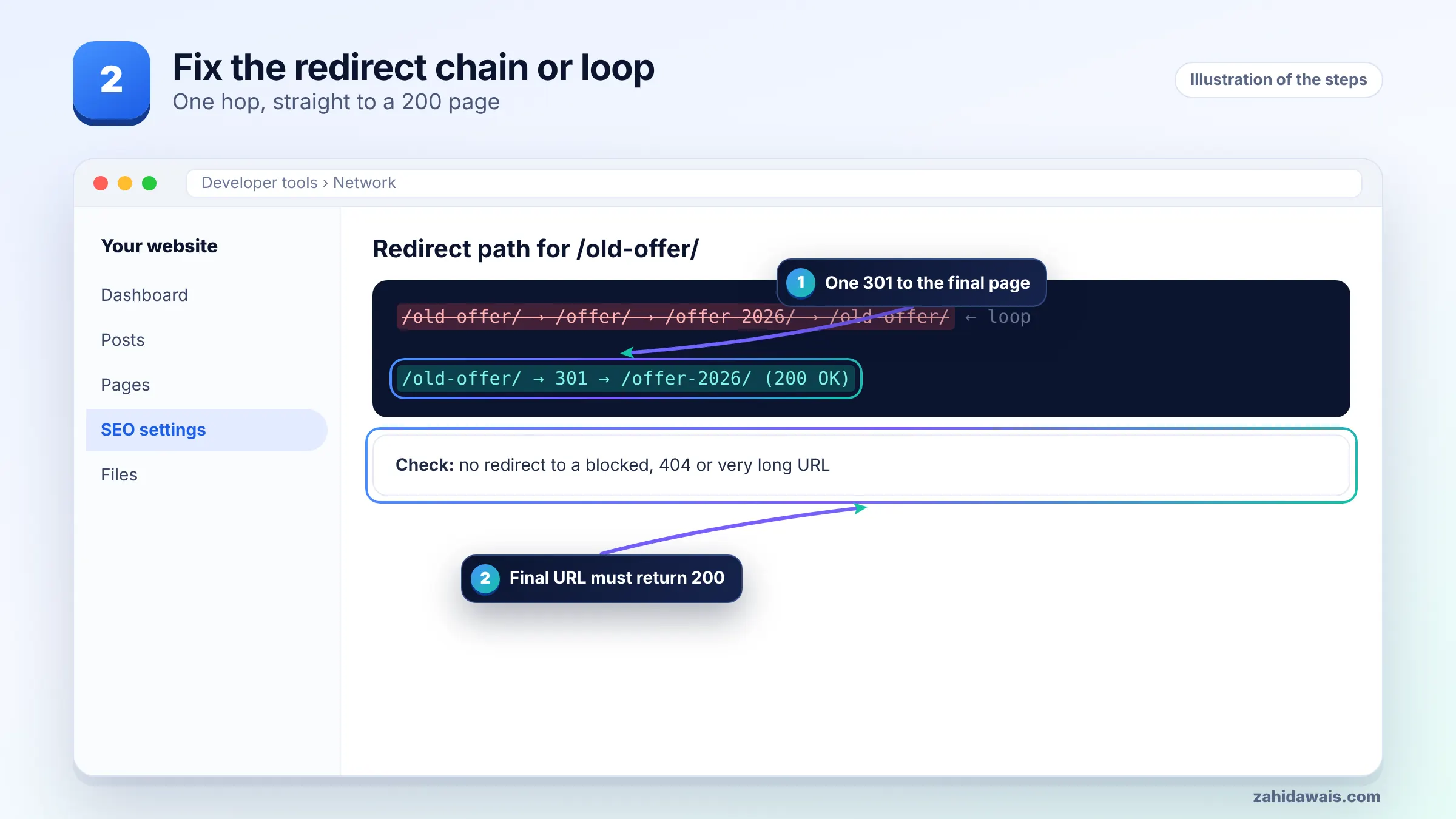
To fix a redirect loop in WordPress, make sure only one layer forces HTTPS and one canonical host, and that the WordPress Address and Site Address settings match that final URL exactly. Most loops I see on WordPress come from two layers each forcing a different version.
If you get locked out of the dashboard by a loop, you can set the two addresses with the WP_HOME and WP_SITEURL constants in wp-config.php, then fix the real cause. Redirect planning is the core of my website redesign service, because most loops start during a migration.
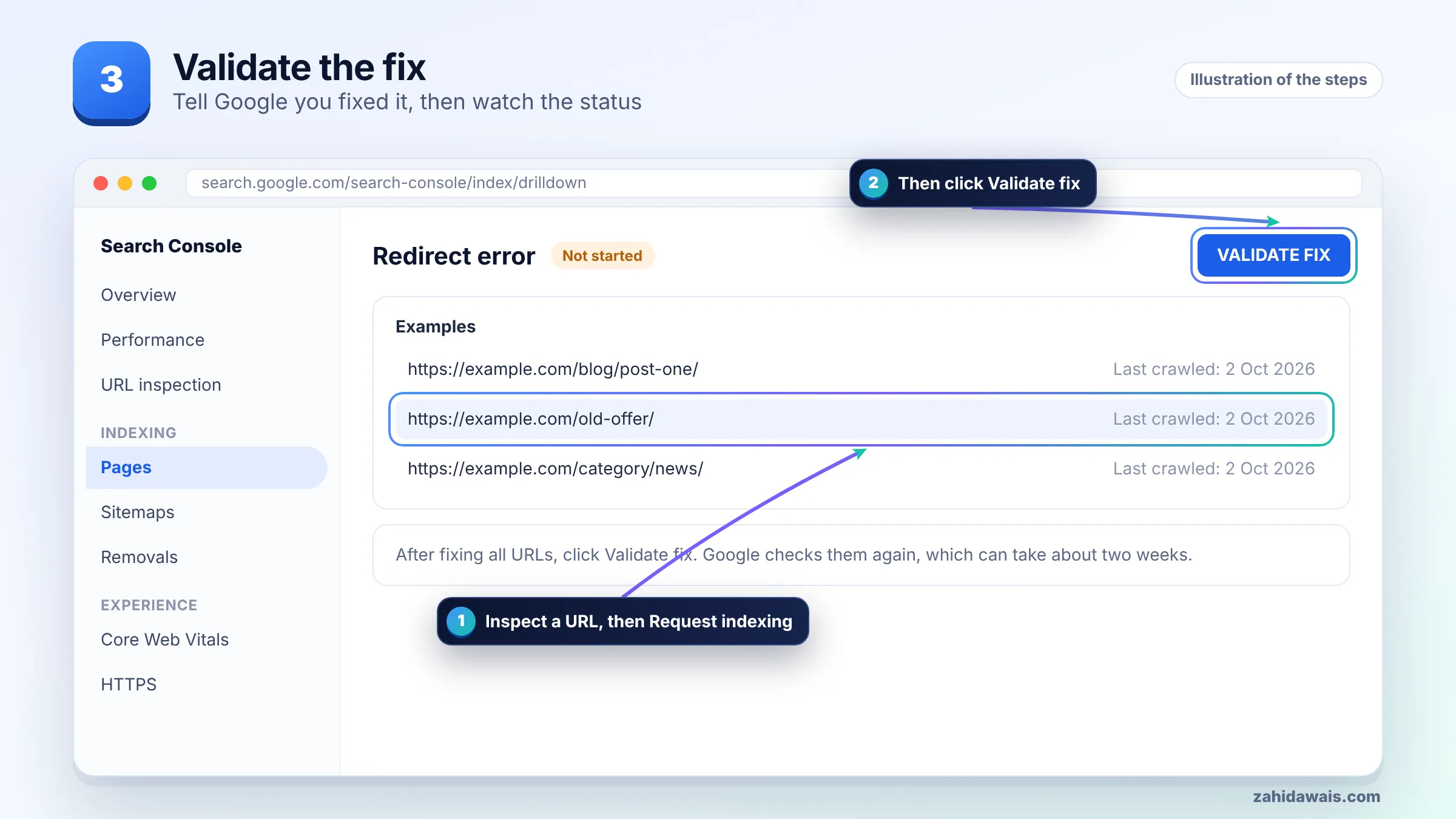
You validate by confirming in URL Inspection that the URL now reaches a working page, then clicking Validate fix on the Redirect error reason. Check one URL from every group first, since validation can fail if a single pattern is still broken.
There is no fixed recrawl time; Google revisits URLs at its own pace, and important, well-linked URLs tend to be revisited sooner than deep or orphaned ones. Requesting indexing for key URLs and submitting an updated sitemap helps Google find the change.
Do not panic if old URLs linger in the report for a few weeks. As long as the live trace shows one clean hop to a 200 page, the report will catch up.
A typical post-migration chain, for illustration: http://example.com/blog/seo-tips goes to https://example.com/blog/seo-tips (hop 1, HTTPS rule), then to https://www.example.com/blog/seo-tips (hop 2, www rule), then to https://www.example.com/seo-tips (hop 3, removed /blog/ folder), then to https://www.example.com/seo-tips/ (hop 4, trailing slash). Four hops, and the CDN added a fifth back to HTTP, creating a loop.
The fix was one rule: every old variant goes straight to https://www.example.com/seo-tips/ with a 301, and the CDN was set to connect over HTTPS. Result: one hop and a 200, which is what Google needs to see.
If redirects keep breaking after every change, a technical SEO check of your server, CDN and plugin rules will usually find the conflict quickly.
It is a Page indexing reason showing Googlebot could not reach a final page while following redirects. Google lists four causes: a chain that is too long, a redirect loop, a URL that exceeds the maximum length, or a bad or empty URL in the chain.
Google’s documentation says its crawlers follow up to 10 redirect hops by default, though other Google products may differ. Keeping redirects to a single hop is the safest approach, because shorter chains are easier to maintain and less likely to break.
No. Page with redirect means the URL redirects correctly and the target is what gets indexed, which is usually fine. Redirect error means the redirect fails, through a loop, a chain that is too long, or a broken target, so nothing gets indexed.
Yes, a CDN can cause loops when its SSL setting connects to your server over HTTP while the server forces HTTPS. Each side redirects the other forever. Configure the CDN to connect over HTTPS and keep one HTTPS rule.
Use a permanent redirect such as 301 or 308 when a URL has moved for good. Google treats it as a strong signal that the target should be shown. Use 302 or 307 only for genuinely temporary moves.
Only the URLs that fail are affected, but a site wide rule such as an HTTPS or www redirect can break every page at once. That is why errors often appear in large numbers right after a migration or SSL change.
Facts checked against these official pages. Read how I check facts in my editorial policy.
How to read a failed validation, find the URLs that caused it, fix the real cause and start a new validation without wasting weeks.
Read article
Why Google skipped pages carrying a noindex rule, how to decide which ones matter, and the exact steps to remove it and validate.
Read article
Not every 404 in Search Console is a problem. Some pages should be gone. Here is how to tell which 404s need a redirect, which need a fix, and which you can safely ignore.
Read articleSend your website and I will reply with a free audit.