Google Search Console errors
Excluded by Noindex Tag: How to Find and Fix It in Search Console
Why Google skipped pages carrying a noindex rule, how to decide which ones matter, and the exact steps to remove it and validate.
Read articleHow to read a failed validation, find the URLs that caused it, fix the real cause and start a new validation without wasting weeks.
This guide shows you what to do when you see validation failed search console on an issue you thought was fixed: how to find the URLs that failed, why it happens for each common issue type, and how to restart validation properly. A failed validation is frustrating, but it is useful data, because Google is telling you exactly which URLs still show the problem.
A validation failed Search Console status means that after you clicked Validate fix, a certain threshold of pages still had the issue when Google rechecked them. Open See details, review the URLs marked Failed, fix the cause on those and any Pending URLs, then click Start new validation.
Your validation failed because Google rechecked the affected URLs and found that a certain threshold of them still had the same issue. That is the definition of the Failed state in Google’s help article on fixing issues and validating them. It does not mean your fix is useless; it means it did not reach enough of the URLs Google checked.
In my experience, failures come from a short list of causes:
Google’s help for some reports also says Search Console may check a few sample pages first, and if the error still exists on those, validation ends early. That is why a failure can arrive within days rather than weeks.
Each issue shows one validation state, and each URL inside it has its own state. Knowing both tells you exactly where the problem is. This reference table summarises Google’s definitions:
| State | Level | Meaning |
|---|---|---|
| Not started | Issue | Some instances have never been in a validation request |
| Started | Issue | Validation running, no remaining instances found yet |
| Looking good | Issue | Every instance checked so far is fixed |
| Passed | Issue | All known instances are gone |
| N/A | Issue | Google found the issue fixed without a validation request |
| Failed | Issue | A threshold of pages still has the issue |
| Pending | URL | Queued for checking |
| Passed | URL | Checked, issue gone |
| Failed | URL | Checked, issue still present |
| Other | URL | Could not be reached or item not found, treated as Passed |
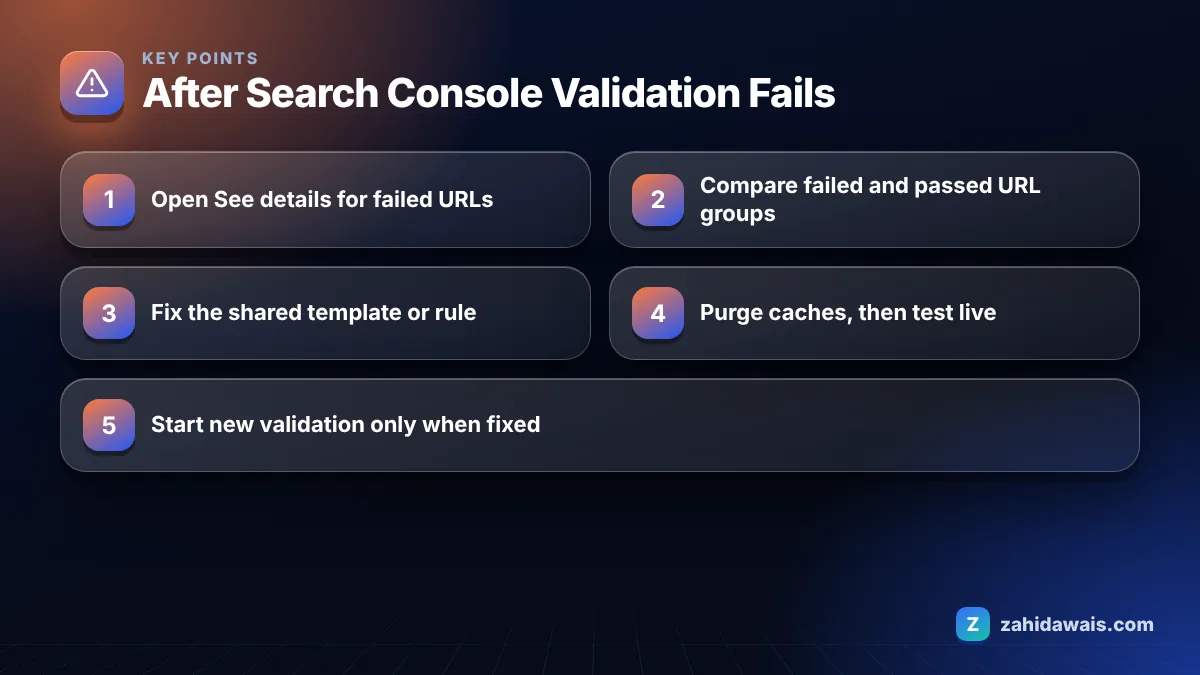
You fix a failed validation by working from the failed URLs back to the shared cause, confirming the fix on live pages, and only then starting a new validation. These are the steps I follow.
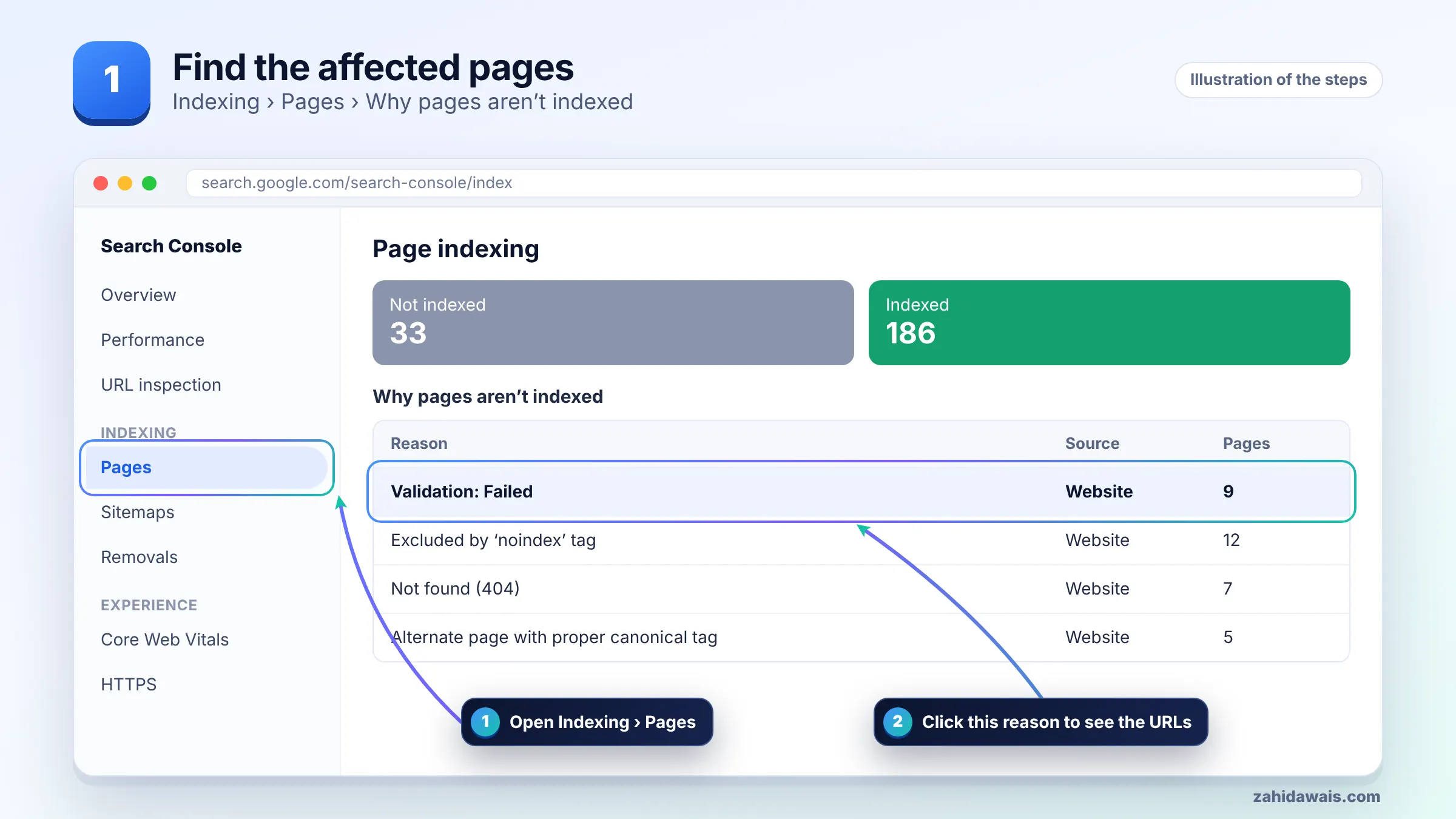
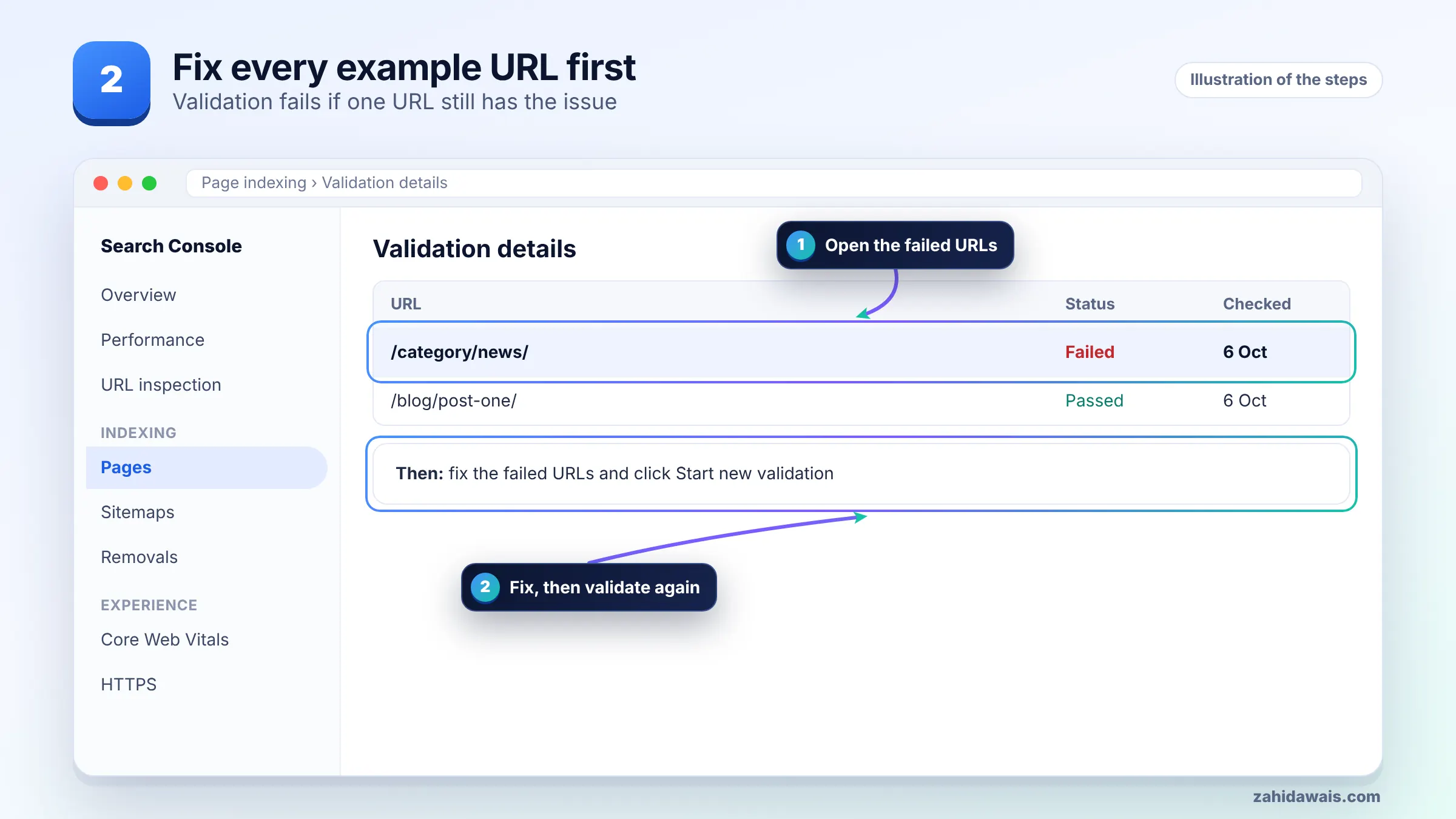
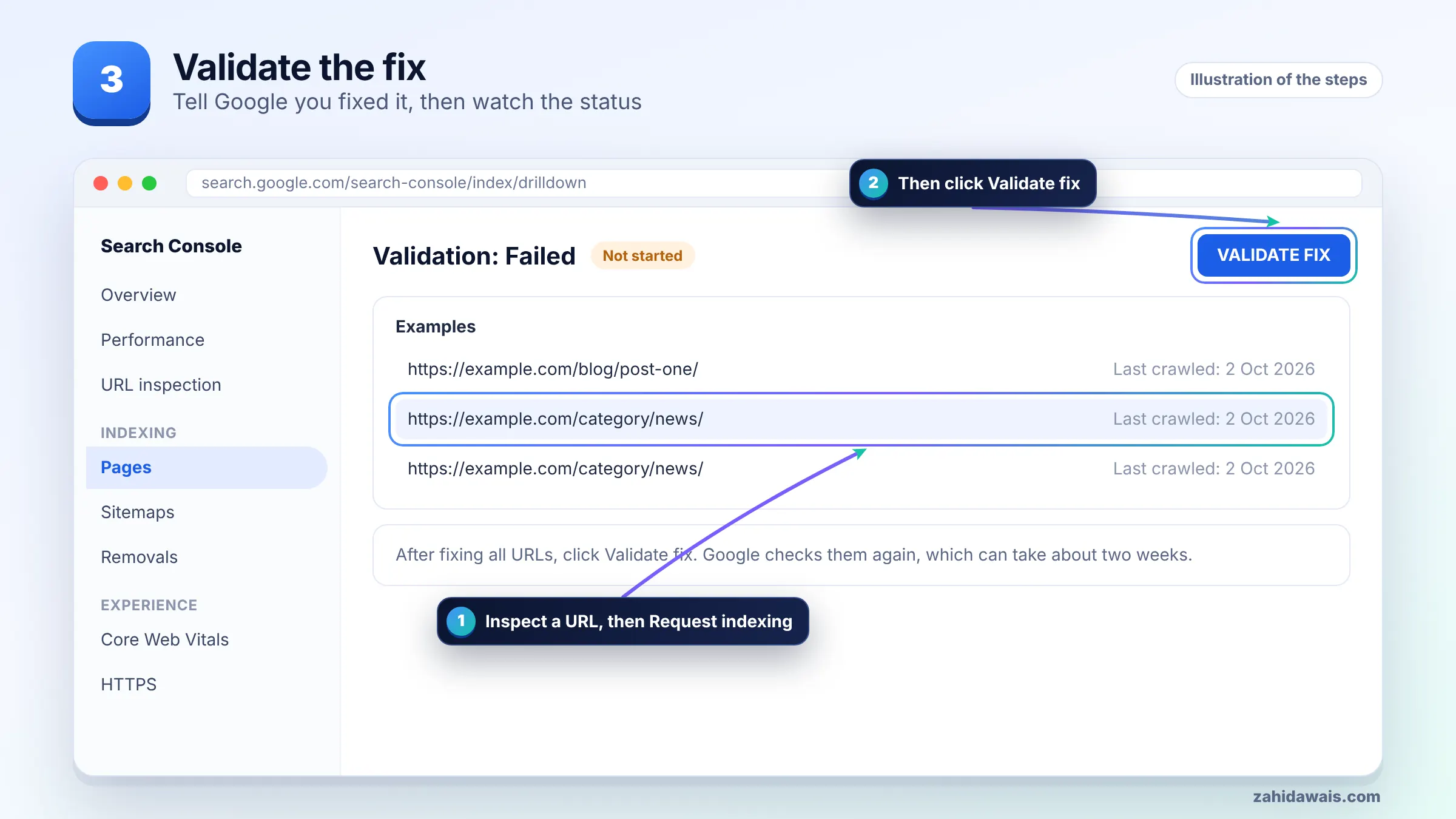
Google says validation typically takes up to about two weeks, but in some cases it can take much longer. Large sites and URLs that Google crawls rarely tend to sit in Pending for longer, because each one has to be recrawled.
Use the waiting time productively. Spot check a few Pending URLs with the live test every few days. If they all look fixed, the validation will very likely pass. If one looks broken, you have found the next failure before Google does.
Only click Start new validation after you have fixed the URLs that failed, because restarting with the same problem will simply fail again and cost you another wait. Google’s Page indexing report help also says not to click Validate fix again until validation has succeeded or failed.
Some issues should not be validated at all. Here is how I treat common issue types:
You validate the fix by confirming it on live URLs first, then clicking Start new validation from the validation log, and following the URL states until the issue shows Passed. The process is the same as the first attempt, but you now have a list of exactly which URLs to watch.
Keep a simple note of the date you started each validation and what you changed. When several issues are being fixed at once, that log saves a lot of guessing about which change made the difference.
A typical case, with numbers for illustration: a store fixes “Soft 404” on 200 out of stock product pages by returning 404 for discontinued items and adding stock notes to the rest. Validation fails after six days. See details shows 31 Failed, 120 Passed and 49 Pending.
Comparing the groups, all 31 failed URLs are product variants with a ?variant= parameter. The fix had been applied to the main product template but not to the variant template. After fixing that template, purging the CDN and testing three variant URLs live, Start new validation rechecks only the 31 failed and 49 pending URLs. The 120 that passed are not rechecked.
If validations keep failing and you cannot see the pattern, the Search Console errors guide covers each status, and my technical SEO service includes working through validation logs with you.
It means that after you clicked Validate fix, Google rechecked the affected URLs and a certain threshold of pages still had the issue. It does not mean every URL failed. Open See details to find which URLs failed and which passed.
Google says validation typically takes up to about two weeks, but some cases take much longer. A validation can also fail sooner, because for some reports Google checks a few sample pages first and stops if the issue is still present.
No. A failed validation is only a status in Search Console’s tracking of your fix. What matters for search is the underlying issue on your pages. Fix the remaining URLs and Google will update their status as it recrawls them.
Google rechecks URLs marked Pending or Failed, plus any new instances of the issue found through normal crawling. URLs marked Passed or Other are not rechecked, so you do not lose progress on pages already fixed.
You can click Validate fix, but it often fails because indexing is Google’s decision rather than a technical error you can switch off. Improve the pages and internal links, and judge success by how many become indexed over time.
No. Google can detect fixes through normal crawling, which can show the N/A state. Validation is a way to ask Google to recheck the known URLs and get a clear report, which is useful after fixing technical errors.
Facts checked against these official pages. Read how I check facts in my editorial policy.
Why Google skipped pages carrying a noindex rule, how to decide which ones matter, and the exact steps to remove it and validate.
Read article
Not every 404 in Search Console is a problem. Some pages should be gone. Here is how to tell which 404s need a redirect, which need a fix, and which you can safely ignore.
Read article
A 5xx error means your server failed when Googlebot asked for a page. If it keeps happening, Google slows crawling and can drop the pages. Here is how to find the cause and fix it.
Read articleSend your website and I will reply with a free audit.