Content SEO and writing
Does Passive Voice Hurt SEO? What Google Says and When to Fix It
Does passive voice hurt SEO? Google has no passive voice rule, but unclear sentences hurt readers. Learn when to rewrite, when to…
Read articleA practical refresh checklist for old posts, covering what to change, when to update the date and when a URL change is worth it.
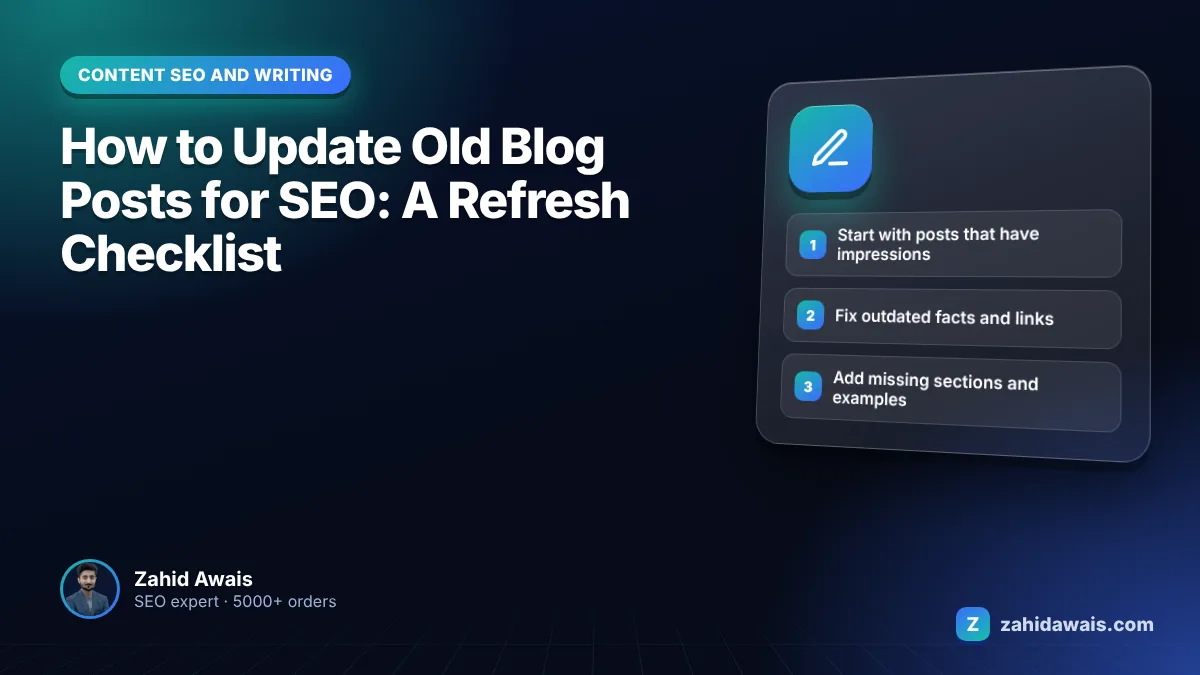
This guide shows you how to update old blog posts for SEO with a refresh checklist I use on client blogs, plus clear rules on dates, URLs and redirects so an update helps instead of hurting.
The short answer to how to update old blog posts for SEO: pick posts that already get impressions, compare them with current top results, fix outdated facts, add missing sections and examples, tighten the intro, refresh internal links, then change the “last updated” date only when the edit is substantial. Keep the same URL unless there is a strong reason.
Yes, updating old content helps SEO when the update makes the page more accurate and more useful than it was. A refresh does not earn rankings by itself. What helps is that the improved page better matches what searchers need today.
Google’s guide to helpful, people-first content makes the distinction clear. It asks whether content provides substantial value compared with other pages in results, and it lists “changing the date of pages to make them seem fresh when the content has not substantially changed” as a warning sign. So the work is in the content, not the timestamp.
Updates also matter for queries where freshness is expected. Google’s ranking systems include freshness systems that show newer content for searches where it is expected, such as prices, software versions or yearly rules. For evergreen topics, accuracy and depth matter more than recency.
Update posts that already have impressions but weak clicks or positions first, because Google already sees them as relevant and small improvements can move them. Use the Performance report in Search Console, filtered by page, over the last 3 to 6 months.
| What you see in Search Console | Likely problem | Best action |
|---|---|---|
| High impressions, low click rate | Title or snippet does not match intent | Rewrite title and opening paragraph |
| Average position 8 to 20 | Content slightly weaker than top results | Add missing sections, examples and links |
| Steady decline over months | Outdated facts or newer competitors | Full refresh with current data |
| Two posts ranking for the same query | Overlap splitting signals | Merge into one and redirect the other |
| No impressions after a year | No demand or wrong topic | Improve, merge or remove |
After the Search Console data, add a business filter. A post that brings enquiries or supports a service page deserves attention before a post that gets visits from people who will never buy. On most client blogs I review, roughly a handful of posts drive most of the useful traffic, and refreshing those gives far more return than touching every post equally.
Keep a simple spreadsheet: URL, main query, impressions, clicks, position, last updated, and planned action. It stops you refreshing the same post twice and gives you a record to compare results against a few weeks after each update.
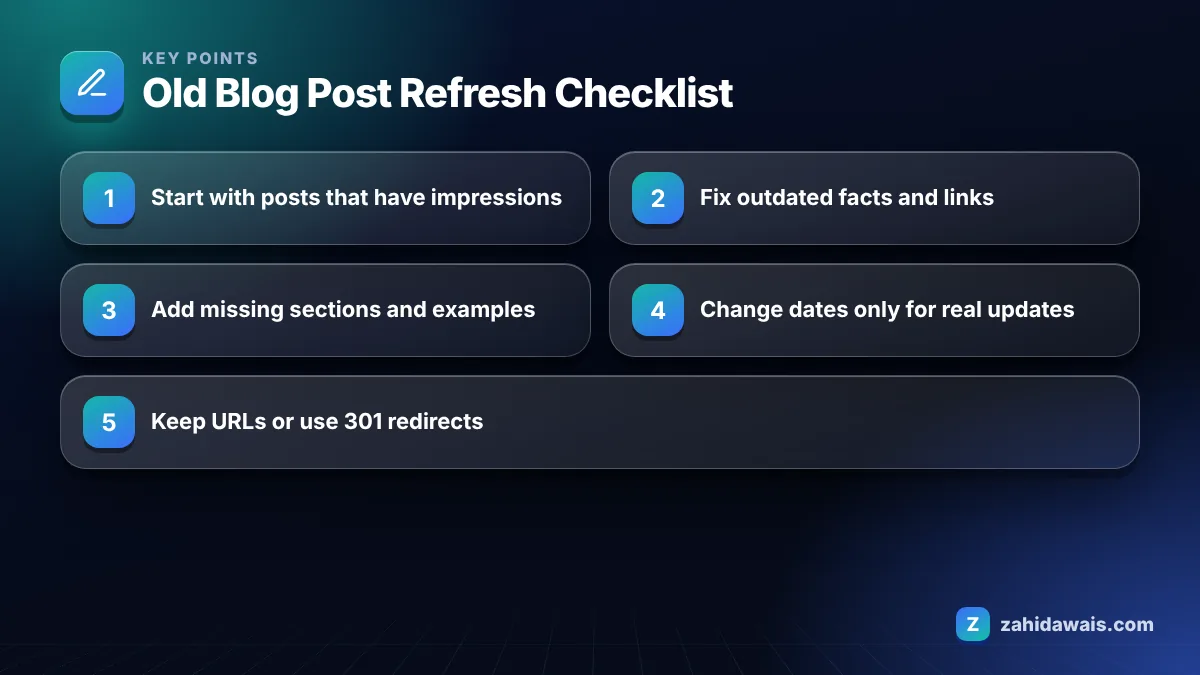
A refresh checklist should cover accuracy, intent, depth, structure, links and metadata, in that order. Here is the 14 point list I work through for each post.
For steps 11 and 12, my SERP snippet preview tool shows how a new title and description will look before you change them.
Work through the list in order. It is tempting to start with the title because it is quick, but a new title on an unchanged, outdated post only raises expectations the page cannot meet. Fix the substance first, then make the snippet sell it.
Change the date only when you have made a meaningful update, and label it clearly as “Last updated” rather than replacing the original publish date. Changing dates without real edits is a pattern Google’s own guidance calls out as a warning sign.
Google’s guide to byline dates in search results recommends showing a clearly labelled date, and if you use structured data, setting datePublished and dateModified on the Article or BlogPosting markup. It asks that the visible date and the structured data match, and that dates reflect when the page was actually published or updated. A simple rule I follow: if a returning reader would notice the change, update the date. If you only fixed a typo, leave it.
Usually no. Keep the existing URL because it already has links, history and indexing, and changing it adds risk for little gain. Google’s Starter Guide says keywords in the URL path have hardly any effect beyond breadcrumbs, so rewriting a URL just to add a keyword is rarely worth it.
There are good reasons to change a URL: it contains a year that is now misleading, it is a messy ID string, or you are merging two posts. When you do, use a permanent server-side redirect from the old URL to the new one. Google’s guide to redirects explains that 301 and 308 redirects signal a permanent move and that the target should be treated as canonical. Then update internal links to point at the new URL directly. If Search Console later shows the old address under “Page with redirect”, that is expected, as I explain in my guide to the page with redirect status.
A UK service business had a 2022 post on “how much does a loft conversion cost”. Search Console showed strong impressions, an average position around 11 and a low click rate. The URL included “2022”, the prices were three years old and the post had no table.
The refresh: prices were updated from the business’s own recent quotes and presented in a table by conversion type. A section on planning permission was rewritten against current official guidance. The introduction now gave the cost range in the first sentence. Two thin posts on dormer and mansard costs were merged in, with 301 redirects to the main post. Because the year in the URL was now misleading, the post moved to a clean URL with a permanent redirect, and internal links were updated.
The “last updated” date changed with a note listing what was revised. Nothing was guaranteed, but the page now answered the query better than before, which is the only sustainable reason an update should perform better.
If you have dozens of posts to review, my on-page SEO service includes content refreshes, and the free SEO audit checklist helps you spot technical issues at the same time.
There is no fixed schedule. Review important posts at least once a year, and sooner for topics where prices, rules or software change often. Prioritise posts that bring traffic or leads, and update them whenever the facts or the search results change meaningfully.
Update the old post when it targets the same query, because it already has history and links. Write a new post when the topic or intent is genuinely different. Publishing a near duplicate usually splits signals and leaves two weaker pages competing.
It can, if you remove sections that answered the query, change the URL without redirects, or shift the topic. Keep what works, add what is missing, and avoid changing the main focus. Track the page in Search Console for a few weeks afterwards.
Not automatically. First check whether the post can be improved or merged into a stronger page. Remove posts that have no audience, no links and no business value. When a removed post has links or a close replacement, redirect it to the most relevant page.
It is not required, because Google recrawls pages over time. Using URL Inspection in Search Console to request indexing can help an important update get noticed sooner. Keeping the page in your XML sitemap with an accurate lastmod date also helps.
A refresh keeps the post’s structure and updates facts, links and sections. A rewrite starts again from the current search intent, often with a new outline. Choose a rewrite when the intent has changed or the original post was thin.
Facts checked against these official pages. Read how I check facts in my editorial policy.
Does passive voice hurt SEO? Google has no passive voice rule, but unclear sentences hurt readers. Learn when to rewrite, when to…
Read article
A manual SERP overlap method to group keywords into pages, so you write one strong page per intent instead of many competing ones.
Read article
Fifteen concrete ways to show experience, expertise, authority and trust, with before and after rewrites you can apply to any page today.
Read articleSend your website and I will reply with a free audit.