XML Sitemap Generator from URL List
A sitemap generator from a URL list is a tool that wraps each URL in the loc element of the sitemaps.org XML…
Coming 9 OctBuild a valid robots.txt file with allow, disallow, sitemap and AI crawler rules in one minute.
The free robots.txt generator runs in your browser, needs no sign-up and never sends what you type anywhere.
This robots.txt generator builds a ready to upload file from your user agents, allow and disallow paths, and sitemap URL. Rule of thumb: block only crawl waste such as admin, cart and internal search pages, never block CSS or JavaScript, and use noindex rather than robots.txt to keep a page out of Google.
A robots.txt generator is a tool that writes the plain text file crawlers read at the root of your site before they crawl. It groups your rules under each User-agent line, adds Allow and Disallow paths, and appends Sitemap lines; Google follows the most specific matching rule, and on a tie the less restrictive one wins.
No, robots.txt controls crawling, not indexing, so a blocked URL can still appear in Google if other pages link to it. To keep a page out of results, allow crawling and add a noindex meta tag or X-Robots-Tag header, or password protect it. Google states this in its introduction to robots.txt.
No, Googlebot ignores the crawl-delay line. Google only supports user-agent, allow, disallow and sitemap. Some other crawlers such as Bingbot do read crawl-delay, so it can still be useful for them. If Googlebot is overloading your server, return 503 or 429 status codes temporarily.
Robots.txt must sit at the root of the host it controls, such as https://example.com/robots.txt. A file in a subfolder is ignored. Each subdomain and each protocol needs its own file, so blog.example.com needs a separate robots.txt.
| Rule | Example | Effect |
|---|---|---|
| User-agent: * | User-agent: * | Rules below apply to all crawlers without their own group |
| Disallow | Disallow: /cart/ | Blocks crawling of /cart/ and everything under it |
| Allow | Allow: /wp-admin/admin-ajax.php | Reopens a path inside a blocked folder |
| Wildcard * | Disallow: /*?s= | Blocks any URL containing ?s= such as internal search |
| End anchor $ | Disallow: /*.pdf$ | Blocks URLs that end in .pdf |
| Sitemap | Sitemap: https://example.com/sitemap.xml | Tells crawlers where your sitemap is; must be a full URL |
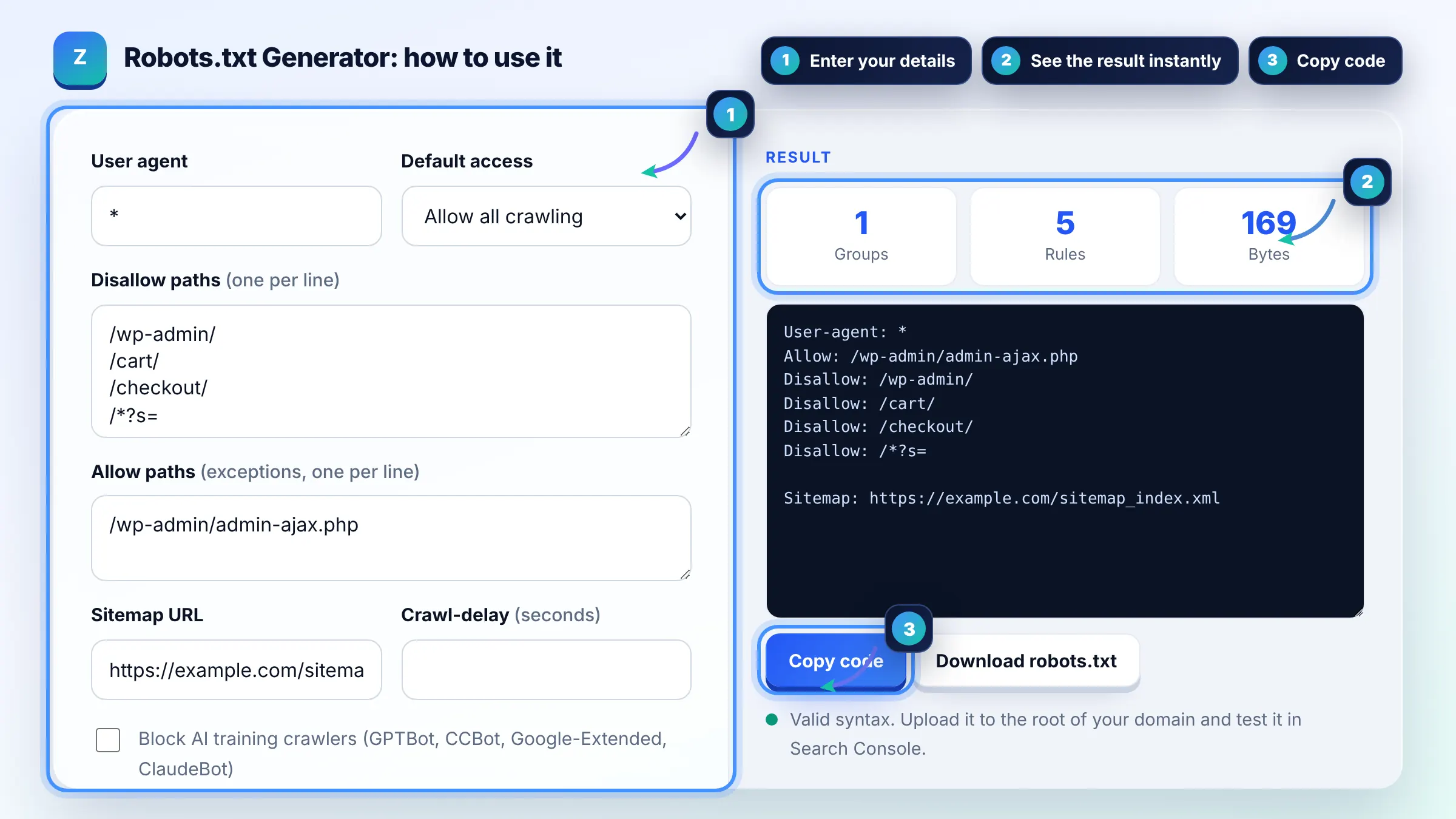
Example: a WordPress shop blocks /wp-admin/, /cart/, /checkout/ and /*?s= but allows /wp-admin/admin-ajax.php, and lists https://example.com/sitemap_index.xml. The generator outputs 1 group with 5 rules and 1 sitemap line, about 170 bytes, far below Google's 500 KiB limit.
A basic file needs a User-agent line, any Disallow rules for crawl waste, and a Sitemap line with your full sitemap URL. If you do not want to block anything, User-agent: * with an empty Disallow, or no robots.txt at all, both mean everything may be crawled.
Yes. Paths in Allow and Disallow rules are case sensitive, so Disallow: /File.html does not block /file.html. The User-agent name and directive names are not case sensitive. Copy paths exactly as they appear in your URLs.
It is a business choice. Blocking tokens such as GPTBot, CCBot or Google-Extended asks those systems not to use your pages for training, and well behaved bots respect it. Google-Extended does not affect Google Search rankings or crawling by Googlebot.
You should not. Google renders pages like a browser, so blocking CSS or JavaScript can stop it from seeing your layout and content, which can hurt how pages are understood and ranked. Only block resources that are truly unimportant, such as tracking scripts.
Google reads up to 500 KiB of a robots.txt file and ignores anything after that. Most sites need under 2 KB. If your file is large, group URLs into folders or use wildcards instead of listing single pages.
Google generally caches robots.txt for up to 24 hours, so changes usually apply within a day. You can request a recrawl of the file from the robots.txt report in Search Console. This generator runs in your browser and sends nothing to a server.
Facts checked against these official pages. Read how I check facts in my editorial policy.
A sitemap generator from a URL list is a tool that wraps each URL in the loc element of the sitemaps.org XML…
Coming 9 OctA meta robots tag generator is a tool that writes the meta name="robots" element and the equivalent…
Coming 12 OctA security.txt generator is a tool that writes the machine readable file defined in RFC 9116, listing fields…
Coming 14 OctSend your website and I will check it for you, free.