XML Sitemap Generator from URL List
A sitemap generator from a URL list is a tool that wraps each URL in the loc element of the sitemaps.org XML…
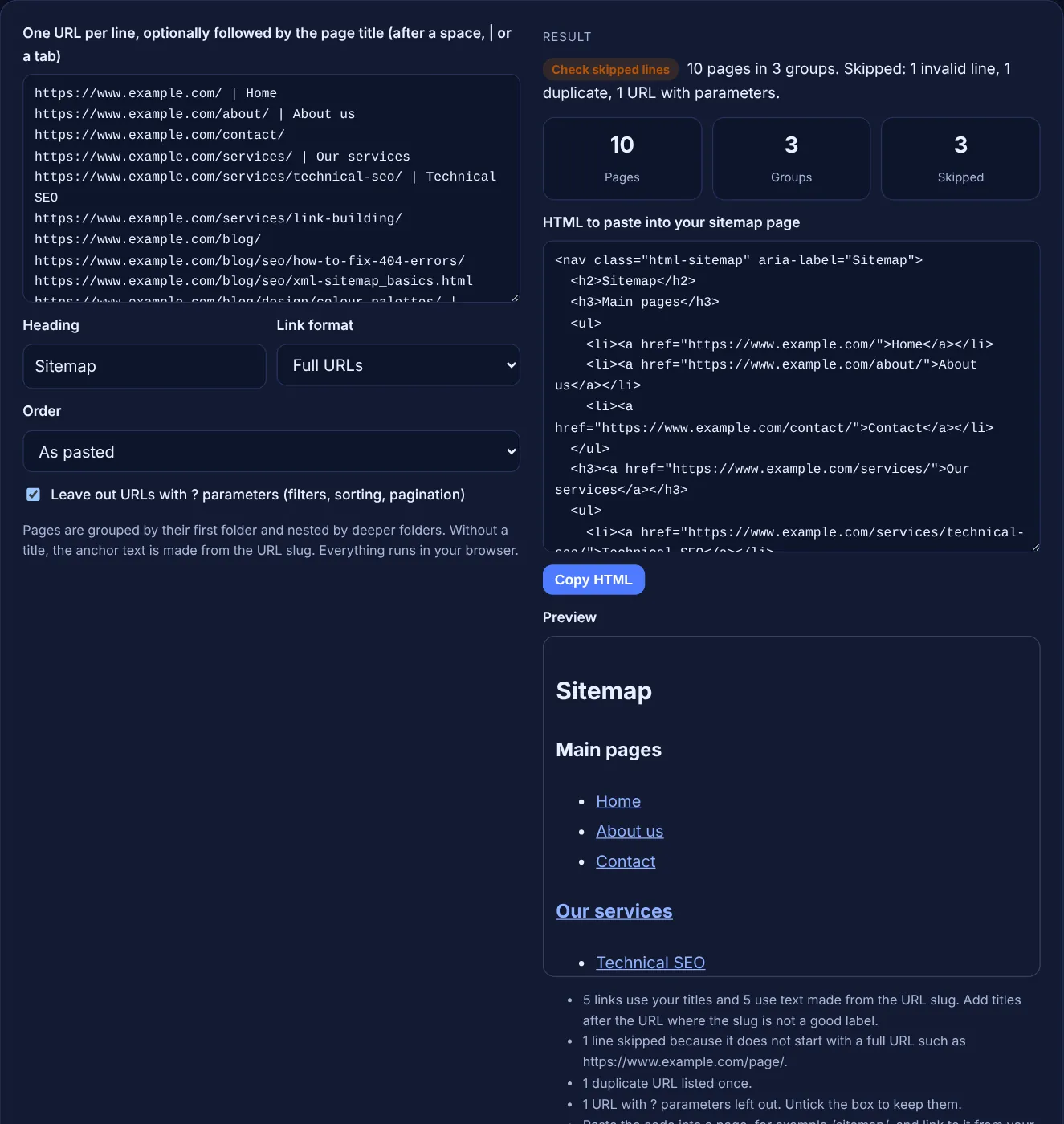
Paste your URLs, with page titles if you have them, and get a tidy HTML sitemap section grouped by folder, ready to paste into a page.
Pages are grouped by their first folder and nested by deeper folders. Without a title, the anchor text is made from the URL slug. Everything runs in your browser.
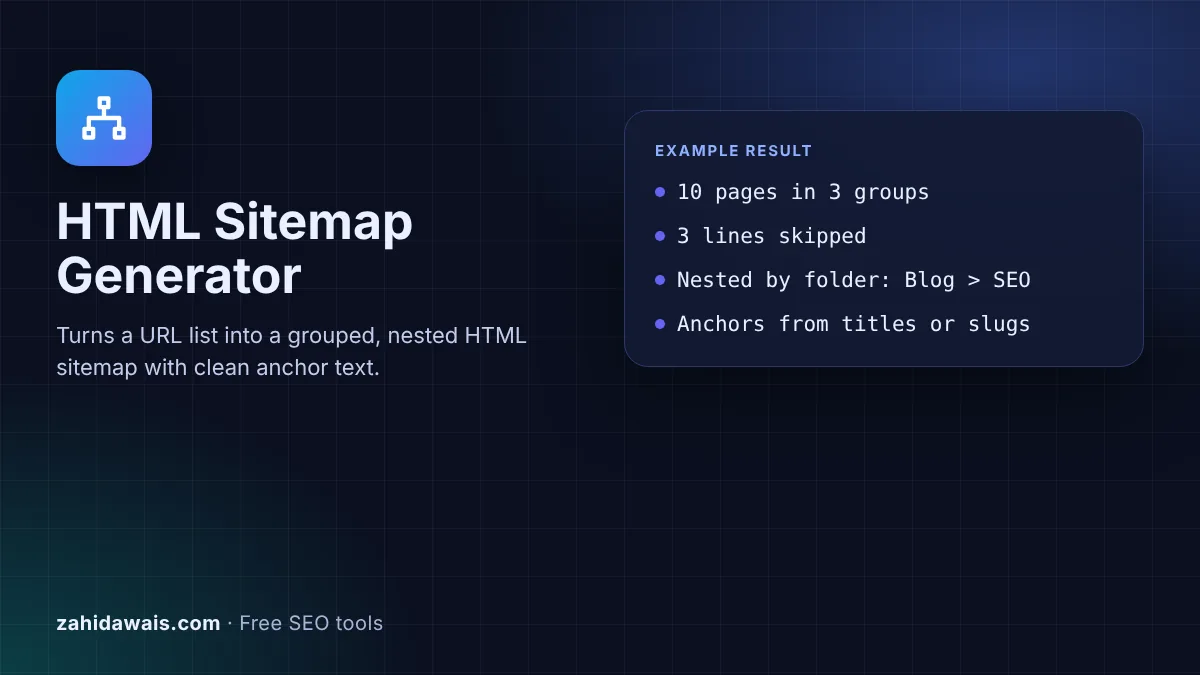
The free HTML sitemap generator turns a plain list of URLs into an HTML sitemap section: links grouped by their first folder, nested by deeper folders, with clean anchor text from your page titles or from the URL slug. Copy the code into a sitemap page on your site.
An HTML sitemap is a normal web page that links to the important pages of a site, grouped so people can scan them. Unlike an XML sitemap, it is written for visitors, but its plain a href links are also links Google can crawl. Use descriptive anchor text and group pages by section.
An HTML sitemap is a page on your site, often at /sitemap/ and linked from the footer, that lists your important pages as ordinary links. It is a navigation aid for people: a visitor who cannot find a page through the menu can scan every section in one place. It is not the same as an XML sitemap, which is a file for search engines that visitors never see.
An HTML sitemap is made of normal links, so the rules for links apply. Google's link best practices say "Generally, Google can only crawl your link if it's an <a> HTML element" with an href attribute, which is exactly what this tool writes. For the search engine file, build an XML sitemap with the sitemap generator from a URL list instead.
It can help Google discover pages, because it is a page full of crawlable internal links. Google's SEO starter guide says "Google primarily finds pages through links from other pages it already crawled", and the link best practices say "every page you care about should have a link from at least one other page on your site". An HTML sitemap is one easy way to give deep pages that link. It does not replace good menus and contextual links, and it is not a ranking boost by itself.
Use the page's real name. Google says "good anchor text is descriptive, reasonably concise, and relevant to the page that it's on and to the page it links to", and warns against generic text such as "click here". Page titles are usually the best source, so add them when you have them. Without a title, the tool turns the slug into readable words: xml-sitemap_basics.html becomes "XML sitemap basics". Common abbreviations such as SEO, FAQ and PDF stay in capitals.
Include the pages a visitor might look for: main pages, service or category pages, and important articles or products. Leave out filtered, sorted and paginated URLs with ? parameters, which is why the tool skips them by default, as well as thank you pages, login pages and anything set to noindex. On a very large site, one HTML sitemap page per section is easier to use than one huge list. The XML sitemap, not the HTML page, is the place for every indexable URL.
| Point | HTML sitemap | XML sitemap |
|---|---|---|
| Written for | Visitors, and crawlers through its links | Search engines |
| Format | A normal page with a links | An XML file with url and loc tags |
| Where it lives | A page such as /sitemap/, linked in the footer | A file such as /sitemap.xml, submitted in Search Console |
| Size limit | None set by Google, keep it usable | 50,000 URLs or 50MB uncompressed per file |
| Anchor text | Matters, should be descriptive | None, URLs only |
| Best for | Navigation and deep pages | Discovery of all indexable URLs |
Example: the default input has 13 lines for www.example.com. The generator builds 10 pages in 3 groups. Main pages holds Home, About us and Contact. Our services is a linked group heading with Technical SEO and Link building under it. Blog is the third group, with two nested folders: SEO, which has no page of its own and so appears as plain text, holding "How to fix 404 errors" and "XML sitemap basics", and Design holding "Picking a colour palette". It skips 3 lines: one that is not a URL, the repeated link building URL and /blog/?page=2.
Not always. The XML sitemap covers discovery for search engines. An HTML sitemap is useful when your site has many sections or deep pages that visitors struggle to find through the menu. Small, well linked sites often do not need one.
Create a page such as /sitemap/, paste the code into it and link to it from the footer so every page links to it. Keep the page indexable so crawlers can follow its links to your deeper pages.
Both work in links. Root-relative paths such as /blog/ are shorter and keep working on a staging copy of the site. Full URLs are safer if the code will be pasted on another domain. Links to other hosts always keep the full URL.
By the first folder in each URL path. Pages with deeper folders are nested inside it, so /blog/seo/post/ appears under Blog, then SEO. Pages without sub pages, such as /about/, go into a Main pages group.
Yes. The code is a nav element with the class html-sitemap and plain headings and lists, so your theme styles it automatically. Add CSS for that class, such as columns, if you want a more compact layout.
No. The generator runs entirely in your browser with JavaScript. Nothing you paste is sent or stored, so you can safely use it with a staging site or a client's URL export.
Checked 23 Oct 2026. Facts checked against these official pages. Read how I check facts in my editorial policy.
A sitemap generator from a URL list is a tool that wraps each URL in the loc element of the sitemaps.org XML…
A sitemap validator is a tool that parses sitemap XML and checks it against the sitemap protocol and Google's…
Builds a Google News sitemap with checked dates, the two day rule and 1,000 article split.
Splits a URL list or sitemap into files under 50,000 URLs and 50MB, plus a sitemap index.
Send your website and I will check it for you, free.
One short email when something new goes live: articles, free SEO tools, package updates, discounts and price alerts. No spam, unsubscribe in one click.