Sitemap XML Validator
A sitemap validator is a tool that parses sitemap XML and checks it against the sitemap protocol and Google's…
Paste your recent articles with their titles and publication dates and get a news sitemap in the format Google documents today.
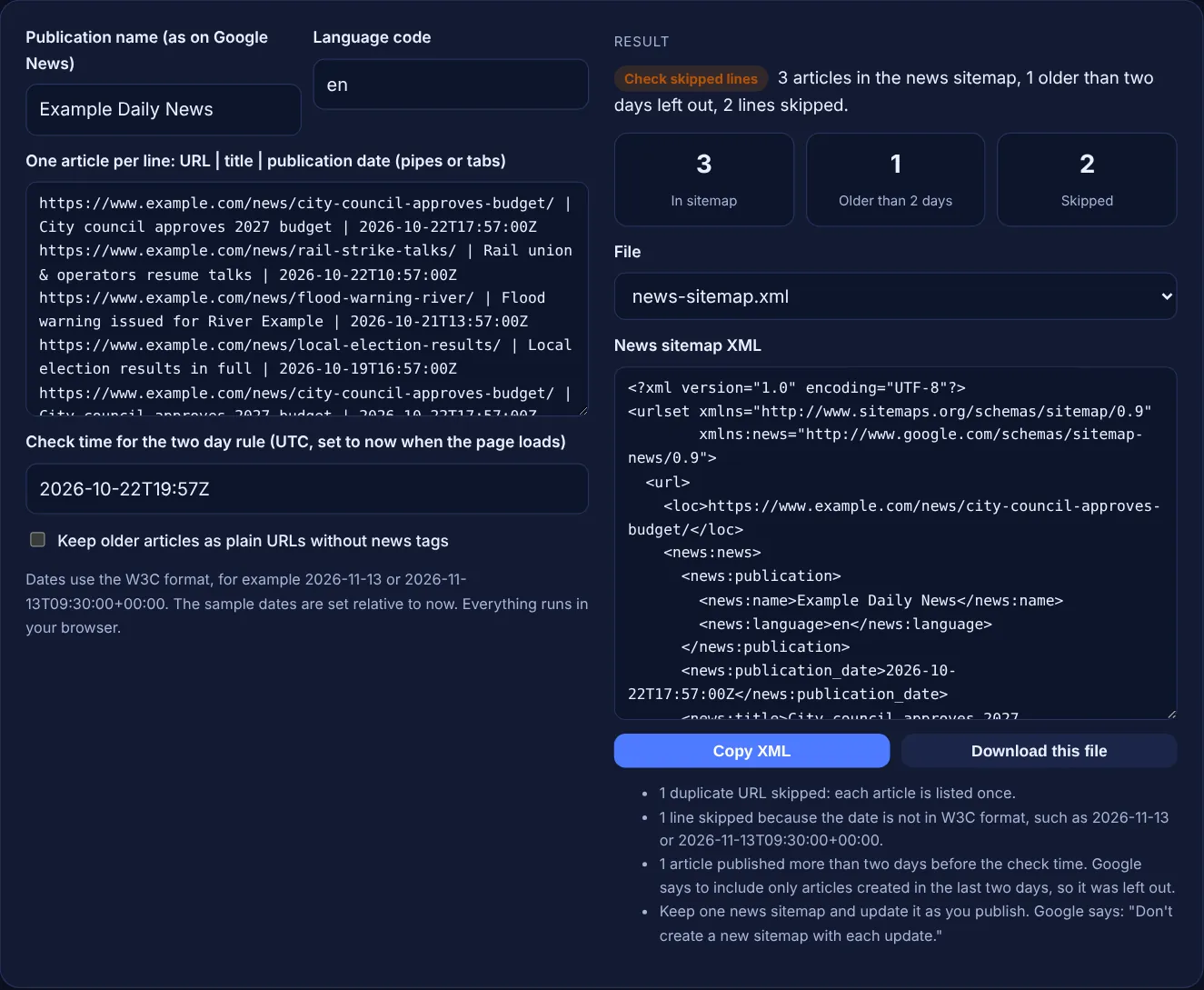
Dates use the W3C format, for example 2026-11-13 or 2026-11-13T09:30:00+00:00. The sample dates are set relative to now. Everything runs in your browser.
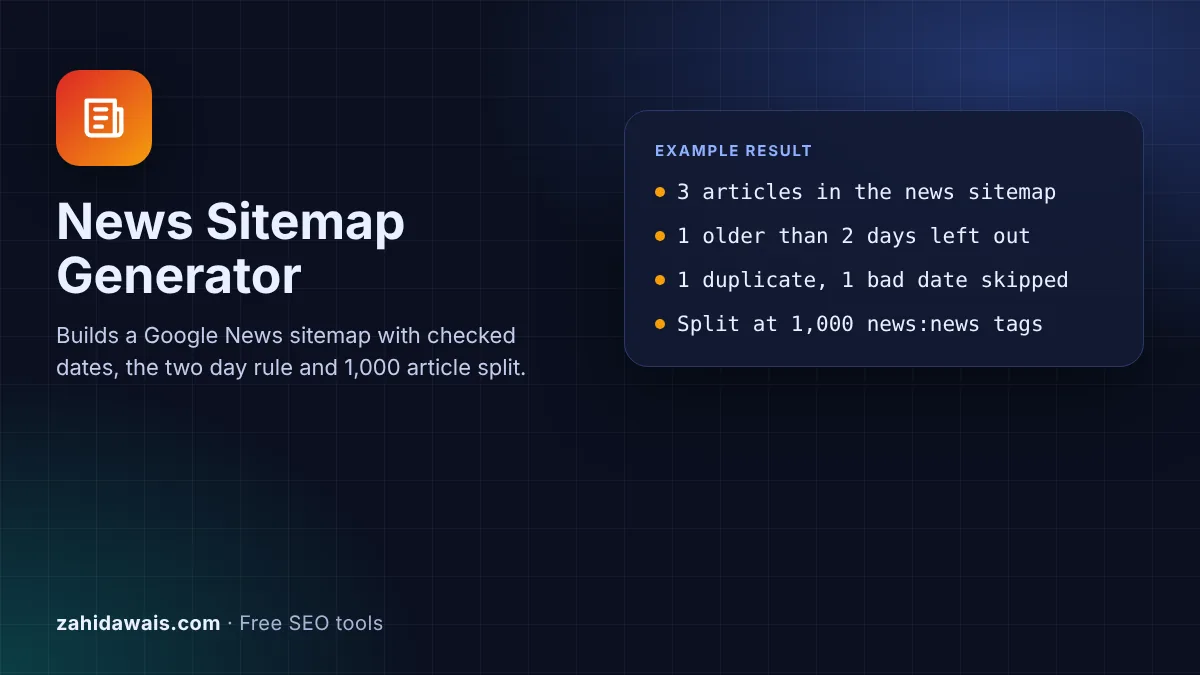
The free Google News sitemap generator turns a list of article URLs, titles and publication dates into a news sitemap with the news:news tags Google documents today. It checks the W3C date format, leaves out articles older than two days and splits the file at 1,000 news:news tags.
A Google News sitemap is an XML sitemap that lists recent articles with a news:news block holding the publication name, language, first publication date and title. Google asks you to include only articles created in the last two days, to keep at most 1,000 news:news tags per file and to update one sitemap as you publish.
A Google News sitemap is a sitemap for articles on a news site. Every article is a normal url entry with a loc, plus one news:news block. Inside it, news:publication holds news:name and news:language, followed by news:publication_date and news:title. Google's news sitemap documentation lists all of these tags as required, and the news prefix must be declared with the namespace http://www.google.com/schemas/sitemap-news/0.9.
A news sitemap is different from your main sitemap because it is short lived. Google says: "Only include recent URLs for articles that were created in the last two days." Older articles stay in your normal sitemap. Google also says Google News "crawls news sitemaps as often as it crawls the rest of your site". If you are not sure your site appears in Google News at all, check that first with the guide on how to check if a site is on Google News.
It needs six news tags inside each url: news:news, news:publication, news:name, news:language, news:publication_date and news:title. Google lists all of them as required. The name "must exactly match the name as it appears on your articles on news.google.com, omitting anything in parentheses". The language is "an ISO 639 language code (two or three letters)", with zh-cn and zh-tw for Simplified and Traditional Chinese. The tool removes any part of the name in parentheses and turns codes like en-GB into en.
It means a news sitemap should list only articles first published in the last two days. Google says that once articles are older, you should "either remove those URLs from the news sitemap or remove the <news:news> metadata" from them. This tool does the first by default and the second when you tick the box. If no recent articles are left, Google says an empty file may show an Empty Sitemap warning in Search Console but "won't cause any problems with Google Search".
It uses the W3C date format. Google accepts a date such as 2026-11-13, a date and time with minutes, with seconds, or with fractions of a second, always with a time zone designator such as Z or +05:00. The value should be "the original date and time when the article was first published on your site", not the date you added it to the sitemap. The tool rejects a time without a time zone because the two day check would be guesswork.
| Item | Rule | Source |
|---|---|---|
| news:news | Required, one per url entry | Google news sitemap docs |
| news:publication | Required, holds news:name and news:language | Google news sitemap docs |
| news:name | Exactly as on Google News, without parentheses | Google news sitemap docs |
| news:language | ISO 639 code, 2 or 3 letters; zh-cn or zh-tw | Google news sitemap docs |
| news:publication_date | First publication, W3C format | Google news sitemap docs |
| news:title | Headline only, no author, publication name or date | Google news sitemap docs |
| Article age | Created in the last two days | Google news sitemap docs |
| Size | Up to 1,000 news:news tags, then split | Google news sitemap docs |
Example: the default input has 6 lines for www.example.com, with dates set relative to the moment the page loads. The budget story is 2 hours old, the rail story 9 hours, the flood warning 30 hours and the election results 75 hours. The generator outputs 3 articles in the news sitemap and leaves out 1 older than two days. It skips 2 lines: the repeated budget URL and the park story dated "last Tuesday", which is not a W3C date. The ampersand in "Rail union & operators resume talks" is written as & so the XML stays valid.
No. Google says you can add the news tags to your existing sitemap or create a separate news sitemap. A separate file is easier to keep to the two day window and may make tracking your news content in Search Console easier.
Update it every time you publish. Google asks you to add fresh articles as they go live and not to create a new sitemap with each update. If your CMS can rebuild the same file automatically when you publish, use that.
No. A news sitemap helps Google find your recent articles, but Google says a sitemap does not guarantee that the items in it will be crawled and indexed. Whether articles appear in Google News is decided by Google's own systems.
Because it has a time but no time zone. W3C dates with a time need Z for UTC or an offset such as +05:00. Without it, a story could look a few hours newer or older than it really is.
Google says to split the sitemap into several smaller ones. The tool creates news-sitemap-1.xml, news-sitemap-2.xml and so on with up to 1,000 news:news tags each. List them in a sitemap index and submit that.
No. The generator runs entirely in your browser with JavaScript, and the download is created on your device. You can safely use it with unpublished articles or a staging site.
Checked 23 Oct 2026. Facts checked against these official pages. Read how I check facts in my editorial policy.
A sitemap validator is a tool that parses sitemap XML and checks it against the sitemap protocol and Google's…
A sitemap index generator is a tool that wraps each sitemap URL in a sitemap element with a loc and optional…
Turns page and image URL rows into a Google image sitemap with checked image:loc tags.
Turns a URL list into a grouped, nested HTML sitemap with clean anchor text.
Send your website and I will check it for you, free.
One short email when something new goes live: articles, free SEO tools, package updates, discounts and price alerts. No spam, unsubscribe in one click.