Sitemap URL Extractor
Pulls every URL and lastmod out of pasted sitemap XML, flags duplicates and other hosts.
Paste a URL list or a big sitemap and get several smaller sitemap files plus a sitemap index that points to them.
Limits come from Google and sitemaps.org: 50,000 URLs or 50MB uncompressed per file, whichever comes first. Everything runs in your browser.
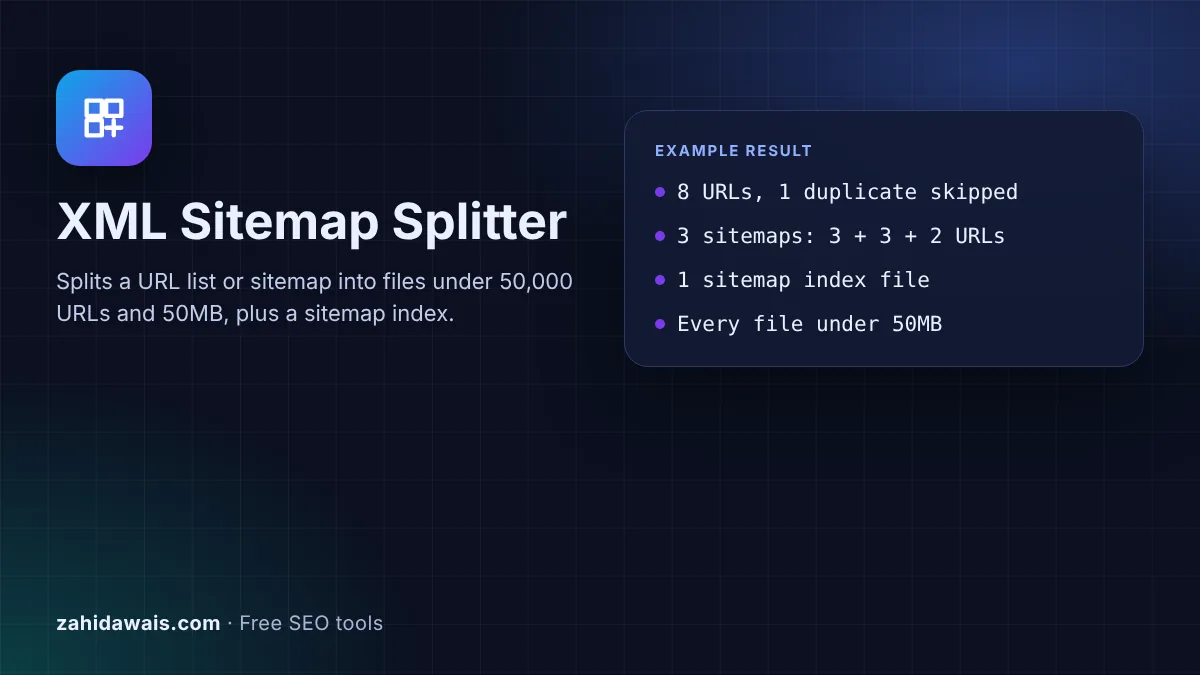
The free XML sitemap splitter takes a long list of URLs, or a sitemap that has grown too big, and splits it into smaller sitemap files that each stay under the 50,000 URL and 50MB limits. It also writes the sitemap index that points to them.
To split a sitemap, divide its URLs into files of at most 50,000 URLs and 50MB uncompressed each, upload them to one folder, and list them in a sitemap index file. Submit only the index in Search Console. This tool does the split, escapes special characters and writes the index for you.
An XML sitemap splitter breaks one large set of URLs into several valid sitemap files and creates a sitemap index that lists them. Google's sitemap guide says: "All formats limit a single sitemap to 50MB (uncompressed) or 50,000 URLs." It adds that if you have more, "you must break your sitemap into multiple sitemaps." The sitemap index page then lets you submit all of them through one index file.
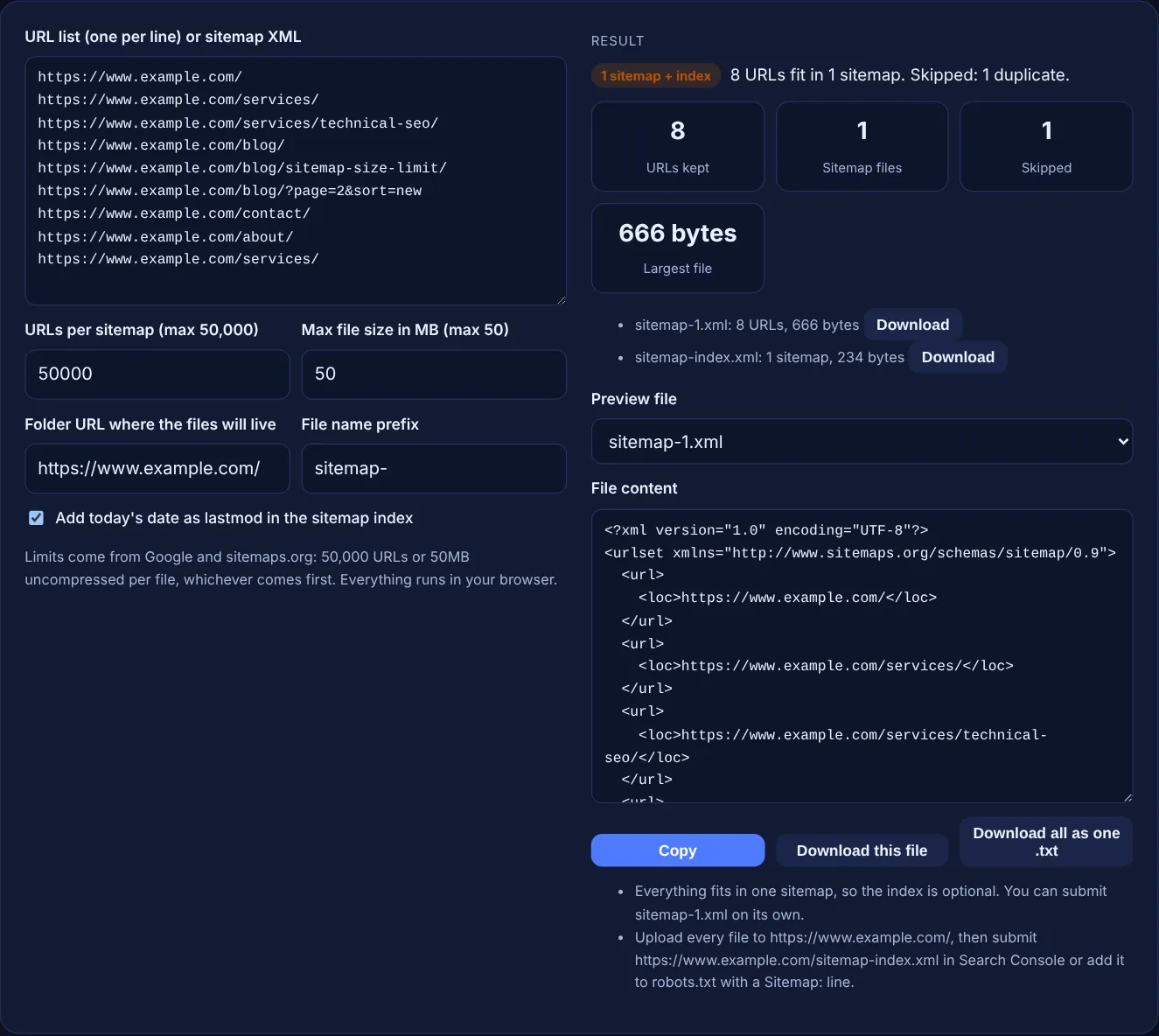
This tool checks both limits at once. It fills each file up to your URL count, but it also measures the size of every entry in bytes as UTF-8 and starts a new file before the size limit is reached, so long URLs cannot push a file over 50MB. Special characters such as & are entity-escaped as the protocol requires. If you only need an index for files you already have, use the sitemap index generator.
One sitemap can hold at most 50,000 URLs and 50MB of uncompressed data, whichever comes first. The sitemaps.org protocol gives the same limits and states 50MB as 52,428,800 bytes. Gzip compression is allowed, but the limit applies to the file once it is uncompressed. A sitemap index has its own limit: Google says it "may have up to 50,000 loc tags", one per sitemap.
Submitting only the index is enough. Google says you can "submit that single index file" and it will find the sitemaps listed inside. The child sitemaps "must be hosted on the same site as your sitemap index file" and in the same directory or lower, unless you set up cross-site submission. Google also allows up to 500 sitemap index files per site in Search Console.
You do not have to, but smaller files are often easier to work with. Many sites split by section, for example one sitemap for products and one for blog posts, so the Search Console Sitemaps report shows how many URLs of each type are discovered. Smaller files are also quicker to regenerate. Whatever size you choose, keep every URL in exactly one sitemap.
| Item | Limit | Source |
|---|---|---|
| URLs in one sitemap | 50,000 | Google, sitemaps.org |
| Size of one sitemap | 50MB uncompressed (52,428,800 bytes) | Google, sitemaps.org |
| Sitemaps in one index | 50,000 loc tags | Google, sitemaps.org |
| Index files per site in Search Console | 500 | |
| URL length | Less than 2,048 characters | sitemaps.org |
| Nested index files | Not allowed | Search Console Help |
Example: the default sample has 9 lines for www.example.com, and /services/ appears twice. With URLs per sitemap set to 3, the splitter keeps 8 URLs, skips 1 duplicate and creates sitemap-1.xml and sitemap-2.xml with 3 URLs each and sitemap-3.xml with 2. It also writes sitemap-index.xml listing the 3 files under https://www.example.com/. The URL with ?page=2&sort=new is written as & so the XML stays valid.
Not directly. Unzip the .gz file first, open the XML in a text editor and paste it here. You can gzip the new files after downloading them, because the 50MB limit applies to the uncompressed size.
No. It keeps loc and lastmod only and tells you how many extension tags were dropped. For image, video or news entries, regenerate those sitemaps with your CMS or a dedicated generator so the extra tags stay intact.
The splitter keeps the first copy of each URL and skips any exact repeat, so no URL appears in two files. The result line shows how many duplicates were skipped. Invalid lines and URLs of 2,048 characters or more are skipped as well.
Upload them to the folder URL you entered, which should be on the same host as the URLs they list. The site root is the usual choice, because Google recommends posting sitemaps at the root so they can cover the whole site.
No. Search Console reports an error for nested sitemap indexes, saying an index file can list only sitemap files. If you have more than 50,000 sitemaps, create several index files and submit each one.
No. The splitting, the size checks and the downloads all happen in your browser with JavaScript. The files are created on your device, so you can safely paste URLs from a staging site or a client project.
Checked 23 Oct 2026. Facts checked against these official pages. Read how I check facts in my editorial policy.
Pulls every URL and lastmod out of pasted sitemap XML, flags duplicates and other hosts.
A sitemap index generator is a tool that wraps each sitemap URL in a sitemap element with a loc and optional…
A sitemap generator from a URL list is a tool that wraps each URL in the loc element of the sitemaps.org XML…
A sitemap validator is a tool that parses sitemap XML and checks it against the sitemap protocol and Google's…
Send your website and I will check it for you, free.
One short email when something new goes live: articles, free SEO tools, package updates, discounts and price alerts. No spam, unsubscribe in one click.