XML Sitemap Generator from URL List
A sitemap generator from a URL list is a tool that wraps each URL in the loc element of the sitemaps.org XML…
Coming 9 OctTurn your language and region URLs into valid hreflang tags, sitemap entries or HTTP headers.
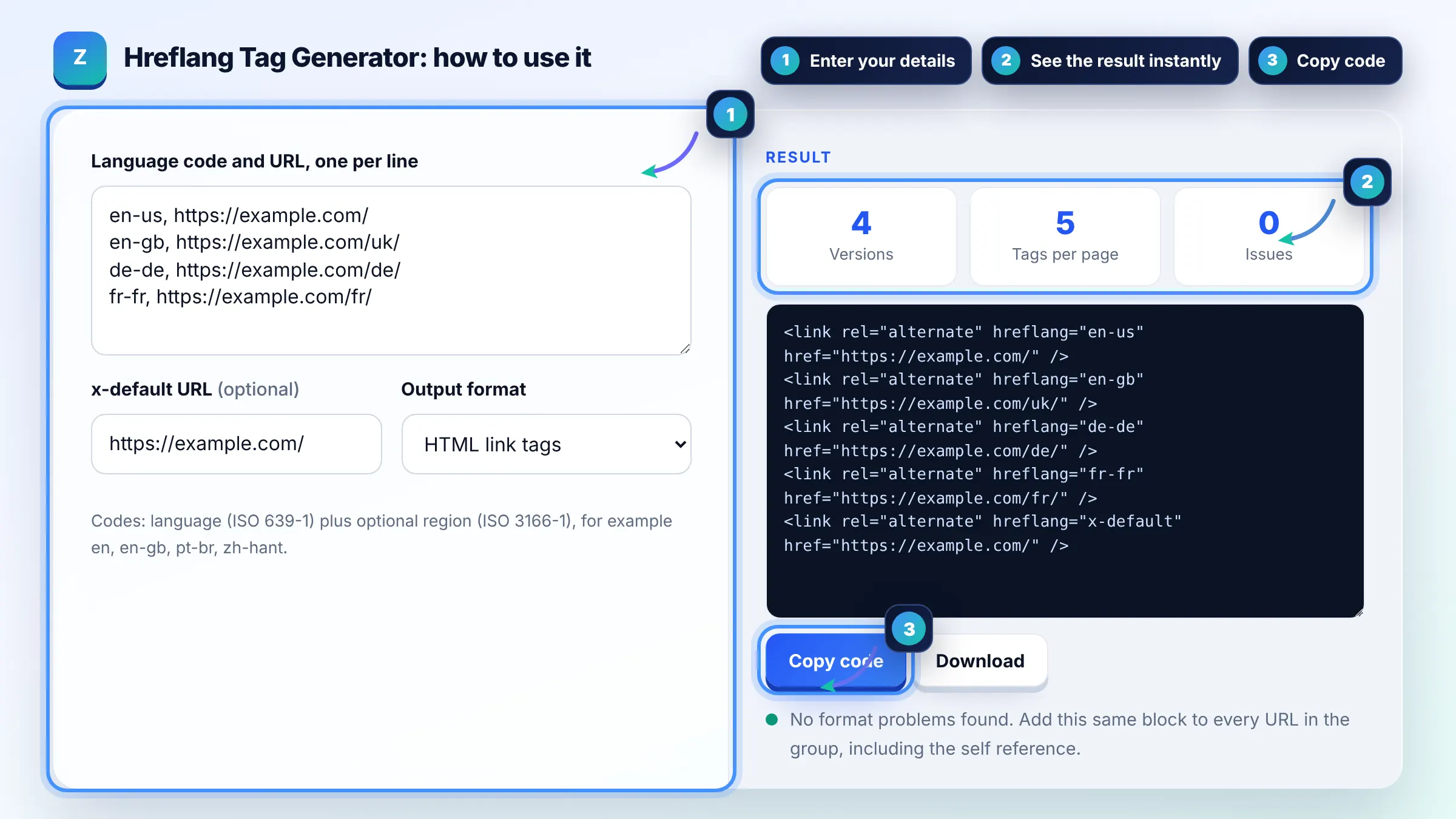
Codes: language (ISO 639-1) plus optional region (ISO 3166-1), for example en, en-gb, pt-br, zh-hant.
The free hreflang tag generator runs in your browser, needs no sign-up and never sends what you type anywhere.
This hreflang tag generator turns a list of language codes and URLs into hreflang link tags, XML sitemap entries or HTTP Link headers. The key rule: every version must list itself and every other version, use an ISO 639-1 language code with an optional ISO 3166-1 region (en-gb, not en-uk), and add x-default for a fallback page.
A hreflang tag generator is a tool that writes rel="alternate" hreflang annotations so search engines can show the right language or regional URL to each searcher. It takes each code and URL pair and outputs the full set of alternates, including a self reference and an optional x-default, for every page in the group.
Yes, every page in a hreflang group must link back to every other page, or Google may ignore the annotations. If the US page lists the UK page but the UK page does not list the US page, that pair is not trusted. The simplest fix is to put the identical block of tags, including the self reference, on every version. Google explains this in its localized versions guide.
Use en-gb, because the ISO 3166-1 code for the United Kingdom is GB, not UK. A tag like en-uk is invalid and gets ignored. The language part comes first (ISO 639-1) and the optional region second (ISO 3166-1 Alpha 2), and a region code can never be used on its own.
x-default marks the fallback URL for users whose language or region does not match any version you listed. It is ideal for a language selector page or an automatically redirecting home page, but it can also point to your main language version. You only need one x-default per group of alternates.
| Code | Means | Valid? |
|---|---|---|
| en | English speakers anywhere | Yes |
| en-gb | English speakers in the United Kingdom | Yes |
| en-uk | Intended UK, but UK is not an ISO region code | No, use en-gb |
| es-419 | Spanish for Latin America | No, Google does not support it |
| de-ch | German speakers in Switzerland | Yes |
| x-default | Fallback when no other code matches | Yes |
Example: a shop has https://example.com/ for the US, https://example.com/uk/ for the UK and https://example.com/de/ for Germany. Entering en-us, en-gb and de-de with those URLs and x-default set to https://example.com/ produces 4 link tags. The same 4 lines go on all 3 pages, so 12 tags in total.
Put the link tags inside the head section of each page, before the closing head tag. Every version of the page gets the same full list, including a tag pointing to itself. If you cannot edit the head, use the XML sitemap method or HTTP headers instead.
Both work equally for Google, so pick the one that is easiest to keep accurate. HTML tags suit small sites, while sitemap entries suit large sites because they do not add weight to each page. Avoid using several methods with conflicting data, since mismatches make debugging hard.
Yes. Each hreflang URL should be a full address with protocol and domain, such as https://example.com/de/. Relative paths are a common source of errors. The URLs should also be the canonical, indexable versions that return a 200 status, not redirects or noindexed pages.
No. The language code is required and the region is optional. You can use de for all German speakers or de-at for German speakers in Austria, but you cannot use at alone. To target one country with several languages, add one entry per language, such as de-ch and fr-ch.
Hreflang does not boost rankings directly. It helps Google swap in the right language or regional URL for each searcher, which can lower bounce rates and stop your own versions from competing for the same query. Content still needs to be properly translated or localized.
Yes. The tool runs entirely in your browser, so the URLs you enter are not sent to any server or stored. You can use it as often as you like, and the checks are simple format checks, so always verify the live result in Search Console.
Facts checked against these official pages. Read how I check facts in my editorial policy.
A sitemap generator from a URL list is a tool that wraps each URL in the loc element of the sitemaps.org XML…
Coming 9 OctA canonical tag generator is a tool that builds the link rel="canonical" element telling search engines which…
Coming 10 OctA redirect map generator is a tool that builds the old URL to new URL table you need before a site migration.…
Coming 10 OctSend your website and I will check it for you, free.