Bounce Rate Calculator
A bounce rate calculator is a tool that shows the share of sessions that left without engaging. The formula…
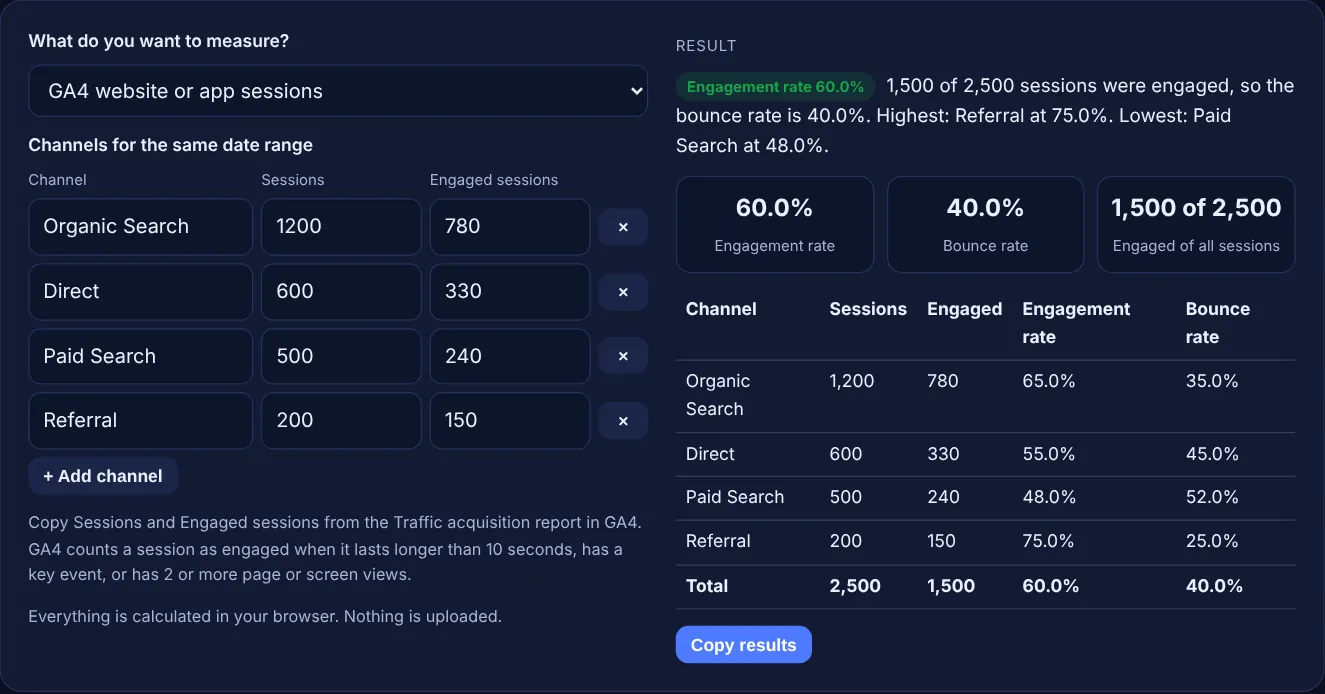
Enter sessions and engaged sessions for each channel to get the GA4 engagement rate and bounce rate, or switch to the social media mode for posts.
Copy Sessions and Engaged sessions from the Traffic acquisition report in GA4. GA4 counts a session as engaged when it lasts longer than 10 seconds, has a key event, or has 2 or more page or screen views.
Everything is calculated in your browser. Nothing is uploaded.
| Channel | Sessions | Engaged | Engagement rate | Bounce rate |
|---|
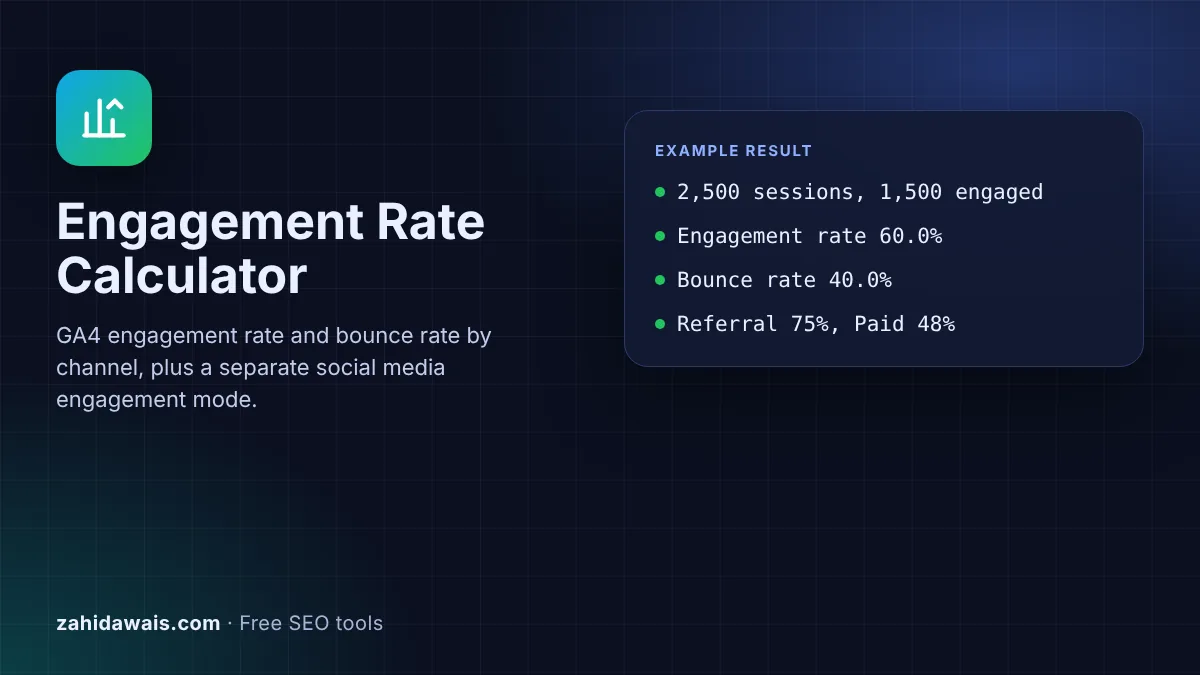
The free engagement rate calculator works out the GA4 engagement rate and bounce rate from your sessions and engaged sessions, channel by channel and in total. A separate mode handles social media, dividing likes, comments, shares and saves by followers or by reach.
GA4 engagement rate is engaged sessions divided by sessions, shown as a percentage. Bounce rate is the opposite: sessions that were not engaged divided by sessions. GA4 counts a session as engaged when it lasts longer than 10 seconds, has a key event, or has 2 or more page or screen views. 1,500 of 2,500 sessions is 60%.
An engagement rate calculator is a tool that turns raw session counts into the percentages Google Analytics 4 uses to describe visit quality. Google defines both metrics on its engagement rate and bounce rate help page: "The engagement rate is the percentage of engaged sessions on your website or mobile app", and "The bounce rate is the percentage of sessions that were not engaged." The page adds that bounce rate "is the opposite of the engagement rate", so the two always add up to 100%.
The calculator is useful when you combine channels, date ranges or properties outside GA4, check a figure in a client report, or work out what the total rate would be without one channel. Social media engagement rate is a different metric with the same name. It has nothing to do with GA4 sessions, so the tool keeps it in its own mode.
GA4 counts a session as engaged when it meets any one of three conditions: it lasts longer than 10 seconds, it has a key event, or it has 2 or more page or screen views. Google notes that events such as first_visit, first_open and session_start are excluded from the calculation even if you mark them as key events. A key event is, in Google's words, "an event that measures an action that's particularly important to the success of your business", such as a form submission.
Subtract engaged sessions from sessions and divide the result by sessions. With 2,500 sessions and 1,500 engaged sessions, 1,000 sessions were not engaged, so the bounce rate is 1,000 / 2,500 = 40%. Bounce rate is not in most standard reports by default; Google explains that Editors and Administrators can add it, and engagement rate, to a detail report with Customize report.
Yes, for web data streams. Google's page about Analytics sessions shows the setting under Admin, Data Streams, your web stream, Configure tag settings, then Adjust session timeout, where you can "select the number of seconds it takes for a session to be considered an engaged session." Changing it changes what counts as engaged, so note the date when comparing periods.
| Metric | Formula | What it tells you |
|---|---|---|
| Engagement rate (GA4) | Engaged sessions / sessions x 100 | Share of visits with real interaction |
| Bounce rate (GA4) | (Sessions minus engaged sessions) / sessions x 100 | Share of visits that were not engaged |
| Engaged session (GA4) | Over 10 seconds, or a key event, or 2+ page or screen views | Which visits count as engaged |
| Social engagement rate by followers | Interactions / followers x 100 | Response relative to audience size |
| Social engagement rate by reach | Interactions / reach x 100 | Response from people who saw the post |
Example: a site exports one month from the GA4 Traffic acquisition report. Organic Search has 1,200 sessions and 780 engaged sessions, 65.0%. Direct has 600 and 330, 55.0%. Paid Search has 500 and 240, 48.0%, and Referral has 200 and 150, 75.0%. In total 1,500 of 2,500 sessions were engaged, an engagement rate of 60.0% and a bounce rate of 40.0%. Note that the total is not the simple average of the four channel rates, which would be 60.75%. In social mode, a post with 320 likes, 45 comments, 25 shares and 60 saves has 450 interactions: 3.75% of 12,000 followers and 5.00% of a reach of 9,000.
There is no official Google benchmark, and rates differ a lot by site type, channel and page. Compare your own channels and pages with each other and with your earlier periods, and look for pages that fall well below your site average.
No. GA4 defines bounce rate as the share of sessions that were not engaged. A visit to a single page that lasts longer than 10 seconds, or that includes a key event such as a form submission, is engaged, so it is not a bounce.
The total divides all engaged sessions by all sessions, so big channels weigh more than small ones. Averaging channel rates treats a channel with 50 sessions like one with 5,000. The weighted total is the figure GA4 shows.
Open Reports, then Acquisition, then Traffic acquisition. The table shows Sessions, Engaged sessions and Engagement rate for each channel. Change the dimension to source, medium or campaign to break the numbers down further.
There is no single standard. A common version divides interactions, such as likes, comments, shares and saves, by followers, and another divides them by reach. Each platform and tool may count differently, so use one formula consistently when comparing posts.
No. The calculator runs entirely in your browser with JavaScript. Your session counts and social numbers are never uploaded or stored, so you can use real client data safely.
Checked 23 Oct 2026. Facts checked against these official pages. Read how I check facts in my editorial policy.
A bounce rate calculator is a tool that shows the share of sessions that left without engaging. The formula…
Step conversion, drop-off and overall rate for each funnel step, with the biggest leak and a what if.
A conversion rate calculator is a tool that shows what percentage of visitors complete a goal such as a sale,…
A CTR calculator is a tool that measures how often people who see your result actually click it. The formula…
Send your website and I will check it for you, free.
One short email when something new goes live: articles, free SEO tools, package updates, discounts and price alerts. No spam, unsubscribe in one click.