Lead Value Calculator
Value per lead from close rate and deal size or lifetime value, and the max CPL you can pay.
Add each marketing channel with its spend and leads to compare cost per lead, see your blended CPL and turn it into cost per customer.
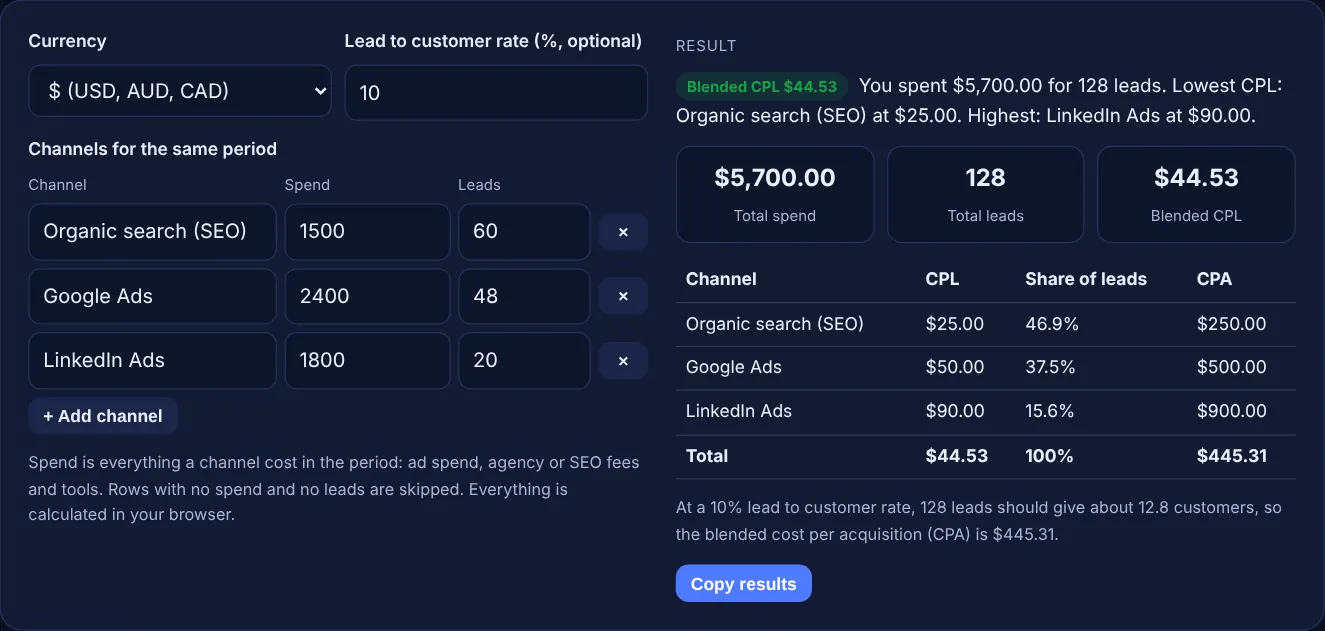
Spend is everything a channel cost in the period: ad spend, agency or SEO fees and tools. Rows with no spend and no leads are skipped. Everything is calculated in your browser.
| Channel | CPL | Share of leads | CPA |
|---|
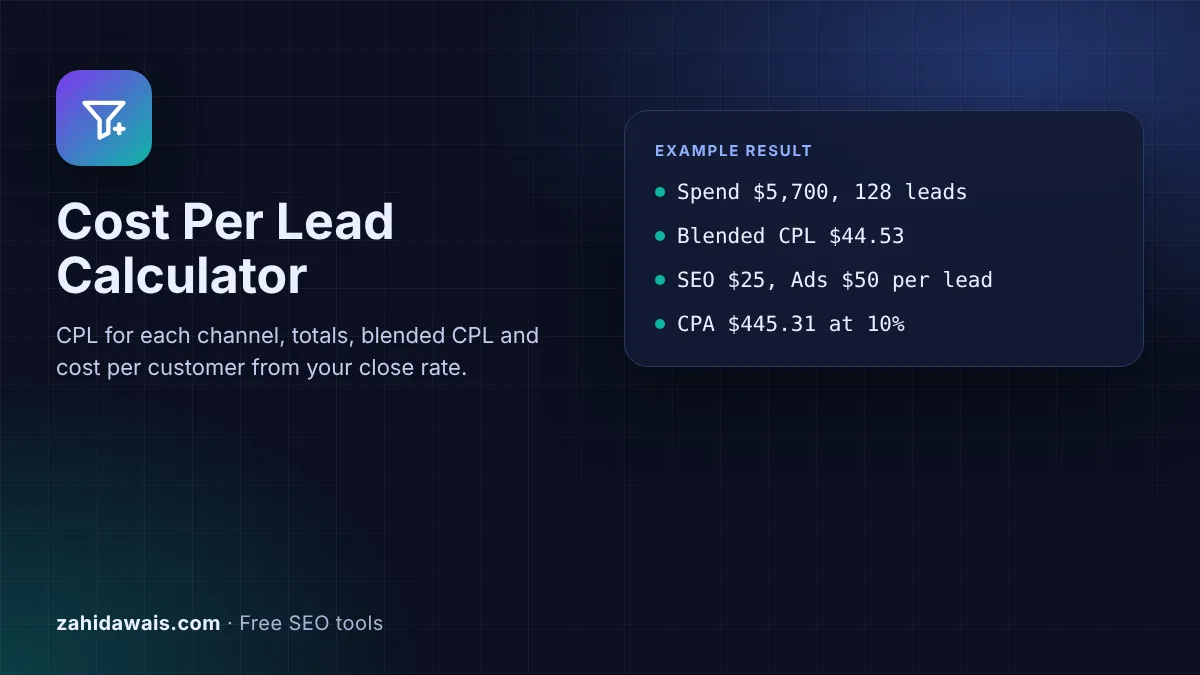
The free cost per lead calculator divides what each marketing channel cost by the leads it produced, then adds the channels up into a blended cost per lead. Add your lead to customer rate and it also shows what each new customer costs, per channel and overall.
Cost per lead (CPL) is total spend on a channel divided by the number of leads it produced in the same period. If SEO cost $1,500 and brought 60 leads, CPL is $25. Blended CPL divides spend across all channels by all leads. Divide CPL by your lead to customer rate to get cost per acquisition.
A cost per lead calculator is a tool that works out how much you pay, on average, for each new enquiry from a marketing channel. A lead is a person who gives you a way to contact them, such as a form submission, a call or a quote request. Google Analytics uses the same idea: its recommended lead generation events start with generate_lead, sent when a person "submits a form online or submits information offline".
Comparing CPL by channel shows where each unit of budget brings in the most enquiries. The blended figure tells you what a lead costs the business overall, which is the number to compare with what a lead is worth. Count every cost of a channel, not only the ad spend: agency fees, SEO retainers, content and tools all belong in spend.
Divide the total cost of a channel by the number of leads it produced in the same period. A Google Ads campaign that cost $2,400 and brought 48 leads has a CPL of $2,400 / 48 = $50. Use the same dates for spend and leads, and count only real leads, such as form submissions and calls, not page views or newsletter clicks unless those are what you sell to.
Blended cost per lead is total spend across every channel divided by total leads from every channel. It is not the average of the channel CPLs, because big channels weigh more. With $5,700 of spend and 128 leads, blended CPL is $44.53, even though the three channel CPLs of $25, $50 and $90 average $55. Use the blended figure for budgets and the channel figures for decisions.
Divide cost per lead by your lead to customer rate as a decimal. If a lead costs $50 and 10% of leads become customers, each customer costs $50 / 0.10 = $500 in that channel. A channel with a cheap CPL can still have an expensive CPA when its leads rarely buy, which is why Google Ads suggests bidding on "qualified or converted leads" when lead quality matters.
| Metric | Formula | What it tells you |
|---|---|---|
| Cost per lead (CPL) | Channel spend / channel leads | Price of one enquiry from a channel |
| Blended CPL | Total spend / total leads | What a lead costs the business overall |
| Lead to customer rate | Customers / leads x 100 | How well sales turns leads into customers |
| Cost per acquisition (CPA) | CPL / lead to customer rate | Marketing cost of one new customer |
| Share of leads | Channel leads / total leads x 100 | How much each channel contributes |
Example: a small B2B service firm reviews one month. SEO cost $1,500 in fees and brought 60 leads, a CPL of $25.00. Google Ads cost $2,400 for 48 leads, $50.00 each, and LinkedIn Ads cost $1,800 for 20 leads, $90.00 each. Total spend is $5,700.00 for 128 leads, so blended CPL is $44.53. With a 10% lead to customer rate the 128 leads should give about 12.8 customers, a blended CPA of $445.31, while LinkedIn customers cost $900.00 each.
A lead is a person who gives you a way to contact them about buying, such as a contact form, quote request, booked call or phone call. Decide the definition once and use it for every channel, or the CPL comparison will not be fair.
No. A cheap lead that never buys costs more than an expensive lead that often does. Compare channels on cost per acquisition as well, and on how much the customers they bring are worth, before moving budget.
Add up what SEO cost in the period, such as agency or freelancer fees, content and tools, and divide by the leads that came from organic search. Track form submissions as key events in Google Analytics so organic leads can be counted.
Blended CPL weighs each channel by its number of leads. When the cheapest channel also brings the most leads, the blended figure falls below the simple average of the channel CPLs. That is expected and is the correct figure for budgeting.
The calculator shows No leads for that row because a CPL cannot be divided by zero, but its spend still counts in total spend and blended CPL. Money spent without results is still part of the real cost of your leads.
No. The calculator runs entirely in your browser with JavaScript. Your spend and lead numbers are never uploaded or stored, so you can use real campaign figures safely.
Checked 23 Oct 2026. Facts checked against these official pages. Read how I check facts in my editorial policy.
Value per lead from close rate and deal size or lifetime value, and the max CPL you can pay.
A customer acquisition cost calculator is a tool that adds every cost of winning customers (ad spend, SEO and…
A conversion rate calculator is a tool that shows what percentage of visitors complete a goal such as a sale,…
A PPC budget calculator is a tool that turns traffic goals into an ad budget. Monthly budget = target clicks…
Send your website and I will check it for you, free.
One short email when something new goes live: articles, free SEO tools, package updates, discounts and price alerts. No spam, unsubscribe in one click.