Customer Retention Rate Calculator
CRR from start, end and new customers, implied churn and a period by period retention table.
Enter the customers you started with and the ones you lost to get your churn rate, revenue churn and the monthly and annual equivalents.
Count lost customers from the group you had at the start. Leave the MRR fields empty if you do not sell subscriptions. Nothing leaves your browser.
| Metric | Value |
|---|
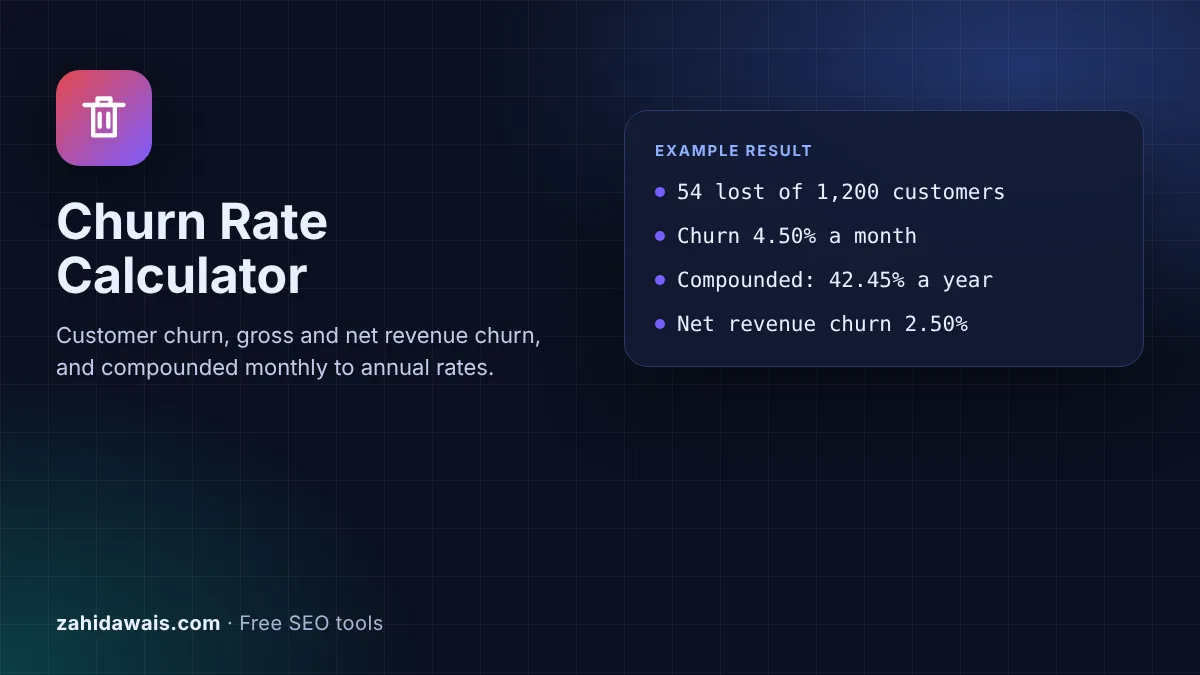
The free churn rate calculator divides the customers you lost by the customers you had at the start of a period, adds gross and net revenue churn when you enter MRR, and converts the result between monthly, quarterly and annual rates with compounding, so a monthly figure is not simply multiplied by 12.
Churn rate is the share of customers you had at the start of a period who left during it: customers lost divided by customers at the start, times 100. Losing 54 of 1,200 customers in a month is 4.50% monthly churn. Monthly churn compounds, so 4.50% a month is 42.45% a year, not 54%.
A churn rate calculator is a tool that works out what share of your customers stopped buying or cancelled in a period. You give it two counts from your billing system or CRM, customers at the start and customers lost, and it returns the churn rate and its opposite, the retention rate. Stripe, for example, treats a subscriber as churned when all of their subscriptions are cancelled or marked unpaid, as its Billing analytics documentation explains.
Subscription businesses also lose revenue without losing customers, through downgrades. So the calculator adds revenue churn from monthly recurring revenue (MRR): gross revenue churn counts lost and downgraded MRR, while net revenue churn subtracts the expansion MRR you gained from upgrades by the same customers.
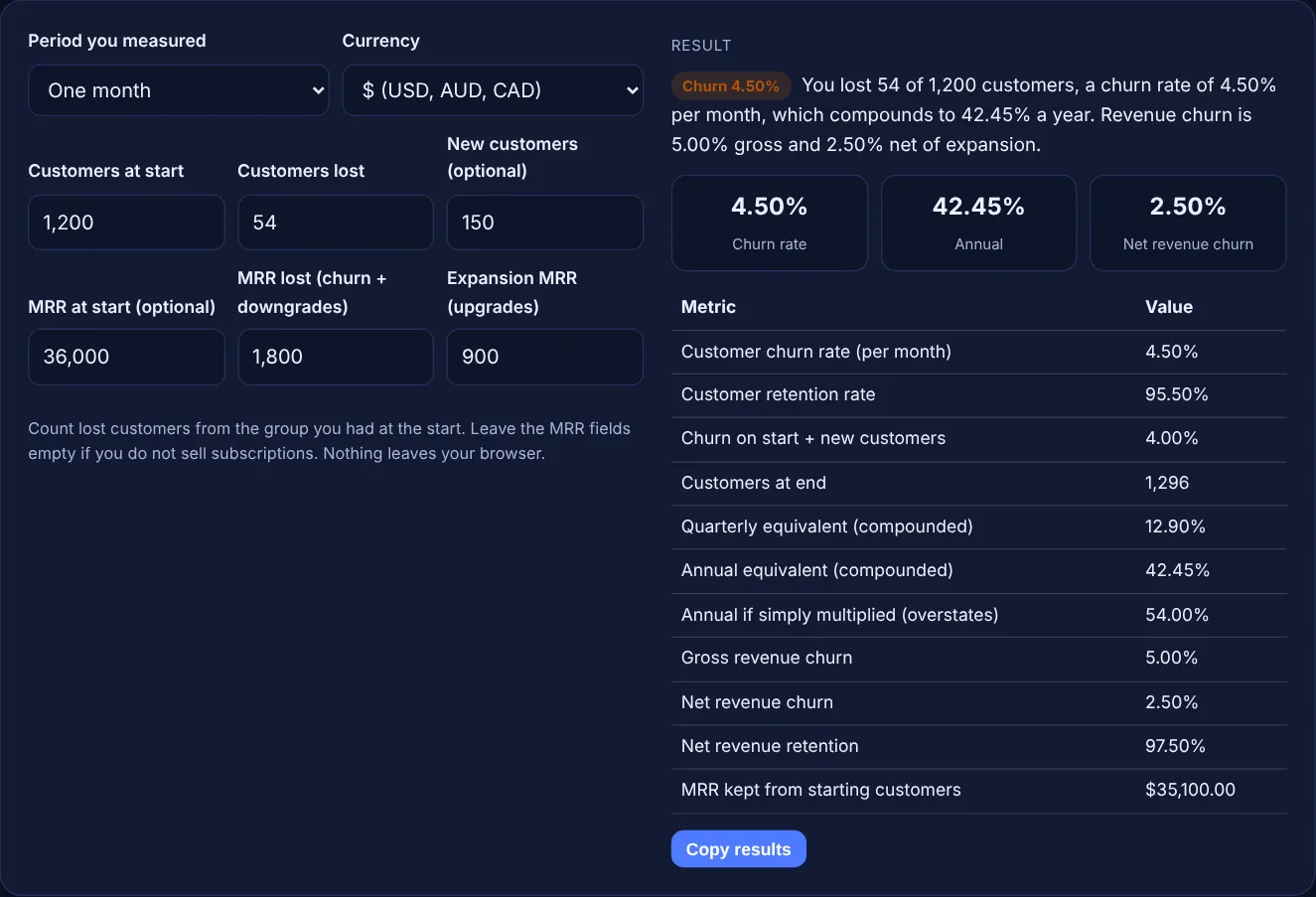
Divide the number of customers lost during a period by the number of customers at the start of it, then multiply by 100. If you began March with 1,200 customers and 54 of them cancelled, churn is 54 / 1,200 x 100 = 4.50%. Leave new customers out of the lost count unless they joined and left in the same period, and use the same definition of "lost" every month.
Some tools use a different base. Stripe's subscriber churn rate divides churned subscribers in the past 30 days by active subscribers 30 days ago plus new subscribers in those 30 days, which is why the calculator also shows that version when you enter new customers. In the sample it gives 54 / 1,350 = 4.00%.
Use compounding: annual churn = 1 - (1 - monthly churn)^12. Each month you lose a share of the customers who are left, not of the original group, so multiplying by 12 overstates the loss. At 4.50% a month, 95.50% stay each month, 0.955^12 is 57.55%, and annual churn is 42.45%, not 54%. Stripe's cohort example shows the same effect: 10% monthly churn leaves 90%, 81%, 73%, 66% and 59% over five months.
Gross revenue churn counts only the MRR you lost from cancellations and downgrades, while net revenue churn subtracts the expansion MRR you gained from existing customers. With $36,000 MRR at the start, $1,800 lost and $900 of upgrades, gross churn is 5.00% and net churn is 2.50%. Stripe defines churned revenue as "the sum of churned MRR plus total contraction MRR". Net churn below zero means upgrades outgrew losses.
| Metric | Formula | Sample result |
|---|---|---|
| Customer churn rate | Lost / customers at start x 100 | 54 / 1,200 = 4.50% |
| Retention rate | 100% - churn rate | 100% - 4.50% = 95.50% |
| Churn on start + new | Lost / (start + new) x 100 | 54 / 1,350 = 4.00% |
| Annual from monthly | 1 - (1 - monthly)^12 | 1 - 0.955^12 = 42.45% |
| Gross revenue churn | MRR lost / MRR at start x 100 | $1,800 / $36,000 = 5.00% |
| Net revenue churn | (MRR lost - expansion) / MRR at start x 100 | $900 / $36,000 = 2.50% |
Example: a software subscription starts the month with 1,200 customers and $36,000 MRR. During the month 54 customers cancel, 150 new ones sign up, cancellations and downgrades remove $1,800 of MRR and upgrades add $900. Customer churn is 4.50% for the month, retention is 95.50%, and the company ends with 1,296 customers. Compounded, 4.50% a month is 42.45% a year. Gross revenue churn is 5.00%, net revenue churn 2.50%, and the starting customers now bring $35,100.00 a month.
There is no single good churn rate, because it depends on your prices, contract length and customers. A monthly plan and an annual contract are not comparable. Track your own churn over time, compare like with like periods, and check it against your customer acquisition cost.
In the standard formula, no. Divide by the customers you had at the start and count only those who left. If customers can join and leave within the same period, some tools add new customers to the base, so state which method you use.
Customer churn cannot be negative, because you cannot lose fewer than zero customers. Net revenue churn can be negative when upgrades and expansion from existing customers bring in more MRR than cancellations and downgrades take away.
A common estimate of average customer lifetime is 1 divided by churn rate. At 4.50% monthly churn that is about 22 months. Stripe estimates subscriber lifetime value by dividing average revenue per user by the subscriber churn rate.
Tools differ in what counts as lost, such as failed payments or paused plans, in the base they divide by, and in the period length. Check the definitions in your billing tool and use the same ones here when you compare.
No. The calculator runs entirely in your browser with JavaScript. Customer counts and revenue figures are never uploaded or stored, so you can use real business numbers safely.
Checked 23 Oct 2026. Facts checked against these official pages. Read how I check facts in my editorial policy.
CRR from start, end and new customers, implied churn and a period by period retention table.
A customer lifetime value calculator is a tool that estimates the total value one customer brings during the…
A customer acquisition cost calculator is a tool that adds every cost of winning customers (ad spend, SEO and…
A percentage change calculator is a tool that shows how much a value grew or shrank relative to where it…
Send your website and I will check it for you, free.
One short email when something new goes live: articles, free SEO tools, package updates, discounts and price alerts. No spam, unsubscribe in one click.