Organic CTR Calculator
A CTR calculator is a tool that measures how often people who see your result actually click it. The formula…
Enter an old and a new value to get the percent increase or decrease, with the formula shown.
For rates such as CTR or conversion rate, enter the percentages as numbers (2.4 and 3.1) and choose the Rates option.

The free percentage change calculator runs in your browser, needs no sign-up and never sends what you type anywhere.
Percentage change equals the new value minus the old value, divided by the old value, times 100. Going from 1,200 to 1,500 clicks is a 25% increase; going from 1,500 back to 1,200 is a 20% decrease. For rates like CTR, also report the change in percentage points, because 2% to 3% is +1 point but +50%.
A percentage change calculator is a tool that shows how much a value grew or shrank relative to where it started. The formula is (new - old) ÷ |old| × 100: a positive result is an increase, a negative result is a decrease, and the change is undefined when the old value is 0.
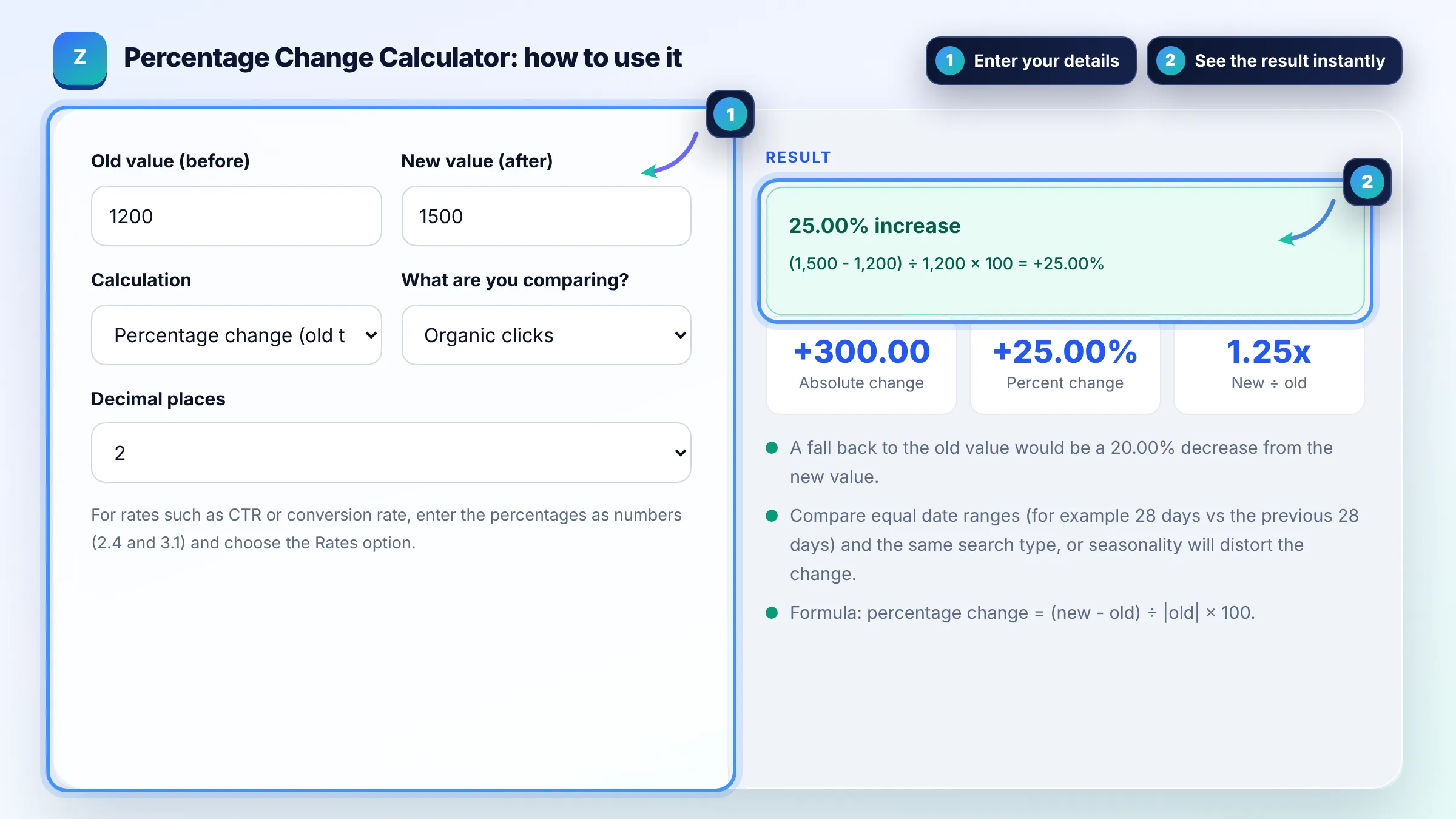
Subtract the old value from the new value, divide by the old value and multiply by 100. From 800 to 1,000 sessions is (1,000 - 800) ÷ 800 × 100 = 25% increase; from 1,000 to 800 is a 20% decrease. A negative result always means a decrease.
Percentage points are the simple gap between two rates; percent change is that gap relative to the starting rate. A CTR that moves from 2% to 3% rose by 1 percentage point, which is a 50% relative increase. Google Search Console shows CTR as a rate, so both views are useful, as its Performance report help explains for comparing date ranges.
Because each percentage is measured from a different starting value. Traffic that falls 50% from 10,000 to 5,000 needs a 100% increase to get back to 10,000. That is why recovering from a traffic drop or algorithm update usually looks bigger in percentage terms than the loss did.
| Old value | New value | Change |
|---|---|---|
| 1,200 clicks | 1,500 clicks | +25.00% increase |
| 1,500 clicks | 1,200 clicks | 20.00% decrease |
| 10,000 sessions | 5,000 sessions | 50.00% decrease |
| 2.0% CTR | 3.0% CTR | +1 point, +50.00% relative |
| $4,000 revenue | $4,600 revenue | +15.00% increase |
| 0 clicks | 250 clicks | Not a percentage (+250 new) |
Example: a blog post had 1,200 organic clicks in the previous 28 days and 1,500 in the last 28 days in Search Console. The change is (1,500 - 1,200) ÷ 1,200 × 100 = +25%. Its CTR moved from 2.4% to 3.1%, which is +0.7 percentage points or a 29.17% relative increase. If clicks later fell back to 1,200, that would be a 20% decrease.
Percentage change = (new value - old value) ÷ |old value| × 100. Use the absolute value of the old number as the base so negative starting values do not flip the sign. The result is positive for an increase and negative for a decrease.
Put the old value in A2 and the new value in B2, then use =(B2-A2)/ABS(A2) and format the cell as a percentage. Wrap it in =IFERROR(...,"n/a") to avoid errors when the old value is 0.
Percentage change from zero is undefined, because you cannot divide by zero. Report the absolute change instead, for example "250 new clicks", or start measuring from the first period with real data. Calling it an infinite or 100% increase is misleading.
No. Percentage change has a direction, from old to new. Percentage difference compares two values with no order, dividing the gap by their average, so swapping the numbers gives the same result. Use it to compare two pages or two competitors at the same time.
Give the absolute numbers, the percentage change and the date ranges, for example "organic clicks fell 18% from 5,000 to 4,100, last 28 days vs previous 28 days". Add likely causes you checked, such as seasonality, tracking changes, lost rankings or Google updates.
Rarely. Average position is a rank, where lower is better, so a move from 10 to 5 is better reported as "up 5 places" than as "50% decrease". Use percentages for clicks, impressions, sessions and revenue, and places for rankings.
Facts checked against these official pages. Read how I check facts in my editorial policy.
A CTR calculator is a tool that measures how often people who see your result actually click it. The formula…
A conversion rate calculator is a tool that shows what percentage of visitors complete a goal such as a sale,…
An SEO traffic forecast calculator is a tool that estimates future organic clicks. The formula is: estimated…
Send your website and I will check it for you, free.
One short email when something new goes live: articles, free SEO tools, package updates, discounts and price alerts. No spam, unsubscribe in one click.