Website design and WordPress SEO
Best WordPress Permalink Structure for SEO and How to Set It
Post name wins for most sites, but here is when categories make sense and how to switch without losing links.
Read articleA step by step domain move that keeps your URLs, links and rankings intact, based on Google's site move guidance.
This guide explains how to change domain name without losing SEO value: the preparation, the redirect setup, the Change of Address tool in Search Console, and how long to keep the old domain working.
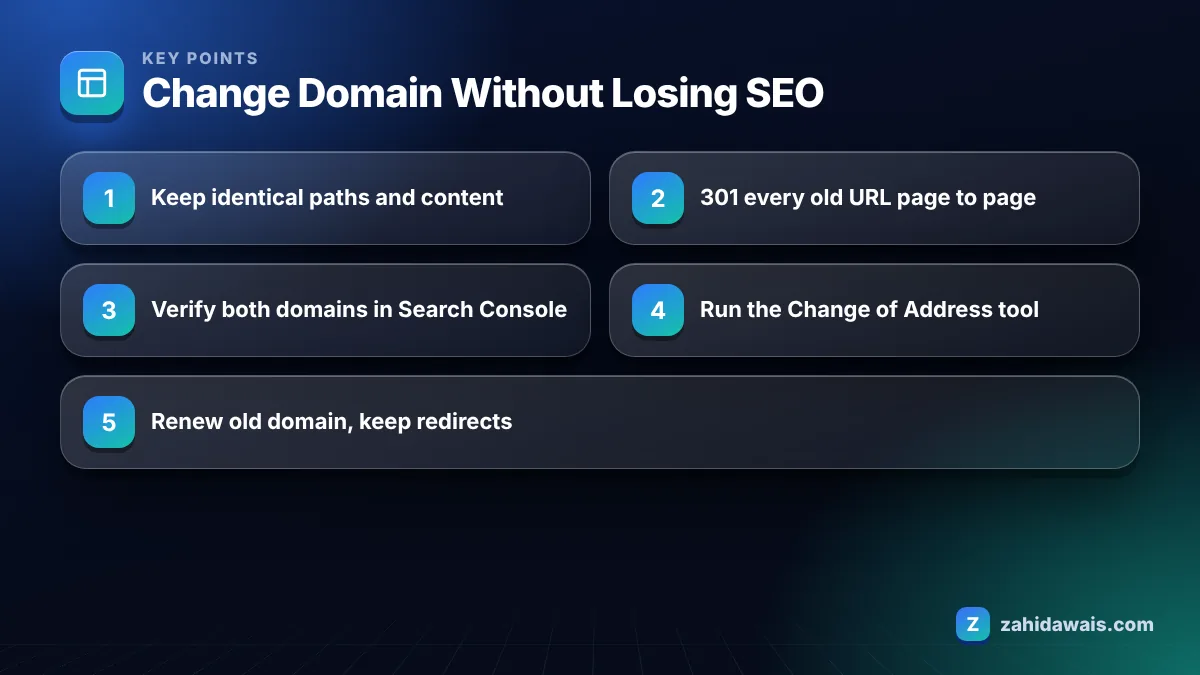
To change domain name without losing SEO, keep the same URLs and content on the new domain, 301 redirect every old URL to its exact new match, verify both domains in Search Console, run the Change of Address tool, submit the new sitemap, update important backlinks, and keep the old domain and redirects for at least a year.
Changing your domain name will cause some short term ranking fluctuation, but if you redirect every URL page to page and follow Google’s site move steps, a site can return to its previous visibility once Google has processed the move. The lasting damage comes from shortcuts, not from the domain change itself.
Google’s guide to site moves with URL changes says small to medium sites usually take a few weeks for most pages to move, larger sites take longer, and rankings may fluctuate in the meantime. Plan your launch with that dip in mind.
The common shortcuts that cause long term losses:
The steps are: prepare the new domain, copy the site with identical paths, map and redirect every URL, verify both properties in Search Console, submit the Change of Address request, then monitor and update links. Each step depends on the one before it.
Step 4 is where WordPress moves often break. Images, internal links and some builder content store the full old URL in the database, so a simple settings change leaves hundreds of links pointing at the old domain. Those still work through the redirects, but every click and crawl takes an extra hop. Run a proper serialised search and replace with a trusted tool or WP-CLI, then crawl the new site and confirm no internal link still points at the old domain.
You use the Change of Address tool by opening Settings in the old domain’s Search Console property, choosing Change of address, selecting the new verified property, and submitting after the tool’s checks pass. It only works for domain or subdomain changes, not HTTPS or path moves.
According to Google’s Change of Address help page, you must be an owner of both the old and new properties, and you need a 301 redirect from the old homepage to the new homepage. The tool checks for 301s on a few pages before it accepts the request. Critical failures must be fixed first; warnings let you continue.
Once submitted, the request stays in effect for 180 days. During that time Google prioritises crawling the new site and prefers it for canonical pages. Keep both properties verified for that whole period so you can watch the move in each one.
Keep 301 redirects from the old domain for at least one year, and ideally indefinitely, which is what Google’s site move guide recommends. That also means renewing the old domain name, because redirects stop working the day the domain lapses.
There is a second reason to keep it: if you let an old domain with backlinks expire, someone else can register it and use those links for their own purposes. I work with expired domains in link building, and I see how quickly domains with a clean link profile get picked up. Renewing yours for a few years costs little compared to that risk.
Choose a page to page move with identical paths whenever you can, because it gives Google the clearest signal and the least to reprocess. The table below compares the approaches I see clients consider.
| Approach | SEO risk | When it fits |
|---|---|---|
| Same paths, page to page 301s | Lowest | Pure rebrand, site content unchanged |
| New paths, mapped 301s | Medium | Domain change plus a cleaner URL structure |
| Domain change plus redesign and new content | High | Only when you can monitor closely; better split into phases |
| All URLs redirected to new homepage | Very high | Never recommended |
| Old domain left to expire | Very high | Never recommended |
A cleaning company rebrands from an old domain with a hyphenated name to a short new .co.uk. The site has 48 indexed URLs and links from about 60 referring domains. Paths stay identical, so 48 redirects are handled with one server rule that rewrites the domain and keeps the path. Both domains are verified, the Change of Address request passes, and the sitemap is submitted the same day. The owner emails the 10 sites sending the most referral traffic and 6 update their links. Search Console shows the new domain picking up impressions over the following weeks as the old one declines, while the old domain is renewed for 5 years.
After the domain change, monitor clicks and impressions on both Search Console properties, the Page indexing report on the new domain, and a weekly crawl of old URLs to confirm redirects still work. Expect traffic to fall on the old property and rise on the new one.
Look out for pages that disappear from both properties, which usually means a missing or broken redirect. Old URLs will show as “Page with redirect” in the old property, which is expected; my guide to Page with redirect explains when that status needs action.
A domain change is also a good moment to build fresh links to the new address, so the new domain is not relying only on redirected ones. My link building service places links on relevant sites pointing directly at the new URLs. If you would like the move handled for you, my website redesign and migration service covers the redirect map, Search Console setup and monitoring, and you can contact me for a quote based on your page count.
You keep the value of most backlinks if every old URL 301 redirects to its matching page on the new domain. Ask the sites behind your strongest links to update them to the new URL, and keep the old domain renewed so the redirects never stop working.
Google says most pages of a small or medium site usually move within a few weeks, while large sites take longer. The Change of Address request stays active for 180 days, during which Google prioritises crawling the new site and prefers it as canonical.
Yes. To use the Change of Address tool you must be an owner of both the old and new properties in Search Console. Verifying both also lets you watch traffic move from the old domain to the new one during and after the migration.
You can, but it raises risk and makes problems hard to trace. If rankings drop, you will not know whether the redesign or the move caused it. Where budget and timing allow, move the domain first with identical content, then redesign later.
Once the old domain expires, all redirects stop and old links lead nowhere. Someone else could also register the domain and use its backlinks. Renew the old domain for several years and keep its redirects active, as Google suggests keeping redirects indefinitely if possible.
Your Google Business Profile does not update automatically. Edit the website field to the new domain as soon as the move is live, and update the address on social profiles, directories and email signatures so customers and search engines see one consistent URL.
Facts checked against these official pages. Read how I check facts in my editorial policy.
Post name wins for most sites, but here is when categories make sense and how to switch without losing links.
Read article
Right size, small files, clear names and honest alt text: the image routine I give every writer.
Read article
A 30 minute diagnosis routine and 12 fixes in the order that gives the biggest speed gains first.
Read articleSend your website and I will reply with a free audit.