Break-Even ROAS Calculator
Break-even ROAS, ACoS and CPA from price, product cost, shipping and payment fees.
Enter revenue and orders to get your AOV, compare it with an earlier period, and see what a higher order value would add to revenue.
Use the same revenue definition in both periods, for example after discounts and before tax and shipping. Nothing leaves your browser.
| Metric | Value |
|---|
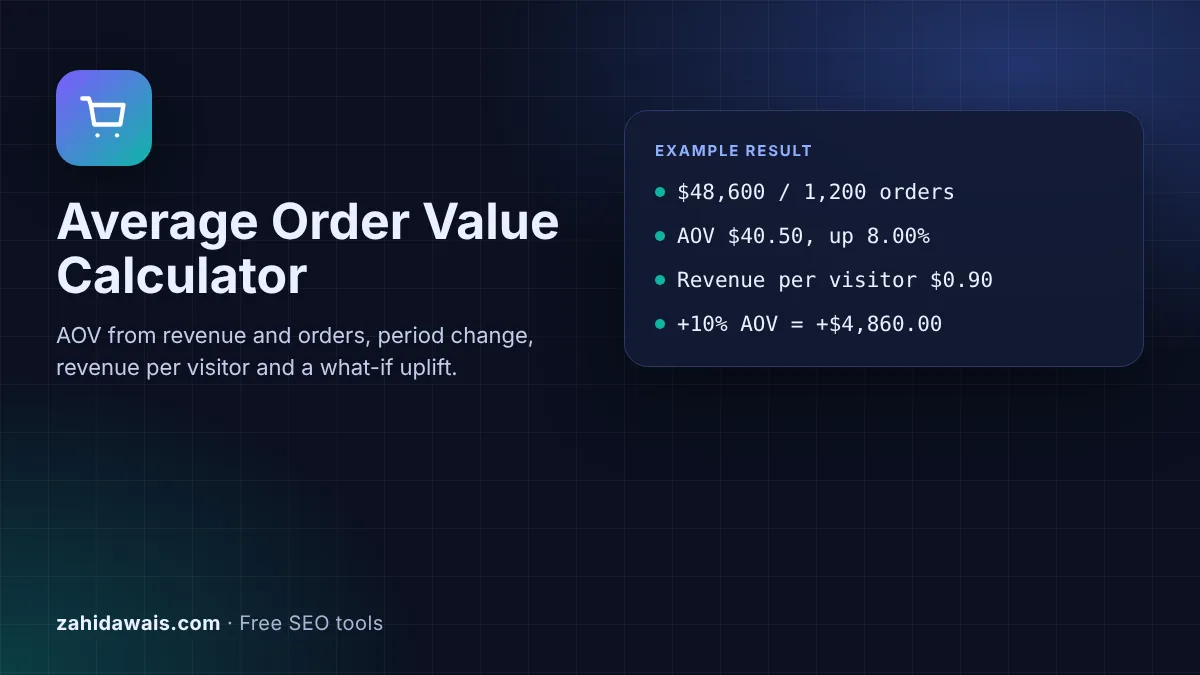
The free average order value calculator divides your revenue by the number of orders to give AOV, compares it with a previous period, works out revenue per visitor when you add sessions, and shows how much extra revenue a higher order value would bring at the same number of orders.
Average order value (AOV) is total revenue divided by the number of orders in the same period. $48,600 from 1,200 orders is an AOV of $40.50. Track it next to conversion rate, because revenue per visitor equals conversion rate times AOV, so raising either one grows revenue without extra traffic.
An average order value calculator is a tool that tells you how much a customer spends per order on average, using two numbers from your shop or analytics: revenue and orders for the same period. Google Analytics reports the revenue side in its monetization overview, where it says "Purchase revenue shows the total amount of revenue generated from ecommerce and in-app purchases".
AOV on its own says little, so this calculator adds three things around it: the percentage change against an earlier period, revenue per visitor and conversion rate when you add sessions, and a what-if line showing the revenue at a higher or lower AOV with the same number of orders.
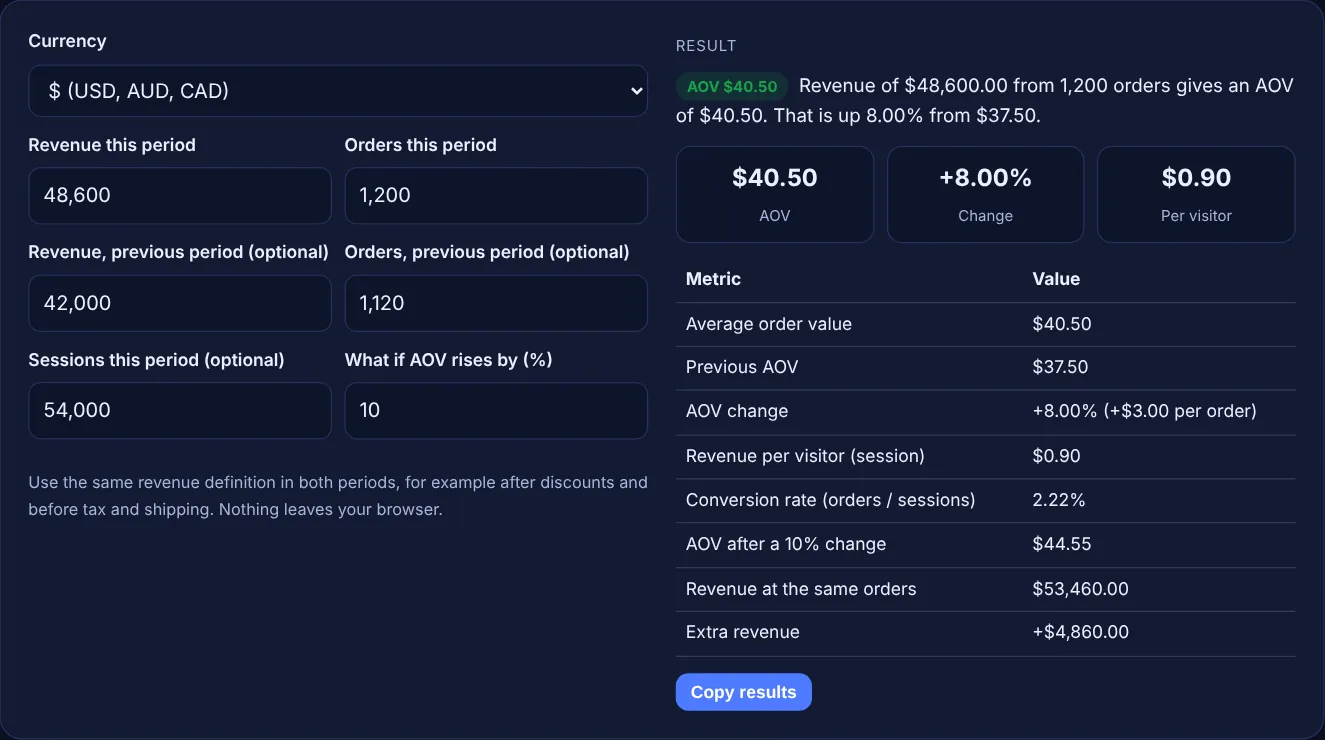
Divide total revenue by the number of orders for the same period. If a shop took $48,600 from 1,200 orders last month, its AOV is $48,600 / 1,200 = $40.50. Use one revenue definition every time, for example after discounts and refunds but before tax and shipping, so that the figures from different months can be compared fairly.
A higher AOV usually raises the ad cost you can afford per order. Break-even CPA is the money left from an order after product, shipping and fee costs, so a bigger basket with the same margin leaves more to spend on ads. Use the break-even ROAS calculator with your AOV as the price to see the minimum ROAS and maximum CPA for an average order.
AOV is revenue per order, while revenue per visitor is revenue per session, so it also includes everyone who did not buy. Revenue per visitor equals conversion rate times AOV. In the sample, a 2.22% conversion rate times a $40.50 AOV gives $0.90 per session. Use it to compare traffic sources and to judge how much a visit is worth.
| Metric | Formula | Sample result |
|---|---|---|
| Average order value | Revenue / orders | $48,600 / 1,200 = $40.50 |
| AOV change | (New AOV - old AOV) / old AOV x 100 | ($40.50 - $37.50) / $37.50 = +8.00% |
| Conversion rate | Orders / sessions x 100 | 1,200 / 54,000 = 2.22% |
| Revenue per visitor | Revenue / sessions | $48,600 / 54,000 = $0.90 |
| What-if revenue | AOV x (1 + uplift) x orders | $44.55 x 1,200 = $53,460.00 |
Example: a shop took $48,600 from 1,200 orders this month, an AOV of $40.50. Last month it took $42,000 from 1,120 orders, an AOV of $37.50, so AOV rose 8.00%. With 54,000 sessions, revenue per visitor is $0.90 and the conversion rate is 2.22%. If a bundle offer lifted AOV by 10% to $44.55 at the same 1,200 orders, revenue would be $53,460.00, or $4,860.00 more.
It depends on your reports, but be consistent. Many shops leave out tax, because it is not their money, and report shipping separately. Pick one definition, note it, and use it for every period so changes in AOV are real and not caused by the definition.
There is no single good AOV, because it depends on your products, prices and customers. A shop selling phone cases and one selling furniture will be far apart. Compare your AOV with your own past periods and check that it covers your cost per order.
Common methods are product bundles, a free shipping threshold above your current AOV, relevant add-ons on product and cart pages, and volume discounts. Test one change at a time and check that conversion rate does not fall, because revenue per visitor is what matters.
Tools often count revenue differently. One may include tax, shipping or refunded orders while another does not, and test orders or tracking gaps can change the order count. Use one source for both revenue and orders when you compare periods.
Yes. If orders drop faster than order value grows, revenue falls even though AOV is higher. That is why the calculator shows the period change and revenue per visitor together, so you can see whether more value per order costs you buyers.
No. The calculator runs entirely in your browser with JavaScript. Revenue, orders and sessions are never uploaded or stored, so you can use real shop figures safely.
Checked 23 Oct 2026. Facts checked against these official pages. Read how I check facts in my editorial policy.
Break-even ROAS, ACoS and CPA from price, product cost, shipping and payment fees.
A conversion rate calculator is a tool that shows what percentage of visitors complete a goal such as a sale,…
A customer lifetime value calculator is a tool that estimates the total value one customer brings during the…
A ROAS calculator is a tool that measures how much revenue each unit of ad spend brings back. ROAS = ad…
Send your website and I will check it for you, free.
One short email when something new goes live: articles, free SEO tools, package updates, discounts and price alerts. No spam, unsubscribe in one click.