Google Search Console errors
Duplicate, Google chose different canonical than user: how to fix it
Why Google ignores the canonical you set, how to read its choice in URL Inspection, and how to line up every signal so it agrees.
Read articleWhy Google can index a URL it is not allowed to crawl, and the two clean ways to resolve the warning depending on your goal.
This guide explains what the indexed though blocked by robots.txt warning means, why it appears, and the exact fix for each situation, whether you want the page in Google or out of it. It is one of the most misunderstood statuses I see in client accounts, because the instinct is to add even more robots.txt rules, which makes it worse.
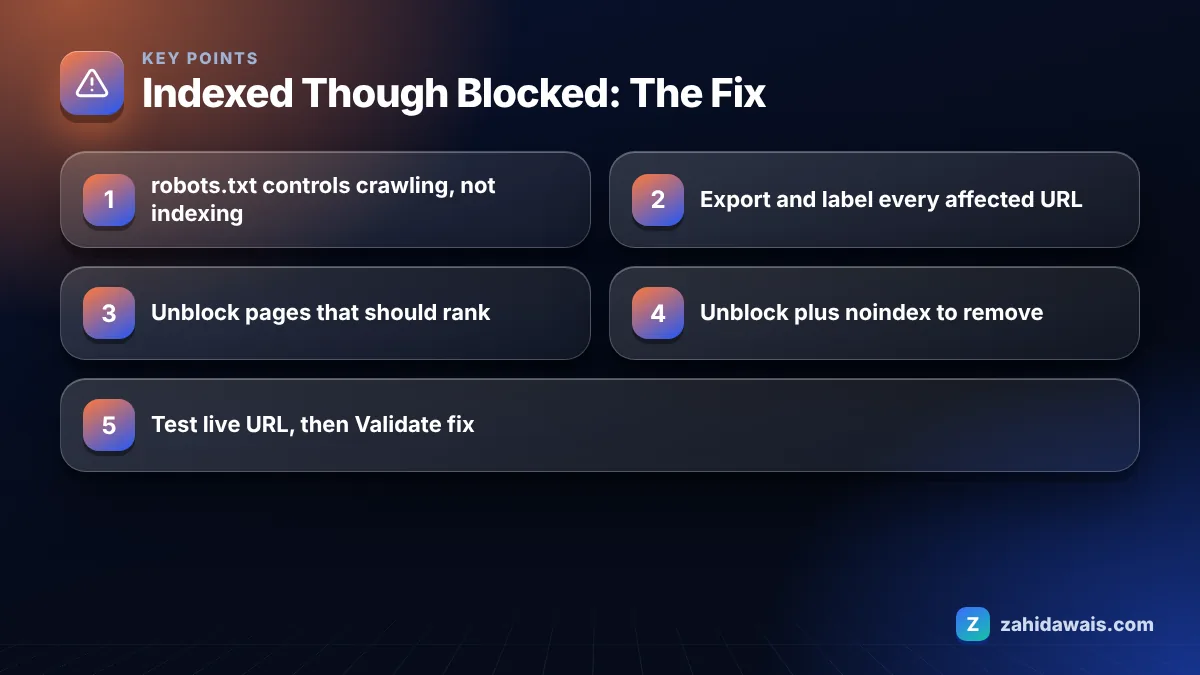
Indexed though blocked by robots.txt means Google indexed a URL it was not allowed to crawl, usually because other pages link to it. If you want the page in search, remove the Disallow rule. If you want it out, allow crawling and add a noindex tag instead.
It is only bad if the URL should not be in Google at all, or if it is an important page that now shows in results with almost no snippet. Google’s help page for the Page indexing report lists it under warnings, not under reasons a page is not indexed, and says the page was indexed despite the block.
The mechanism is simple. Google always respects robots.txt, so it does not crawl the page. But robots.txt controls crawling, not indexing. If other pages link to the blocked URL, Google can still index it using information from those linking pages, such as the anchor text. Google notes that any snippet will probably be very limited, because it never read the content.
In practice I see three groups of URLs behind this warning:
Disallow: /services or a leftover staging rule catches real pages.Use noindex when the goal is to keep a page out of Google’s results, and robots.txt when the goal is to stop crawling of URLs that do not need to be crawled. Google’s introduction to robots.txt says plainly that it is not a mechanism for keeping a web page out of Google, and recommends noindex or password protection for that.
The two tools also conflict. A noindex tag only works if Googlebot can crawl the page and read it. Put both on the same URL and Google never sees the noindex, which is exactly how this warning is created. Use this reference table to pick the right tool:
| Your goal | Right tool | Avoid |
|---|---|---|
| Page should rank | Remove the Disallow rule | Any block or noindex |
| Page should not appear in Google | Allow crawling plus noindex | robots.txt alone |
| Private or sensitive content | Password protection or login | robots.txt alone, it is public |
| Save crawling on endless filter URLs | robots.txt Disallow, plus fewer internal links to them | Adding noindex to blocked URLs |
| Duplicate versions of one page | rel=”canonical” or a redirect | robots.txt for canonicalization |
If you want a deeper look at the crawling side, my guide to the related blocked by robots.txt status covers URLs that are blocked and not indexed.
You fix it by deciding whether each URL should be indexed and then making robots.txt and the page’s own robots rules agree with that decision. Follow these steps in order.
<meta name="robots" content="noindex"> or an X-Robots-Tag noindex header. Google must be able to crawl the page to see this.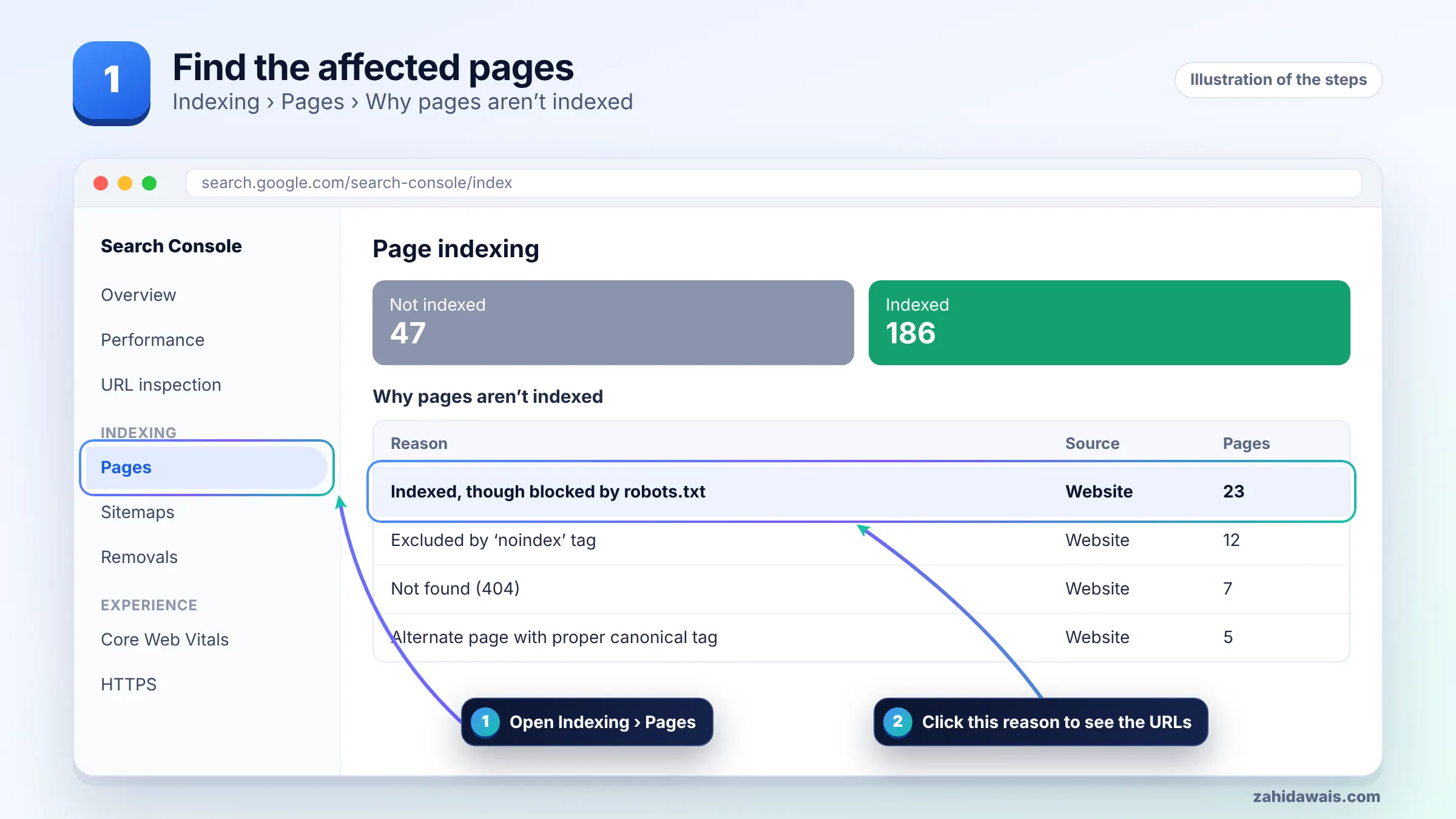
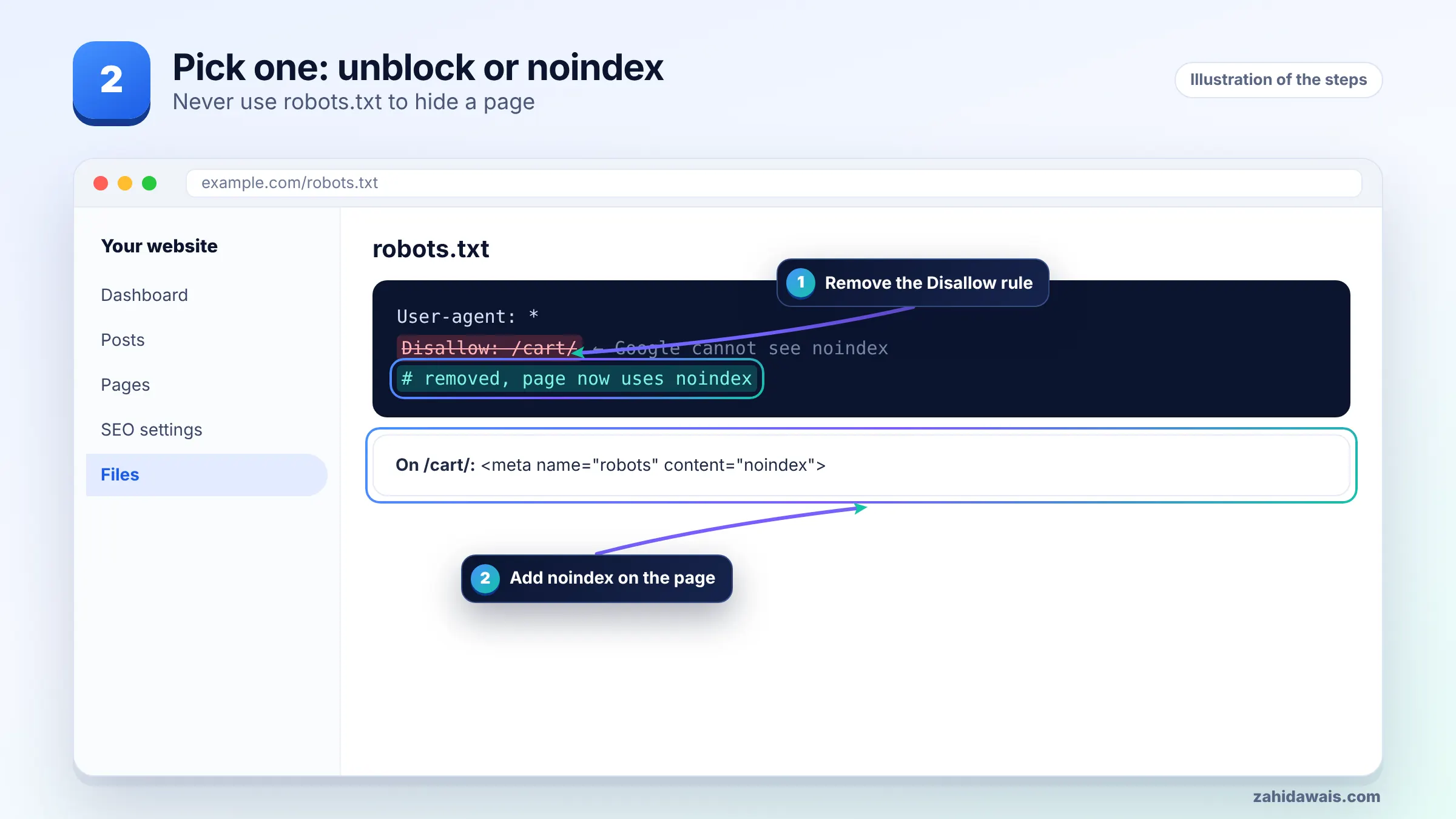
For anything truly sensitive, such as customer files, robots.txt is the wrong tool entirely because the file itself is public and lists the paths. Put that content behind a login.
To remove a blocked page from Google, unblock it so Google can recrawl it, then return a noindex rule, a 404 or a 410, or put it behind a login. Google drops the URL after it recrawls and sees that signal.
If the page is urgent, for example it exposes something embarrassing, the Removals tool in Search Console can hide it from results temporarily while you apply the permanent fix. It is not a replacement for noindex or deletion, because the temporary removal ends and the URL can return if nothing else changed.
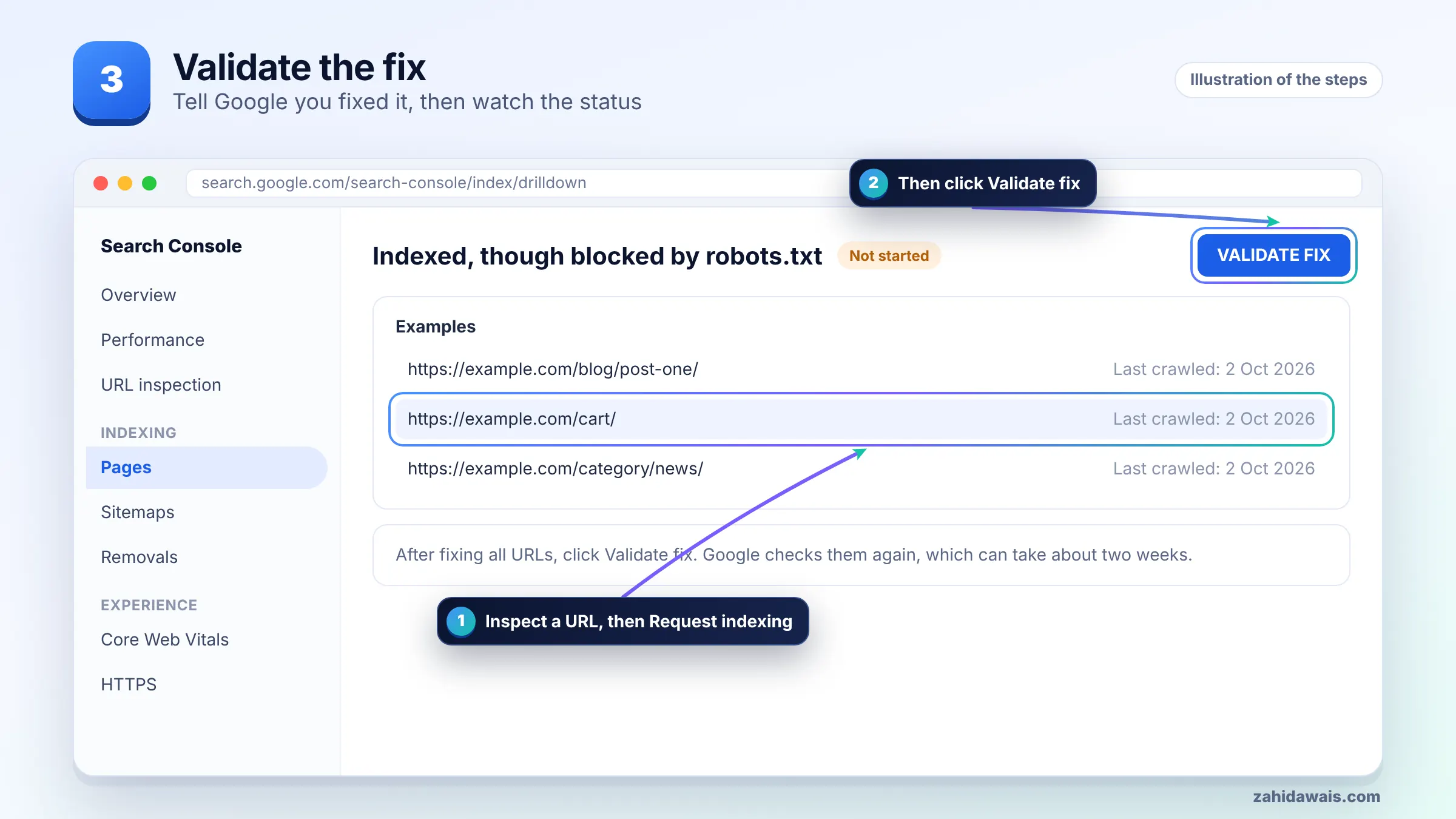
You validate by confirming in URL Inspection that Google can now crawl the URL, then clicking Validate fix on the warning in the Page indexing report. Check one URL from each group you changed before starting.
Note that URLs you keep blocked on purpose for crawl control may stay in this warning if they remain linked. That is acceptable if they are not pages you care about.
A typical pattern on a WooCommerce store, with round numbers for illustration: 640 URLs show the warning. Sorting them shows 600 are filter URLs such as ?filter_color=red, 30 are /cart/?add-to-cart= links, and 10 are real category pages blocked by an old rule Disallow: /*? that also matched paginated categories.
The fix: replace the broad rule with narrower rules for the filter and add-to-cart parameters, stop linking to add-to-cart URLs from category grids where possible, and leave the 10 category pages fully crawlable. The 10 categories are the only URLs that needed a live test and validation. The filter URLs are low value and staying blocked is a deliberate choice, so the warning count drops slowly as Google stops seeing links to them.
When robots.txt, sitemaps and canonicals all need sorting at once, that is usually a job for a full technical SEO review rather than one rule change at a time.
It means Google indexed a URL that your robots.txt file stops it from crawling. Google respects the block and does not read the page, but it can still index the URL using links from other pages, so the result usually shows little or no description.
Google lists it as a warning, not as a reason a page is not indexed. It only needs action if the URL should rank and is blocked by mistake, or if it should not appear in Google, in which case you need noindex instead of robots.txt.
No. More Disallow rules only stop crawling, so Google cannot see a noindex tag or a 404. To remove the page, allow crawling and return noindex, a 404 or 410, or protect the page with a login.
Because robots.txt controls crawling, not indexing. When other pages, including your own internal links, point to the blocked URL, Google can index the address based on those links without ever reading the page content.
No. Google does not support a noindex rule inside robots.txt. Use a robots meta tag in the page head, or an X-Robots-Tag HTTP header for non HTML files such as PDFs, and make sure the URL is not disallowed.
There is no fixed time. Google must recrawl each URL and see the noindex or removal signal, which depends on how often it visits those pages. Low value URLs can take weeks or longer, so focus on important ones first.
Facts checked against these official pages. Read how I check facts in my editorial policy.
Why Google ignores the canonical you set, how to read its choice in URL Inspection, and how to line up every signal so it agrees.
Read article
The four redirect problems Google reports, how to trace each one in minutes, and how to confirm the fix in Search Console.
Read article
How to read a failed validation, find the URLs that caused it, fix the real cause and start a new validation without wasting weeks.
Read articleSend your website and I will reply with a free audit.