This guide tells you which redirect to use in each real situation and what Google does with each one. The 301 vs 302 redirect choice comes down to one question: is the move permanent, or will the old URL come back?
Quick answer
In the 301 vs 302 redirect decision, use a 301 when a page has moved for good, because Google treats it as a signal that the new URL should be canonical. Use a 302 only when the change is temporary and you want the original URL to stay in search results, such as a short sale page or maintenance.
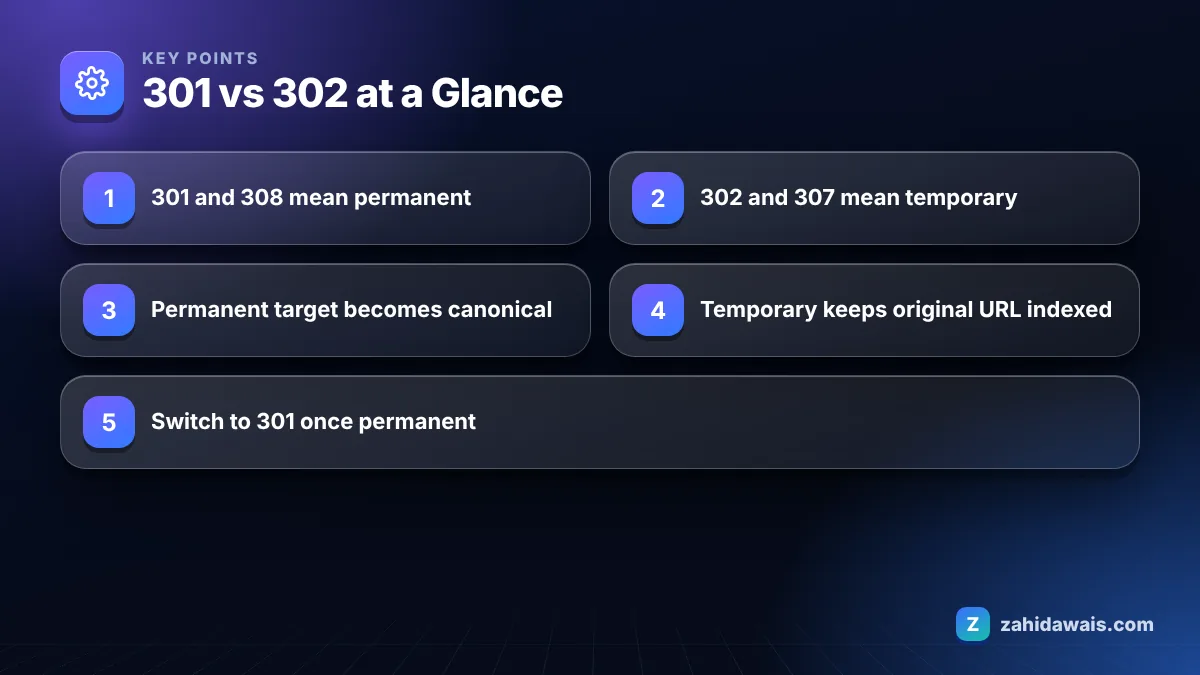
301 vs 302 at a Glance
What is the difference between a 301 and a 302 redirect?
A 301 tells browsers and search engines that a URL has moved permanently, while a 302 says the move is temporary and the original URL is still the real address. Both send the visitor to the new page instantly, so users rarely notice a difference. Search engines do.
Google’s guide to redirects and Google Search groups them like this. Permanent redirects (301 and 308) are a strong signal that the redirect target should be canonical, so the new URL is what shows in results. Temporary redirects (302, 303 and 307) do not signal that, so Google usually keeps the source URL in results, although the target can still be indexed if other signals point to it.
Status code
Type
Request method kept?
Canonical signal for Google
Typical use
301 Moved Permanently
Permanent
Not guaranteed (POST may become GET)
Target should be canonical
Slug changes, merges, HTTPS and domain moves
308 Permanent Redirect
Permanent
Yes
Target should be canonical
Permanent moves where forms or APIs post data
302 Found
Temporary
Not guaranteed
Source usually stays canonical
Short campaigns, A/B tests, maintenance
307 Temporary Redirect
Temporary
Yes
Source usually stays canonical
Temporary moves that must keep POST requests
303 See Other
Temporary
Changes to GET
Source usually stays canonical
After a form submit, to a confirmation page
Google also handles redirects that are not HTTP status codes. An instant meta refresh is treated as permanent and a delayed one as temporary. JavaScript redirects work too, but Google recommends them only when server-side or meta refresh redirects are not possible, because rendering can fail.
Does a 302 redirect pass link equity?
Google’s documentation does not describe redirects in terms of link equity; it describes them in terms of which URL becomes canonical, and that is the part that matters. With a 302, Google usually keeps the old URL as the canonical, so the old URL is the one that keeps ranking and collecting signals.
That is exactly what you want for a temporary change and exactly what you do not want for a permanent one. If you leave a 302 in place after a real move, Google may keep showing the old URL for months. Over time Google can decide a long running 302 behaves like a permanent move, but relying on that is slow and unpredictable.
In the link building orders I deliver, I always check that the target page returns 200 or a single 301. A backlink pointing at a URL behind a 302 to an unrelated page is a signal you are not using well. My link building service includes that target check before any placement goes live.
When should you use a 302 redirect?
Use a 302 when you are certain the original URL will return and you want it to stay in search results during the change. Google’s own advice is to use permanent redirects only when you are sure the redirect will not be reverted, which also means a 302 fits when you are not sure.
A product page temporarily sends visitors to a replacement while stock is out, and the original will be back.
A seasonal landing page redirects to a holding page for a few weeks.
You run a split test and send a share of visitors to a variant URL.
A page is under maintenance and you redirect to a status notice.
A geolocation or language selector sends visitors to a local version (here a 302 is common, but make sure Googlebot can still reach every version).
If the “temporary” change has lasted more than a few months and nobody plans to undo it, switch it to a 301.
What is the difference between 301 and 308 redirects?
Both 301 and 308 are permanent redirects and Google treats them the same way for canonicalization; the only difference is that a 308 forces the browser to repeat the original request method. With a 301, a browser that sent a POST request may follow the redirect with a GET, which can break a form or an API call. A 308 keeps the POST as a POST.
For normal web pages that visitors open by clicking a link, there is no practical SEO difference. Some hosts and frameworks now default to 308 for trailing slash or HTTPS rules, and that is fine. The same relationship applies between 302 and 307 for temporary moves.
Which redirect should you pick in a real scenario?
Example
An online store retires a winter jacket that will never return, renames its “blog” folder to “guides”, and runs a 3 week holiday sale on a new URL while the main category page sends shoppers there. The retired jacket gets a 301 to the closest matching category, because the change is permanent and the category is relevant. Every old /blog/ URL gets a 301 to its matching /guides/ URL, one to one, not to the guides homepage. The category page gets a 302 to the sale page for the 3 weeks, then the redirect is removed so the original category keeps its place in results. If the sale became permanent, the 302 would change to a 301 the same day.
What are the most common 301 and 302 mistakes?
The most common mistake is using a 302 for a permanent move simply because it was the default in a plugin or a hosting panel. Many CMS redirect tools and some server functions return 302 unless you choose otherwise, so always check the status code with a header checker or curl -I.
Redirecting many old pages to the homepage instead of the closest relevant page. Google may treat those as soft 404s, which my guide to the soft 404 error explains.
Stacking redirects so old URLs hop two or three times before reaching the final page.
Forgetting to update internal links, canonicals and sitemaps to the new URL after a 301.
Removing redirects too soon. Google’s guide to site moves with URL changes suggests keeping them for as long as possible, generally at least one year.
Pointing a canonical tag at a URL that itself redirects. Canonicals, hreflang and sitemaps should always list the final URL that returns 200.
A quick audit habit that saves trouble: after any redirect change, test three things. Check the status code is the one you meant, check the target returns 200 in one hop, and check the old URL is gone from your menus and sitemap. Those three checks take a few minutes and catch almost every problem I see in client audits.
After a migration, Search Console will list many old URLs as “Page with redirect”. That is normal; my explainer on the Page with redirect report shows when it needs action. If you want someone to set up and test a redirect plan, my technical SEO service covers redirect mapping, status code checks and the post launch crawl.
Neither is better in general. A 301 is right for permanent moves because Google treats it as a signal that the new URL should be canonical. A 302 is right for temporary changes because Google usually keeps the original URL in results.
Can I change a 302 to a 301 later?
Yes. If a temporary change becomes permanent, switch the status code to 301 or 308 as soon as you know. Google will then start treating the new URL as the canonical one instead of waiting to work out the move on its own.
Does Google treat 307 like 302?
Yes. Google’s documentation groups 302, 303 and 307 as temporary redirects. The difference is technical: a 307 keeps the original request method, such as POST, while a 302 does not guarantee that.
Is a meta refresh a 301 or a 302?
Google treats an instant meta refresh, with a delay of zero seconds, as a permanent redirect and a delayed meta refresh as temporary. Google recommends server-side redirects first and meta refresh only when those are not possible.
Should I redirect deleted pages to the homepage?
Usually not. Redirect a deleted page to the closest relevant page. Sending many unrelated old URLs to the homepage can be treated as a soft 404, and visitors land somewhere that does not match what they wanted.
How do I check which redirect a URL uses?
Use a header checker, a site crawler or run curl -I with the URL in a terminal. The response shows the status code, such as 301 or 302, and the Location header that names the target URL.
Sources
Facts checked against these official pages. Read how I check facts in my editorial policy.
A technical SEO audit finds what stops Google from crawling, indexing and understanding your pages. This is the 6-step, 30-check process I use before any other SEO work.
Most small and medium sites never need to think about crawl budget. Large or fast-changing sites do. Here is how Google decides how much to crawl and how to stop wasting it.
Schema markup tells search engines exactly what a page is about: an article, a product, a business, a person. Here is which types matter, how to add them and the mistakes to avoid.