Article Schema Generator
An article schema generator is a tool that writes schema.org Article structured data in JSON-LD. It collects…
Create VideoObject JSON-LD with thumbnails, upload date and ISO 8601 duration.
JSON-LD code
Mark up videos that are visible on the page and that Google can fetch. Use a unique thumbnail for each video.
The free video schema generator runs in your browser, needs no sign-up and never sends what you type anywhere.
This video schema generator builds VideoObject JSON-LD from your title, description, thumbnails, upload date, duration and video URLs. Google requires name, thumbnailUrl and uploadDate; contentUrl, embedUrl, description and duration are recommended. Durations are converted to ISO 8601, so 8:42 becomes PT8M42S. Add a timezone to the upload date.
A video schema generator is a tool that writes schema.org VideoObject structured data. It turns the video details you enter into JSON-LD, converts mm:ss into an ISO 8601 duration and checks Google's three required properties.
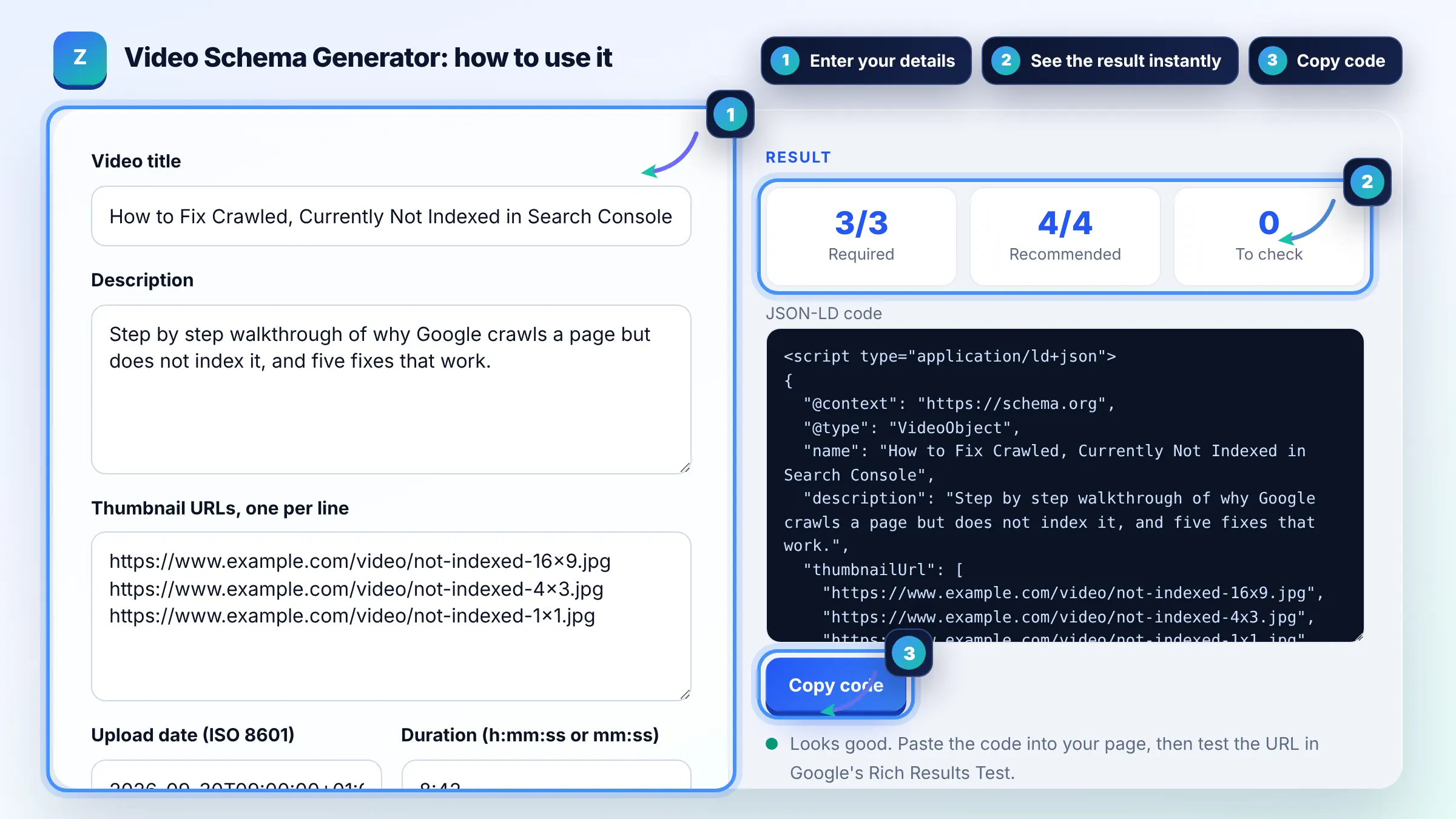
Google requires three properties: name, thumbnailUrl and uploadDate. It recommends contentUrl, embedUrl, description, duration and others such as interactionStatistic. See Google's video structured data guide for the full list.
Use an ISO 8601 duration such as PT8M42S for 8 minutes 42 seconds or PT1H5M for 1 hour 5 minutes. A common mistake is P10M, which means 10 months, not 10 minutes. This tool converts mm:ss for you.
contentUrl points to the actual video file, such as an .mp4, and Google says it is the preferred way to fetch the video. embedUrl points to the player, such as a YouTube embed URL. Include both when you can.
| Property | Status | Example |
|---|---|---|
| name | Required | How to Fix Crawled, Currently Not Indexed |
| thumbnailUrl | Required | One or more image URLs |
| uploadDate | Required | 2026-09-30T09:00:00+01:00 |
| duration | Recommended | PT8M42S |
| contentUrl / embedUrl | Recommended | .mp4 file or player URL |
Example: an 8:42 tutorial uploaded on 2026-09-30 at 09:00 UK time with three thumbnails, an MP4 file and a YouTube embed. The tool outputs VideoObject JSON-LD with duration PT8M42S and a WatchAction count of 1530, meeting all 3 required checks.
Google can often understand embedded YouTube videos without markup, but adding VideoObject on your own page gives it the title, description and dates directly. It is most useful when the video is the main content of the page.
Use a unique thumbnail image for each video that Google can crawl. Google's examples provide 1x1, 4x3 and 16x9 versions. Avoid reusing one generic image across many videos.
Without timezone information Google uses the timezone of Googlebot, which can shift the date by several hours. Write uploadDate like 2026-09-30T09:00:00+01:00 so the date and time stay accurate for every searcher.
Yes, possibly. You can add Clip markup with hasPart to label segments, or use SeekToAction to let Google detect them. Valid markup makes a video eligible, but Google decides what to show.
Only if the video will stop being available on a known date, such as a limited time stream. Leave expires out for videos that stay online, otherwise Google may stop showing them after that date.
Test the page with the Rich Results Test, then use the Video indexing report in Search Console. It lists videos found and reasons for any that were not indexed, such as the video not being the main content.
Facts checked against these official pages. Read how I check facts in my editorial policy.
An article schema generator is a tool that writes schema.org Article structured data in JSON-LD. It collects…
A YouTube title length checker is a tool that counts the characters in a video title and compares them with…
A YouTube description length checker is a tool that counts the characters in a video description against the…
Send your website and I will check it for you, free.
One short email when something new goes live: articles, free SEO tools, package updates, discounts and price alerts. No spam, unsubscribe in one click.