
E-commerce SEO
Out of Stock Products SEO: 7 Ways to Keep Your Rankings
A sold out product does not have to lose its rankings. Here is how to decide what each page should do.
Read articleShopify creates several URLs for the same product. Here is what that means for SEO and which fixes are worth your time.
This guide explains where Shopify duplicate content comes from, what Shopify’s automatic canonical tags already handle, and the small theme change that stops your store sending mixed signals about its product URLs.
Shopify duplicate content mostly comes from collection-aware product URLs such as /collections/name/products/item, which show the same product as /products/item. Shopify adds canonical tags automatically, so it is rarely a crisis, but linking to the /products/ URL in your theme gives Google one consistent signal.
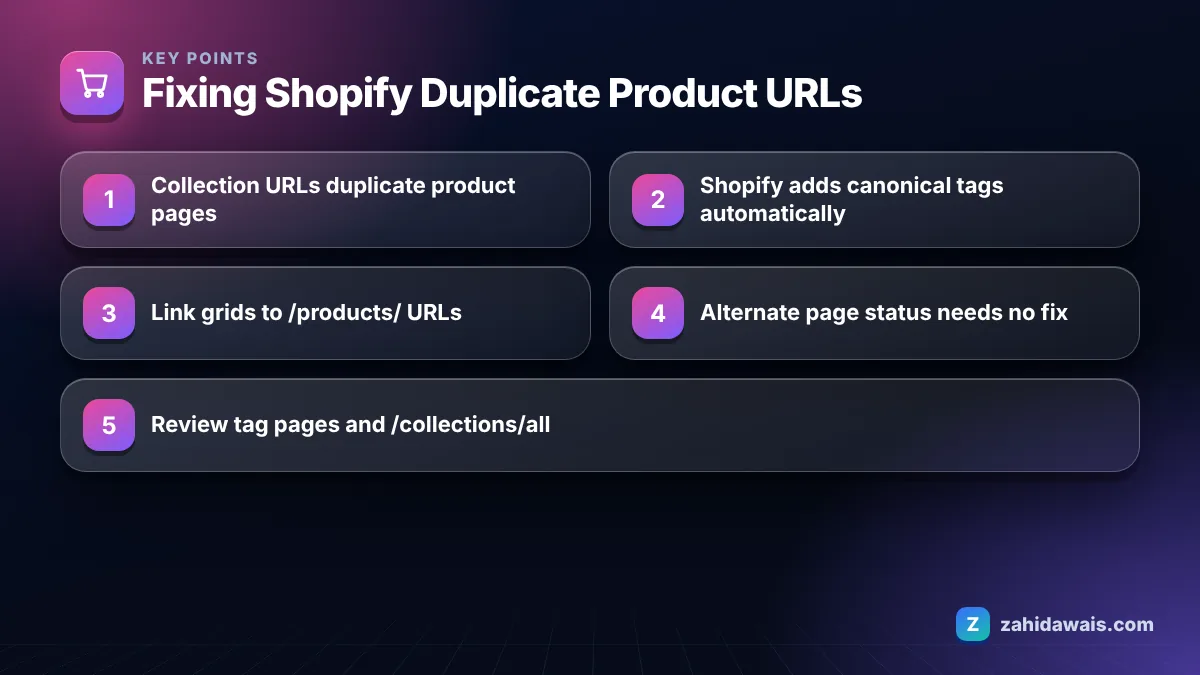
Shopify creates duplicate product URLs because a product can be shown “in the context of” a collection, which produces a second address for the same page. The main URL is /products/blue-linen-shirt, and the collection version is /collections/summer-shirts/products/blue-linen-shirt.
Shopify’s developer documentation for the Liquid within filter describes exactly this: the filter builds a product URL inside a collection, and the documentation itself warns that a standard product page and a product page in the context of a collection have the same content on separate URLs, so you should consider the SEO implications before using it.
A product that sits in five collections can therefore have six crawlable URLs. Multiply that across a catalog of a few thousand products and Google can find many more product URLs than you actually have products.
Other common sources of duplication on Shopify stores include:
Shopify handles most duplicates by adding a canonical tag automatically. The Shopify Help Center SEO overview says auto-generated canonical tags are added to pages to prevent duplicate content from appearing in search results. On collection-aware product URLs, you can confirm in the page source that the canonical normally points to the main /products/ URL.
A canonical tag is a strong signal but not a command. Google’s documentation on specifying a canonical URL lists redirects and rel=”canonical” as strong signals and sitemaps as a weak one, and it recommends using these signals consistently. When your theme’s internal links all point to the collection version while the canonical points to the /products/ version, the signals disagree. Google may still pick the right URL, but it has to crawl more URLs to work that out.
The good news is that Shopify’s automatically generated sitemap lists the main /products/ URLs, not the collection versions, so two of your three signals already agree. The theme links are usually the odd one out. That is why the fix in the next sections focuses on links rather than on canonical tags or the sitemap.
It is also worth checking any apps that add their own links to products, such as recently viewed, upsell or recommendation widgets. Some of these build URLs with collection context or tracking parameters, which recreates the duplicates you removed from the main grid.
You usually do not need to fix “Alternate page with proper canonical tag” in Shopify, because it means Google found a duplicate URL, saw the canonical tag and indexed the canonical page instead. Google’s Search Console help describes this status as one where there is nothing you need to do.
Collection product URLs, variant URLs and parameter URLs commonly show up under this status on Shopify stores. Check two things and then move on:
If both are true, the report is working as designed. My full guide to alternate page with proper canonical tag covers the less common cases where Google picks a different canonical than you intended.
Yes, in most stores the product links inside collection grids should point to the clean /products/ URL. That makes your internal links, canonical tags and sitemap all agree on one address per product, which is the consistency Google’s canonical documentation recommends.
In older and some custom themes, the product card snippet builds the link with something like {{ product.url | within: collection }}. Changing it to {{ product.url }} makes every collection grid link to the main product URL. Many newer themes already do this, so check before you edit.
The trade-off: breadcrumbs that rely on collection context may show a generic path after the change. For most stores the cleaner link structure is worth it, and a breadcrumb app or custom code can restore context if needed.
Not every duplicate URL type needs work. This reference table sums up what I recommend in Shopify audits.
| URL pattern | Example | Shopify default | Action |
|---|---|---|---|
| Collection product URL | /collections/sale/products/item | Canonical to /products/item | Change theme links to /products/ |
| Variant parameter | /products/item?variant=123 | Canonical to /products/item | No action in most stores |
| Tag filtered collection | /collections/shirts/linen | Often its own canonical | Review: build real collections for valuable tags |
| Sort and filter parameters | /collections/shirts?sort_by=price | Handled by default robots.txt rules in many stores | Check your robots.txt.liquid before editing |
| /collections/all | /collections/all | Indexable listing | Leave, or noindex if it competes with real collections |
| Pagination | /collections/shirts?page=2 | Separate URLs | Keep crawlable so all products are linked |
Tag pages deserve a closer look than the other rows. Merchants often add dozens of tags for internal organisation, and each tag silently creates a filtered collection URL with a thin product set and a generic title. In audits I usually find a handful of tags that match real searches, such as a material or style, and many that do not. Promote the useful ones to proper collections with their own title and intro, and stop linking to the rest from your navigation and filters.
Before changing anything in robots.txt, read the default rules your store already ships with. Shopify’s defaults block a range of low value paths, and removing them by accident can open up far more duplicates than you started with.
A clothing store has 900 products, and each product sits in an average of four collections. With collection-aware links, Google can discover up to 900 x 4 = 3,600 collection product URLs plus 900 main URLs, so 4,500 product addresses for 900 products, before variant parameters.
After the theme edit, every grid links to /products/ URLs. The collection versions still exist and still canonicalise correctly, but nothing on the site links to them any more, so Google has far less reason to crawl them. Over the following weeks, crawl activity concentrates on the 900 real product URLs, and the number of collection product URLs in “Alternate page with proper canonical tag” stops growing.
Fixes like this are quick, but they are only one part of Shopify SEO. If your store also has thin collections, weak product copy or tag pages competing with collections, my e-commerce SEO service covers the whole picture, and the SEO for e-commerce stores page explains how I work with Shopify and fashion brands.
No. Duplicate URLs created by the platform are a normal technical situation, not spam. Google usually picks one version to show and treats the rest as alternates. The cost is wasted crawling and mixed signals, which the theme link fix and consistent canonicals address.
Shopify generates those URLs as part of the platform, so you cannot simply delete them. You can stop linking to them in your theme. Once nothing links to them, Google rarely discovers or crawls them, and the canonical tag covers any that are found.
Usually not. The default canonical points to the main product URL, which is what most stores want. Edit it only if you have a specific reason, such as a custom setup, and test carefully, because a broken canonical can cause far bigger problems than the duplicates.
Variant URLs with a variant parameter show the same product page with a different option preselected, and by default they canonicalise to the main product URL. For most stores no action is needed. Separate products are only worth creating when a variant has its own distinct search demand.
It depends. Tag pages that duplicate a collection with a thin product set are often better noindexed or replaced with a proper collection. Tag pages that match real searches can be turned into real collections with their own title, description and links.
Shopify lets you customise robots.txt through a robots.txt.liquid template, but its default rules already block many low value URLs. Edit only with a clear reason, keep the default rules unless you know why they should change, and test URLs before and after publishing.
Facts checked against these official pages. Read how I check facts in my editorial policy.
A sold out product does not have to lose its rankings. Here is how to decide what each page should do.
Read article
Category pages often target the biggest keywords in a store. Here is how to give them content and structure that earns rankings.
Read article
Product pages rarely earn links on their own. Stores win links with guides, gift lists, suppliers, creators and PR. Here are nine methods and where to point the links.
Read articleSend your website and I will reply with a free audit.