E-commerce SEO
Shopify Duplicate Content: How to Fix Collection Product URLs
Shopify creates several URLs for the same product. Here is what that means for SEO and which fixes are worth your time.
Read articleA sold out product does not have to lose its rankings. Here is how to decide what each page should do.
This guide gives you a clear decision process for out of stock products SEO, so a temporary stockout never costs you the rankings and links a product page has earned.
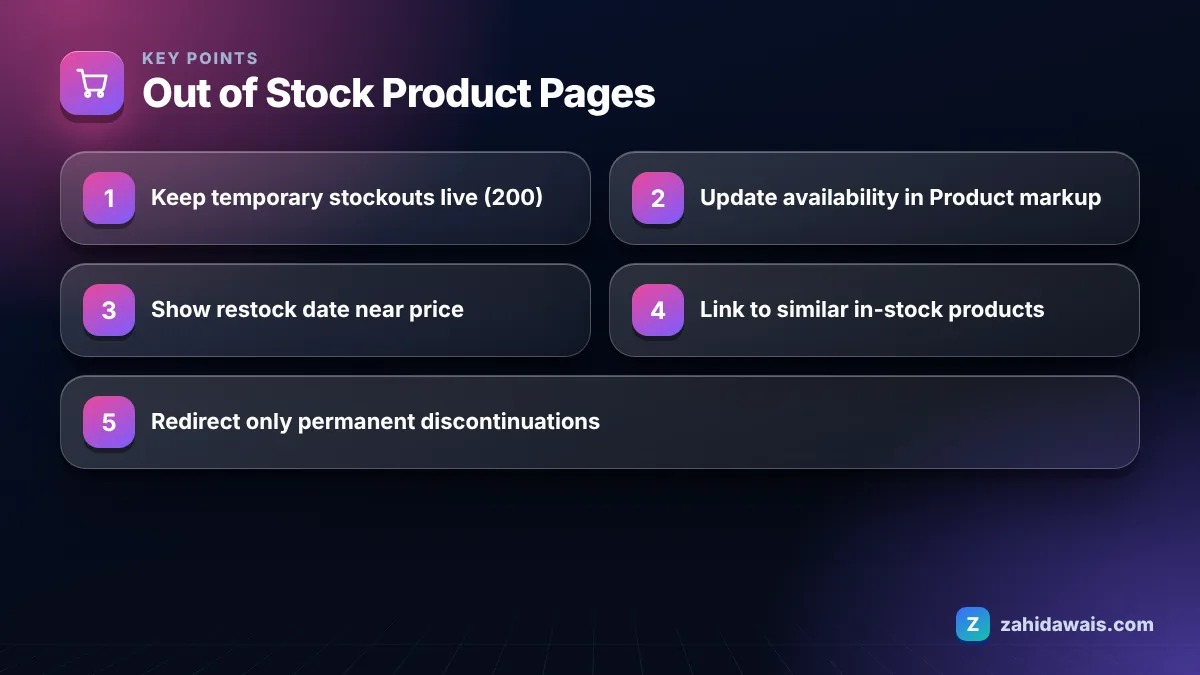
For out of stock products SEO, keep temporarily unavailable pages live with a 200 status, show the stock status clearly, update the availability value in your Product markup, and link to close alternatives. Only redirect or remove a page when the product is gone for good and will not return.
No, not if the product is coming back. A page that ranks today has earned its position through content, internal links and often backlinks, and deleting it throws all of that away for a problem that may last two weeks.
The right question is not “is it in stock?” but “will it be in stock again, and does anything better exist for this searcher?” In my client orders I often see stores that auto-unpublish products the moment inventory hits zero. When the stock returns, the URL has to be rediscovered and the page starts from a weaker position.
Keep the page published, keep it in your XML sitemap, and change what the page says instead of whether it exists.
A single out of stock product does not hurt your SEO by itself; the damage comes from how the page behaves for visitors. A page with no stock message, a dead add to cart button and no alternatives frustrates people, and a catalog full of such pages makes the whole store feel neglected.
Google’s ecommerce SEO documentation keeps returning to one principle: build pages that are useful to shoppers. An out of stock page can still be useful if it answers three questions quickly:
If the page answers those, it keeps serving the searcher, and that is what protects its value.
The real SEO harm usually comes from the reaction to a stockout, not the stockout itself. Unpublishing returns a 404, a hasty redirect sends visitors to a page they did not ask for, and a noindex tag pulls the URL out of results. Each of these can undo months of work in a day, while a well built out of stock page simply waits for the stock to return.
No, a temporarily out of stock product should not be noindexed, because noindex removes the page from search results and you will need Google to recrawl it before it can come back. That is slow and unnecessary for a short stockout.
Google’s guide to blocking indexing with noindex notes that Google only sees a noindex change after it recrawls the page, and recrawl timing depends on how important the page is. So switching noindex on and off as stock changes creates lag in both directions. Noindex makes sense for thin pages that never had search value, such as an empty category, not for a product page you want to rank again next month.
The best action depends on how long the product will be unavailable and whether a true replacement exists. I use this table with clients when we audit catalogs with many sold out items.
| Situation | Page status | Markup availability | What to add on page |
|---|---|---|---|
| Restock expected within weeks | Keep live (200) | OutOfStock or BackOrder | Restock date, email alert, alternatives |
| Seasonal item returning next year | Keep live (200) | OutOfStock | Season note, related in-stock items |
| Pre-order open for new batch | Keep live (200) | PreOrder | Expected ship date, pre-order button |
| Discontinued, direct successor exists | 301 to successor | Not applicable | Successor page explains the change |
| Discontinued, page has links or steady traffic | Keep live (200) | Discontinued | Clear notice plus best alternatives |
| Discontinued, no traffic, no links, no successor | 404 or 410 | Not applicable | Helpful 404 page with search and categories |
The availability values in the table come from Google’s merchant listing structured data guide, which lists values such as InStock, OutOfStock, BackOrder, PreOrder, SoldOut and Discontinued, and says you should not specify more than one.
These seven steps keep an out of stock page useful to people and accurate for search engines.
Step five is where most stores leave value on the table. If your product templates lack a related products block, that is a job for your on-page SEO setup rather than a one-off fix.
Picture a home goods store with 1,200 products where 140 show as out of stock. A quick sort by restock date splits them into three groups: 95 with stock arriving within 30 days, 30 seasonal items, and 15 that the supplier has discontinued.
The 95 and the 30 stay live with OutOfStock markup, a restock note and a related products block. Of the 15 discontinued items, 6 have a newer model, so they get a 301 to the successor. 4 have backlinks or steady visits, so they stay live with Discontinued availability and alternatives. The last 5 have no links and no visits in a year, so they return a 404. Only 11 URLs change status, and none of the 125 temporary stockouts lose their place.
On most platforms the default behaviour already keeps the URL live; the risk comes from apps, plugins or settings that hide sold out products. Check the following before trusting the defaults:
Mismatched availability between the page, the markup and the feed is one of the most common problems I find. If you want a second pair of eyes on a large catalog, my e-commerce SEO service includes a stock status and markup audit, and the free SEO audit checklist covers the basics you can check yourself.
Finally, keep an eye on the Page indexing report. If product pages that are clearly sold out start appearing under soft 404, the page probably looks empty to Google; my guide to the soft 404 error explains how to make such pages substantial again.
There is no fixed limit from Google. Keep the page live while a restock is realistic. When a product has been unavailable for several months with no supplier date, treat it as discontinued and choose between a redirect to a successor, keeping it live with alternatives, or a 404.
Yes, if the page is live and you want it indexed. A sitemap should list the canonical URLs you want in search. Remove a URL only when it redirects or returns a 404, so the sitemap keeps matching what your server actually returns.
For a temporary stockout it is usually a poor choice, because the visitor wanted that specific product and the page will be needed again soon. Category redirects are better kept for permanently removed products with no close successor, and even then a helpful 404 can be the cleaner option.
Use OutOfStock for an item that is temporarily unavailable, BackOrder when customers can order now for later delivery, PreOrder before release, and Discontinued for a product that will not return. Google lists these values in its merchant listing documentation and asks for only one per offer.
Yes. A product page can keep ranking while sold out, especially if it clearly states availability and offers alternatives. Visitors who land on it can sign up for alerts or buy a similar item, so the page keeps earning value during the stockout.
Hiding them completely removes internal links and can make the pages harder to discover. A safer approach is to keep them listed but sort them lower, so in-stock items appear first while the sold out pages remain linked and crawlable.
Facts checked against these official pages. Read how I check facts in my editorial policy.
Shopify creates several URLs for the same product. Here is what that means for SEO and which fixes are worth your time.
Read article
Category pages often target the biggest keywords in a store. Here is how to give them content and structure that earns rankings.
Read article
Product pages rarely earn links on their own. Stores win links with guides, gift lists, suppliers, creators and PR. Here are nine methods and where to point the links.
Read articleSend your website and I will reply with a free audit.