AI Citation Tracker
Logs your manual AI prompt tests and shows brand mention and citation rates over time.
Enter mentions, citations, impressions or rankings for you and your competitors and see each brand's share of voice, with the formula behind every number.
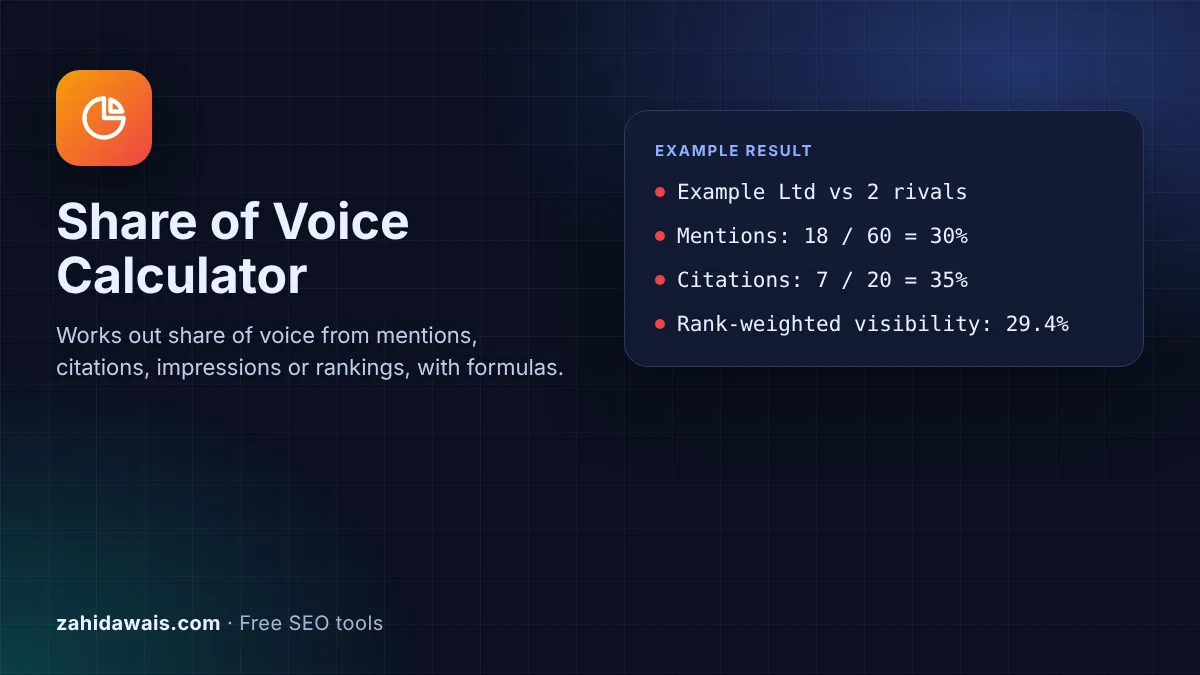
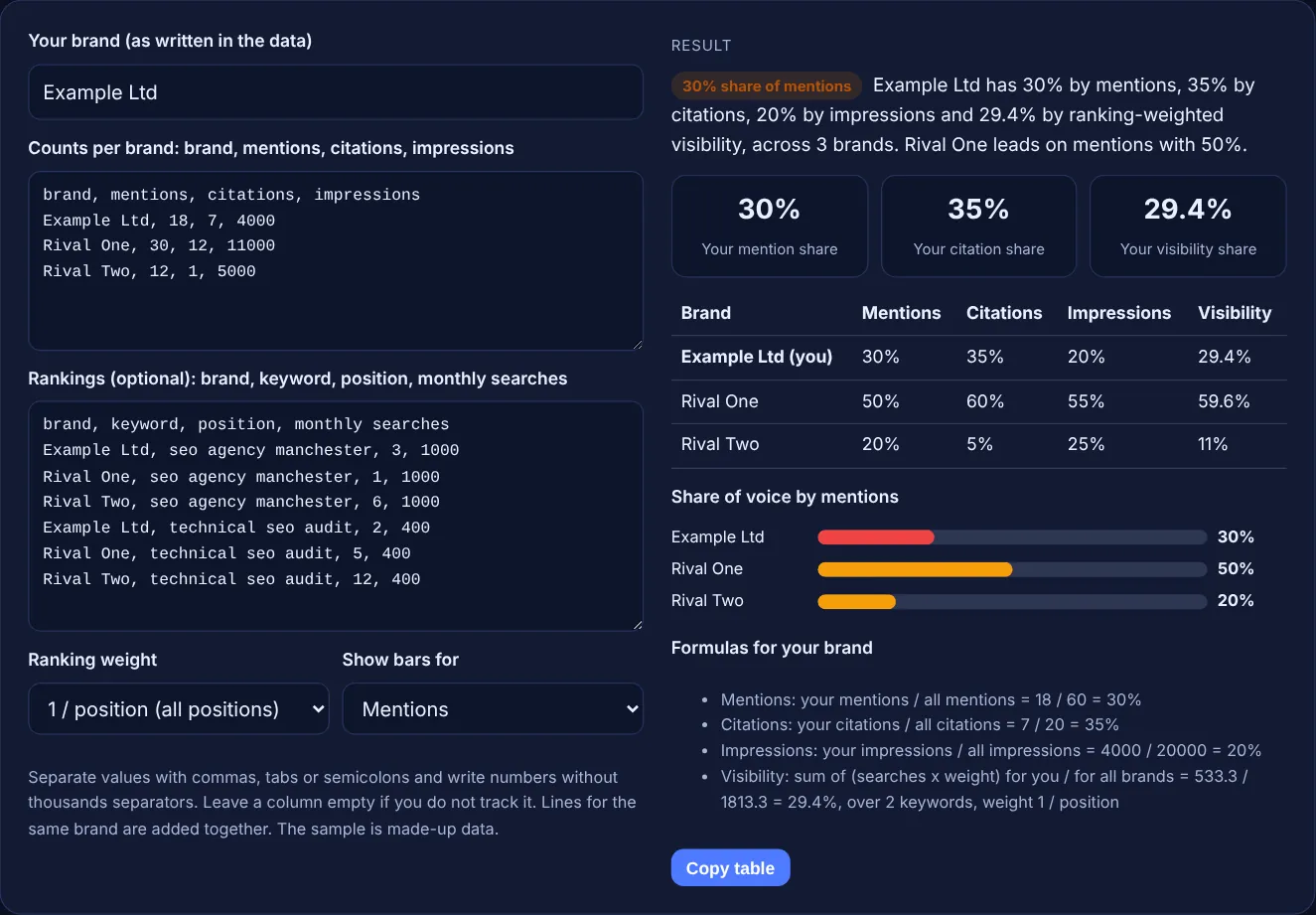
The free share of voice calculator compares your brand with competitors using four methods: mentions, citations in AI answers, impressions and ranking-weighted visibility. It shows each brand's share in a table and bar chart, with the formula for every number, and runs in your browser.
Share of voice is your part of the total attention in a market: your mentions, citations, impressions or weighted rankings divided by the total for you and the competitors you track. Use mentions and citations for AI answers, and impressions or ranking-weighted visibility for classic search. Always compare the same set of brands and queries.
Share of voice is the percentage of all visibility in a defined set of queries or answers that belongs to your brand. The formula is always the same: your number divided by the total for every brand you track. What changes is the number you count. For AI answers it is usually how often each brand is named or cited; for search results it is impressions or a visibility score built from rankings.
The total only includes the brands you list, so share of voice is relative. If you add a fourth competitor, every share goes down. Pick your competitors and your prompt or keyword set once, write them down, and keep them fixed when you compare months. The calculator shows all four methods side by side so you can see where the methods agree and where they do not.
Use the method that matches where your customers look. For AI assistants, count mentions and citations from a fixed prompt list, logged with the AI citation tracker. For Google and Bing results, use impressions if you have them for every brand, or ranking-weighted visibility if you only have rankings from a rank tracker. Mentions show whether AI tools know you; citations show whether they trust your pages enough to link them. When the methods disagree, for example many mentions but few citations, that gap is the thing to work on.
Ranking-weighted visibility gives each keyword a score of monthly searches multiplied by a weight for the position, then adds the scores per brand. Position follows the usual search meaning: Google's Search Console help defines it as "a relative ranking of the position of your link on Google, where 1 is the topmost position". The weights here are simple, transparent models, 1 divided by position or a straight line over the top 10. They are not real click-through rates, so use the result to compare brands, not to forecast traffic.
Run the same prompts in each AI tool, count how many times each brand is named and linked, and divide each brand's count by the total. Bing Webmaster Tools now reports a related number for Copilot and Bing AI answers: its Citation Share is "the percentage of citations attributed to your site out of all citations shown". Bing calls it an observational metric, "not a ranking system or a competitive scoreboard", and it does not name competitors. Your own log fills that gap.
| Method | Formula | Where the data comes from | Best for |
|---|---|---|---|
| Mentions | Your mentions / all brands' mentions | Your manual log of AI answers or other channels | AI answers, PR, social |
| Citations | Your linked citations / all citations | Your manual log of AI answers | AI search and assistants |
| Impressions | Your impressions / all brands' impressions | Search Console for your site; estimates for rivals | Classic search, ads |
| Ranking-weighted visibility | Sum of searches x position weight, yours / everyone's | A rank tracker or manual checks | Classic search on a keyword set |
Example: Example Ltd, a made-up Manchester agency, compares itself with two made-up rivals. In the counts box it has 18 of 60 mentions, 30%, and 7 of 20 citations, 35%, while Rival One leads mentions with 50%. Its impressions are 4000 of 20000, 20%. For rankings on two keywords with the 1 / position weight, its score is 1000 / 3 + 400 / 2 = 533.3 out of 1813.3 for all three brands, a visibility share of 29.4%. Rival One has 59.6%.
No. Share of voice is a reporting metric that you calculate yourself to compare brands. Search engines do not use it. It is useful because it shows progress against competitors, which raw traffic numbers cannot show on their own.
Include the three to five brands that most often appear for your main prompts or keywords. More brands make every share smaller and the chart harder to read. Keep the same list every month, or the numbers will not be comparable.
You cannot see a competitor's Search Console data. Use estimates from the same third party tool for every brand, or switch to ranking-weighted visibility, which only needs positions that anyone can check. Do not mix real and estimated numbers.
Because share of voice is relative to the total of the brands you list. Adding a brand adds to the total, so every existing share falls, even though nothing changed in the results. Fix the brand list before comparing periods.
There is no universal target. A useful check is whether your share of AI mentions or visibility is close to your share of the market, and whether it grows over time. Compare yourself with your own past results first.
No. The calculator runs entirely in your browser with JavaScript and does not store what you type. Use Copy table to paste the results into a spreadsheet or report if you want to keep them.
Checked 23 Oct 2026. Facts checked against these official pages. Read how I check facts in my editorial policy.
Logs your manual AI prompt tests and shows brand mention and citation rates over time.
Builds Google search strings to find unlinked brand mentions, reviews and citations.
An AI referral regex generator is a tool that writes one regular expression matching the referral hostnames…
Send your website and I will check it for you, free.
One short email when something new goes live: articles, free SEO tools, package updates, discounts and price alerts. No spam, unsubscribe in one click.