Share of Voice Calculator
Works out share of voice from mentions, citations, impressions or rankings, with formulas.
Log what ChatGPT, Perplexity, Gemini, Google AI Mode and Copilot say when you test your prompts, then see how often your brand is named and linked.
This tool does not query any AI engine. You run each prompt yourself and log what you saw. The sample is made-up data for Example Ltd. Nothing is uploaded.
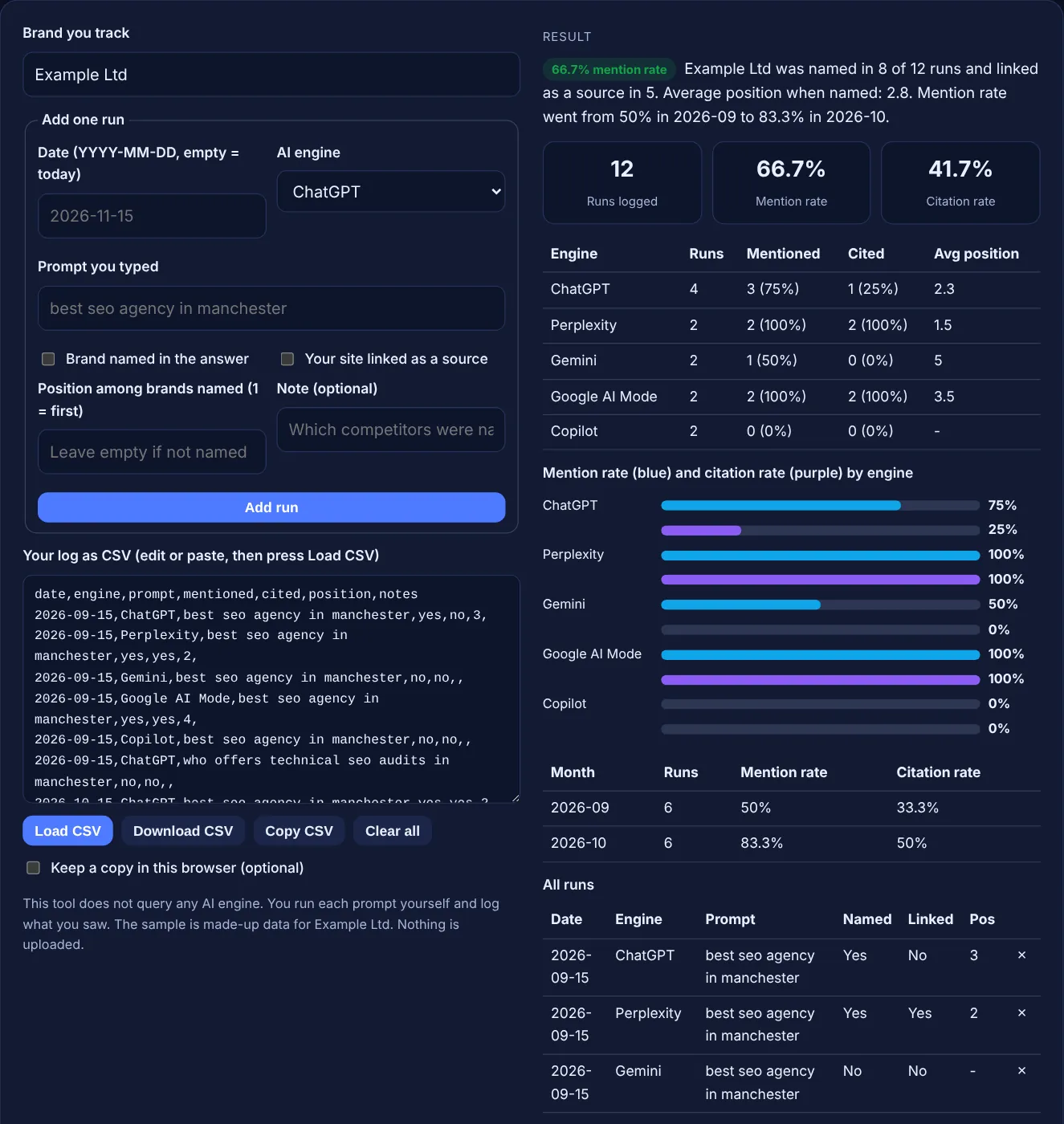
| Engine | Runs | Mentioned | Cited | Avg position |
|---|
| Month | Runs | Mention rate | Citation rate |
|---|
| Date | Engine | Prompt | Named | Linked | Pos | Delete |
|---|
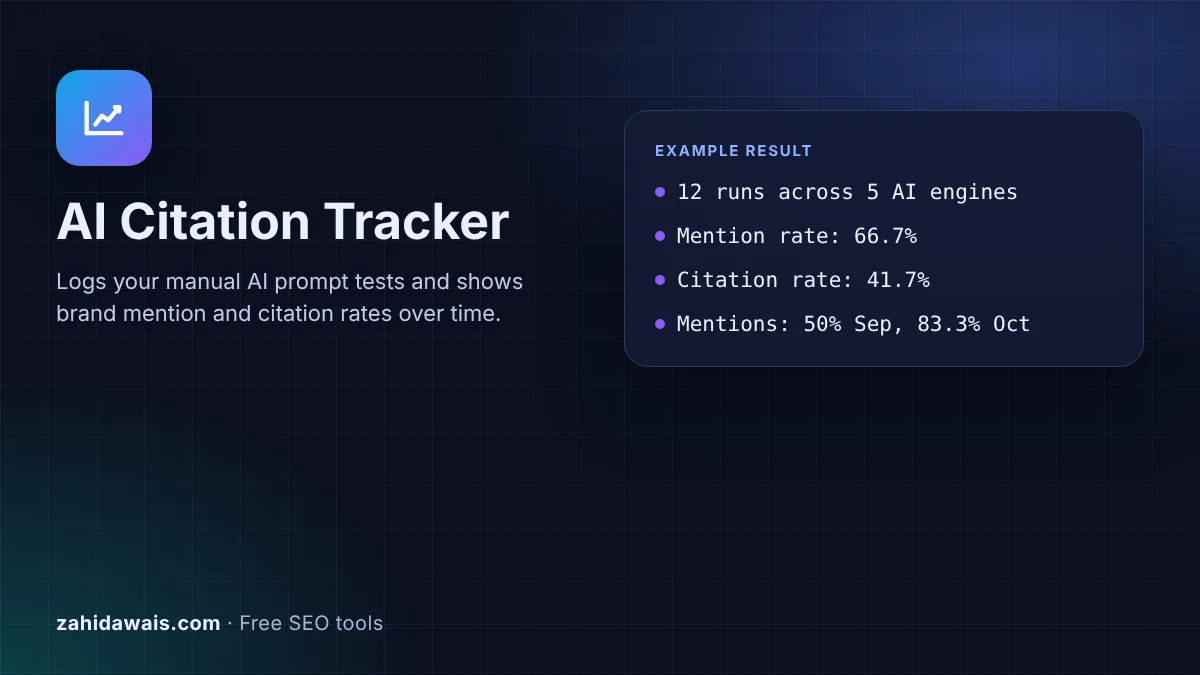
The free AI citation tracker is a simple log for the prompts you test by hand in ChatGPT, Perplexity, Gemini, Google AI Mode and Copilot. For each run you record whether your brand was named, whether your site was linked and in what position, and the tool works out your mention and citation rates.
An AI citation tracker is a log of AI answers you check by hand. For each prompt and engine you record whether your brand was named, whether your site was linked as a source and its position. Mention rate is runs naming you divided by all runs; citation rate is runs linking you divided by all runs.
An AI citation tracker is a structured record of what AI assistants and AI search features say when you ask them the questions your customers ask. Each row is one run: a date, an engine, the exact prompt, whether your brand was mentioned, whether your site was cited with a link, and where you appeared among the brands named. Over a few months the rows show whether your visibility in AI answers is growing.
This tracker does not query any AI engine, and it cannot. You type each prompt yourself and log the answer. That is slower than an automated service, but you see exactly what a real user sees, and you keep the full record. The log stays in your browser memory; download the CSV after each session, or tick the box to keep a copy in this browser.
A mention is when the answer names your brand in its text; a citation is when the answer links to a page on your site as a source. You can get one without the other. An answer may recommend you without linking you, or link your guide while recommending a competitor. AI tools show sources in their own ways: OpenAI says ChatGPT responses that use search "will contain inline citations", and Perplexity says "each answer includes numbered citations linking to the original sources". Log both, because they answer different questions: do AI tools know you, and do they trust your pages.
AI answers change because the systems behind them choose different sources and wording each time. Google says that in its own products, "AI Mode and AI Overviews may use different models and techniques, so the set of responses and links they show will vary", in its guide to AI features and your website. ChatGPT decides by itself whether to search the web for a question. That is why a single check proves little. Repeat the same prompts on a fixed schedule and judge the rate over many runs, not one answer.
Yes, for their own AI features. Search Console has a generative AI performance report with impressions for AI Overviews and AI Mode, and Google says it rolled these insights out to all websites as of August 31, 2026. Bing Webmaster Tools has an AI Performance report covering "Microsoft Copilot, AI-generated summaries in Bing, and select partner integrations", with total citations and grounding queries. Neither report covers other assistants, so a manual log like this one fills the gap and shows competitors too.
| Column | What to enter | Example |
|---|---|---|
| date | The day you ran the prompt, as YYYY-MM-DD | 2026-10-15 |
| engine | The AI tool or feature you used | Perplexity |
| prompt | The exact words you typed, kept the same every month | best seo agency in manchester |
| mentioned | yes if the answer names your brand | yes |
| cited | yes if your site is linked as a source | no |
| position | Your place among the brands named, 1 is first; empty if not named | 2 |
| notes | Competitors named, wrong facts, anything to fix | named, no link |
Example: Example Ltd, a made-up agency in Manchester, tests two prompts in September and October 2026 across ChatGPT, Perplexity, Gemini, Google AI Mode and Copilot, 12 runs in total. The tracker shows the brand named in 8 of 12 runs, a 66.7% mention rate, and linked in 5, a 41.7% citation rate, with an average position of 2.8 when named. Perplexity and Google AI Mode named and linked it in both runs, Copilot in neither. The mention rate went from 50% in 2026-09 to 83.3% in 2026-10.
Start with 10 to 30 prompts that match real buying questions in your niche, plus a few comparison and problem questions. Fewer prompts are easier to repeat every month, and repeating them consistently matters more than tracking hundreds once.
Monthly is enough for most small businesses, and it matches how slowly most sites change. Run them in the same week each month, in new chats, so the months can be compared fairly. Run extra checks after a big content or PR push.
No. It never contacts any AI service. You run each prompt yourself and log the answer, and the tool only stores and counts your entries. That keeps it free, private and honest about what a real user saw.
Pick one setup and keep it, because personal history and settings can change answers. Many people test logged out or in a private window for a neutral view. Write the setup in the notes column so later runs match.
In your browser's memory while the page is open. Use Download CSV to save a file, and load it again next time. The optional tick box keeps a copy in this browser only. Nothing is ever sent to a server.
Position is where your brand appears among the brands or businesses the answer names, with 1 for the first. If the answer is a list, use the list number. Leave it empty when you are not named, so it does not distort the average.
Checked 23 Oct 2026. Facts checked against these official pages. Read how I check facts in my editorial policy.
Works out share of voice from mentions, citations, impressions or rankings, with formulas.
An AI referral regex generator is a tool that writes one regular expression matching the referral hostnames…
Builds Google search strings to find unlinked brand mentions, reviews and citations.
An AI bot user agent checker is a tool that scans user agent strings for the documented tokens of AI crawlers…
Send your website and I will check it for you, free.
One short email when something new goes live: articles, free SEO tools, package updates, discounts and price alerts. No spam, unsubscribe in one click.