Email Open Rate Calculator
An email open rate calculator is a tool that measures how recipients respond to a campaign. Open rate = opens…
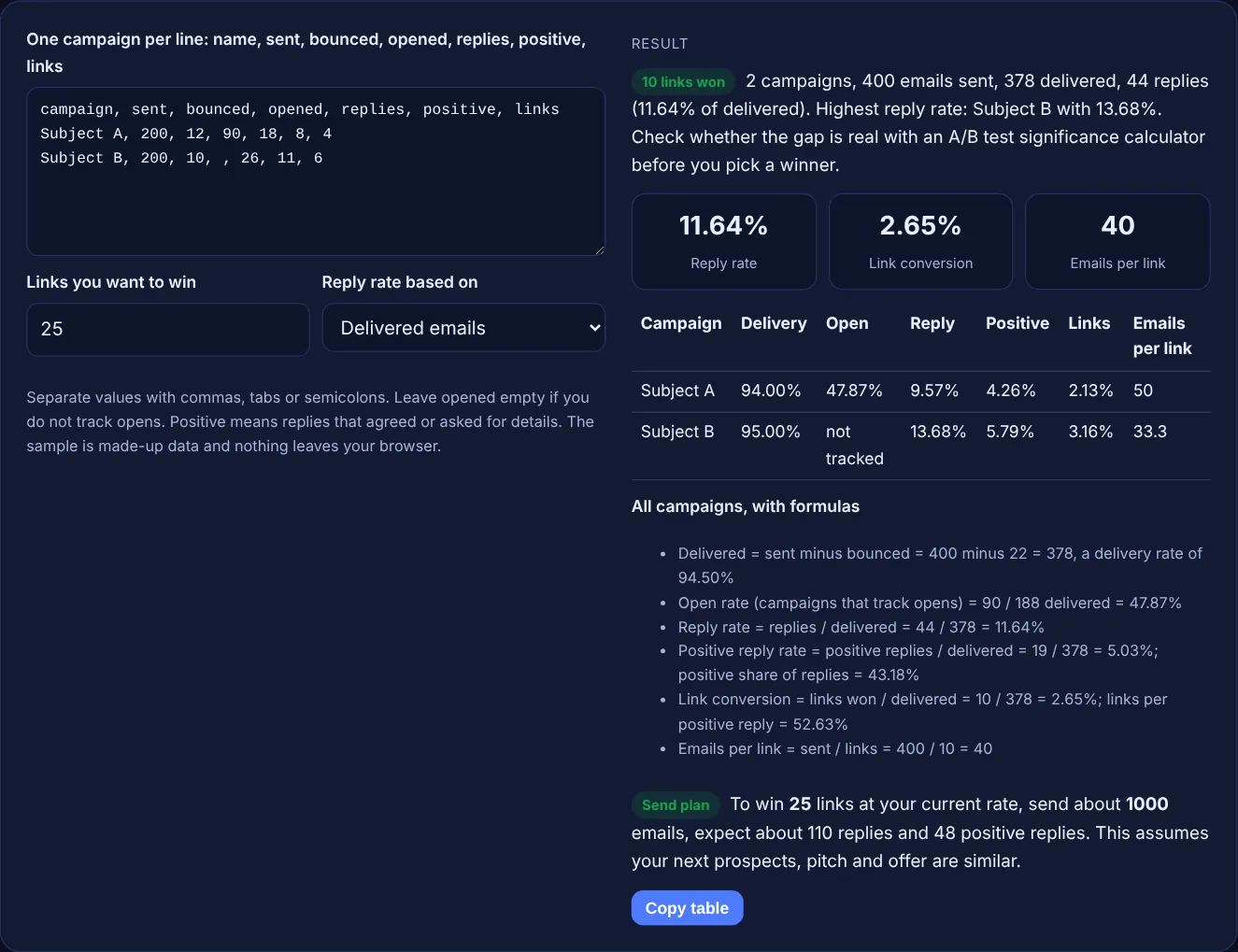
Enter what you sent, what bounced, the replies and the links you won to see each campaign's real reply rate and how many emails your next link target needs.
Separate values with commas, tabs or semicolons. Leave opened empty if you do not track opens. Positive means replies that agreed or asked for details. The sample is made-up data and nothing leaves your browser.
| Campaign | Delivery | Open | Reply | Positive | Links | Emails per link |
|---|
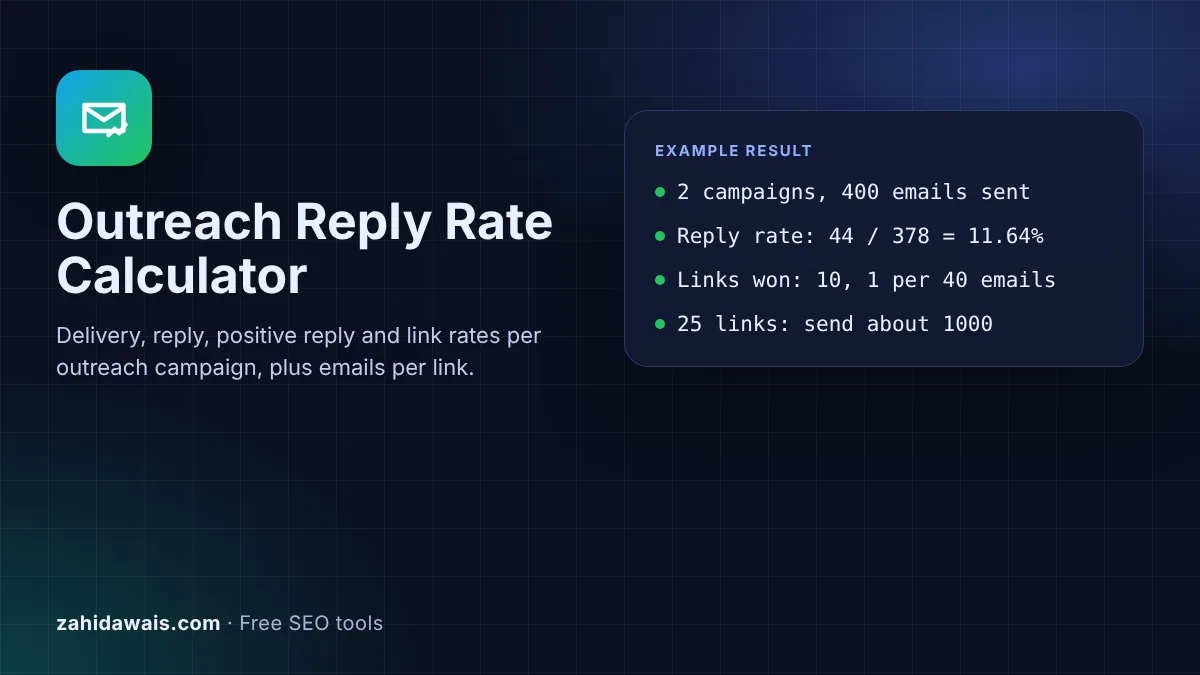
The free email reply rate calculator turns your outreach numbers into the rates that matter for link building: delivery rate, reply rate, positive reply rate, link conversion and emails needed per link. Compare campaigns side by side and get a send plan for your next link target. It runs in your browser.
Outreach reply rate is replies divided by delivered emails, where delivered means sent minus bounced. For link building, also track positive replies and links won, then divide emails sent by links won to get emails per link. That last number tells you how many emails your next link target needs.
An outreach reply rate is the share of your outreach emails that received a reply. Most outreach teams divide replies by delivered emails, not by sent emails, because a bounced email never reached a person and could not be answered. The calculator uses delivered by default and lets you switch to sent if your reports use that.
Reply rate alone can mislead in link building. A "no thanks" counts as a reply, and a pitch that annoys people can still get replies. That is why the tool also tracks positive replies, the ones that agreed or asked for details, and links won, the placements that actually went live. The number that drives your planning is emails per link: how many emails you send, on average, for one live link.
Because only delivered emails can be answered. If 12 of 200 emails bounce, the 188 that arrived are the fair base for a reply rate. Using sent emails mixes two problems, a bad prospect list and a weak pitch, into one number. Keep them apart: the delivery rate shows list quality, and the reply rate on delivered emails shows how well the pitch works. A falling delivery rate usually means old or guessed addresses, which an email permutator cannot verify on its own.
Use them with care. Open tracking relies on a tiny image loading when the email is viewed, and some mail apps load images for privacy reasons whether or not a person reads the email. Apple's Mail help says its Protect Mail Activity setting will "privately download remote content in the background when a message is received", which can make an email look opened. Replies cannot be faked that way, so judge campaigns on replies and links, and use the open rate calculator only as a rough signal.
Improve the steps in order: delivery, then replies, then positive replies, then links. Clean the list first, because bounces waste the whole email. Then test one change at a time, such as the subject line with the email subject line tester or the first line of the pitch, and send one polite follow up. Keep the offer honest: Google's spam policies list "exchanging money for links, or posts that contain links" as link spam unless the links are qualified with rel="sponsored" or rel="nofollow".
| Metric | Formula | What it tells you |
|---|---|---|
| Delivery rate | (sent minus bounced) / sent | Quality of your email list |
| Open rate | opened / delivered | Rough interest signal; privacy features can inflate it |
| Reply rate | replies / delivered | How well the pitch earns any response |
| Positive reply rate | positive replies / delivered | How many people said yes or asked for details |
| Link conversion | links won / delivered | How many emails end in a live link |
| Emails per link | sent / links won | How many emails one link costs you |
Example: two made-up versions of the same guest post pitch, each sent to 200 bloggers. Subject A had 12 bounces, 18 replies, 8 positive replies and 4 links. Subject B had 10 bounces, 26 replies, 11 positive and 6 links. Together that is 378 delivered emails and 44 replies, a reply rate of 11.64%, and 10 links, one per 40 emails sent. Subject B replied at 13.68% against 9.57%. To win 25 links at this rate, send about 1000 emails and expect about 110 replies.
There is no reliable universal number. Reply rates depend on the niche, the list, the offer and whether you follow up. The most useful benchmark is your own past campaigns, so log every campaign the same way and compare them over time.
Usually no. A bounced email never reached anyone, so most teams divide replies by delivered emails. Track bounces separately as the delivery rate, because a high bounce rate points to a list problem rather than a pitch problem.
Count replies that agree, ask for your topic ideas, send their guidelines or ask about terms. Do not count unsubscribe requests, out of office messages or polite refusals. Decide the rule before the campaign and use it every time.
No. Automatic replies are not a response to your pitch, so remove them before you count replies. Counting them makes a campaign look better than it is, especially when you send during holidays.
It assumes your next campaign performs like the ones you entered. A new niche, a different offer or a smaller list can change the rates a lot. Use it to size a prospect list, not as a promise of results.
No. The calculator runs entirely in your browser with JavaScript and does not store what you type. Press Copy table to paste the results into a spreadsheet if you want to keep a record.
Checked 23 Oct 2026. Facts checked against these official pages. Read how I check facts in my editorial policy.
An email open rate calculator is a tool that measures how recipients respond to a campaign. Open rate = opens…
An email subject line tester is a tool that scores a subject line against common deliverability and…
A follow up email generator is a template tool that writes a reply to your own unanswered outreach email. It…
Two-proportion z-test for A/B tests: p-value, confidence level and uplift with its range.
Coming 24 NovSend your website and I will check it for you, free.
One short email when something new goes live: articles, free SEO tools, package updates, discounts and price alerts. No spam, unsubscribe in one click.