Meta Tag Generator
A meta tag generator is a tool that converts plain text fields into correctly escaped HTML tags such as…
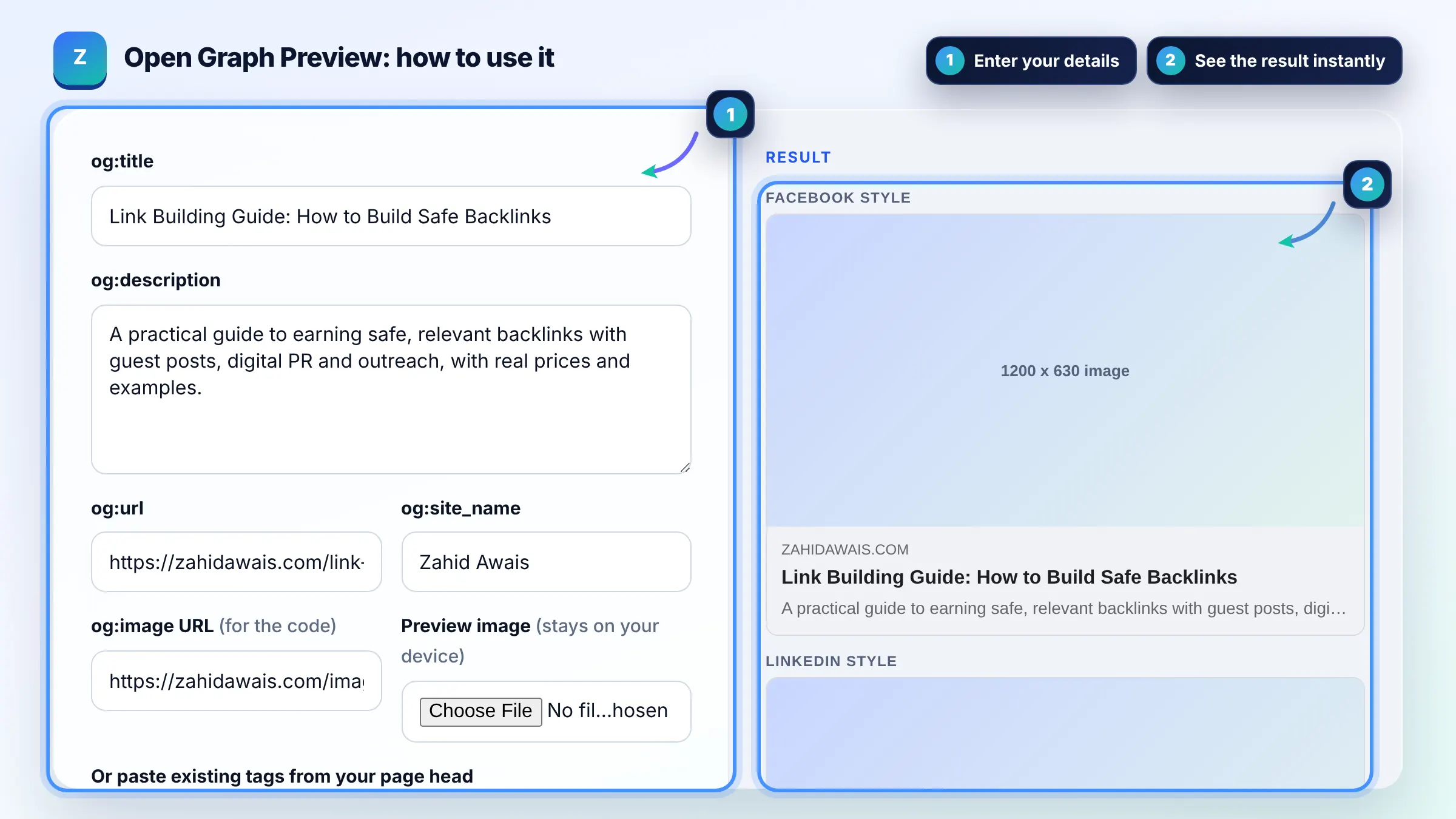
Fill in or paste your OG tags and see approximate link cards for four platforms.
Approximate preview with a generic look. Each platform crops text and images in its own way and changes its layout over time.
The free open graph preview runs in your browser, needs no sign-up and never sends what you type anywhere.
This open graph preview shows how a shared link may look on Facebook, LinkedIn, X and chat apps, using your og:title, og:description, og:url and og:image. Keep titles under about 60 characters, descriptions to one or two sentences, and use a 1200 x 630 pixel image so large cards stay sharp.
An open graph preview is a mockup of the link card social platforms build from your Open Graph meta tags. The tool reads og:title, og:description, og:url and og:image, then crops them the way typical feeds do: titles to about two lines, descriptions to one to three lines and images to roughly 1.91:1.
Four tags are required: og:title, og:type, og:image and og:url. The Open Graph protocol also recommends og:description and og:site_name, and og:image:alt whenever you set an image. Without og:image most platforms show a small text only card or no card at all.
Use 1200 x 630 pixels, a 1.91:1 ratio, as a safe default for Facebook, LinkedIn and X large cards. Smaller images may be shown as a small thumbnail instead of a full width card. Add og:image:width and og:image:height so the image can render the first time the link is shared.
Platforms cache link previews, so a changed image often keeps showing until the cache is refreshed. Facebook caches images by URL, so the fastest fix is to give the new image a new file name and then rescrape the link in the platform sharing debugger or post inspector.
| Tag | What it does | Practical length |
|---|---|---|
| og:title | Headline of the card | Up to about 60 characters |
| og:description | Supporting line under the title | 1 or 2 sentences, under about 160 characters |
| og:image | Large picture of the card | 1200 x 630 px, under a few MB |
| og:url | Canonical address that collects shares | Full https:// URL without tracking parameters |
| og:site_name | Brand name shown on some cards | Short brand name |
Example: a blog post has the og:title "Link Building Guide: How to Build Safe Backlinks" (49 characters) and a 1200 x 630 image. All four previews show the full title on one or two lines. Changing the title to an 85 character version makes the Facebook style and LinkedIn style cards cut it after the second line, so the key words must come first.
No. It is an approximate preview with a generic design. Each platform uses its own fonts, crops and layouts and changes them often, so use this tool to catch problems early and confirm the final look with each platform debugger.
No. Everything runs in your browser. The preview image is read from your own device and never sent anywhere, and pasted tags are parsed locally. The tool does not request your URL, so it cannot see tags that are not pasted in.
Platforms guess. They may use your HTML title, the first paragraph and a random image from the page, or show no image. Setting og:title, og:description, og:url and og:image gives you control over how every share of the page looks.
Not always. X falls back to og:title, og:description and og:image when twitter tags are missing, but it needs twitter:card set to summary_large_image to show a big image. Use the Twitter card generator if you want X specific tags.
It can, but it does not have to. The title tag is written for search results, while og:title is written for social feeds. Facebook suggests leaving your site name out of og:title, so a shorter, more conversational headline often works better.
Small or oddly shaped images are often shown as a square thumbnail instead of a wide card. Use an image of at least 1200 x 630 pixels with a 1.91:1 ratio and set og:image:width and og:image:height so platforms know the size in advance.
Facts checked against these official pages. Read how I check facts in my editorial policy.
A meta tag generator is a tool that converts plain text fields into correctly escaped HTML tags such as…
A Twitter card generator is a tool that writes the meta tags X uses to turn a shared link into a card with a…
Coming 10 OctAn Open Graph checker is a tool that extracts the og: meta tags social platforms use to build link previews…
Coming 11 OctSend your website and I will check it for you, free.