Referring Domain Extractor
Turns a list of URLs into unique root domains with counts, as a list or domain: lines.
Paste the referring domains of your competitors and your own site, and see which sites link to several of them but not yet to you.
Paste one domain or URL per line from your backlink tool or Search Console export. Header rows and extra CSV columns are ignored. The tool does not fetch any data; it only compares the lists you paste, in your browser.
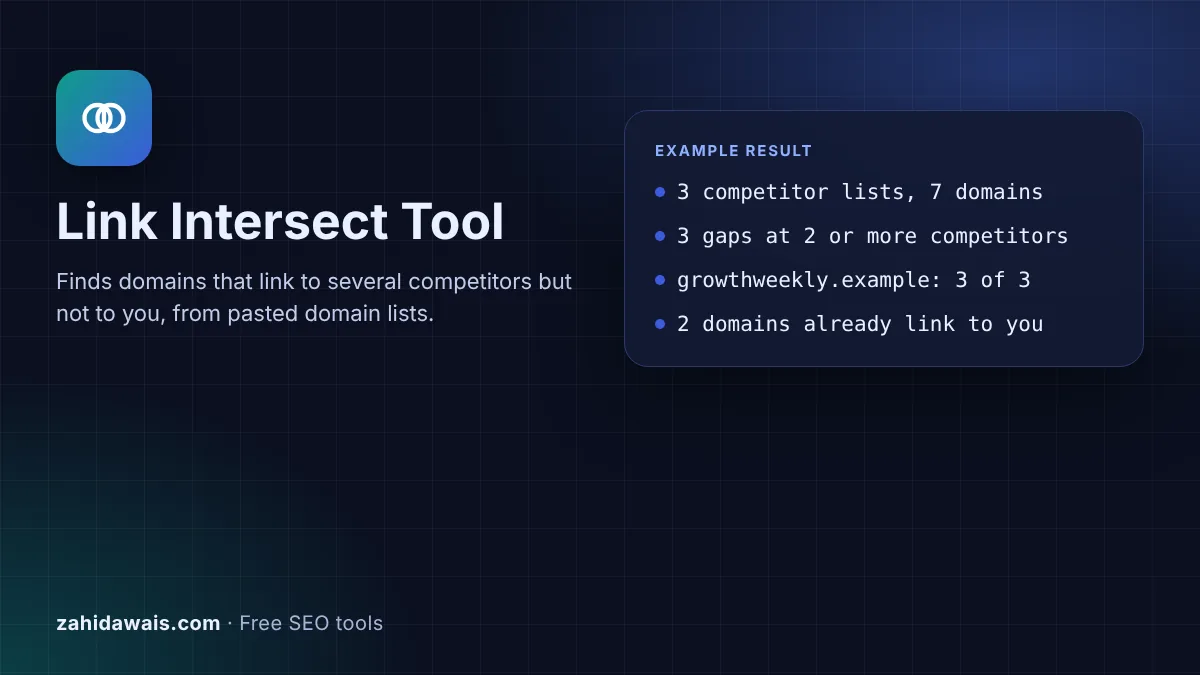
The free link intersect tool compares the referring domain lists you export for your competitors and your own site, then shows the domains that link to several competitors but not to you, with a count, a Yes or blank matrix and a CSV you can copy or download.
A link intersect tool finds websites that link to two or more of your competitors but not to your site. Sites that already link to several businesses like yours are often more open to a relevant pitch. Paste each referring domain export, set the minimum, and the tool lists the gaps. It compares lists only; it fetches nothing.
A link intersect tool compares the referring domains of several websites and reports the overlap. In link building it answers one question: which sites link to my competitors, ideally to more than one of them, but not to me? A blog that links to three agencies in your field has shown that it writes about your topic and cites businesses like yours, so it belongs near the top of an outreach list.
This version works on exports you bring. Use any backlink tool you already pay for to export each competitor's referring domains, and export your own from the Search Console Links report, where Google says sites "are shown by their root domain, with any subdomain omitted". The tool does not crawl or look anything up. It cleans each list, removes duplicates and compares them in your browser.
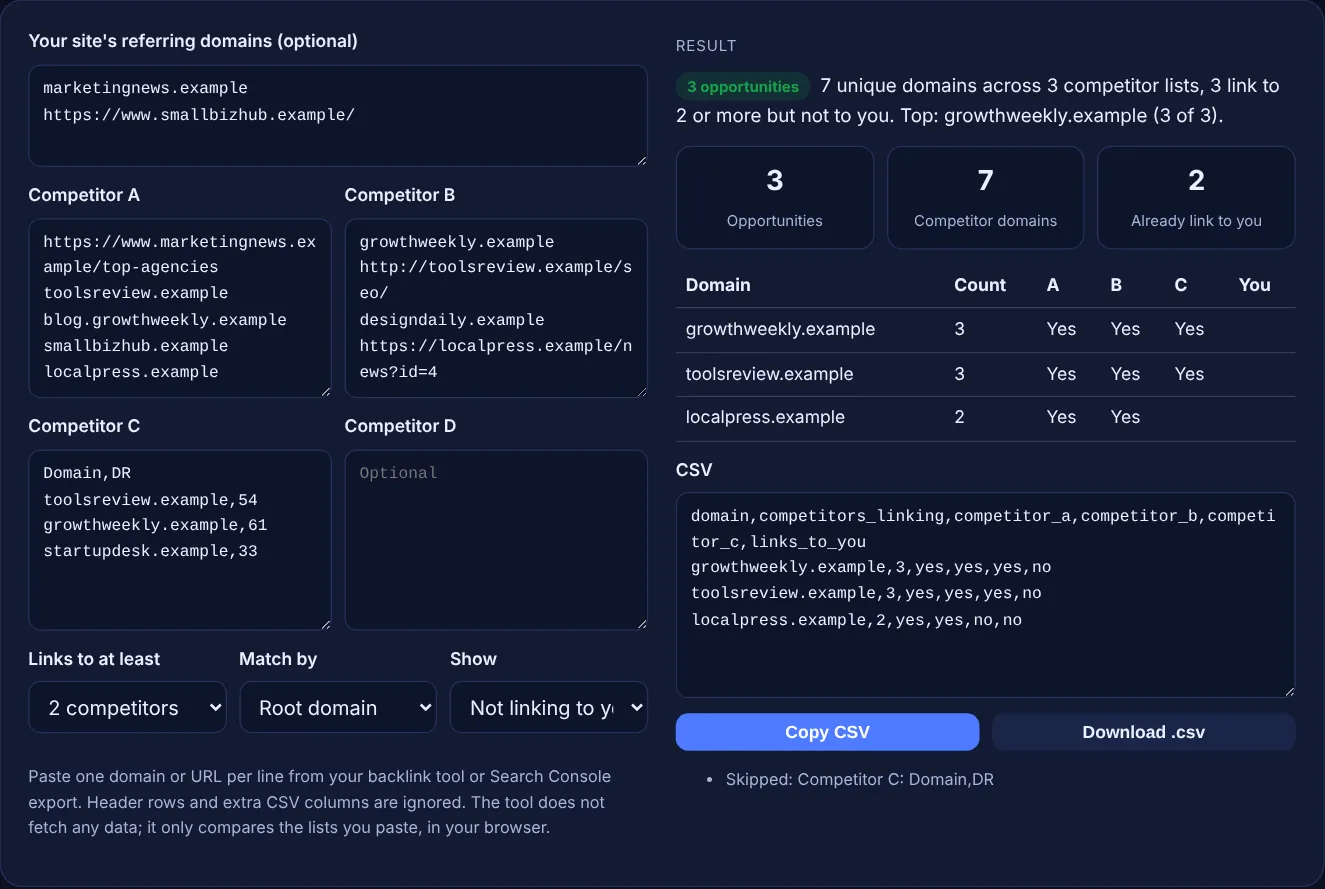
It removes the scheme, any user name, the port, the path, a trailing dot and a leading www, and it lowercases the host. A "domain:" prefix from a disavow style list is removed too. So https://www.Example.com/page, example.com and domain:example.com all become example.com and count once per list. In Root domain mode, blog.example.com also merges into example.com, and a short built in list of two part suffixes such as co.uk and com.au keeps example.co.uk whole. Host mode keeps subdomains apart.
Start with domains that link to the most competitors, then check each one by hand. Open the page that links to your competitors, confirm the site is real, on topic and still published, and find out who wrote or edits that page. Drop sites that sell links without saying so: Google's spam policies list "Buying or selling links for ranking purposes" as link spam, and paid links are only fine when "qualified with a rel="nofollow" or rel="sponsored" attribute value".
Because the tool only knows what you paste. Every backlink database crawls a different part of the web, and Google itself says the Links report "isn't a comprehensive list of every link on your site". If your own list is incomplete, some domains shown as gaps may already link to you, so check before you email. Differences in subdomain handling also matter: switch to Host mode if one root domain hosts many unrelated blogs.
| Linking to | Not linking to you | What it usually means |
|---|---|---|
| All competitors | Yes | Strong topic fit; research first |
| 2 or more competitors | Yes | Good prospect; check relevance and quality |
| 1 competitor | Yes | Possible prospect; may be a one off or paid |
| Any number | No, already links to you | Not a gap; consider a relationship instead |
| Many competitors, low quality | Yes | Directory or link list; usually skip |
Example: the default lists hold 3 competitors and your site. After cleaning, the competitor lists contain 7 unique domains; blog.growthweekly.example merges into growthweekly.example and the header row "Domain,DR" is skipped. With the minimum set to 2, the tool finds 3 opportunities: growthweekly.example and toolsreview.example link to all 3 competitors, localpress.example to 2. marketingnews.example and smallbizhub.example are left out because they already link to you, which the third counter shows as 2.
Export them from a backlink tool that covers other sites, usually as a CSV of referring domains. Search Console only shows links to sites you have verified, so use it for your own list, not for competitors.
No. It never fetches data from the web or from any backlink service. It compares the lists you paste, which keeps it free, private and fast, and means the result is only as complete as your exports.
Several thousand per box works well in a modern browser. The table shows the first 200 rows and the CSV always holds every matching domain, so copy or download the CSV for large comparisons.
Check the minimum setting first: a domain linking to only one competitor is hidden at 2. Also check the skipped lines list, and whether the domain is in your own list, because those are excluded in the default view.
No. Treat the list as a research queue. Visit each site, read the page that links to competitors, and only pitch where you have something genuinely useful for that page and its readers. Skip link farms and paid directories.
No. The comparison runs entirely in your browser with JavaScript and the CSV download is created on your device. Nothing is sent or stored, so client and competitor data stay private.
Checked 23 Oct 2026. Facts checked against these official pages. Read how I check facts in my editorial policy.
Turns a list of URLs into unique root domains with counts, as a list or domain: lines.
Summarises a backlink CSV: referring domains, anchor shares, rel split and top pages.
Lists likely email formats from a name and domain, with accents, hyphens and apostrophes handled.
A link prospecting search string generator is a tool that combines your niche keywords with known footprints…
Send your website and I will check it for you, free.
One short email when something new goes live: articles, free SEO tools, package updates, discounts and price alerts. No spam, unsubscribe in one click.