Image Alt Text Checker
An alt text checker is a tool that scans HTML for img elements and reads each alt attribute. It treats a…
Turn an image into a Base64 data URI with copy ready img and CSS code, privately.
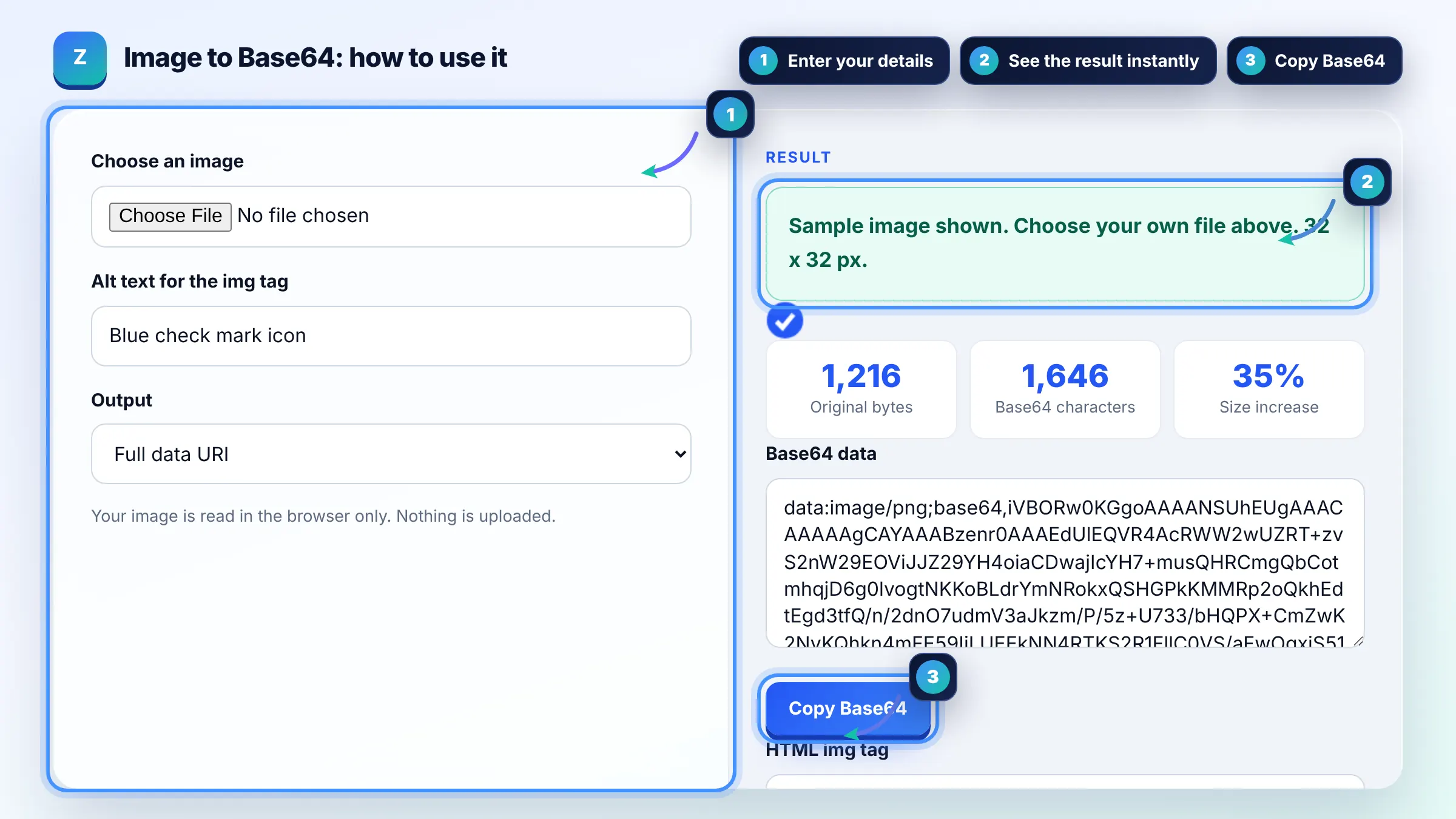
Your image is read in the browser only. Nothing is uploaded.
The free image to base64 runs in your browser, needs no sign-up and never sends what you type anywhere.
This image to Base64 converter reads your file in the browser and returns a data URI such as data:image/png;base64,iVBOR..., plus an img tag and a CSS background rule. Rule of thumb: Base64 makes files about 33 percent larger, so only inline small images such as icons under about 2 to 4 KB.
An image to Base64 converter is a tool that encodes the bytes of an image file as text using 64 safe characters. Every 3 bytes become 4 characters, and the result is prefixed with data:, the MIME type and ;base64, so browsers can use it as a URL.
Only for very small images. Base64 adds about 33 percent to the size, cannot be cached separately from the HTML or CSS that contains it, and delays rendering of that file. Inline icons of a few KB, and serve larger images as normal files.
Yes, Google's image SEO guidance says you can inline images as data URIs in an img element, but it warns this can considerably increase page size. For important images you want found in Google Images, a normal file with a descriptive file name and alt text is easier to cache and manage. See Google image SEO best practices.
Put the full data URI inside url(), for example background-image: url("data:image/png;base64,..."). Keep the quotes, and avoid inlining large images because the whole CSS file grows and blocks rendering until it downloads.
| Original file | Base64 size (approx.) | Inline it? |
|---|---|---|
| 1 KB icon | 1.4 KB | Yes |
| 4 KB logo | 5.4 KB | Maybe, if used on every page |
| 20 KB photo | 27 KB | No, use a file |
| 150 KB hero image | 200 KB | No, use a file with caching |
Example: a 2,400 byte PNG icon becomes a Base64 string of 3,200 characters, plus 22 characters for the data:image/png;base64, prefix. That is about 34 percent larger, but it saves one HTTP request, which is a fair trade for a tiny icon used above the fold.
No. The file is read with the FileReader API and encoded in your browser. Nothing is sent over the network or stored, so you can convert private screenshots or client assets safely.
Any format your browser can read as a file works, including PNG, JPEG, GIF, WebP, AVIF, SVG and ICO. The data URI keeps the original MIME type, so the image looks exactly the same as the source file.
Base64 stores 6 bits in each character, so 3 bytes of data need 4 characters. That makes the output roughly a third larger than the original file, plus a short prefix. Server compression recovers part of that overhead.
Often you do not need to. SVG is already text, so you can inline it directly in HTML or URL encode it inside CSS, which is usually smaller than Base64. Base64 is still the simplest option when a tool only accepts it.
Support varies. Some email clients block or strip data URI images, especially in Gmail and Outlook. For email, hosted image files or attached images with content IDs are more reliable than Base64 inline images.
Browsers support very long data URLs, but large strings make HTML and CSS slow to edit, parse and download. This tool warns when the file is over 10 KB, because inlining images that large usually hurts more than it helps.
Facts checked against these official pages. Read how I check facts in my editorial policy.
An alt text checker is a tool that scans HTML for img elements and reads each alt attribute. It treats a…
A favicon generator is a tool that resizes one square source image into the icon sizes browsers, phones and…
A Base64 encoder decoder is a tool that turns binary data into text using the characters A to Z, a to z, 0 to…
Send your website and I will check it for you, free.
One short email when something new goes live: articles, free SEO tools, package updates, discounts and price alerts. No spam, unsubscribe in one click.