SEO Slug Generator
A slug generator is a tool that converts a page title into the last readable part of a URL. It lowercases the…
Describe a photo and get clean, hyphenated file names and matching alt text in seconds.
| Option | File name |
|---|
Suggested alt text
The free image file name generator runs in your browser, needs no sign-up and never sends what you type anywhere.
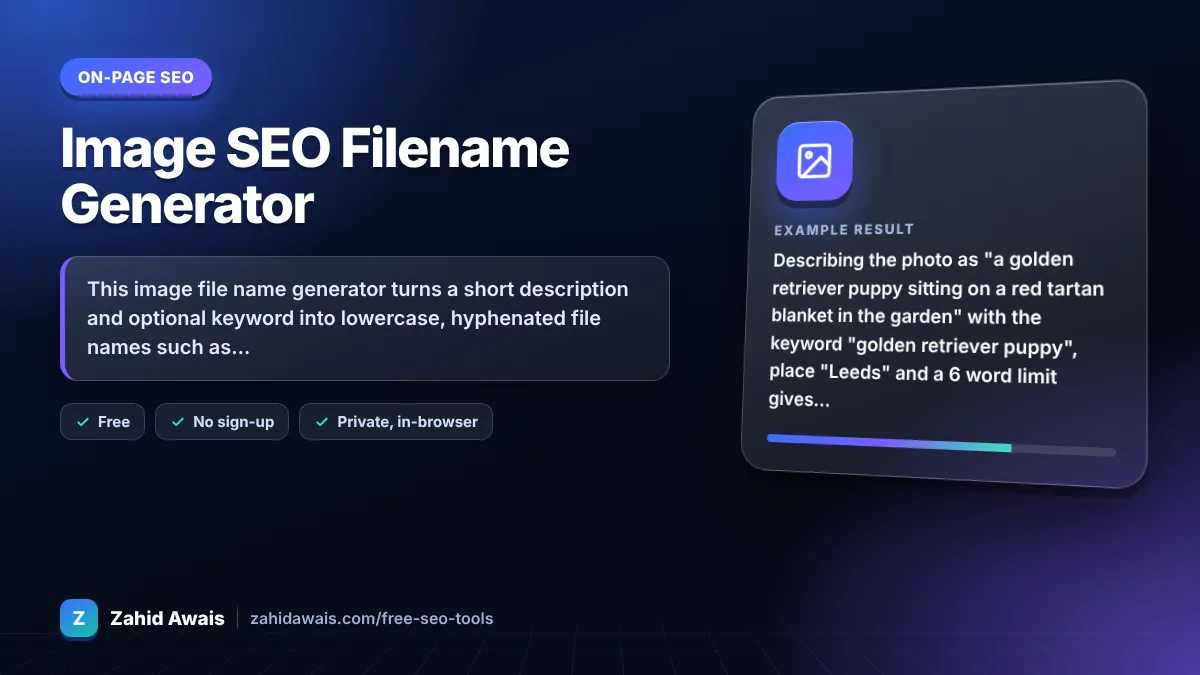
This image file name generator turns a short description and optional keyword into lowercase, hyphenated file names such as golden-retriever-puppy-sitting-red-tartan.webp, plus alt text and an img tag. Google recommends short, descriptive file names, so rename IMG_4821.jpg style files before uploading and keep names to about 3 to 6 words.
An image file name generator is a tool that converts a plain description into a file name that describes the image. It lowercases the text, converts accents, drops stop words and symbols, joins the words with hyphens, limits the word count and adds the file extension.
Yes, a little. Google says the file name can give it clues about the image subject, and recommends short but descriptive names, so my-new-black-kitten.jpg is better than IMG00023.JPG. See Google's image SEO best practices.
Use hyphens. Google recommends hyphens to separate words in URLs, and an image file name becomes part of the image URL. Underscores can join words together, so golden_retriever may be read as one word.
Keep it to about 3 to 6 words, usually under 50 characters before the extension. That is enough to describe the subject without stuffing keywords. Long, repetitive names add nothing and look spammy.
| Bad file name | Better file name | Why |
|---|---|---|
| IMG_4821.jpg | golden-retriever-puppy-garden.webp | Describes the subject |
| Photo 1 (final) .png | oak-dining-table-six-chairs.png | No spaces, brackets or caps |
| best_cheap_sofa_sofa_sale.jpg | grey-three-seater-sofa.jpg | Hyphens, no stuffing |
| Café Menü.jpg | cafe-menu-board.jpg | Accents converted for safe URLs |
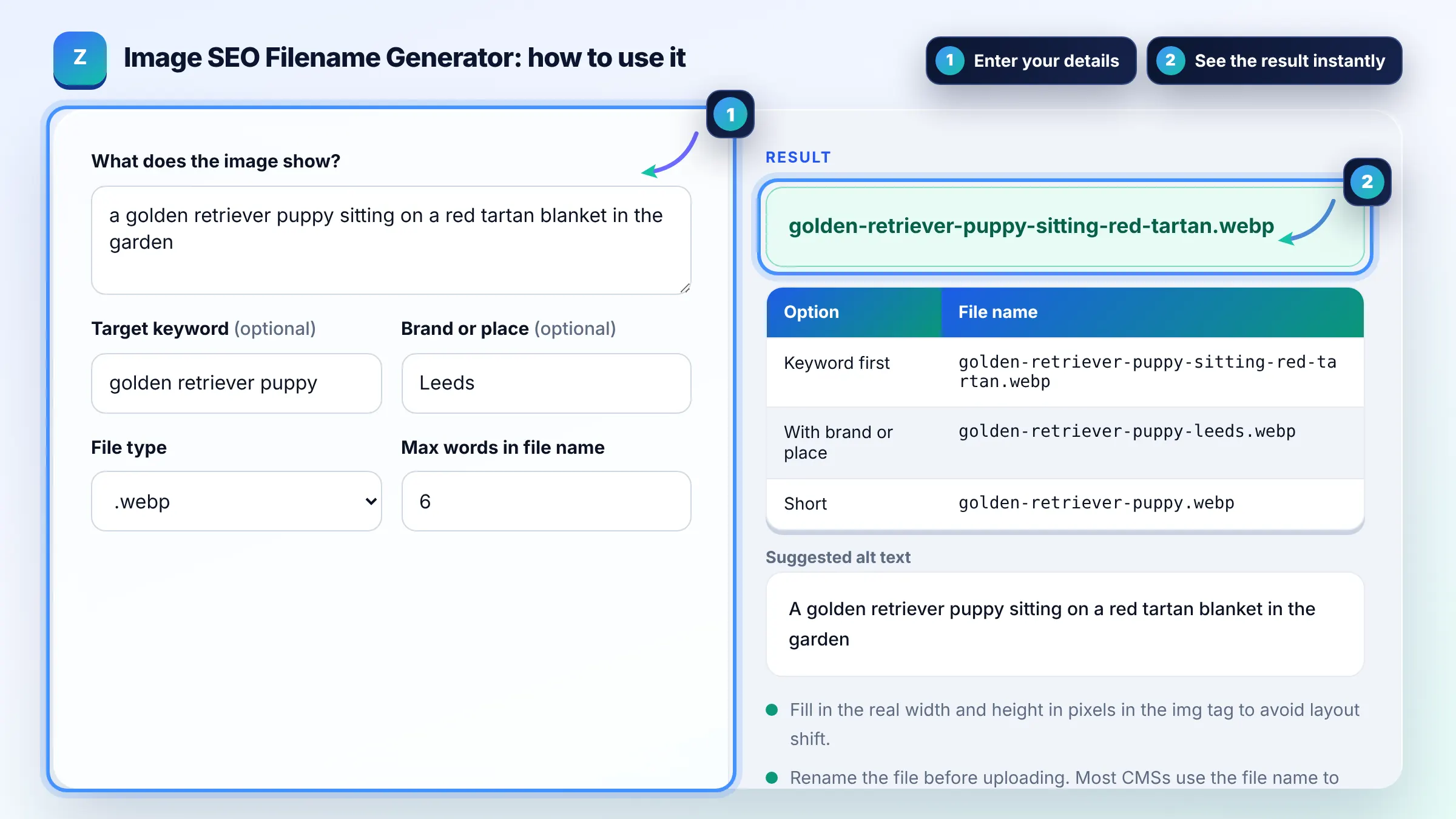
Example: describing the photo as "a golden retriever puppy sitting on a red tartan blanket in the garden" with the keyword "golden retriever puppy", place "Leeds" and a 6 word limit gives golden-retriever-puppy-sitting-red-tartan.webp, a place version golden-retriever-puppy-leeds.webp, a short golden-retriever-puppy.webp and the alt text "A golden retriever puppy sitting on a red tartan blanket in the garden".
Most content management systems build the image URL from the uploaded file name, and renaming afterwards often breaks links. Renaming first gives you a clean, descriptive URL from the start, which helps Google and anyone who sees the image address.
They should describe the same thing, but serve different jobs. The file name is short and machine friendly, while the alt text is a natural sentence for screen readers. That is why this tool gives a hyphenated name and a separate readable alt text.
No. Use the keyword only when it truly describes the image. Repeating the same keyword across every file on a page does not help and can look like stuffing. Describe each picture honestly so names stay unique and useful.
Google supports common formats including JPEG, PNG, WebP, GIF, SVG and AVIF. Modern formats like WebP and AVIF are usually much smaller, which helps pages load faster. The file name rules are the same whatever the format.
It is better not to. URLs can be case sensitive on many servers, so Image.jpg and image.jpg may be different files. Lowercase names avoid broken images and duplicate URLs, which is why this generator always outputs lowercase.
No. The generator runs entirely in your browser using plain JavaScript. Nothing you type is uploaded, stored or tracked, and no image is needed because it works from your description.
Facts checked against these official pages. Read how I check facts in my editorial policy.
A slug generator is a tool that converts a page title into the last readable part of a URL. It lowercases the…
An alt text checker is a tool that scans HTML for img elements and reads each alt attribute. It treats a…
An image to Base64 converter is a tool that encodes the bytes of an image file as text using 64 safe…
Send your website and I will check it for you, free.
One short email when something new goes live: articles, free SEO tools, package updates, discounts and price alerts. No spam, unsubscribe in one click.