HTML Minifier
An HTML minifier is a tool that rewrites markup into fewer bytes without changing what the browser renders.…
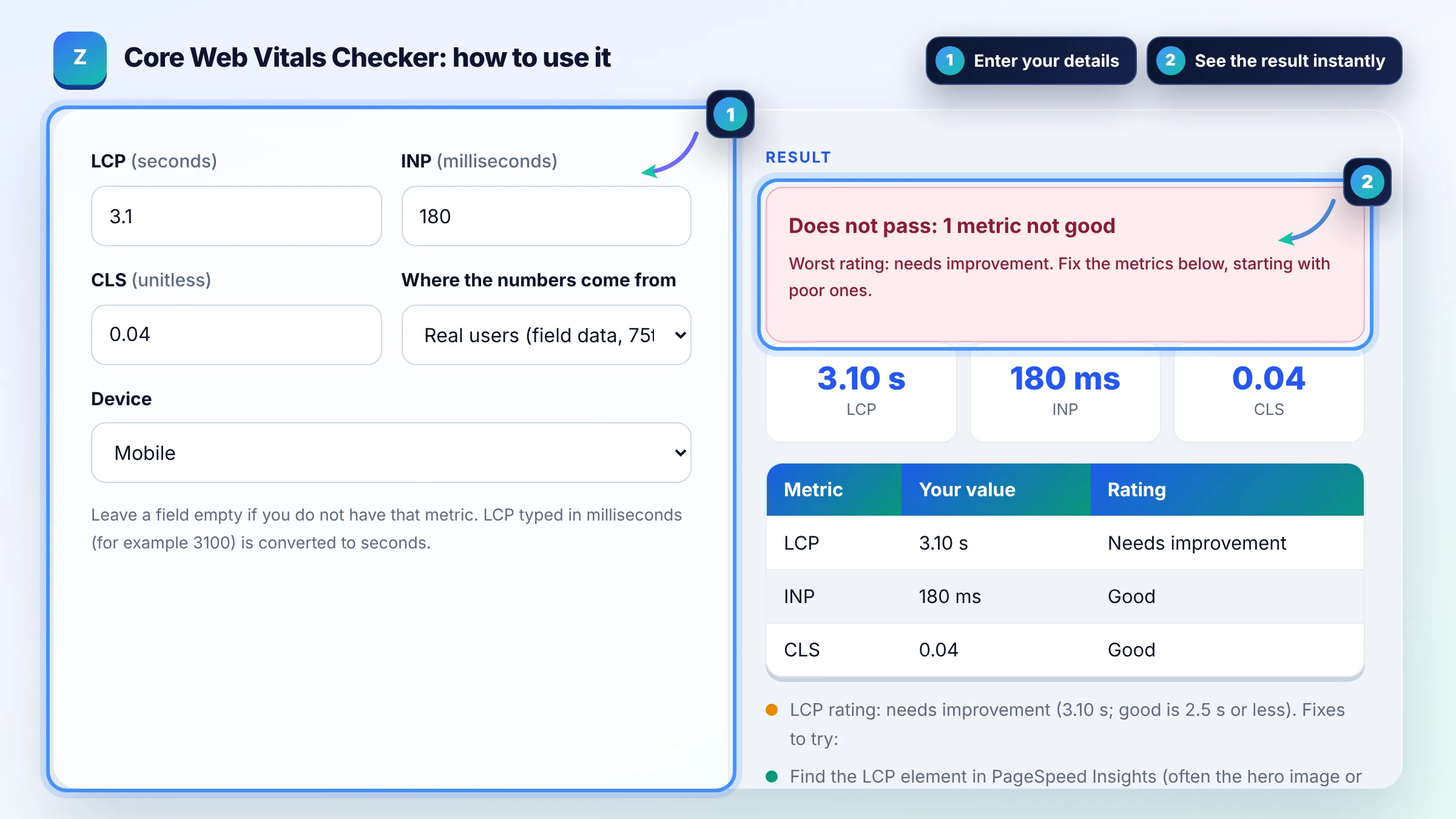
Enter LCP, INP and CLS from PageSpeed Insights or Search Console and see what passes.
Leave a field empty if you do not have that metric. LCP typed in milliseconds (for example 3100) is converted to seconds.
| Metric | Your value | Rating |
|---|
The free core web vitals thresholds runs in your browser, needs no sign-up and never sends what you type anywhere.
Google's Core Web Vitals thresholds are LCP of 2.5 seconds or less, INP of 200 milliseconds or less and CLS of 0.1 or less. Poor starts above 4 seconds, 500 milliseconds and 0.25. A page passes when the 75th percentile of real user visits is good on all three metrics, measured separately for mobile and desktop.
A Core Web Vitals checker is a tool that compares your measured Largest Contentful Paint, Interaction to Next Paint and Cumulative Layout Shift with the good and poor thresholds published by Google on web.dev. Each metric is rated good, needs improvement or poor, and the page passes only when all three are good.
The good thresholds are LCP at or under 2.5 seconds, INP at or under 200 milliseconds and CLS at or under 0.1, and poor starts above 4 seconds, 500 milliseconds and 0.25. Values in between need improvement. Google explains how these limits were chosen in How the Core Web Vitals metrics thresholds were defined.
Yes, but a modest one: Google says good Core Web Vitals align with what its core ranking systems seek to reward, alongside other page experience aspects. Relevance and helpful content still matter far more, so a fast page with weak content will not outrank a slower page that answers the query better.
PageSpeed Insights shows a single URL, while Search Console groups similar URLs and reports field data from the Chrome UX Report over the last 28 days. The Lighthouse performance score in PageSpeed Insights is a lab test on one simulated device, so it can disagree with field data from real visitors.
| Metric | Good | Needs improvement | Poor |
|---|---|---|---|
| LCP (loading) | 2.5 s or less | Over 2.5 s up to 4 s | Over 4 s |
| INP (responsiveness) | 200 ms or less | Over 200 ms up to 500 ms | Over 500 ms |
| CLS (visual stability) | 0.1 or less | Over 0.1 up to 0.25 | Over 0.25 |
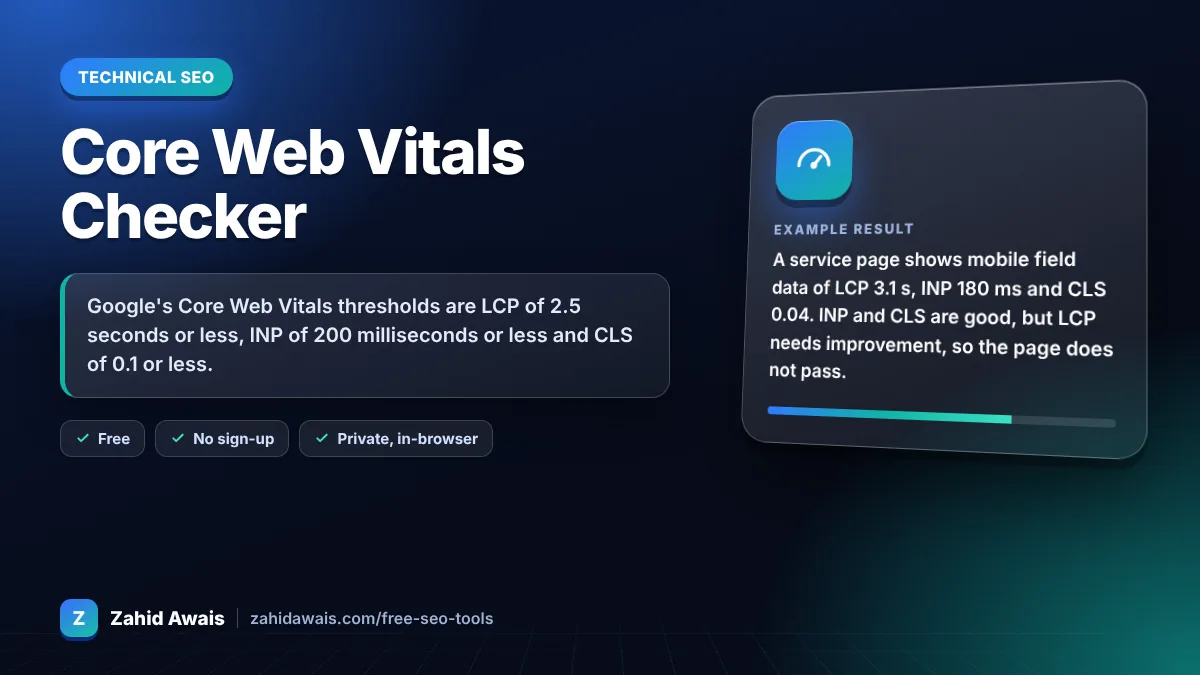
Example: a service page shows mobile field data of LCP 3.1 s, INP 180 ms and CLS 0.04. INP and CLS are good, but LCP needs improvement, so the page does not pass. Compressing the 400 KB hero image to WebP, preloading it with fetchpriority high and cutting server response time are the first fixes to try.
Largest Contentful Paint measures how long it takes for the largest image or text block in the viewport to appear. It reflects perceived loading speed. Aim for 2.5 seconds or less at the 75th percentile of visits, on both mobile and desktop.
Interaction to Next Paint replaced First Input Delay as the responsiveness Core Web Vital in March 2024. INP looks at the delay of interactions across the whole visit, not only the first one, so heavy JavaScript that runs later in the visit now shows up in the score.
Layout shift usually comes from images and embeds without width and height, ads or banners that push content down, late loading web fonts and content injected above existing text. Reserve space for every element and avoid inserting content above what the visitor is reading.
No. INP needs real user interactions, so it is only available from field data such as the Chrome UX Report, Search Console or your own real user monitoring. In a Lighthouse lab test, Total Blocking Time is a useful stand in for spotting main thread problems.
Field data in PageSpeed Insights and Search Console covers a rolling 28 day period. After you deploy a fix, expect the numbers to improve gradually over about 4 weeks. In Search Console you can click Validate fix to track the URL group.
No. This tool compares the numbers you enter with Google's published thresholds. Google's own assessment uses Chrome UX Report field data at the 75th percentile for each URL or URL group. Use the result as a quick, honest reading of your numbers.
Facts checked against these official pages. Read how I check facts in my editorial policy.
An HTML minifier is a tool that rewrites markup into fewer bytes without changing what the browser renders.…
An image compressor is a tool that reduces an image's file size by resizing it and re-encoding it with lossy…
A JPG to WebP converter is a tool that re-encodes JPG or PNG images as WebP, a format made by Google that…
Send your website and I will check it for you, free.
One short email when something new goes live: articles, free SEO tools, package updates, discounts and price alerts. No spam, unsubscribe in one click.