Image to Base64
An image to Base64 converter is a tool that encodes the bytes of an image file as text using 64 safe…
Convert JPG and PNG images to WebP in your browser and see how much smaller each file gets.
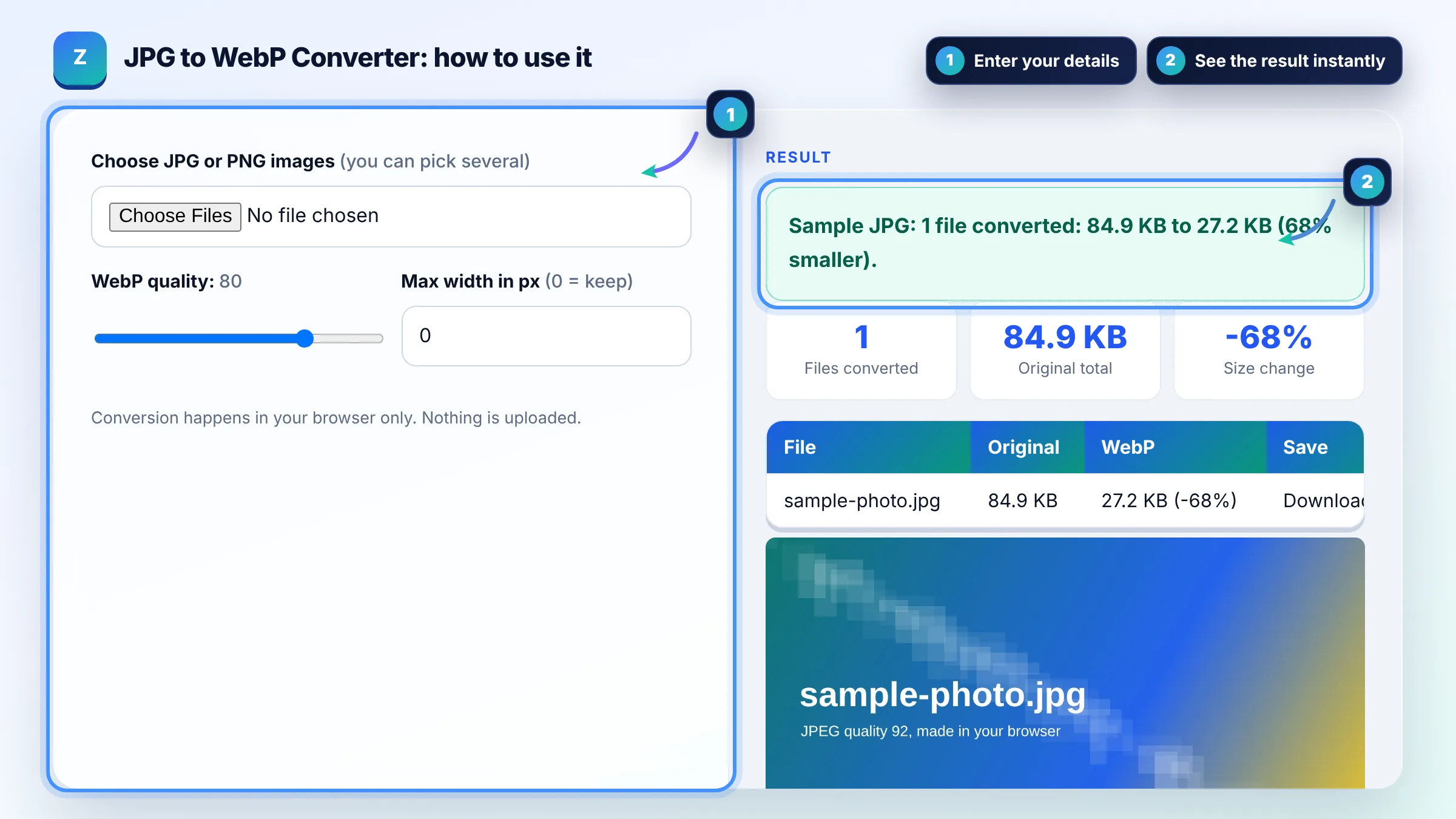
Conversion happens in your browser only. Nothing is uploaded.
| File | Original | WebP | Save |
|---|
The free jpg to webp converter runs in your browser, needs no sign-up and never sends what you type anywhere.
A JPG to WebP converter decodes each image and saves it again in Google's WebP format. Google reports lossy WebP files are 25 to 34% smaller than comparable JPEGs. Use quality 75 to 85 for photos, keep the original as a backup, and update your img tags or let your CMS serve the WebP version.
A JPG to WebP converter is a tool that re-encodes JPG or PNG images as WebP, a format made by Google that supports lossy and lossless compression plus transparency. Size change = (WebP bytes minus original bytes) ÷ original bytes × 100.
For websites, usually yes: Google's WebP documentation reports lossy WebP is 25 to 34% smaller than JPEG at the same SSIM quality, and WebP also supports transparency. JPG is still the safer choice for email attachments, printing and very old software.
Yes, all current major browsers, including Chrome, Edge, Firefox and Safari, display WebP images. For very old browsers you can use a picture element with a WebP source and a JPG fallback in the img tag, as described on MDN's picture element guide.
Converting to WebP helps SEO indirectly by making pages lighter and faster, which supports good Largest Contentful Paint. Google Search indexes WebP images like JPG and PNG. Keep descriptive file names and alt text when you swap formats, and update internal references so no image breaks.
| Feature | JPG | WebP |
|---|---|---|
| Compression | Lossy only | Lossy and lossless |
| Transparency | No | Yes |
| Animation | No | Yes |
| Typical size for photos | Baseline | 25 to 34% smaller (Google study) |
| Supported by Google Search | Yes | Yes |
| Best for | Email, print, old software | Web pages and apps |
Example: a 1600 x 900 px JPG product photo saved at high quality converts to WebP at quality 80. Lossy WebP is often a third or more smaller for photos like this, so a 400 KB file might drop to roughly 250 KB or less. The exact saving depends on the image, which is why the table shows the real result for each file.
No. The converter uses your browser's canvas to decode and re-encode each image, so files never leave your device. Large batches depend on your device's memory, so convert very big photos a few at a time.
Yes. WebP supports an alpha channel, so transparent areas in a PNG stay transparent in the WebP file. Check edges around logos in the preview, and use quality 90 or above when sharp lines matter.
A JPG that is already heavily compressed can grow when re-encoded at a high WebP quality. Lower the quality a little, or keep the original JPG for that file. The converter marks any file that got bigger so you can decide.
Use 75 to 85 for most photos and 90 or above for images with text or fine lines. Lower values such as 60 suit large background images. Always compare the preview at full size before replacing images on a live site.
WordPress has supported WebP uploads since version 5.8, so you can upload the converted files directly to the Media Library. Many image plugins can also create WebP versions automatically and serve them to browsers that support the format.
Yes. Re-encoding through a canvas copies only the pixels, so camera EXIF data such as GPS location, camera model and date is not kept in the WebP file. That helps privacy but also removes any copyright notice stored in metadata.
Facts checked against these official pages. Read how I check facts in my editorial policy.
An image to Base64 converter is a tool that encodes the bytes of an image file as text using 64 safe…
An image compressor is a tool that reduces an image's file size by resizing it and re-encoding it with lossy…
An image resizer is a tool that redraws an image at a new pixel size. With the aspect ratio locked it scales…
Coming 26 OctSend your website and I will check it for you, free.