Image SEO Filename Generator
An image file name generator is a tool that converts a plain description into a file name that describes the…
Compress JPG, PNG and WebP images in your browser and see exactly how much you save.
Images are compressed in your browser only. Nothing is uploaded.
The free image compressor runs in your browser, needs no sign-up and never sends what you type anywhere.
An image compressor re-encodes a photo at a lower quality and, if needed, a smaller width to cut file size. For most website photos, quality 70 to 80 and a width close to the largest display size save a lot with little visible change. WebP output is usually smaller than JPEG at similar quality.
An image compressor is a tool that reduces an image's file size by resizing it and re-encoding it with lossy compression. Saving = (original bytes minus new bytes) ÷ original bytes × 100; lower quality and fewer pixels both shrink the file.
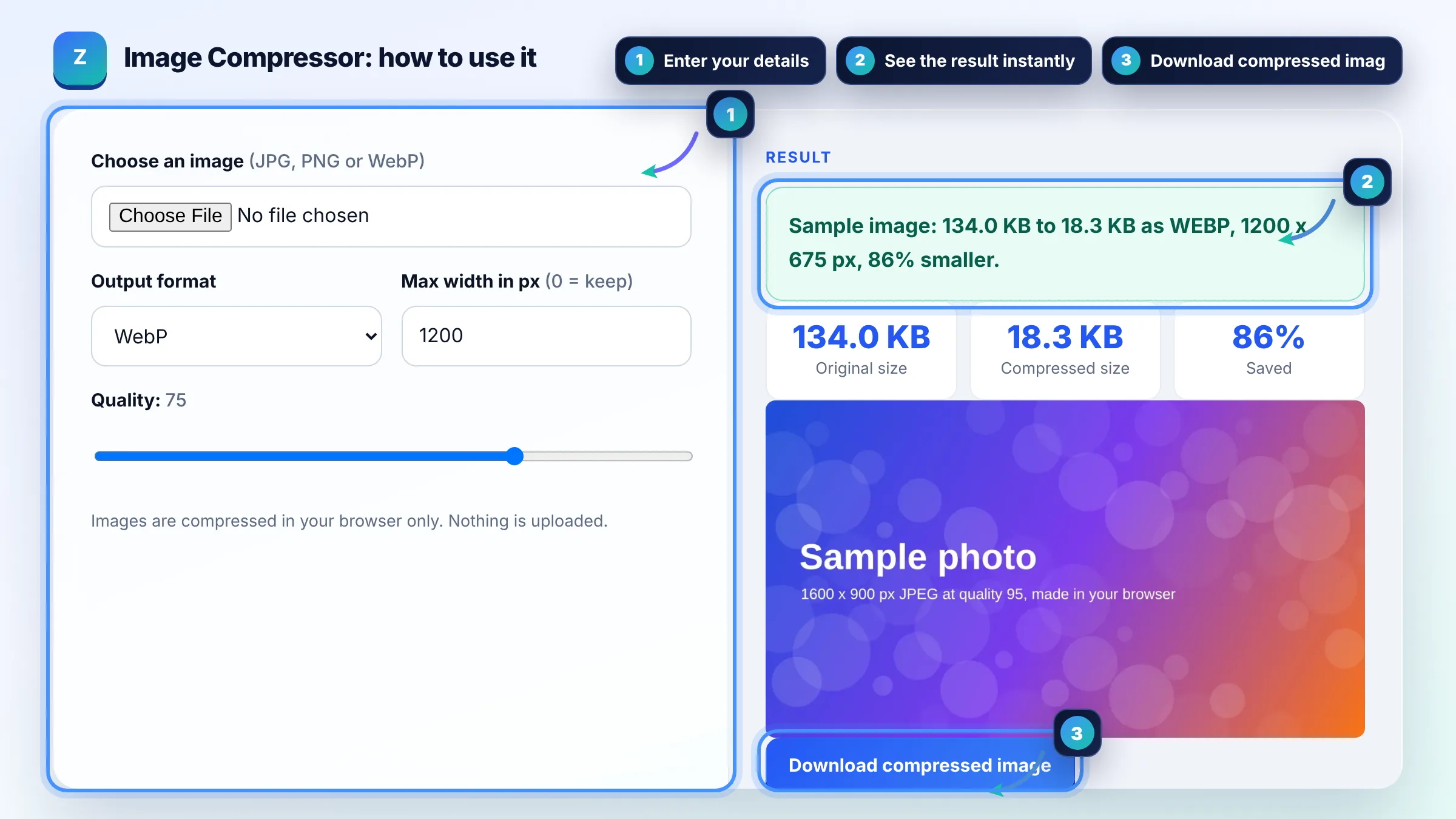
Resize the image to the largest size it is displayed, then use quality 70 to 85; most people cannot see the difference on a website. Removing extra pixels saves the most bytes. For graphics with flat colours or text, lossless WebP or PNG keeps edges sharp.
WebP is a strong default for photos and graphics because Google's WebP documentation reports lossy WebP is 25 to 34% smaller than comparable JPEG and lossless WebP 26% smaller than PNG. Google Search supports BMP, GIF, JPEG, PNG, WebP, SVG and AVIF images.
Yes, indirectly: large images slow pages, and Google's image SEO best practices note images are often the largest part of page size. Heavy hero images hurt Largest Contentful Paint, one of the Core Web Vitals, so compress them and serve sizes that fit each screen.
| Image use | Format | Starting quality |
|---|---|---|
| Hero or banner photo | WebP (JPEG fallback if needed) | 70 to 80 |
| Blog photo or product image | WebP or JPEG | 75 to 85 |
| Logo, icon or line art | SVG, or lossless WebP or PNG | Lossless |
| Screenshot with text | PNG or lossless WebP | Lossless or 85+ |
| Image with transparency | WebP or PNG | 75+ for WebP |
Example: a 4000 px wide phone photo of 3.2 MB shown in a 1200 px wide blog column. Setting max width to 1200 cuts the pixels by about 91%, and WebP at quality 75 often brings it to a few hundred KB. Results depend on the photo, so always compare the preview at full size before replacing the original.
No. This compressor reads the file and re-encodes it with your browser's canvas, so the image never leaves your device. That also means very large files depend on your device's memory, and closing the tab removes everything.
Browsers save PNG without a quality setting, so re-saving a PNG at the same size rarely helps and can even grow the file. Choose WebP or JPEG output, or lower the max width. For flat graphics, try WebP, which supports transparency.
Start at 75 and compare the preview with the original. Go higher, 80 to 85, for product photos where detail sells, and lower, 60 to 70, for large background images. Stop lowering when you can see blocky areas or colour banding.
Yes. Re-encoding through a canvas keeps only the pixels, so camera EXIF data such as GPS location, camera model and date is not copied into the new file. That is useful for privacy but also removes any copyright text stored in metadata.
There is no fixed limit from Google; aim for the smallest file that still looks good at its display size. Many website photos land well under 200 KB after resizing and WebP compression. Check Largest Contentful Paint in PageSpeed Insights after changes.
This tool compresses one image at a time so you can judge the preview and the size saved. For many files, use the JPG to WebP converter on this site, which handles several images in one go, or an image plugin that converts uploads automatically.
Facts checked against these official pages. Read how I check facts in my editorial policy.
An image file name generator is a tool that converts a plain description into a file name that describes the…
A JPG to WebP converter is a tool that re-encodes JPG or PNG images as WebP, a format made by Google that…
Coming 23 OctAn image resizer is a tool that redraws an image at a new pixel size. With the aspect ratio locked it scales…
Coming 26 OctSend your website and I will check it for you, free.