Color Palette Generator
A color palette generator is a tool that turns one base color into a usable set of website colors. It…
Drag the sliders, watch the shadow change live, then copy ready to paste CSS.
The free box shadow generator runs in your browser, needs no sign-up and never sends what you type anywhere.
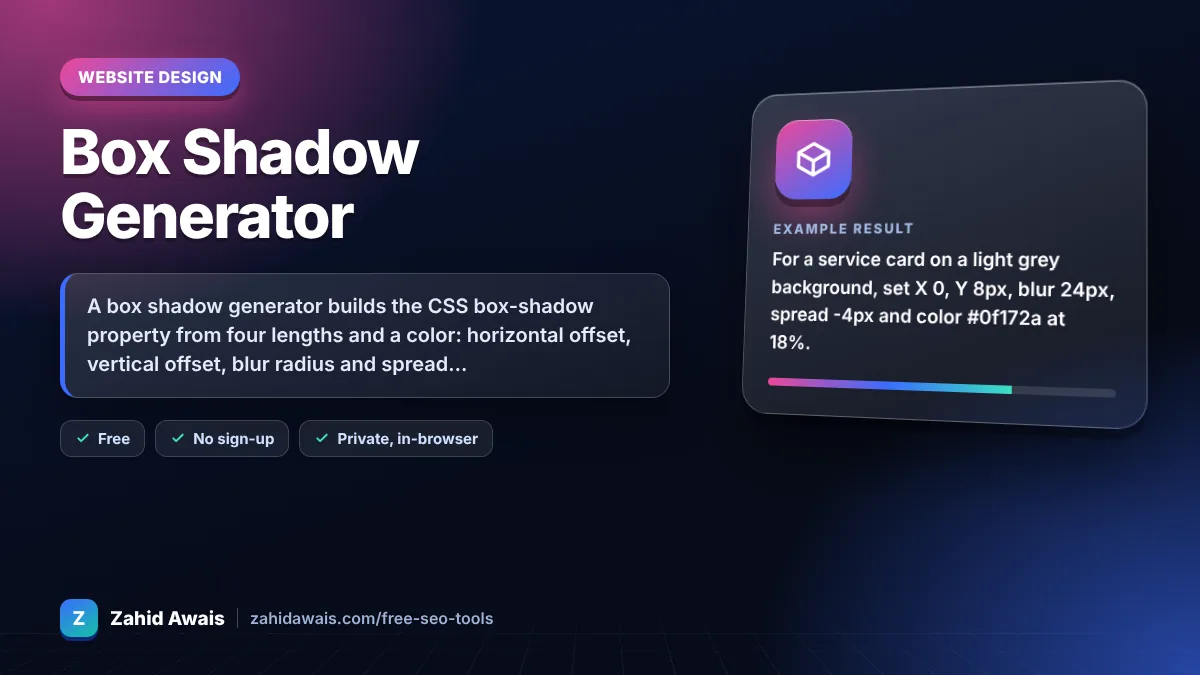
A box shadow generator builds the CSS box-shadow property from four lengths and a color: horizontal offset, vertical offset, blur radius and spread radius. For soft card shadows, keep opacity low (around 10 to 25%), use a blur two to three times the vertical offset and a small negative spread so the shadow stays under the box.
A box shadow generator is a visual tool that writes the CSS box-shadow value for you. The browser draws a copy of the element's box, moves it by the X and Y offsets, grows or shrinks it by the spread, softens it by the blur and paints it in the chosen color behind (or with inset, inside) the element.
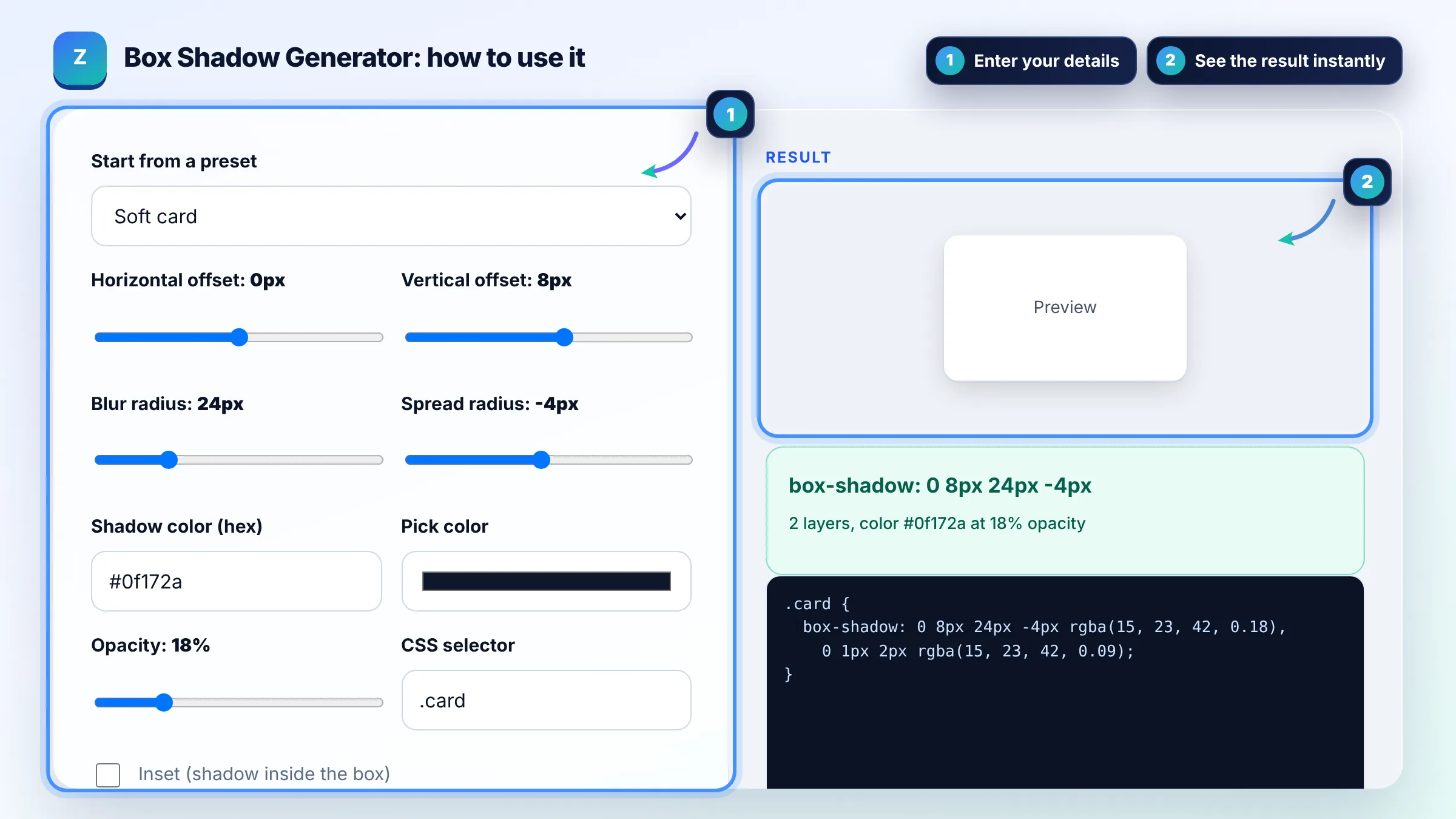
The four lengths are horizontal offset, vertical offset, blur radius and spread radius, always in that order. Positive offsets move the shadow right and down, blur softens the edge and cannot be negative, and spread grows or shrinks the shadow. The MDN box-shadow reference lists every allowed value.
Use a low opacity color (about 10 to 25%), a vertical offset of 4 to 20px, a blur two to three times that offset and a small negative spread. Layering two shadows, one large and soft plus one tight and faint, usually looks more natural than a single dark shadow.
A static box shadow has almost no cost, and it never affects layout, so it cannot cause layout shift (CLS). The cost appears when you animate box-shadow, because the browser repaints on every frame. For hover effects, animate the opacity of a pseudo element that carries the shadow, or use transform.
| Look | Example CSS | Use it for |
|---|---|---|
| Soft card | 0 8px 24px -4px rgba(15, 23, 42, 0.18) | Cards, pricing boxes, blog tiles |
| Lifted card | 0 20px 40px -10px rgba(15, 23, 42, 0.28) | Hover state, featured item, modal |
| Hard offset | 6px 6px 0 0 #111827 | Flat, brutalist or retro buttons |
| Inset field | inset 0 2px 6px rgba(15, 23, 42, 0.2) | Inputs, pressed buttons, wells |
| Focus glow | 0 0 0 4px rgba(37, 99, 235, 0.35) | Visible keyboard focus ring |
Example: for a service card on a light grey background, set X 0, Y 8px, blur 24px, spread -4px and color #0f172a at 18%. With the second layer on, the tool writes box-shadow: 0 8px 24px -4px rgba(15, 23, 42, 0.18), 0 1px 2px rgba(15, 23, 42, 0.09). The large layer gives depth and the small one sharpens the bottom edge.
Yes. Separate shadows with commas in one box-shadow declaration. The first shadow in the list is drawn on top. Two or three layers, each with low opacity, are a common way to make shadows look realistic instead of flat and muddy.
box-shadow follows the element's rectangular box and border radius. The CSS filter drop-shadow() follows the visible shape, including transparent PNG or SVG edges. Use box-shadow for cards and buttons, and drop-shadow for icons or cut out images.
No. All current major browsers support the unprefixed box-shadow property, so the -webkit- and -moz- prefixed versions only matter for very old browsers. This generator outputs the standard property only, which keeps your CSS shorter and easier to maintain.
The inset keyword draws the shadow inside the element's border instead of outside it. That makes the box look pressed into the page, which suits input fields, toggles and active button states. Offsets work in reverse visually, so a positive Y shadow appears at the top.
Common causes are an opacity of 0, a shadow color that matches the background, a parent with overflow hidden that clips the shadow, or a large negative spread that hides it under the box. Check each one, then test the rule in your browser's developer tools.
A spread only shadow such as 0 0 0 4px works well as a focus ring because it follows border radius. Make sure its color has enough contrast against the background, and keep a visible outline for Windows high contrast mode, where box shadows are not shown.
Facts checked against these official pages. Read how I check facts in my editorial policy.
A color palette generator is a tool that turns one base color into a usable set of website colors. It…
A CSS gradient generator is a tool that turns your color and angle choices into CSS gradient functions. The…
A border radius generator is a visual tool that turns four corner values into one border-radius rule. Each…
Send your website and I will check it for you, free.
One short email when something new goes live: articles, free SEO tools, package updates, discounts and price alerts. No spam, unsubscribe in one click.