Color Contrast Checker
A color contrast checker is a tool that compares the relative luminance of two colors. The ratio is (L1 +…
Start from one brand color and get matching colors, shades and contrast results you can paste as CSS.
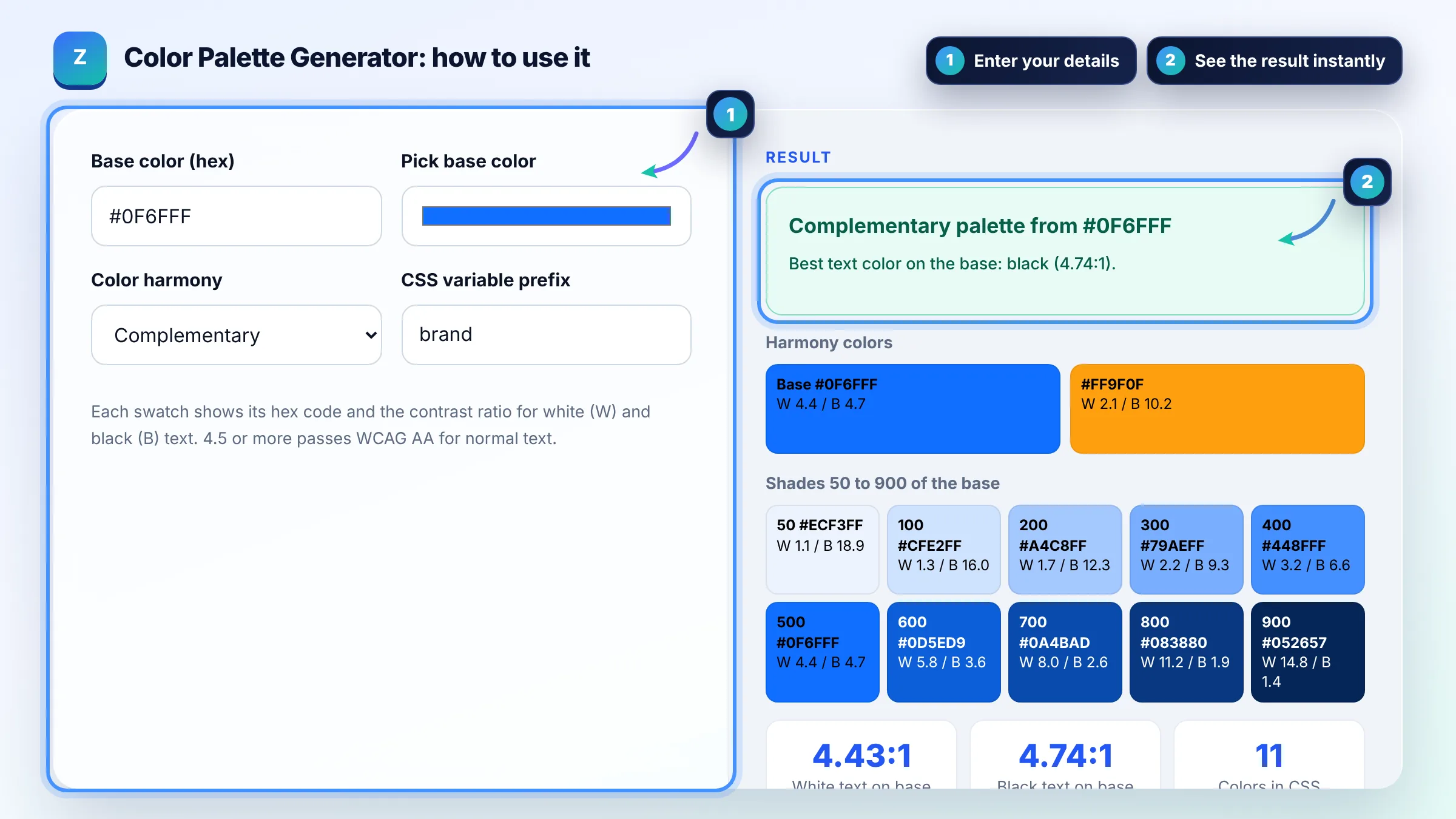
Each swatch shows its hex code and the contrast ratio for white (W) and black (B) text. 4.5 or more passes WCAG AA for normal text.
Harmony colors
Shades 50 to 900 of the base
The free color palette generator runs in your browser, needs no sign-up and never sends what you type anywhere.
A color palette generator takes one base color and builds matching colors with fixed hue steps on the color wheel, plus lighter tints and darker shades. Use one main brand color, one accent and neutral shades, and check that body text reaches at least 4.5:1 contrast with its background under WCAG.
A color palette generator is a tool that turns one base color into a usable set of website colors. It converts the hex code to HSL, rotates the hue (180 degrees for complementary, 30 for analogous, 120 for triadic), mixes the base with white and black for 50 to 900 shades, and calculates the WCAG contrast ratio of each color against white and black text.
Most websites work well with 1 main brand color, 1 or 2 accent colors and a set of neutral shades for text, borders and backgrounds. Generate tints and shades of the main color for hover states and soft backgrounds instead of adding new hues, so the design stays consistent and easy to maintain.
Normal body text needs a contrast ratio of at least 4.5:1, and large text (about 24 px regular or 18.7 px bold) needs at least 3:1 to meet WCAG level AA. Check every button and link color against its background. The W3C explains the rule in Understanding Contrast (Minimum).
Complementary colors sit opposite each other on the color wheel (180 degrees apart) and create strong contrast, which suits buttons and calls to action. Analogous colors sit next to each other (about 30 degrees apart) and feel calm and related, which suits backgrounds, illustrations and section highlights.
| Harmony | Hue steps from base | Good for |
|---|---|---|
| Complementary | 0 and 180 degrees | Call to action buttons that must stand out |
| Analogous | minus 30, 0, plus 30 degrees | Calm, related brand sections |
| Triadic | 0, 120, 240 degrees | Playful brands and charts |
| Split complementary | 0, 150, 210 degrees | Contrast with less tension than complementary |
| Tetradic | 0, 90, 180, 270 degrees | Large sites with many content types |
| Monochrome | Same hue, lighter and darker | Minimal, professional designs |
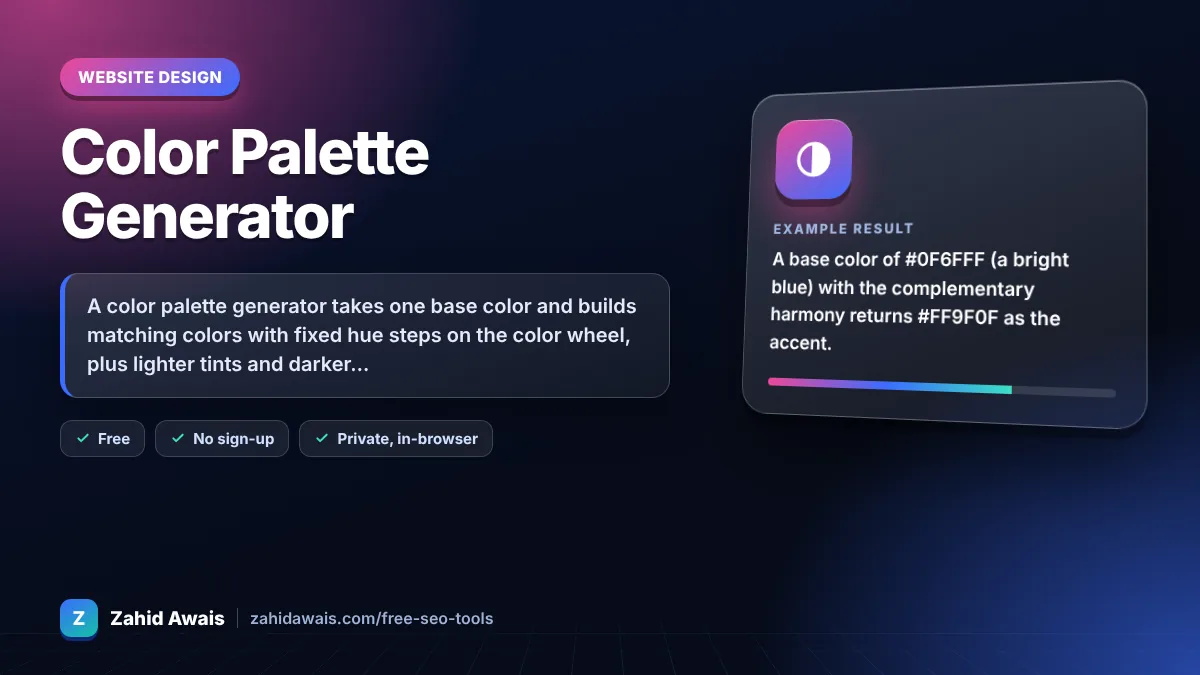
Example: a base color of #0F6FFF (a bright blue) with the complementary harmony returns #FF9F0F as the accent. White text on #0F6FFF scores about 4.4:1, just under the 4.5:1 AA rule for normal text, so use the darker 600 shade for buttons with small white text and keep the base for large headings or icons.
A color palette generator is a tool that builds a set of matching colors from one starting color. It uses color wheel rules such as complementary or triadic, adds lighter and darker shades, and helps you choose a consistent set of colors for a website, logo or brand kit.
Start with a color that fits your industry and audience, then test it in real buttons and links. Make sure it reaches 4.5:1 contrast with white or black text. If it does not, use a darker shade for text and buttons and keep the original for large decorative areas.
They are shade steps. 50 is the lightest tint, 500 is your base color, and 900 is the darkest shade. Design systems use this naming so developers can pick a lighter background or a darker hover state without inventing new hex codes each time.
Color is not a Google ranking factor. It still matters for users: readable contrast, clear buttons and a consistent brand help people stay, read and convert, and accessible text serves every visitor, including people with low vision or bright screens outdoors.
Yes. Paste the :root block into Appearance, Customize, Additional CSS, or into your theme stylesheet, then use var(--brand-500) in your rules. Block themes can also map the colors into theme.json so they appear in the editor color picker.
No. Everything runs in your browser with plain JavaScript. The colors, contrast checks and CSS are calculated on your device and nothing is sent to a server or stored.
Facts checked against these official pages. Read how I check facts in my editorial policy.
A color contrast checker is a tool that compares the relative luminance of two colors. The ratio is (L1 +…
A CSS gradient generator is a tool that turns your color and angle choices into CSS gradient functions. The…
A hex to RGB converter is a tool that translates a CSS hex color code into its red, green and blue values.…
Coming 27 OctSend your website and I will check it for you, free.
One short email when something new goes live: articles, free SEO tools, package updates, discounts and price alerts. No spam, unsubscribe in one click.