Nginx Redirect Generator
An Nginx redirect generator is a tool that turns old and new URLs into Nginx configuration such as location =…
Paste the redirect part of your .htaccess file and get Nginx rewrite, return and if rules, with every line it cannot convert safely flagged.
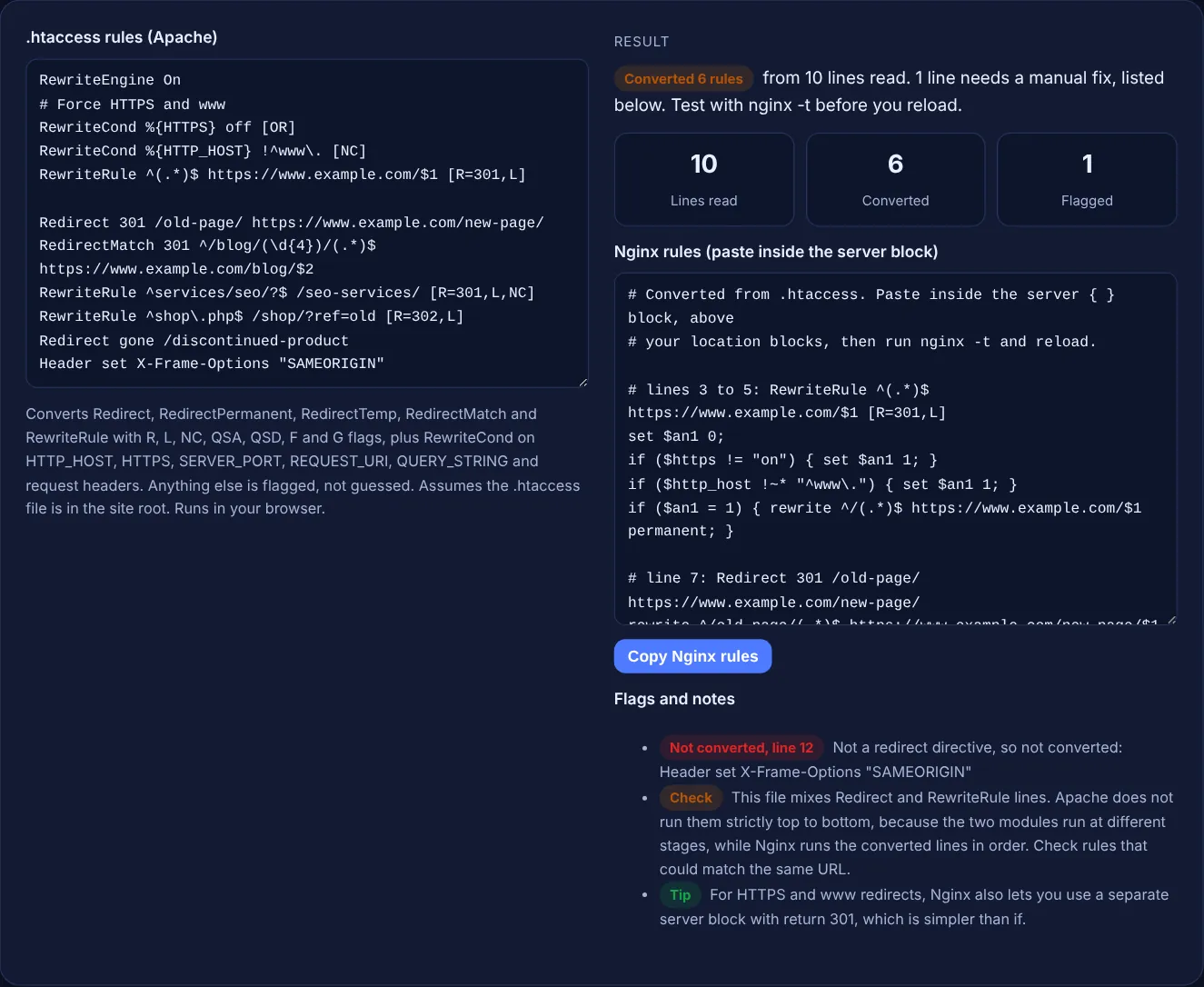
Converts Redirect, RedirectPermanent, RedirectTemp, RedirectMatch and RewriteRule with R, L, NC, QSA, QSD, F and G flags, plus RewriteCond on HTTP_HOST, HTTPS, SERVER_PORT, REQUEST_URI, QUERY_STRING and request headers. Anything else is flagged, not guessed. Assumes the .htaccess file is in the site root. Runs in your browser.
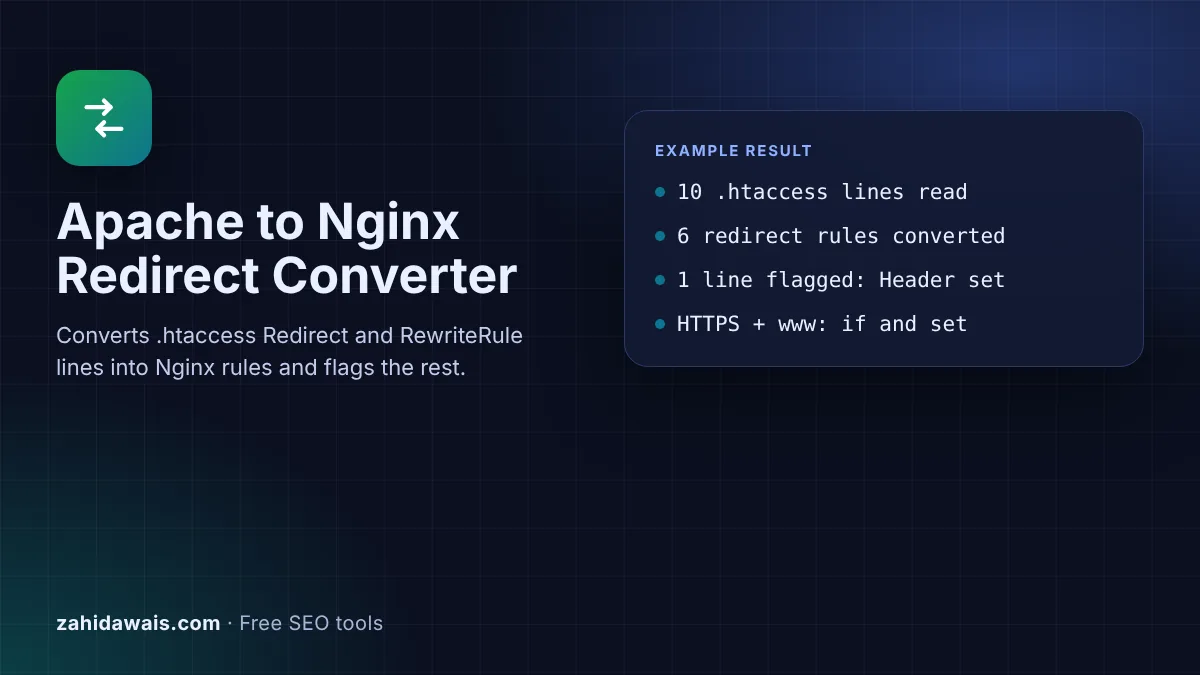
The free htaccess to Nginx converter turns the redirect rules from an Apache .htaccess file into Nginx rewrite, return and if lines. It keeps status codes, case rules and query string behaviour, and it flags every line it cannot convert safely instead of guessing. It runs in your browser.
An htaccess to Nginx converter rewrites Apache redirect rules in Nginx syntax, because Nginx does not read .htaccess files. Redirect and RedirectMatch become rewrite or return lines, RewriteRule patterns gain the leading slash Nginx sees, and conditions on host or HTTPS become if blocks. Always test the result with nginx -t.
An htaccess to Nginx converter is a tool that translates Apache configuration into the directives Nginx understands. Apache reads redirect rules from .htaccess files in each folder. Nginx has no per-folder files, so the same rules have to move into the server block of the site's Nginx configuration, written with the rewrite module directives return, rewrite, if and set.
The hard part is the small differences. In .htaccess, Apache strips the leading slash before a RewriteRule pattern is matched, while Nginx matches the full path. Apache's [R] flag defaults to 302, and a target with its own query string drops the old one unless you add [QSA]. This converter handles those cases line by line, and it flags proxies, file checks, internal front controller rewrites and containers such as <Files> for you to rewrite by hand.
Because the two servers match different strings. Apache's per-directory rewrite docs say that in .htaccess context "the directory prefix is stripped", so a rule in the site root sees blog/post, not /blog/post. They add that a pattern beginning with ^/ "will never match in this context". Nginx's rewrite directive matches the full URI, which always starts with a slash. The converter adds that slash, so ^blog/(.*)$ becomes ^/blog/(.*)$, and it flags ^/ patterns that Apache already ignores.
Each condition becomes an Nginx if test: %{HTTP_HOST} becomes $http_host, %{HTTPS} off becomes $https != "on", and [NC] becomes the case-insensitive ~* operator. Nginx cannot combine conditions inside one if, so two or more conditions are joined with set variables, keeping Apache's rule that [OR] binds two conditions while the rest must all match. Back references such as %1 become named captures. Tests on files and folders, such as -f and -d, are flagged.
The converter keeps Apache's behaviour. Apache's flags documentation says that when the target has a query string, the default is "to discard the existing query string", while [QSA] combines them and [QSD] drops the old one. In Nginx, a rewrite target with its own query string keeps the old arguments too, unless the target ends with a question mark. So targets without [QSA] get a trailing ?, and return lines get $is_args$args where Apache would keep the query string.
| Apache (.htaccess) | Nginx | Note |
|---|---|---|
| Redirect 301 /old /new | rewrite ^/old(/.*)?$ /new$1 permanent; | Prefix match, rest of the path kept |
| Redirect gone /old | if ($uri ~ "^/old(/.*)?$") { return 410; } | 410 Gone |
| RewriteRule ^a$ /b [R=301,L] | rewrite ^/a$ /b permanent; | Leading slash added |
| [R] with no code | rewrite ... redirect; | Both send 302 |
| [R=307] or [R=308] | if (...) { return 308 ...; } | rewrite only sends 301 or 302 |
| [NC] | (?i) in rewrite, ~* in if | Case-insensitive |
| [QSD] or a target with ? | Target ends with ? | Stops Nginx adding the old query string |
| RewriteCond %{HTTPS} off | if ($https != "on") | True for plain HTTP requests |
| [P], -f, -d, | Flagged | Rewrite by hand |
Example: the default box has 12 lines from a typical .htaccess file. The tool reads 10 of them (the comment and blank line are skipped) and converts 6 redirect rules. The HTTPS and www rule, with two conditions joined by [OR], becomes a set $an1 0 line, two if tests that set $an1 to 1 and a final if that runs the rewrite. Redirect 301 /old-page/ becomes rewrite ^/old-page/(.*)$ with the rest of the path kept, the [NC] rule gets (?i), the 302 to /shop/?ref=old gets a trailing ? so the old query string is dropped as in Apache, and Redirect gone becomes return 410. The Header set line is flagged, because it is not a redirect.
No. Nginx reads its settings from its own configuration file, nginx.conf by default, and changes apply only after a reload or restart. Rules left in .htaccess files are ignored, so redirects must be converted and added to the server block.
Nginx if blocks cannot be nested or combine tests, so the converter keeps them simple: only return, rewrite and set, at server level. For HTTPS and www redirects, a separate server block with return 301 is simpler, and the tool says so.
Some Apache features have no exact Nginx twin, such as proxying with [P], checks for real files with -f and -d, or containers like Files. Guessing could break the site, so the tool explains each one and suggests what to use instead.
You do not convert it line by line. The WordPress block sends requests for missing files to index.php, which in Nginx is a single try_files line inside location /. The tool flags that rule and shows the try_files line to use.
Yes. Run nginx -t to check the syntax, reload on a staging server, then request a few old URLs with curl -I or a redirect checker. Compare the status code and Location header with what the Apache server returns today.
Yes, as long as the status codes stay the same. Google treats 301 and 308 as permanent redirects that signal the target should be canonical, and 302, 303 and 307 as temporary. The server software does not matter to Google.
Checked 23 Oct 2026. Facts checked against these official pages. Read how I check facts in my editorial policy.
An Nginx redirect generator is a tool that turns old and new URLs into Nginx configuration such as location =…
An htaccess redirect generator is a tool that converts old and new URLs into Apache directives such as…
Finds mixed trailing slash URLs and duplicate pairs, then writes Apache and Nginx rules.
A redirect map generator is a tool that builds the old URL to new URL table you need before a site migration.…
Send your website and I will check it for you, free.
One short email when something new goes live: articles, free SEO tools, package updates, discounts and price alerts. No spam, unsubscribe in one click.